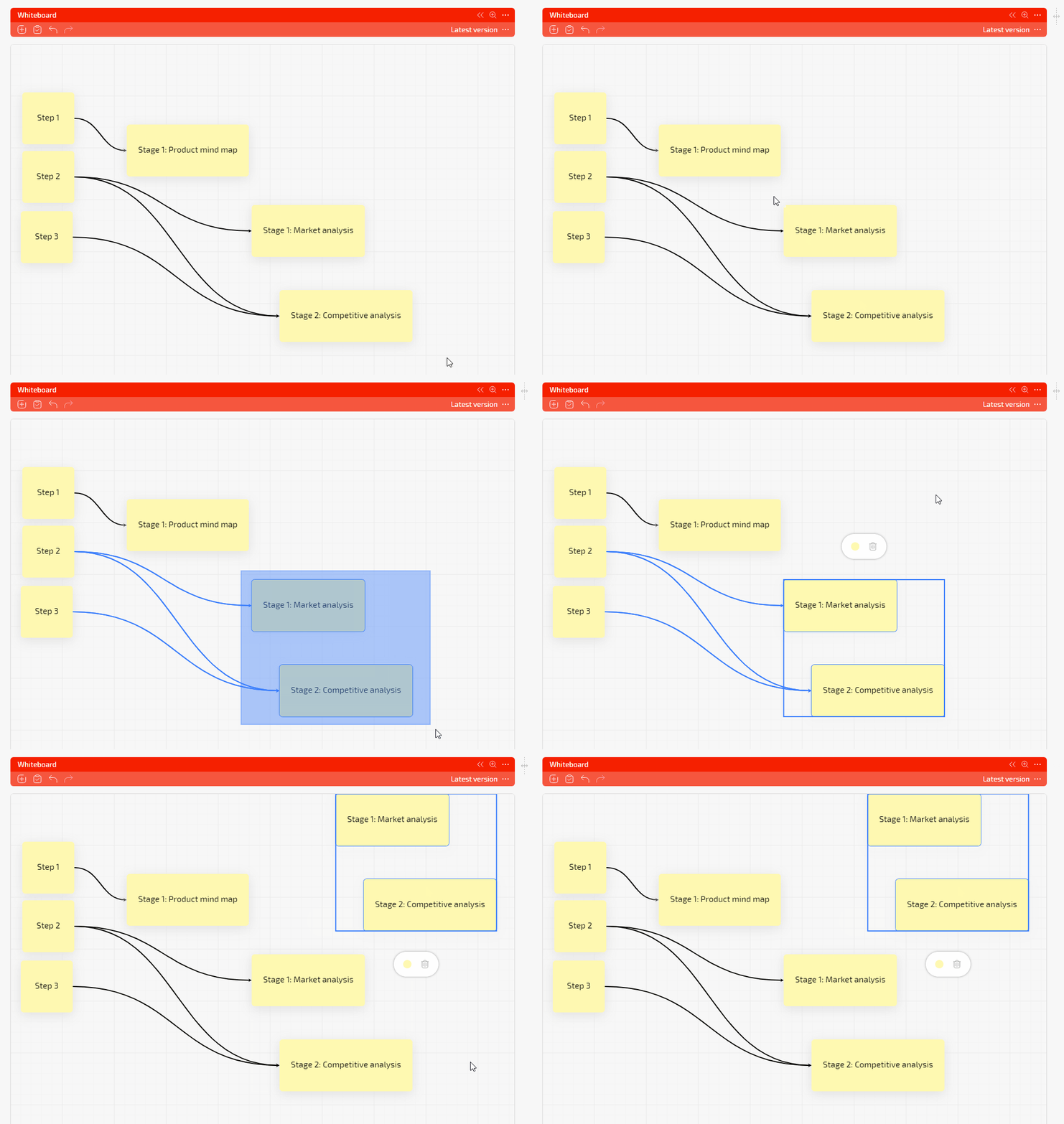
What’s New in Planfix: August-September 2026

Throughout August and September, the Planfix team was fine-tuning the system. We’re excited to announce a host of fixes designed to increase efficiency and improve user experience. Stay tuned for the latest updates!
Planfix Mobile App 0.72 is live for iOS & Android
Here’s what’s new:
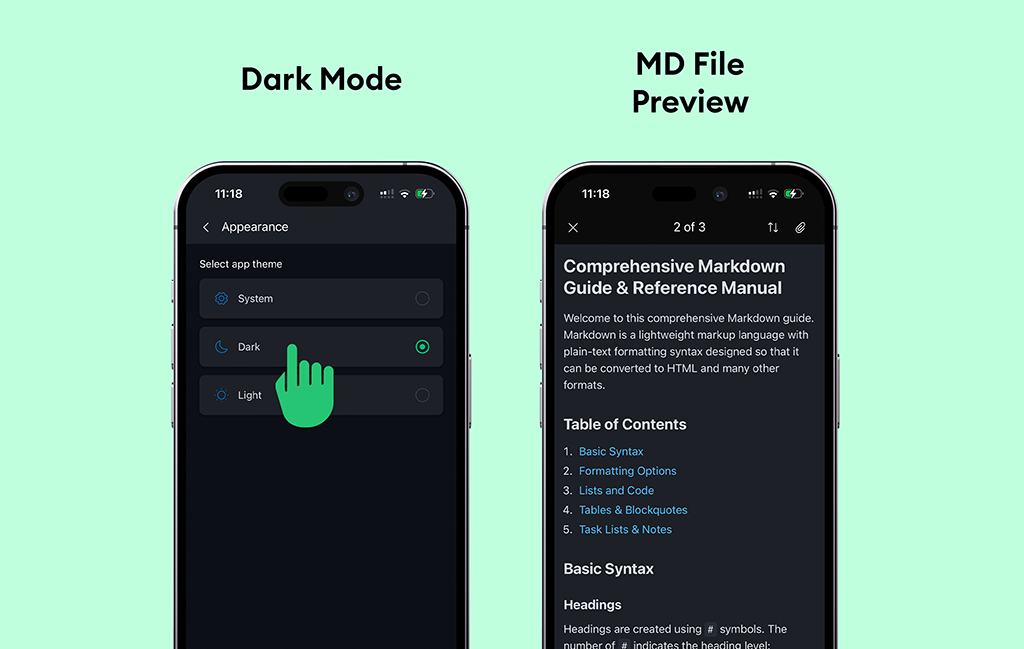
- Dark Mode is here! Yep, you can now switch to a dark theme and give your eyes a break.
- MD files can now be viewed right within the app – no need to hop over to another service.
- We’ve revamped the custom buttons menu in tasks and contacts, making it super easy to find and pick the action you need.
- Plus, you can now add viewed files directly into task descriptions. Handy, right?
Hit that update button and start exploring these fresh features!
iOS: https://itunes.apple.com/us/app/id1475346366
Android: https://play.google.com/store/apps/details?id=com.planfixng
Now You Can Export Whiteboard In Mermaid Format
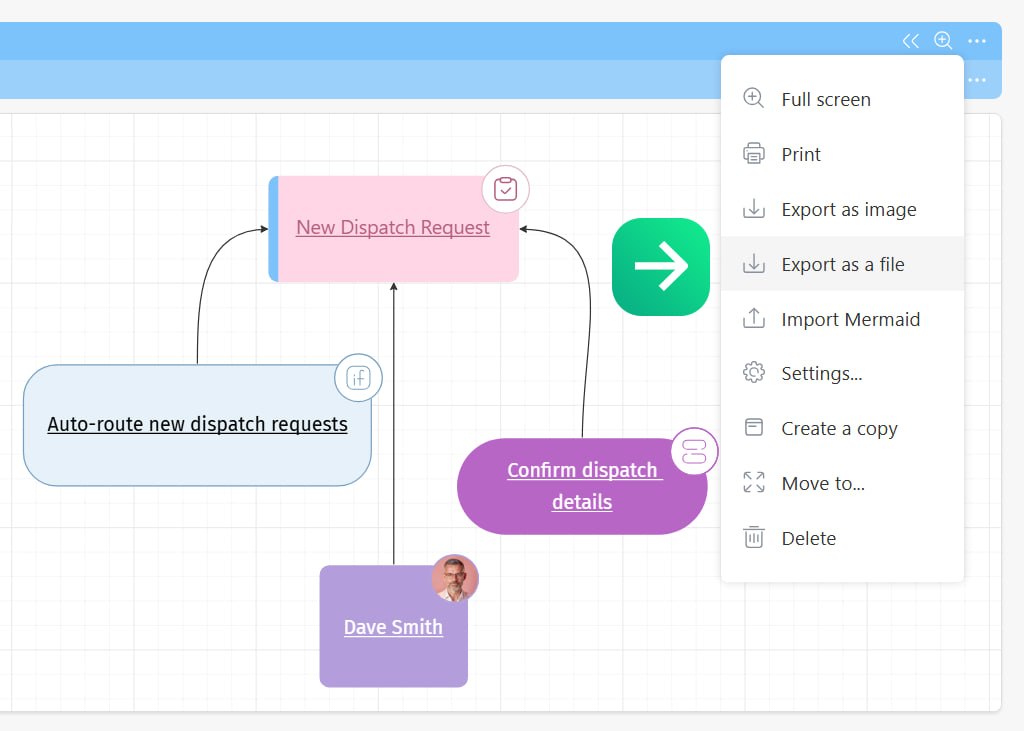
Open the Whiteboard you need and choose “Export as a file.” Planfix will turn it into text-based code that’s super easy to paste into any tool that supports Mermaid – whether that’s your knowledge base, wiki, README, or note editor.
The Whiteboard shows how your project really works: who depends on whom, what’s linked to what, and where a branch grew bigger than planned.
Before, you could only see this visual inside Planfix, but now you can take it with you – attach it to your guidelines, drop it into an article, or share it with that colleague who only logs into Planfix once or twice a year.
Bonus perk: Mermaid is just text. That means AI can easily read it. You can send your Whiteboard to an AI chat to help analyze it, spot bottlenecks, or even suggest ways to reorganize the connections.
Control Timers with Scripts and Buttons
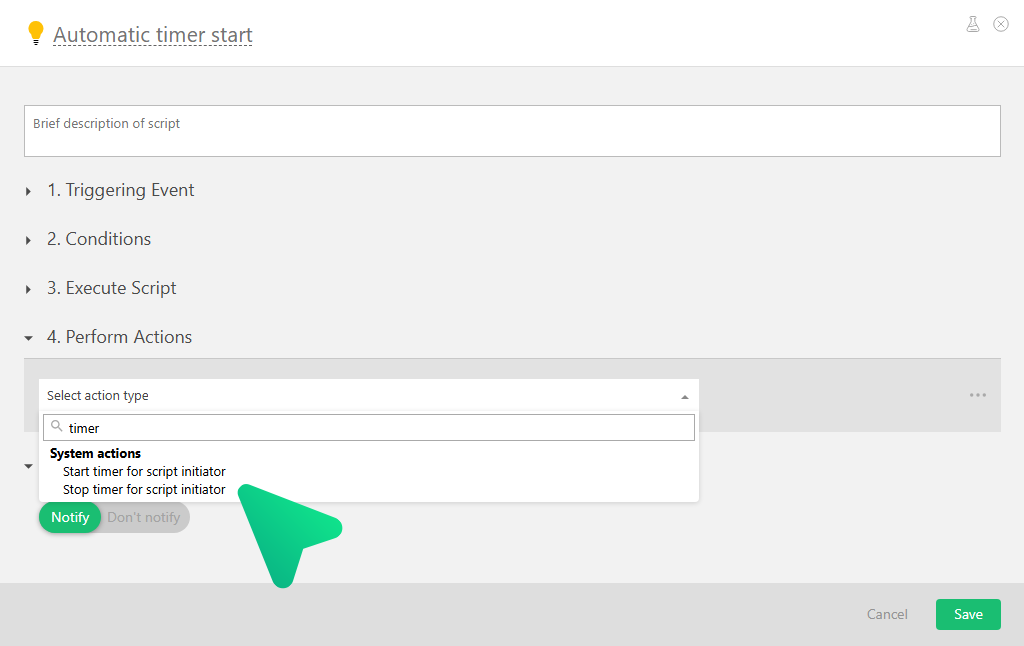
You can now sart and stop the timer from scripts and custom buttons in Planfix.
For example, one button can start the timer, another can stop it, and a script can turn the timer on when a task moves to one status and turn it off when the task moves to a different status.
This is great if you don’t want to worry about manually tracking time – the employee just works on the task, and the timer is handled automatically via the UI or a script.
Sum Counter in Planfix Tables
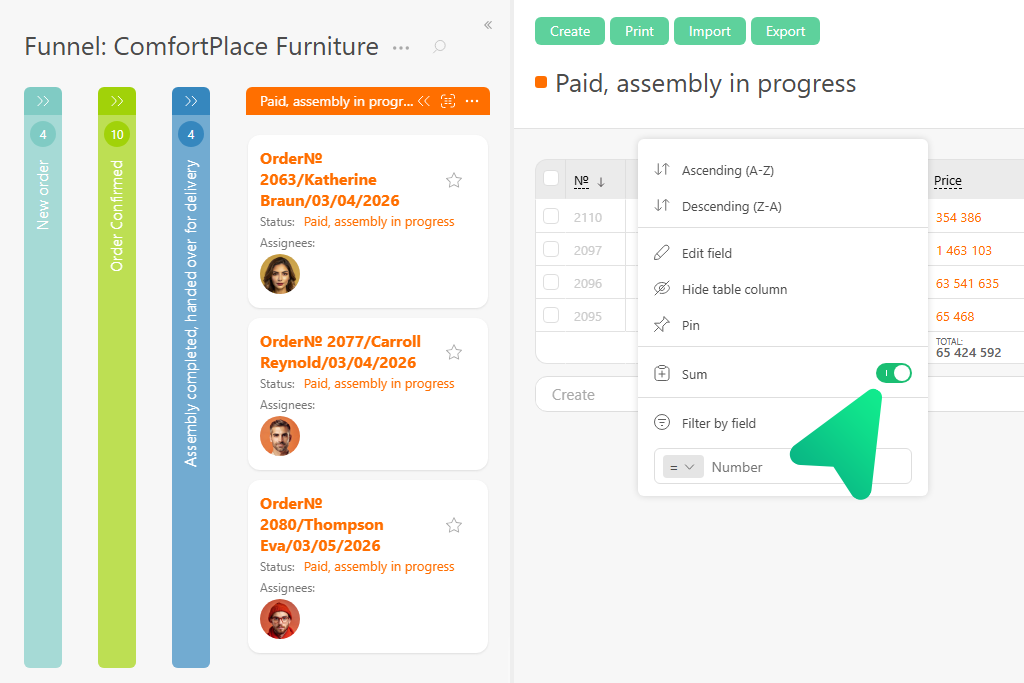
You can now see column totals right in Planfix tables. Turn on the “Sum” option for any column in its settings and the total appears at the bottom of the list – no extra setup required.
Totals work for numeric fields, data tags, and lists. If you group tasks, Planfix shows separate sums for each group while preserving column sorting, order, and pinning.
Values update automatically when task data changes, so you don’t need to reload the page.
Quarterly Recurring Tasks in Planfix
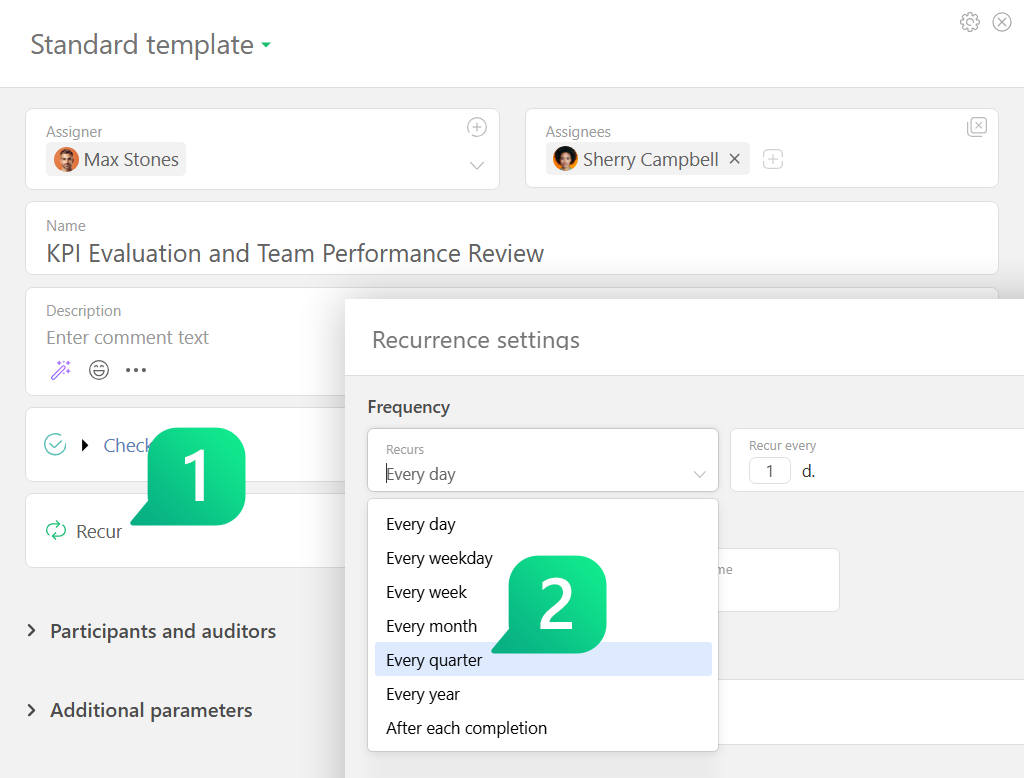
You can now select “Every quarter” in a task card, choose the months and days you need, and leave the rest to Planfix. The system will automatically create tasks based on your schedule.
Previously, setting up a quarterly cycle meant building more complex recurrence rules. Now, one recurring task setup is enough to make sure everything is created on time.
The updated interface also makes the settings easier to understand: you can see how the schedule will work at a glance and adjust it faster when needed.
New Video:
Manage Your Team from Your Smartphone
Do important ideas get lost while you’re away from your computer? The Planfix mobile app lets you capture ideas on the go, assign tasks to team members, and coordinate work directly from your smartphone.
For modern teams, project management and business process automation don’t stop when you leave your desk. Mobile access to your CRM and task management system helps you stay connected, respond faster, and keep work moving from anywhere.
Working With Documents in Planfix: Organize Files and Projects
Are important work documents getting lost? Do you spend too much time searching through conversations for the right brief or trying to identify the latest version of a contract? In this video, we cover every way to attach files to a task in Planfix, helping your team streamline collaboration and keep corporate materials organized.
Effective project management and team collaboration require a structured approach to document management. This business process automation guide demonstrates how to create a centralized file repository within your company’s work management system.
Planfix Checklists: Organize and Break Down Tasks
When large tasks turn into chaos, and teams lose control of their workflows, effective task breakdown can help restore order.
Modern project management requires flexible tools for managing deadlines, distributing workloads, and tracking progress. Planfix checklists help teams structure daily work, automate business processes, and turn complex assignments into manageable steps.
Project Management in Planfix: Templates, Reports, and Documents
Constant task chaos, missing contracts, and missed deadlines can quickly lead to a loss of control over projects and put additional pressure on your team.
Effective project management requires reliable process automation and a clear way to track team performance in one system. Project templates and centralized document storage help streamline recurring work and make important files easier to access.
Built-in reports and project metrics also give managers greater visibility into expenses, task progress, and team performance.
Replies and Quotes in Planfix: How to Keep Context in Tasks
Chaotic discussions and lost context slow down your team’s project progress.
Targeted replies and quote features in Planfix help build clear communication within your workflows. We help automate project management and structure internal correspondence in your corporate CRM system. Comment threads preserve clarity and boost team productivity.
Planfix Whiteboard: Visualize Projects and Tasks
Losing track of project structure or struggling to understand how team tasks connect? Planfix Whiteboard helps you turn scattered ideas into a clear visual workflow and organize your work in one place.
Whiteboard is a visual planning tool built directly into Planfix. You can connect blocks and tasks, add projects, contacts, buttons, automated scripts, and Planners, and use the diagram as a visual navigation hub for your workflow.
Version history helps you review and restore previous changes, while built-in keyboard shortcuts make navigating and editing the Whiteboard faster.
How to Automate Commercial Proposals and Deal Numbering in Planfix
Manually preparing commercial proposals and tracking deal numbers can slow your sales process and lead to costly mistakes.
In this video, we’ll show you how to streamline deal management with automatic document generation and numbering in Planfix. You’ll learn how to automatically assign unique numbers to deals on a Kanban board, add Data Tags with products and services, and generate commercial proposals with a single click.
We’ll also cover how to automatically create a reminder task for a manager to reset the deal numbering counter each year.