TOP 12 All-in-One Business Platforms for Media Companies
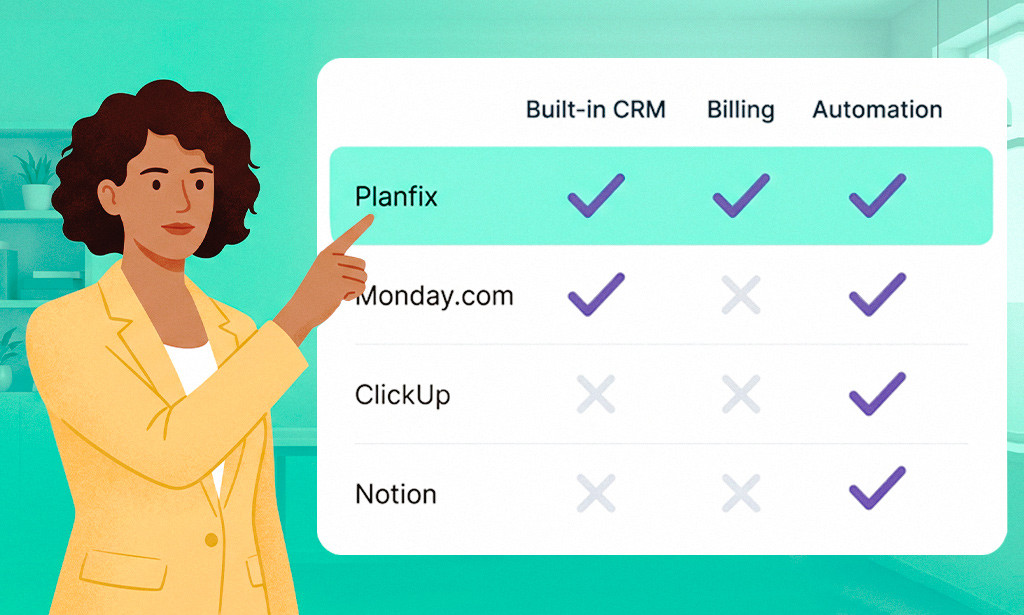
Media companies juggle a mix of niche tools for client management, creative workflows, billing, and analytics, and that fragmented setup breeds data silos and inefficiency. Media management software addresses this by consolidating CRM, project management, automation, and workflow tools into a single system. As experts put it, a unified platform provides “a central hub for all client-related information, streamlining processes and communication” and can “unify your tech stack… to fast-track integrations [and] reduce complexity.”
By eliminating tool-switching and duplicate data entry, integrated platforms save time and cut software costs. Meanwhile, managers get real-time visibility into campaigns, budgets, and team workloads. In this article, we review 12 top-rated all-in-one business platforms, including Planfix, Monday.com, ClickUp, Notion, Airtable, HubSpot, Zoho One, Smartsheet, Wrike, Asana, Basecamp, and Teamwork, all designed to streamline CRM, project workflows, and automation for media agencies.
Why Media Companies Need All-in-One Business Platforms
Media projects involve many moving parts, from client pitches and campaign calendars to creative reviews, approvals, and invoicing. When each function sits in a separate tool, you get data silos and teams that switch contexts all day long. Marketing data trapped in a CRM might never reach the project timeline tool, while finance metrics live in yet another system. Studies show that combining CRM and project management tools can significantly improve efficiency.
An integrated platform becomes a single source of truth, where every team sees the same customer and project data, so it “ensures prompt response and prevents missed opportunities.” Media-specific workflows benefit the most. That way, an all-in-one system can track a campaign from the initial proposal through design drafts to final delivery, with built-in approval paths and automated billing.
The benefits of unification are clear. A CFO-oriented analysis notes that modern media firms struggle with “disparate technology” and outdated processes that need to be streamlined. By connecting legacy systems under one platform, your company can reduce overhead and make decisions faster.
Media-industry advisors also highlight that ROI on integrated systems is substantial, as unified data and tools “reduce operational overhead, shorten sales cycles, and enable more profitable decisions.” In short, all-in-one platforms give media teams a single, collaborative workspace for client info, campaign tasks, and creative assets. This means teams spend less time juggling apps and more time innovating.
What to Look for in All-in-One Media Platforms
When you evaluate an all-in-one platform, here’s what your media company should prioritize:
- Client Relationship Management: The system should offer robust CRM features, including a contact database, lead tracking, and a sales pipeline, so client info and contracts are integrated with project work. Planfix, for example, provides a unified “Contacts” module as “a single point of collection for communication and tasks for each client.”
- Project and Campaign Management: Look for task and campaign planning with timelines and Gantt charts, milestones, and cross-project views. Support for creative workflows like task approvals and feedback loops is key.
- Creative Workflow and Approval: Built-in proofing tools with version control and comments, plus automated approval routing, keep creative tasks moving. Check for shared document libraries and design review boards.
- Financial Management and Billing: Integrated invoicing, budgeting, and expense tracking let you bill clients and monitor project profitability without leaving the platform. Recurring invoices, time-tracking, and estimates are a plus.
- Collaboration and Communication: Internal chat, notifications, and document-sharing should be native, so your team isn’t forced into email for every discussion. Some platforms include wikis or note-taking, like Notion’s docs, for knowledge sharing.
- Customization and Automation: The ability to tailor fields and statuses and automate routine tasks, such as moving a task on completion or sending reminders, saves time. Platforms with custom scripting or low-code workflows let you fit the software to your own process. Planfix, for instance, supports automated triggers based on custom scripts.
- Media-Specific Integrations: Finally, make sure the platform connects with media tools like Adobe Creative Cloud, Frame.io for video reviews, and social publishing tools. Planfix, for example, boasts pre-made integrations for more than 400 popular apps, including social networks and storage services, which is invaluable for marketing teams.
By choosing a platform with these capabilities, your media business avoids patching together point solutions. Instead, your teams collaborate from a single dashboard.
TOP 12 All-in-One Business Platforms for Media Companies
1. Planfix: The Ultimate Media Business Transformer
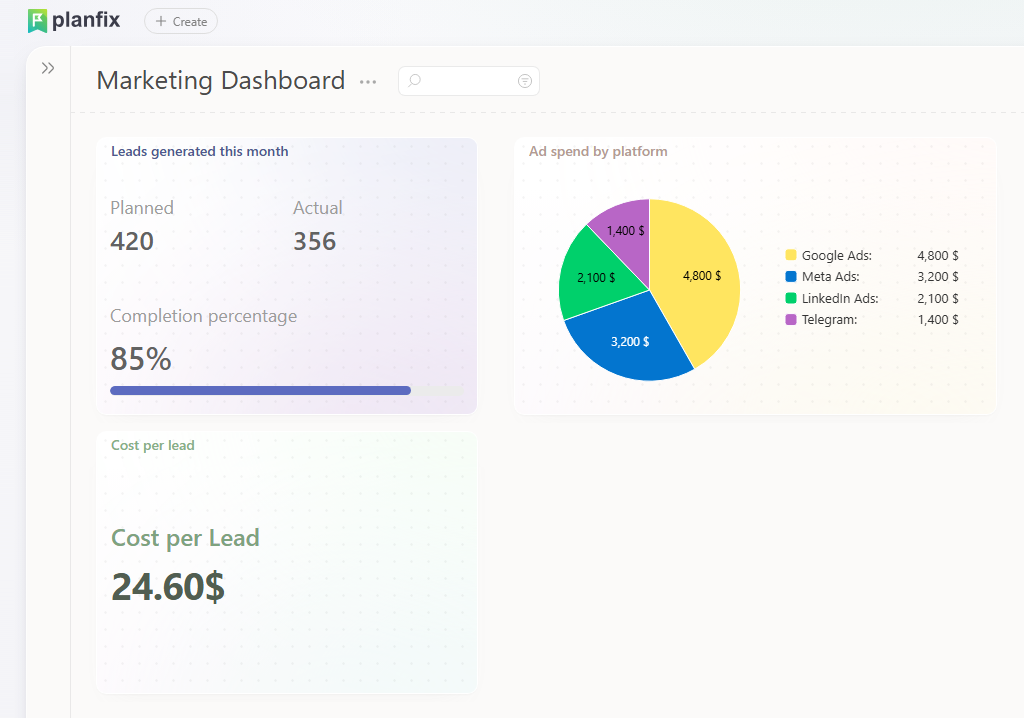
Overview: Planfix is a highly flexible all-in-one platform that combines CRM, project management, automation, and more into one system. Reviewers describe it as a “versatile platform that integrates task management, customer relationship management, and team communication.” In practice, Planfix lets your agency manage client pipelines and creative projects in a single workspace. It even embeds CRM actions directly into task workflows, so “customer-related activities are seamlessly integrated into daily workflows.” Planfix isn’t just a CRM or a PM tool. Instead, it transforms your whole media business by unifying every process.
Key Features:
- Unified client management: The central Contacts module provides “a single point of collection for communication and tasks for each client,” so all client data, from discussions to contracts and briefs, stays linked to the right account.
- Advanced project management: Nested tasks and multi-project scheduling with Gantt charts and custom statuses let you coordinate multiple campaigns at once.
- Business process automation: Flexible workflow automation and custom scripts trigger actions under specified conditions, from task assignments to status changes and notifications, which reduces manual work.
- Integrated billing and finance: Built-in invoicing, payment tracking, and time logging tie project work to client billing.
- Document management and collaboration: Central file sharing, discussions, and comments live alongside tasks, so creative assets and feedback are all in one place.
- Custom dashboards and reporting: Real-time dashboards and reports track campaign performance and team productivity, and Planfix’s analytics let managers visualize workload and KPIs across clients.
- 400+ integrations: Out-of-the-box connectors to email, cloud storage, telephony, social, and marketing platforms, including tools like Google Drive, MailChimp, and Facebook.
- White-label client portals: Branded client logins let customers view project status and invoices without seeing the Planfix branding.
Media Strengths: Planfix shines in complex, multi-client scenarios. You can track multi-channel campaigns end to end, from creative briefs to client approvals and final delivery, all in one system. Custom data tags and fields capture media-specific data like campaign codes, ad tags, and content types, while built-in approval workflows make sure clients sign off on creative steps and feedback loops stay documented. Planfix also supports lead nurturing for media sales efforts, so marketing and sales teams stay aligned. Its flexibility covers advertising workflows, such as integrating with email and SMS for outreach, and even creative asset approvals through its message and comment system.
Best Suited For: Medium to large media agencies and marketing departments that need deep customization. Planfix is ideal if you want full control over your processes and expect to scale workflows as you grow. That flexibility can match unique agency processes, but it also means a more involved setup.
Pros:
- Extremely comprehensive, covering CRM, projects, tasks, finance, and communication in one platform.
- Highly customizable, with custom fields and automation that adapt to any media workflow.
- 400+ integrations connect it to almost any marketing or media tool.
- Scalable for many projects and clients, with multi-project dashboards.
- High user satisfaction (4.8/5 on SourceForge) and a SourceForge Fall 2025 Category Leader badge.
Cons:
- A steep learning curve, since the depth of features means more training.
- Advanced customization may require technical resources, such as writing automation scripts.
- The interface can feel busy, especially for simple tasks.
- Smaller teams may not need such a vast feature set, so it could be overkill.
Pricing: Planfix offers a free plan and very affordable paid tiers. A recent review puts entry plans at about $5 per user per month, with basic CRM and task features, and higher tiers at around $11 per user. That’s competitive for the feature scope you get.
User Rating: Users rate Planfix highly, at around 4.8-4.9/5. SourceForge, for example, reports 4.8/5 from 58 reviews. Planfix also earned a SourceForge “Project Management Category Leader (Fall 2025)” badge, which reflects strong user feedback.
2. Monday.com: The Visual Workflow Leader
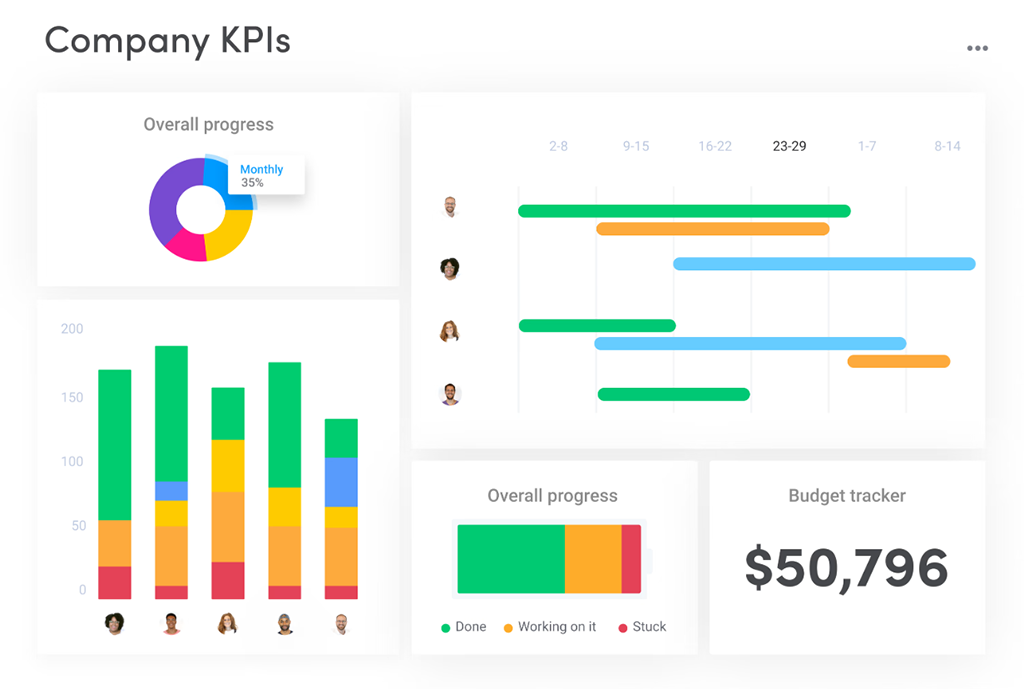
Source: https://monday.com/
Overview: Monday.com is a highly visual work-management platform, essentially a “work OS” that lets teams plan and track anything through customizable boards and views. It’s known for a clean, drag-and-drop interface with Kanban boards, timelines, calendars, and charts. The company markets it as intuitive and easy to pick up for non-technical teams.
Key Features:
- Visual Kanban boards, Gantt and timeline charts, calendars, and table views for project planning.
- A form builder for new requests, plus automations for routine moves like auto-assigning work when a status changes.
- Integrations with apps like Slack, Zoom, and many others.
- Pre-built templates for marketing campaigns, editorial calendars, ad pipelines, and more.
- Boards that can include CRM-like columns, such as client names and deal stages, though the CRM side isn’t as deep as a dedicated system.
- A mobile app and file attachments for updates on the go.
Media Strengths: The visual approach suits media timelines and content calendars. Your marketing team can run campaigns from the creative brief to launch with color-coded statuses, while built-in automations cut down on status meetings.
Best Suited For: Small to medium marketing and creative teams that prefer a no-code, visual interface. It’s a good pick for agencies that want a tool people can learn quickly, with strong collaboration built in.
Pros: A highly intuitive UI, flexible dashboards, and color-coded boards that work well for high-level campaign views. There’s a free tier for small teams, plus comments and notifications for collaboration.
Cons: CRM capabilities are basic, with no robust sales funnel analytics. Costs add up at scale because you pay per user, and some advanced features like workload management sit in higher plans.
Pricing: Monday.com has a free plan for up to 2 seats. Paid plans start at around $10 per user per month for Basic when billed annually, with Standard at about $12 and Pro at roughly $24.
User Rating: Well regarded, at around 4.7/5 on review sites. Users praise its visual flexibility for planning, especially in marketing contexts.
3. ClickUp: The Feature-Dense Alternative
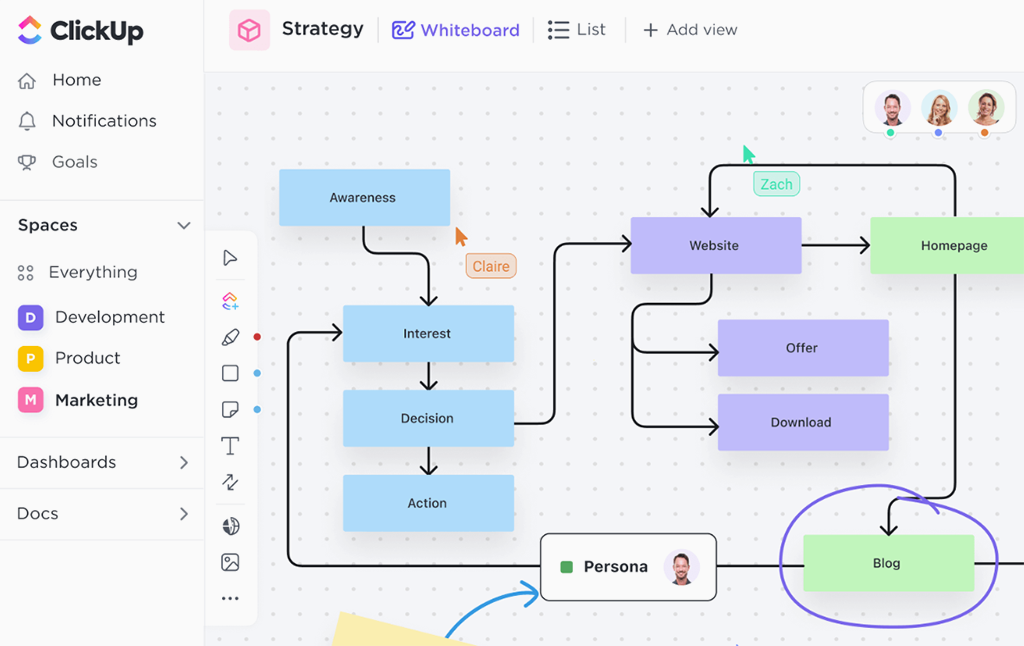
Source: https://clickup.com/
Overview: ClickUp is an all-in-one productivity platform built around flexibility. It markets itself as the “world’s first Converged AI Workspace” and aims to replace many tools with one app. In practice, it combines tasks, docs, goals, chat, and more under one roof, with many work views (List, Board, Calendar, Gantt) and an AI “Brain” for content ideas. Unlike many tools, ClickUp includes a built-in doc and wiki system, native chat channels, and goal-tracking in the same workspace.
Key Features:
- Unified workspace: Tasks, docs, goals, calendar, and chat all in one place. You can even create and assign tasks inside project documents.
- Multiple views: Kanban boards, Lists, Timelines (Gantt), Calendars, and Table (spreadsheet) views, and you can switch between them dynamically.
- Integrations: Extensive options for media workflows, including Frame.io, Google Drive, Slack, and Dropbox.
- Automations: Built-in workflow automations, such as auto-assignment or status changes, with over 2,000 ClickUp Automations.
- Built-in chat and whiteboards: ClickUp Chat channels and digital whiteboards support team brainstorming.
- Goal and time tracking: Track progress towards OKRs and log time on tasks.
- Customization: Custom fields, custom views, and template libraries for different project types.
Media Strengths: ClickUp works well for agencies that want one platform for content creation and task tracking. Native integration with Frame.io and other creative tools means video and design teams can attach assets and annotations directly. With its many templates, you can manage editorial calendars, social post pipelines, and ad campaigns in the same place.
Best Suited For: Teams of all sizes that need a rich feature set and high configurability. ClickUp scales from freelancers to large agencies, and its free plan and low entry pricing make it attractive to startups.
Pros: Extremely feature-rich at a low price, with docs, goals, chat, and unlimited storage even on the free plan. It’s highly customizable, from statuses and workflows to fields, and its hierarchy of Spaces, Folders, Lists, and Tasks handles complex projects.
Cons: The sheer number of features and options can be overwhelming. Some users report a learning curve and occasional performance lags in large workspaces, and the interface can feel cluttered if you over-customize it.
Pricing: A generous free plan. Paid tiers include Unlimited at $7 per user per month and Business at $12 per user per month, billed yearly. The Unlimited plan at about $7 is lower than many competitors.
User Rating: ClickUp is very popular, with roughly 4.7/5 on G2 from 10,576+ reviews. Reviewers say “ClickUp is the future of work” because it handles docs, tasks, and more in one app, though they caution that it can be complex at first.
4. Notion: The Flexible Workspace Builder
Source: https://www.notion.com/
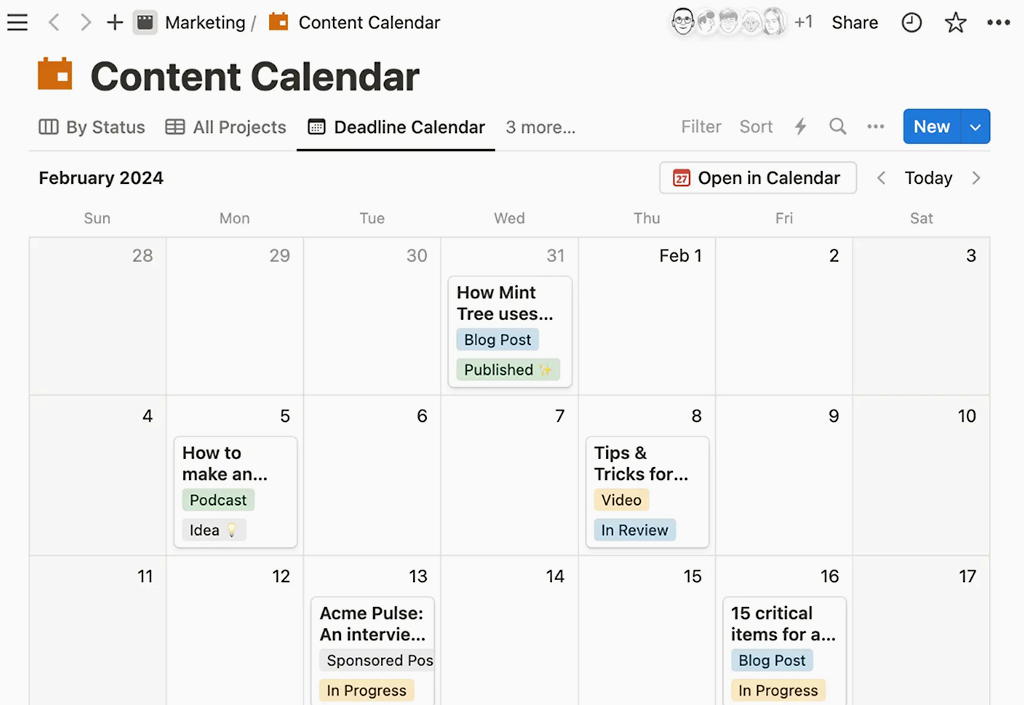
Overview: Notion is an ultra-flexible “all-in-one workspace” for notes, docs, wikis, and light project planning. It bills itself as a “connected workspace where your team can create docs, take notes, manage tasks, and organize your work – all in one place.” Unlike traditional PM tools, Notion is free-form: each page can contain databases, kanban boards, calendars, and markdown text. It does include task lists and due dates, but there are no advanced Gantt or portfolio views. What it does best is custom knowledge bases and simple project trackers in one document-oriented interface.
Key Features:
- Customizable pages: Mix text, images, tables, kanban boards, calendars, and embeds on any page. Great for specs and creative briefs.
- Databases: Build tables that can display as lists, kanban boards, or calendars, which is useful for content calendars and asset tracking.
- Templates: Extensive community templates, from editorial calendars to marketing roadmaps.
- Team wiki: Centralized documentation and shared resources, such as brand guidelines and SOPs.
- Basic task management: Assign tasks, set priorities, and add due dates within pages. Notion’s tasks are simple to-do list style.
- Integrations and embeds: Connects with Slack, Figma, and Google Drive, and supports embeds like Typeform and Miro for richer media content.
Media Strengths: For media teams focused on content planning and documentation, Notion’s strength is its flexibility. You can build a unified knowledge base for creative guidelines, keep all campaign briefs and assets in one hierarchical space, and use kanban boards for simple content pipelines. Its media embeds, including YouTube and Figma prototypes, allow visual previews inside project docs.
Best Suited For: Creative teams and small agencies that value customization and documentation over strict project tracking. It’s great if you want an all-in-one wiki, notes, and task lists together.
Pros: Highly flexible, and it can replace multiple document and note apps. The drag-and-drop interface is intuitive once you learn it, the free plan is generous, and central documentation sits next to simple task tracking.
Cons: It lacks advanced PM features, with no Gantt chart and limited reporting. Collaboration can be slower on large databases, and offline and mobile editing are still a work in progress.
Pricing: A free personal and team plan with unlimited pages. Paid plans start at $10 per user per month for Plus and $15 per user per month for Business when billed annually.
User Rating: Notion is well-liked, at approximately 4.6/5 on G2 from 7,875 reviews. Users love having docs and tasks in one workspace, but note that it’s less suited for complex project scheduling.
5. Airtable: The Database-First Platform
Source: https://www.airtable.com/
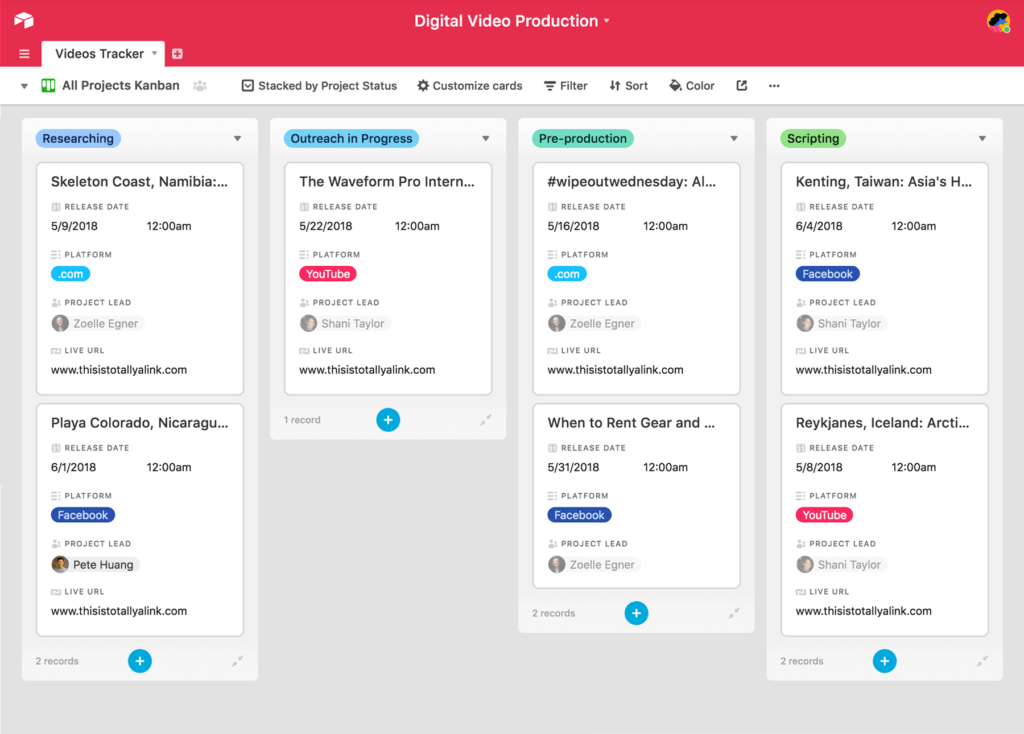
Overview: Airtable blends the familiarity of a spreadsheet with the power of a database. You can build customized tables, called bases, for anything: content calendars, asset catalogs, campaign trackers. One review raves that “Airtable has truly transformed the way we manage projects… it goes far beyond a simple spreadsheet. One standout feature is the ability to capture data through professional-looking forms… robust integrations…and automations that save time and reduce error.” Users design bases with multiple views (Grid, Kanban, Calendar, Gallery) and can automate record changes or send notifications via Zapier or Automations.
Key Features:
- Custom tables and fields: Build any data schema, from clients to media assets and campaigns, with rich field types like attachments, dropdowns, and links.
- Multiple views: Switch a table between grid (spreadsheet), Kanban, calendar, or gallery views.
- Forms: Create online forms to collect campaign requests or content submissions.
- Integrations and automations: Native automations, such as sending emails when a row is updated, plus 1,000+ integrations with tools like Mailchimp and Slack through Airtable Automations or Zapier.
- Team dashboards: Customized base-level dashboards for metrics and charts, built with Interface Designer.
Media Strengths: Airtable is popular in creative industries for planning shoots, editorial calendars, and asset management. A marketing team might use it to coordinate social posts and blog schedules. The form feature is handy for onboarding campaign briefs, while the gallery view works well as an image asset library. Reviewers note how effective it is for events and content workflows.
Best Suited For: Teams that need a highly customizable, data-driven platform. It works for small and mid-sized media teams that like building their own workflows, and for agencies managing many products or clients, each in a separate table.
Pros: Combines database power with an easy UI, which is great for structured data and project tracking. Collaboration is strong thanks to real-time sharing and comments on records, and the free plan is generous for small teams.
Cons: Setup can get complex at first, with many settings and per-plan limits. Advanced features like Gantt and Timeline views are only in Pro plans, and it’s not as good for detailed project plans because there are no native task dependencies.
Pricing: A free tier is available. Paid plans billed annually start at $10 per user per month for Plus and go up to $20 per user per month for Pro. The Team plan, for example, is $20 per user per month on annual billing.
User Rating: Airtable scores about 4.6/5 in reviews, with roughly 3,104 on G2. It’s praised for versatility and ease of use, though some users cite the learning curve and costs.
6. HubSpot: The Marketing-Focused Solution
Source: https://www.hubspot.com/
Overview: HubSpot’s Marketing Hub is an all-in-one inbound marketing and CRM platform. HubSpot is best known as a CRM, but its paid Marketing Hub adds email marketing, social posting, ad management, landing pages, and analytics, all tightly integrated with HubSpot’s free CRM. That way, your media team can manage content campaigns, automate email blasts, track ad conversions, and nurture leads without switching apps. Its strength is unified customer data, as contacts flow from emails and campaigns into the CRM for long-term nurturing.
Key Features:
- Free CRM core: A central database of contacts and companies, even on the free tier.
- Email and landing pages: A drag-and-drop email builder and landing page designer, tied to customer lists.
- Social and ads: Schedule social posts, track clicks, and manage Facebook and Google ads from HubSpot.
- Workflow automation: Marketing workflows for lead scoring, welcome emails, and similar routines.
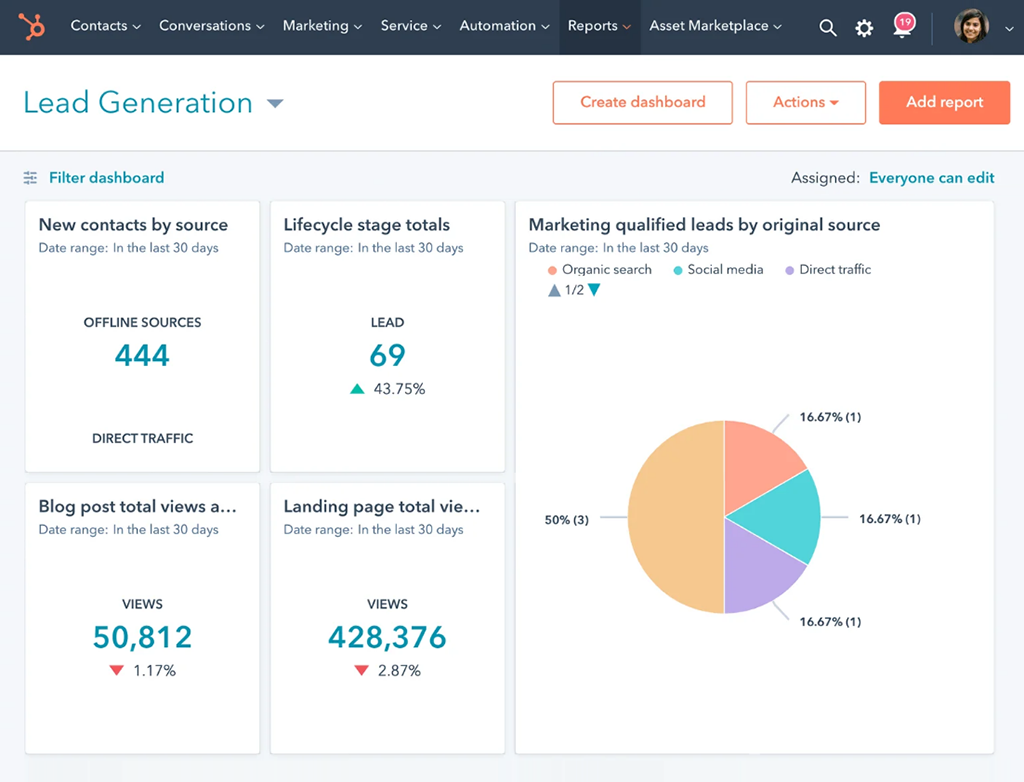
- Reporting dashboards: Built-in analytics on website traffic, email, leads, and campaign ROI.
- Ads and SEO tools: Built-in lead tracking on ad campaigns and SEO recommendations for content.
Media Strengths: HubSpot is ideal for marketing-heavy agencies. You can capture leads, such as webinar sign-ups, nurture them with content, and analyze campaign ROI. The integrated dashboard gives a marketing-centric view of client engagement and content performance, while HubSpot’s blog and newsletter templates and lead generation tools support digital media strategies.
Best Suited For: Medium to large organizations with dedicated marketing teams. Companies investing heavily in inbound and digital marketing will benefit most, and it also suits agencies that want an enterprise-level CRM with strong marketing features.
Pros: A comprehensive marketing suite that users call “one of the most complete marketing platforms.” The interface is intuitive, support and learning resources are excellent, and the free CRM and free marketing tools like email and forms lower the entry cost. Analytics and reporting are deep and built in.
Cons: It can get expensive at scale, since marketing contacts in the CRM cost extra and professional tiers are pricy. It’s overkill if you only need simple project management. The system is also somewhat opinionated, built around the inbound methodology, so you may pay for features you don’t use if you’re not fully digital.
Pricing: HubSpot CRM is free with basic tools. Paid Marketing Hub plans start at roughly $9-15 per user per month for Starter when billed annually, then jump to $800 per month for Professional with 3 users included. Marketing Hub Starter, for example, is about $9 per user on annual billing.
User Rating: HubSpot Marketing Hub scores around 4.5/5 on G2 from 13,998 reviews. Users praise its all-in-one marketing capabilities, though they note its complexity and the cost on large lists.
7. Zoho One: The App Ecosystem Approach
Source: https://www.zoho.com/one/
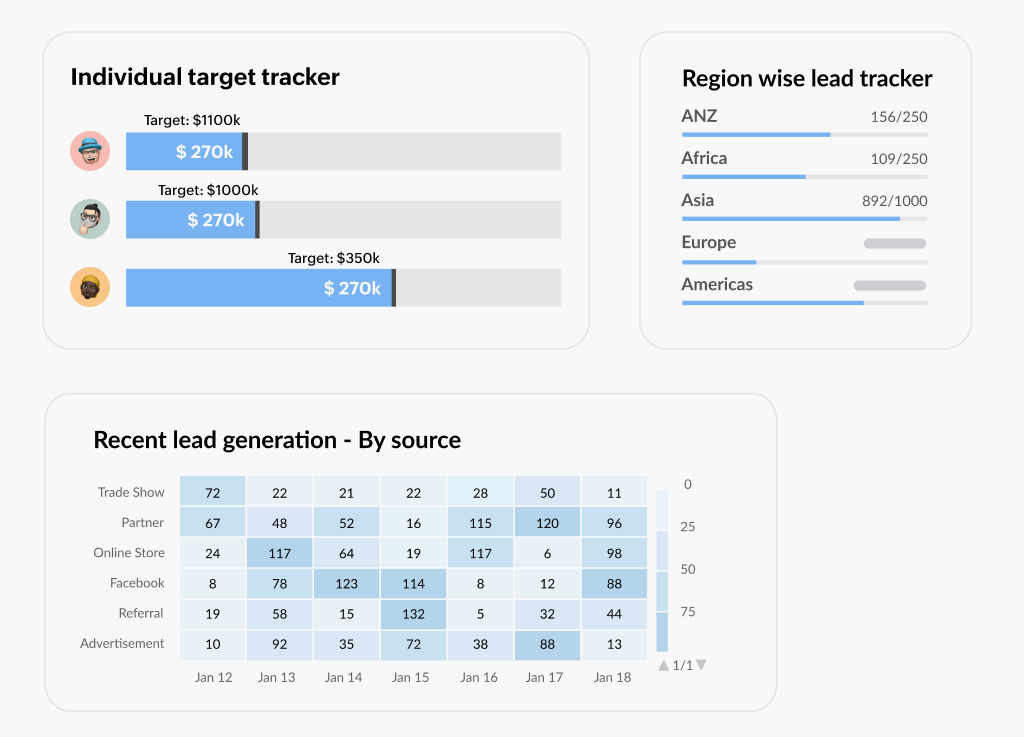
Zoho One bills itself as an “operating system for business,” offering 45+ integrated applications for CRM, finance, marketing, HR, and more in one subscription. In effect, you get a unified platform covering every department. Agencies on Zoho One get Zoho CRM for client management, Zoho Projects for PM, Zoho Social for scheduling posts, Zoho Invoice for billing, and many others, all natively connected. Built-in dashboards can display sales funnels, advertising spend, payroll, and project statuses side by side on one screen. The apps are tied together so data flows between them, and a closed deal in CRM can trigger an invoice in Zoho Books.
Media Strengths: For media firms that need end-to-end coverage, from sales leads to project delivery and finance, Zoho One can replace dozens of individual tools. Social media posting through Zoho Social, SEO tools, and email campaign modules live in the same suite as creative project management. Its analytics tools let you view marketing and finance metrics together, which helps prove ROI to clients.
Best Suited For: Organizations that want a broad, low-cost all-in-one solution covering many functions. Zoho One is especially attractive to medium and large agencies that prefer a single vendor over juggling multiple subscriptions. It’s ideal if you need CRM, accounting, HR, and project management in one integrated ecosystem.
Pros: Extremely comprehensive, with 45+ apps in one subscription. There’s a consistent UI and single sign-on across all apps, very competitive pricing, and central admin controls for users and data.
Cons: Interface and depth vary between apps, and some modules feel basic. Onboarding many apps can be complex, and users report that the sheer number of features can be overwhelming.
Pricing: Zoho One offers two billing options. The “All Employee” plan is roughly $37 per user per month on annual billing, and the “Flexible User” plan is about $90 per user per month for lower-usage seats, or $105 monthly without annual billing. For a complete suite, that’s very cost-effective.
User Rating: Zoho One is highly rated, at about 4.5/5 on user review sites from 19,000+ reviews, which reflects its popularity as an integrated solution.
8. Smartsheet: The Spreadsheet-Style Manager
Source: https://www.smartsheet.com/
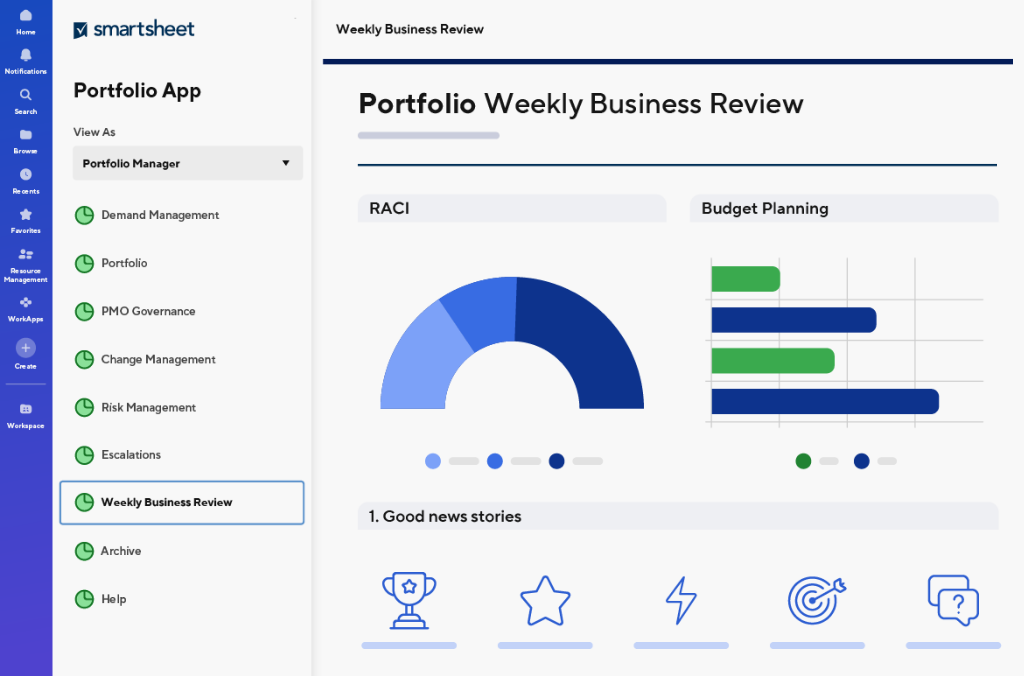
Overview: Smartsheet is a work management platform built around familiar spreadsheet interfaces, often described as “spreadsheets on steroids.” Its key selling point is that your team can plan and track projects in a grid-like view, with Gantt and card view options, without learning a new UI. One reviewer notes that Smartsheet’s “spreadsheet-style layout… significantly lowers the learning curve for teams used to Excel.” In practice, you get grid, Gantt, Kanban, and calendar views, combined with automated workflows, forms, and dashboards.
Key Features:
- Grid and Gantt views: Manage tasks like rows in a sheet, then add start and end dates to auto-populate Gantt charts.
- Kanban and calendar views: Alternative views of the same data for agile or schedule-based teams.
- Report Builder: Pull key data from multiple sheets into centralized reports and dashboards.
- Automations: Rule-based workflows for approvals, alerts, and status changes, configured with simple if-this-then-that logic.
- Forms: Intake forms that feed directly into sheets, for clients or team requests.
Media Strengths: Smartsheet works well for agencies that live in spreadsheets but need collaboration and automation. It handles campaign budget tracking and timelines effectively, and creative teams can attach media previews or links to tasks. Auto-alerts, such as a notification when a deadline approaches, help keep projects on schedule.
Best Suited For: Medium to large teams, especially those comfortable with Excel. Smartsheet scales well for enterprise needs like resource management and portfolio views, so bigger agencies and matrix organizations often use it.
Pros: A familiar interface for users accustomed to Excel, which minimizes training. Project tracking and workload management are strong, integration options are excellent (Adobe Creative Cloud, Jira, MS Teams), and the mobile apps are mature.
Cons: It can get more expensive per user as you scale, and there’s no free plan beyond the trial. There’s no built-in CRM or advanced budgeting module, and customizing dashboards beyond the basics can be tricky.
Pricing: Smartsheet starts at $9 per user per month for the Pro plan when billed annually, or $12 per user if billed monthly. The Business plan is around $19 per user on annual billing, and Enterprise pricing is custom.
User Rating: Smartsheet is well regarded, at about 4.4/5 from 21k+ reviews. Users praise how easily Excel-like projects move into a collaborative cloud platform, noting that it “gives teams one centralized platform” for work.
9. Wrike: The Enterprise-Grade Option
Source: https://www.wrike.com/
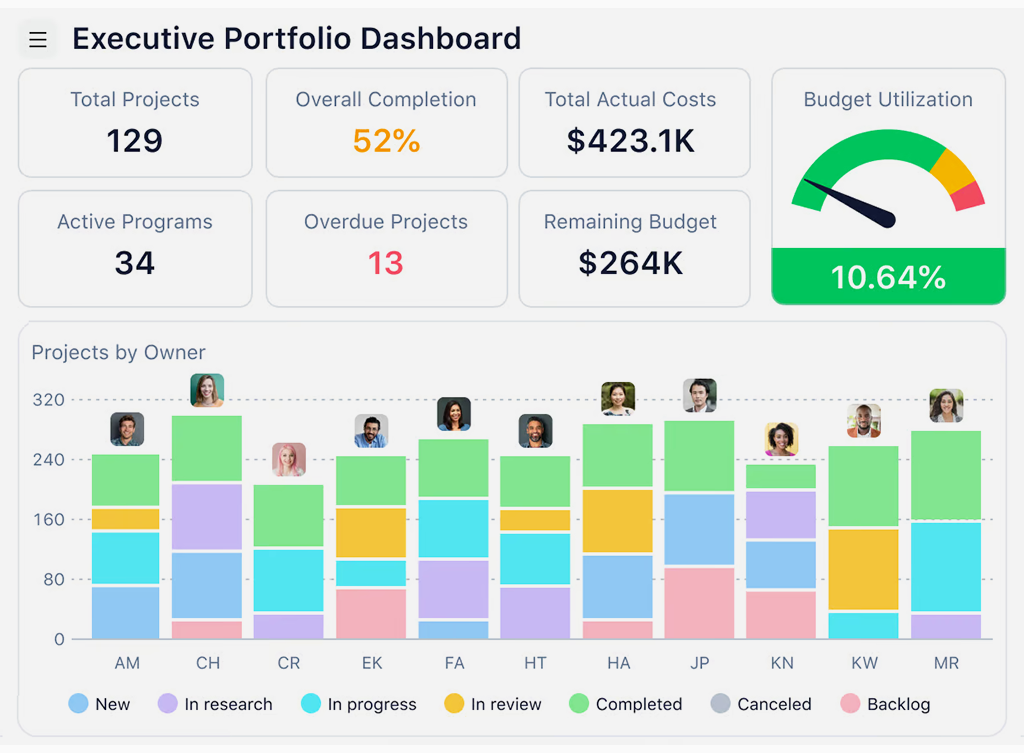
Overview: Wrike is a mature, enterprise-focused work management tool designed to centralize large and complex projects under one roof. In Wrike, all tasks, files, and conversations live in collaborative project spaces. A G2 reviewer calls it “a comprehensive work management platform… centralizing all work-related activities in one accessible location.” You get flexible views, including a customizable table view, boards, and Gantt charts, along with robust security controls and scalable features like resource management and real-time reporting.
Key Features:
- Multiple project views: Spreadsheet and table views, Kanban boards, Gantt timelines, and workload charts, with custom fields for media-specific data per task.
- Customizable dashboards: Executive and project dashboards tailored to show campaign KPIs, task statuses, and timelines.
- Advanced reporting: Built-in reports on project health, workload, time logs, and budgets, plus widgets for earned value and resource allocation.
- Enterprise controls: SAML SSO, granular permissions, and audit logs, suitable for regulated industries.
- Blueprint templates: Standardized project templates for recurring campaign types, with automation rules embedded.
Media Strengths: Many large creative agencies use Wrike to simplify client services, and it excels at coordinating multiple simultaneous campaigns. Intake forms can capture client requests, such as video edit requests or ad designs, and automatically route tasks through creative review and approval. Status updates and dashboards give stakeholders real-time visibility into campaign progress. One G2 user noted that Wrike makes assigning tasks and monitoring statuses easy, which makes team tracking “a breeze.”
Best Suited For: Large agencies and enterprises. Its pricing and complexity suit organizations that need robust governance and enterprise-level features, such as multi-brand agencies, franchises, or marketing departments in big companies.
Pros: Extremely feature-rich with fine-grained control, which suits complex media projects. It’s highly secure and scalable, collaboration tools are strong (comments on tasks, shared folders, proofing tools), and cross-project reporting and analytics are good.
Cons: There’s a steeper learning curve for new users, and some find the interface dated compared to newer tools. The advanced feature set can overwhelm small teams, and annual billing is required for lower pricing.
Pricing: A free plan for up to 5 users. Paid plans start at $10 per user per month for the Team plan billed annually, and $25 per user per month for Business. Enterprise and Pinnacle tiers are custom-priced.
User Rating: Wrike is moderately rated, at around 4.2/5 from about 4,400 reviews. Users appreciate how it centralizes work as a “single source of truth,” though some cite a learning curve. Its customizable, spreadsheet-like views get praise for making project tracking straightforward.
10. Asana: The Task-Centric Platform
Source: https://asana.com/
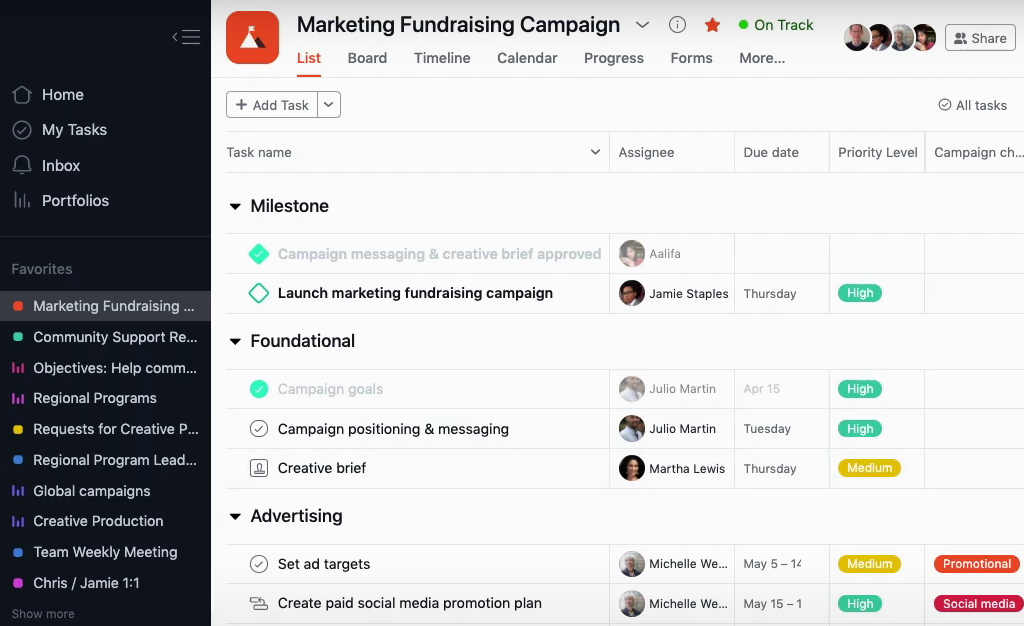
Overview: Asana is a popular work management tool focused on tasks and projects. It offers multiple views (lists, boards, timeline) and is known for its clean interface. Teams create tasks and assign them to users, with due dates, dependencies, and tags. A reviewer highlights Asana’s visualization: you can “switch between board, list, and timeline views… to help everyone work the way they prefer.” It isn’t specialized for media, but its simplicity and strong collaboration features make it a go-to choice for many creative teams.
Key Features:
- Task and project management: Hierarchical tasks with subtasks, dependencies, due dates, and priorities.
- Multiple views: Board (Kanban), List, Timeline (Gantt), and Calendar.
- Automation rules: Custom rules that auto-assign tasks, set dates, or post comments.
- Portfolios and Goals: Higher-tier features for tracking multiple projects or company objectives.
- Integrations: Native integrations with tools like Dropbox, Slack, Figma, and Adobe Creative Cloud.
Media Strengths: Creative teams often use Asana for campaign planning and cross-functional collaboration. Editorial calendars and sprint boards are simple to set up, and media attachments can be added to tasks or comments for design files. Asana’s approval workflow, with proofing in attachments, helps creative feedback loops.
Best Suited For: Agencies and teams of any size that want a straightforward task tracker. It’s particularly good for small to mid-size teams and digital agencies, as well as enterprise teams organizing marketing and operations tasks.
Pros: Highly intuitive and easy to adopt, with good mobile apps and flexible workflows that don’t need an admin. Integrations are strong, including Adobe Creative Cloud, which lets designers attach PSDs directly, and the free tier covers up to 15 users.
Cons: There’s no built-in time tracking or advanced budgeting. Workload management and custom reporting require higher plans (Premium or Enterprise), and dependency management is simpler than in tools like MS Project.
Pricing: Free for basic use with up to 15 users. Premium is $10.99 per user per month on annual billing and includes timeline, admin controls, and more integrations, while Business is $24.99 per user per month and adds portfolios and advanced rules.
User Rating: Asana scores about 4.4/5 from 12,457 reviews. Users love its clarity and versatility, noting that visual project plans and board views keep teams aligned. It’s widely adopted across industries, including marketing and creative departments.
11. Basecamp: The Simplicity Champion
Source: https://basecamp.com/
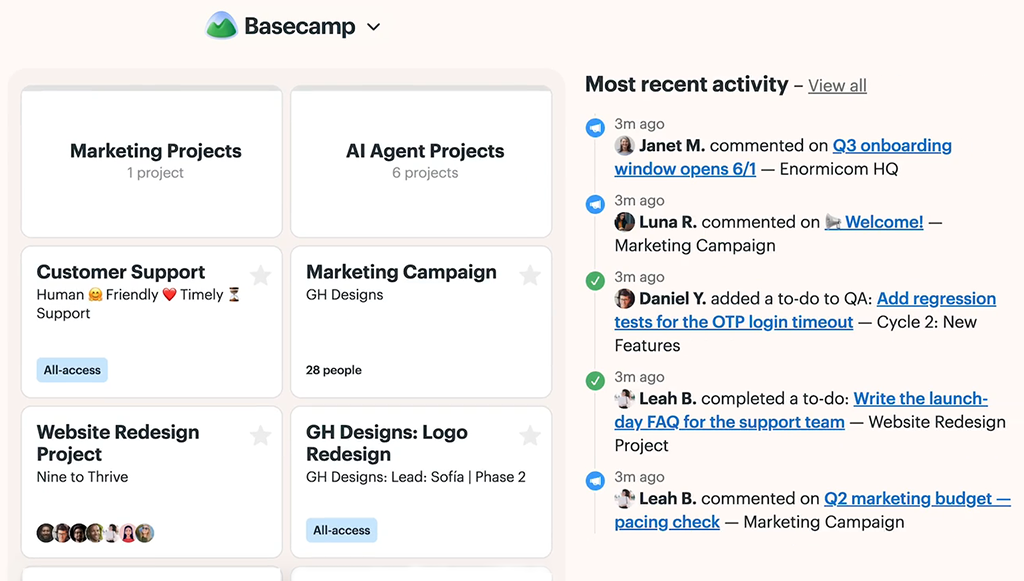
Overview: Basecamp takes a minimalist approach to project collaboration. It combines message boards, to-do lists, group chat (Campfire), a schedule with a calendar and milestones, and file storage under one roof. Basecamp’s ethos is “less is more,” and a page on their site touts how Basecamp replaces email, chat, and tracking with a few simple tools. Unlike the others here, Basecamp doesn’t use per-user pricing for unlimited users and focuses on ease of use.
Key Features:
- Message Boards: Centralized project discussions and announcements.
- To-Dos: Task lists with assignments and due dates, simplified and without dependencies.
- Campfires and Pings: Group chat and direct messaging channels that replace email and Slack.
- Schedule: A shared calendar for deadlines, events, and milestones, which syncs with external calendars.
- Docs and Files: A file repository for assets, plus simple doc creation with text and tables.
- Automatic Check-ins: Recurring questions, such as “What did you do today?”, that gather status updates without meetings.
Media Strengths: Basecamp’s strength is getting everyone on the same page. Small creative teams use it for straightforward project coordination, and clients can be invited as free “guests” to view progress, which makes client communication easy. The flat, unified structure means there’s virtually no setup, so it’s a quick way to eliminate email chaos on projects.
Best Suited For: Small agencies, freelancers, and startups. Its flat pricing model is ideal when teams or clients are fluid. Because it lacks complex features, it’s best for teams that don’t need advanced PM. It’s also valued in design firms and small studios that want clients involved and prefer simplicity.
Pros: Very easy to use and learn, with almost no training needed. The paid plan covers unlimited users at a flat $15, all clients and guests can be invited for free, and communications stay in one place. Basecamp is also known for proven uptime and support.
Cons: It lacks many advanced PM features, with no Gantt charts, no task dependencies, and no in-depth time tracking. The free plan is limited to one active project at a time. Fixed pricing can be high for small teams, for example $15 per user on the Plus plan, and expensive for large companies unless you opt for the flat unlimited plan.
Pricing: Basecamp offers a free version with 1 project and 1 GB of storage, and a paid “Plus” plan at $15 per user per month. Alternatively, Basecamp Pro Unlimited is $299 per month on annual billing for unlimited users and projects. The flat plan is unique: you pay one price per company instead of per seat.
User Rating: Users rate Basecamp around 4.2/5. Fans highlight how it finally “gets everyone on the same page,” while critics note that its simplicity can be limiting for complex needs.
12. Teamwork: The Agency-Focused Solution
Source: https://www.teamwork.com/
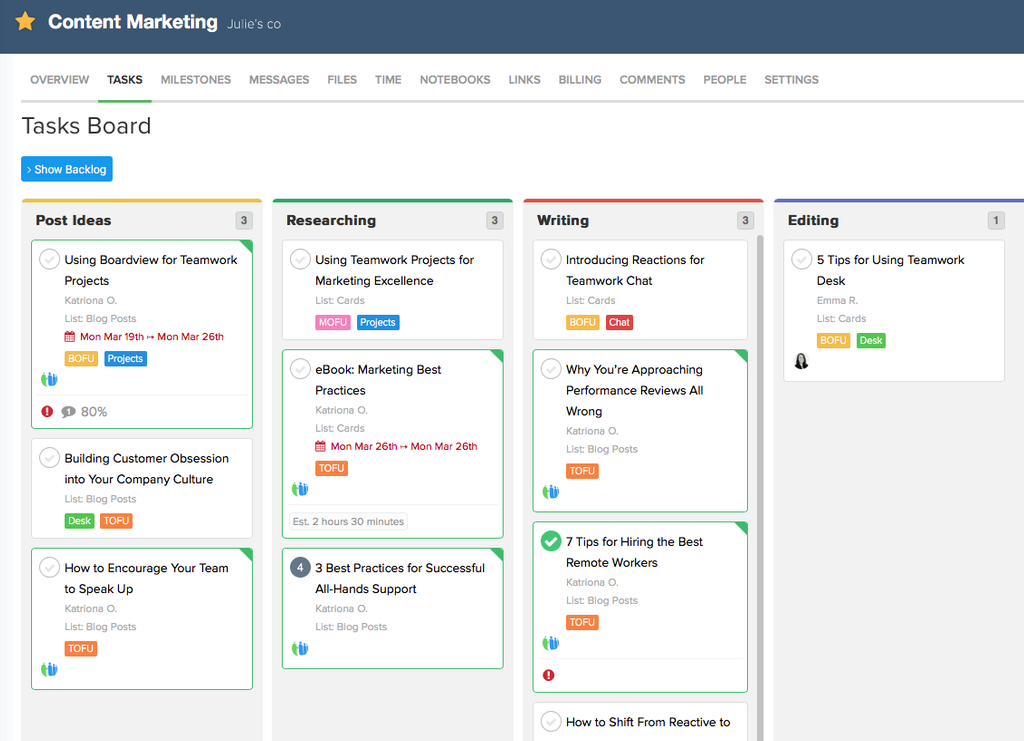
Overview: Teamwork, formerly Teamwork Projects, is a project management platform built by and for agencies. Its tagline emphasizes “client projects, profitably.” Teamwork combines tasks, time tracking, billing estimates, and helpdesk support in one suite. Essentially, it’s Asana-style project planning plus agency-specific features like client invoicing. A G2 summary notes that Teamwork helps teams “manage projects from start to finish… with best-in-class client operations.”
Key Features:
- Tasks and Milestones: Task lists, subtasks, Kanban boards, and Gantt timelines to plan deliverables.
- Time tracking and billing: Built-in time logs and expense tracking, with the ability to generate client invoices.
- Scope and budget control: Client-facing scope sliders and fixed price budgets to prevent overruns.
- Helpdesk and CRM add-ons: Optional modules, such as Teamwork Desk for support tickets and Teamwork CRM, extend it into a complete client ops suite.
- Reporting and dashboards: Project profitability reports, workload views, and consolidated dashboards for all projects.
Media Strengths: Teamwork is great for agencies that bill by the hour or by project. Creative teams can log hours on design tasks, then invoice clients directly from the platform. The client portal lets clients see project status and pay invoices, while integrated chat and comments keep feedback organized on tasks. Portfolio views let agency leads track multiple campaigns and resources across clients.
Best Suited For: Small to mid-size agencies and consultancies that manage billable projects. It also fits professional services firms, and it’s especially useful when clients need access to project information or budgets.
Pros: Tailored for client work, combining PM with financials. The interface is user-friendly, collaboration is good, customer support is strong thanks to its service roots, and it has all the basic PM features agencies need.
Cons: Some users find the interface less modern than newer tools. You may run into limitations unless you add the CRM and helpdesk modules, and the mobile experience is improving but not as slick as others.
Pricing: Teamwork’s “Deliver” plan starts at about $10.99 per user per month billed annually. Higher tiers (Scale, Enterprise) add features like portfolio management and are custom-priced. There’s also a free tier for 5 users with limited projects.
User Rating: Teamwork scores around 4.4/5 on G2 from 1,195 reviews, with users praising its agency-centric features and ease of use for client projects.
How to Choose the Right Platform for Your Media Company
To pick the best platform, start by mapping your current tool stack and processes. Identify pain points, like data silos between CRM and PM, then check which features you need most. Consider team size and growth plans, because a tool that scales as you hire or add clients is safer. For small teams, ease of use and free plans might weigh more, while large teams need security and advanced controls.
Next, evaluate how much customization and automation you require. If your workflows are unique, a highly configurable tool like Planfix or ClickUp is valuable. If you standardize more, a simpler tool might be enough. Always factor in budget and ROI, and remember that consolidated platforms can reduce your overall subscriptions. As one media CFO perspective notes, unified systems clearly pay off by “reducing operational overhead” and enabling “more profitable decisions,” so aim for tools that promise efficiency gains.
Finally, plan for a smooth implementation and training. Even the best system fails if your team isn’t trained or involved in adoption. Most vendors offer free trials, so use them with real project data. Get your team into the testing, too, to make sure the workflow fits everyone from creatives to account managers.
Conclusion
Choosing the right all-in-one platform can transform your media company’s productivity. Our review highlights Planfix as a top choice for comprehensive media operations, given its customization and true integration of CRM, PM, and finance. Other platforms shine in specific areas, though: ClickUp works well for small teams on a budget, HubSpot for marketing-centric businesses, and Zoho One for a wide suite of tools under one umbrella.
Most vendors offer free trials or free tiers, and we strongly encourage trying out a couple of options with your actual projects. In the end, the best platform is the one that gets everyone working together smoothly. Equip your agency with the right all-in-one solution, and you can skip the multi-tool hassle and focus on creating great media.
FAQ
What is an all-in-one business platform for media companies?
It’s a single system that covers CRM, project and campaign management, creative approvals, billing, and reporting, instead of a separate tool for each job. For a media company, that means client data, campaign tasks, and invoices all live in one place. Most platforms in this list also add automation and integrations, so nobody has to re-enter the same data twice.
Which all-in-one platform is best for a small media agency?
Small teams usually weigh ease of use and price first. Monday.com and Asana are quick to learn, Basecamp charges a flat rate instead of a per-seat fee, and ClickUp packs a lot into its free plan. If you bill clients by the hour, Teamwork combines project planning with time tracking and invoicing, while Planfix offers a free plan and entry tiers from about $5 per user per month.
Do all-in-one platforms replace a separate CRM?
Some of them do. Planfix, HubSpot, and Zoho One include full CRM features, from contact databases and pipelines to client history tied to project work. Tools like Monday.com can hold client names and deal stages in board columns, but their CRM side is basic compared with a dedicated system, so check how deep your sales process really is before you decide.
How much do all-in-one platforms for media companies cost?
Entry plans in this review mostly run from $5 to $11 per user per month on annual billing: about $5 for Planfix, $7 for ClickUp Unlimited, $9 for Smartsheet Pro, and $10 for Monday.com Basic or the Wrike Team plan. Zoho One is around $37 per user per month on its All Employee plan but bundles 45+ apps, while Basecamp Pro Unlimited is a flat $299 per month for unlimited users. Most vendors also offer a free plan or a free trial.