
Remote and hybrid teams often juggle multiple apps just to stay aligned – messages disappear in chat threads, files get buried, and decisions drag across endless email chains. The right online collaboration tools change that by bringing conversations, files, tasks, and updates into one connected space.
This guide breaks down the leading collaboration platforms available today. Whether the goal is faster messaging, visual brainstorming, or full project execution, the options below deliver practical results for teams of all sizes. Planfix leads the ranking for its seamless blend of communication and workflow management, but every tool on the list has clear strengths depending on specific needs.
Top 10 Online Collaboration Tools
| Rank | Tool | Best For | Standout Feature | Pricing Snapshot | G2 Rating |
| 1 | Planfix | Integrated teamwork & execution | Chat and tasks connected in one view | Free tier + scalable plans | 4.6/5 |
| 2 | Slack | Real-time messaging | Channels, threads & AI summaries | Free + paid | 4.5/5 |
| 3 | Microsoft Teams | Enterprise Microsoft environments | Full integration with M365 | Included in M365 plans | 4.4/5 |
| 4 | Miro | Visual brainstorming | Infinite collaborative canvas | Free tier + team plans | 4.6/5 |
| 5 | Notion | Custom workspaces & documentation | Flexible docs, databases & wikis | Free + paid | 4.6/5 |
| 6 | ClickUp | Project-focused teams | Whiteboards linked to tasks | Free tier + paid | 4.7/5 |
| 7 | Google Workspace | Simple document collaboration | Real-time editing in Docs & Drive | Free + paid | 4.6/5 |
| 8 | Asana | Structured project tracking | Timelines and clear task ownership | Free + paid | 4.4/5 |
| 9 | Monday.com | Visual workflow management | Custom dashboards & automations | Free + paid | 4.7/5 |
| 10 | Figma | Design and product teams | Live multiplayer editing & handoff | Free + paid | 4.7/5 |
What Are Online Collaboration Tools?
Online collaboration tools – also known as collaboration platforms, team collaboration software, or digital collaboration tools – create shared digital workspaces where teams can communicate, share files, manage tasks, and edit documents together.
These collaboration tools for remote teams support both real-time and asynchronous work, helping reduce email volume and keep everyone aligned regardless of location or time zone. The strongest options connect chat directly to tasks and files, turning conversations into measurable progress.
Criteria for Selecting Tools & Methodology
Tools were evaluated based on several core factors:
- Ease of daily use and intuitive interface
- Support for real-time and async collaboration
- Quality of mobile experience
- Integration capabilities with other business apps
- Balance between free features and paid value
- Aggregated user feedback from major review sites
This approach ensures the list reflects practical performance rather than marketing claims.
Detailed Overview of Each Tool
1. Planfix
Source: https://planfix.com/
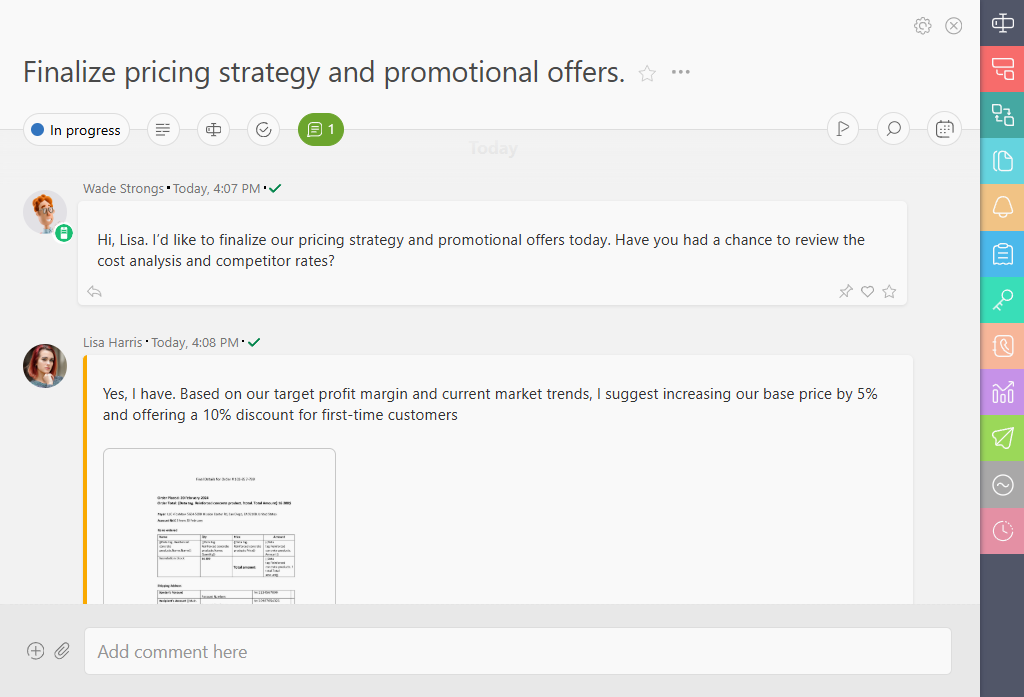
Planfix combines communication and task management in a single connected environment.
Functionality: Threaded chat inside tasks, shared Whiteboard, file versioning, automations, and visual planners.
Pricing Overview: Free tier suitable for small teams; paid plans expand with advanced features.
Reviews: 4.6/5 on G2, with consistent praise for reducing the number of separate apps needed.
Pros
- Conversations stay linked to the exact work item
- Live updates without excessive notifications
- Strong customization for different workflows
Cons
- Initial setup requires some time to master
- Focus leans more toward structured processes than pure creative sessions
The interface shows tasks and comments in one clean view, making status changes immediately visible.
2. Slack
Source: https://slack.com/
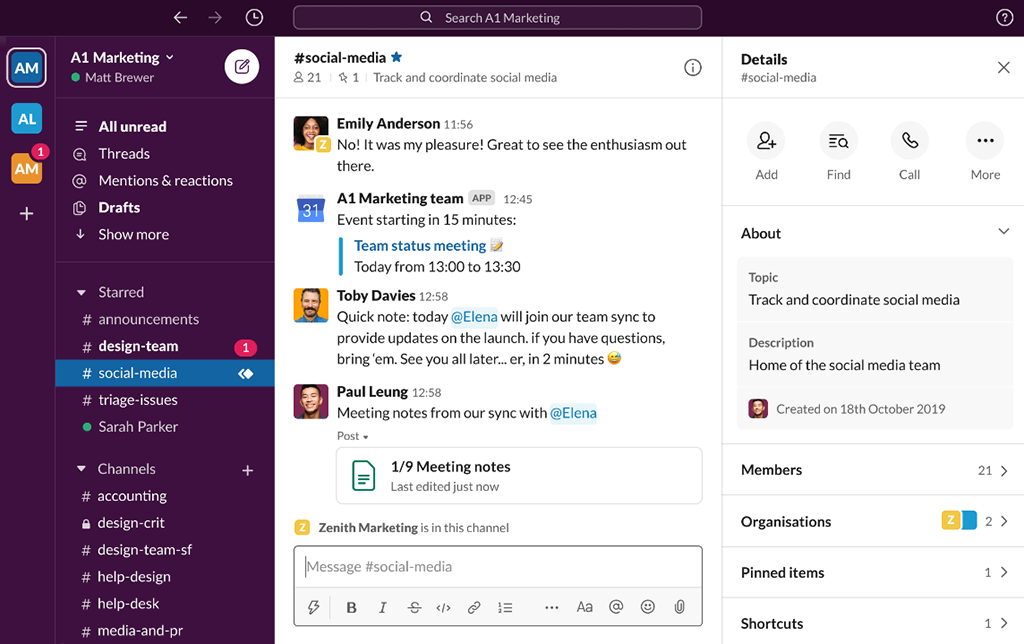
Slack remains a leading choice for fast, organized team messaging.
Functionality: Channels, threaded conversations, huddles, file sharing, and AI-powered summaries.
Pricing Overview: Free plan available; paid versions unlock more storage and integrations.
Reviews: 4.5/5 on G2.
Pros
- Excellent search and quick navigation
- Large ecosystem of app integrations
- Supports both quick questions and deeper discussions
Cons
- Conversations can become scattered without clear channel guidelines
- Less effective for heavy task management on its own
3. Microsoft Teams
Source: https://www.microsoft.com/
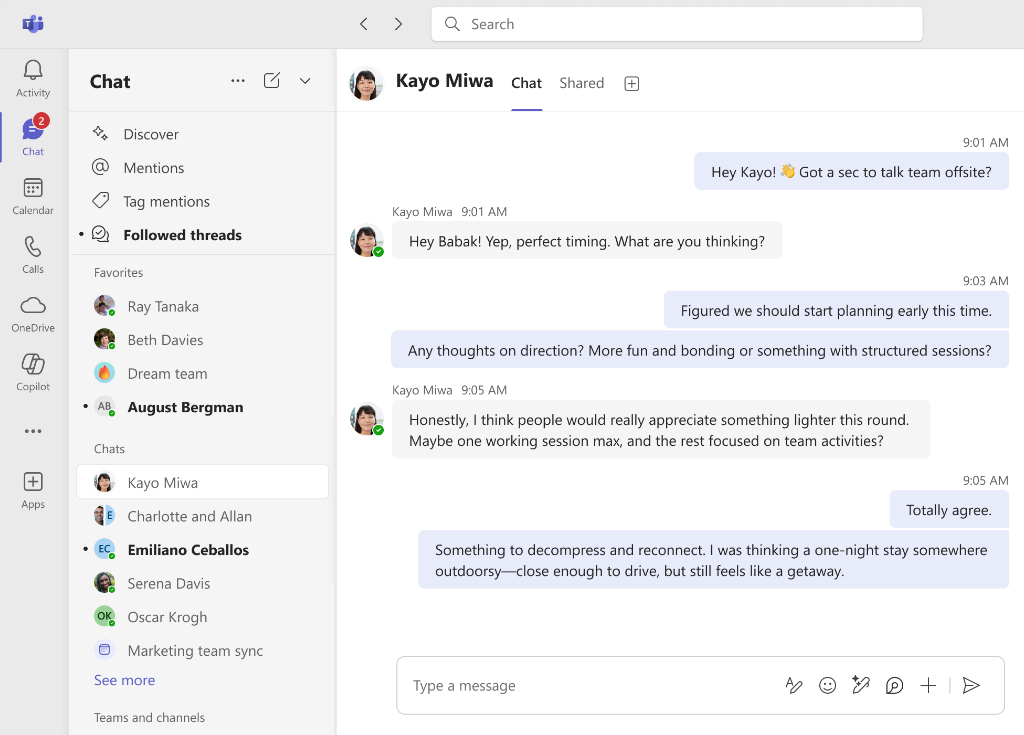
Microsoft Teams serves organizations already using the Microsoft 365 ecosystem.
Functionality: Chat, video meetings, file collaboration through OneDrive, and Copilot AI assistance.
Pricing Overview: Often included with Microsoft 365 subscriptions.
Reviews: 4.4/5 on G2.
Pros
- Seamless connection with Excel, Outlook, and other Microsoft tools
- Reliable for large-scale meetings and file sharing
- Strong enterprise security features
Cons
- Interface can feel crowded with multiple tabs
- Less flexible for teams outside the Microsoft environment
4. Miro
Source: https://miro.com/
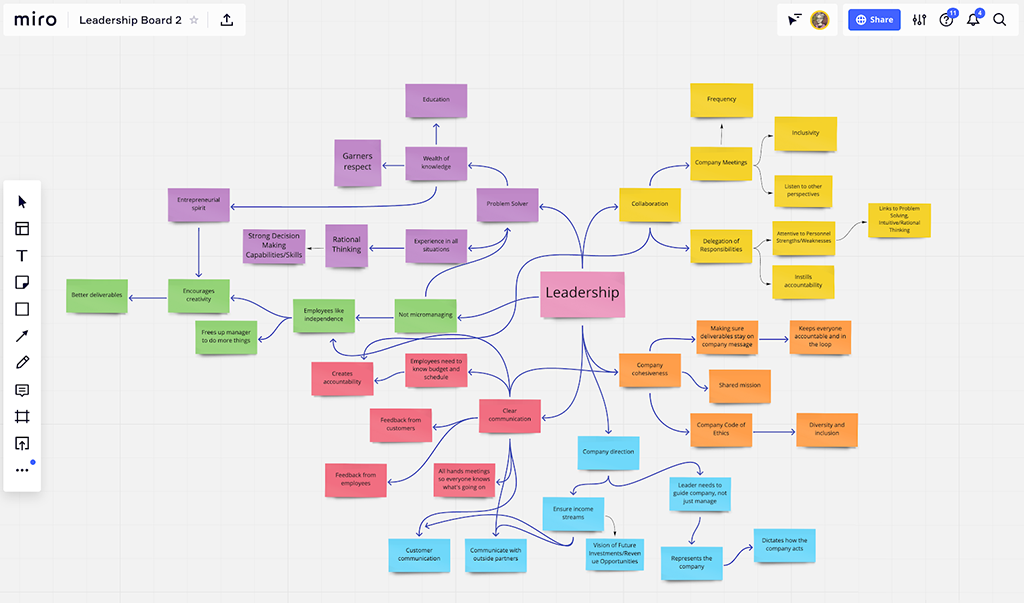
Miro delivers an infinite canvas designed for visual collaboration.
Functionality: Sticky notes, flowcharts, mind maps, real-time cursors, and ready-made workshop templates.
Pricing Overview: Free tier plus team and enterprise plans.
Reviews: 4.6/5 on G2.
Pros
- Highly engaging for brainstorming and alignment sessions
- Extensive template library
- Strong real-time multiplayer experience
Cons
- Can become disorganized without moderation
- Advanced export options limited in lower plans
5. Notion
Source: https://www.notion.com/
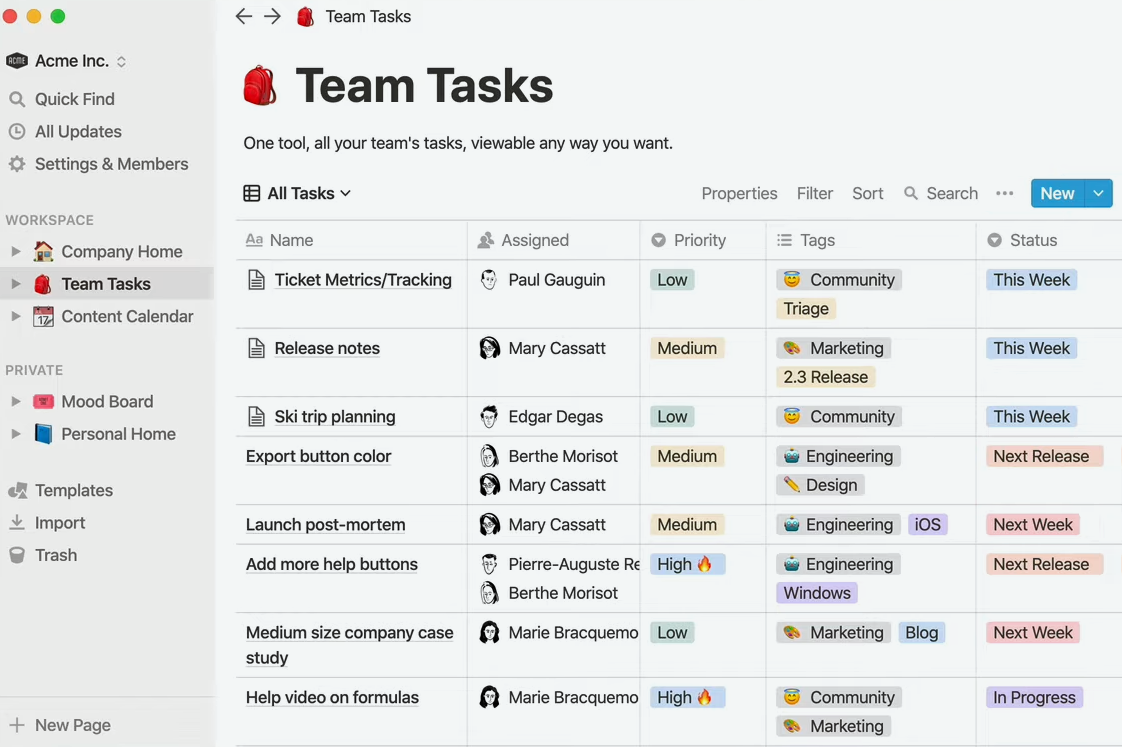
Notion functions as a highly flexible all-in-one workspace.
Functionality: Custom pages, databases, wikis, lightweight tasks, and AI writing support.
Pricing Overview: Free plan for individuals; paid tiers for teams.
Reviews: 4.6/5 on G2.
Pros
- Extremely customizable without coding
- Combines notes, documentation, and basic project views
- Clean, modern interface
Cons
- Requires upfront planning to structure effectively
- Mobile app occasionally feels less polished than desktop
6. ClickUp
Source: https://clickup.com/
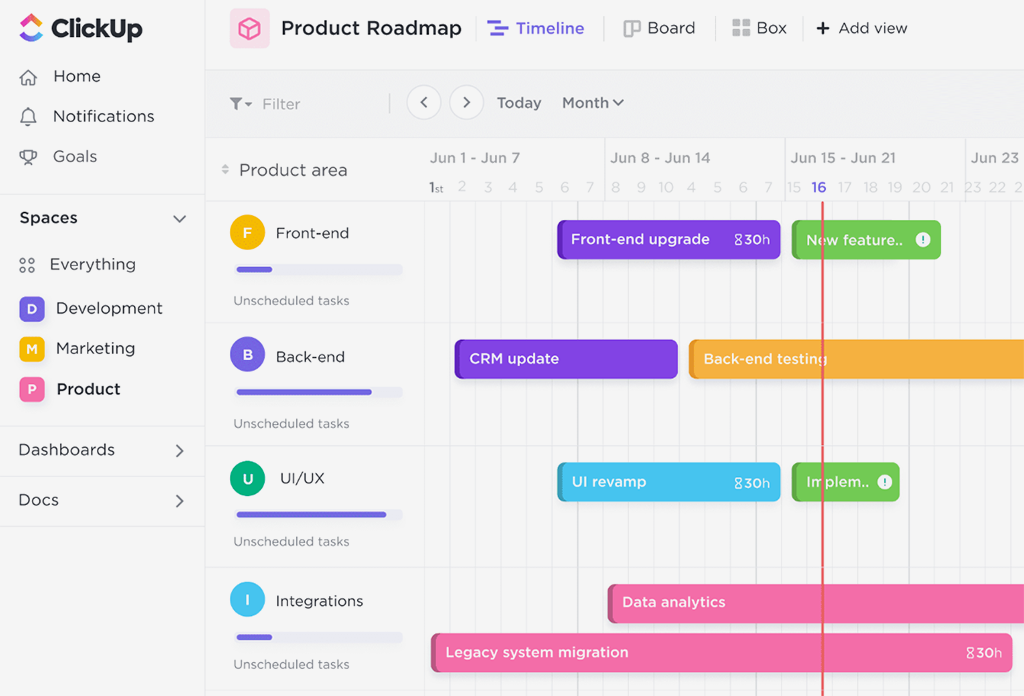
ClickUp offers a comprehensive platform for project-oriented teams.
Functionality: Task management, connected whiteboards, mind maps, Gantt views, and automations.
Pricing Overview: Generous free tier with paid upgrades.
Reviews: 4.7/5 on G2.
Pros
- Multiple views for different team preferences
- Tasks and visual elements stay linked
- Helpful AI features for summaries and suggestions
Cons
- Feature depth can feel overwhelming at first
- Learning curve steeper than simpler tools
7. Google Workspace

Source: https://workspace.google.com/
Google Workspace provides straightforward, familiar collaboration for documents and files.
Functionality: Real-time co-editing in Docs, Sheets, and Slides plus shared Drive storage.
Pricing Overview: Free for personal use; business plans add admin controls.
Reviews: 4.6/5 on G2.
Pros
- Minimal learning curve for most users
- Reliable real-time editing
- Smooth integration with Gmail
Cons
- Built-in chat and task features remain basic
- Less suited for complex project tracking
8. Asana

Source: https://asana.com/
Asana focuses on clear structure for project and task management.
Functionality: Multiple project views, timelines, automations, and goal tracking.
Pricing Overview: Free plan available; paid versions add advanced reporting.
Reviews: 4.4/5 on G2.
Pros
- Strong visibility into ownership and deadlines
- Clean hierarchies for complex initiatives
- Good balance of simplicity and power
Cons
- Real-time communication features are limited
- Requires consistent team adoption to stay effective
9. Monday.com
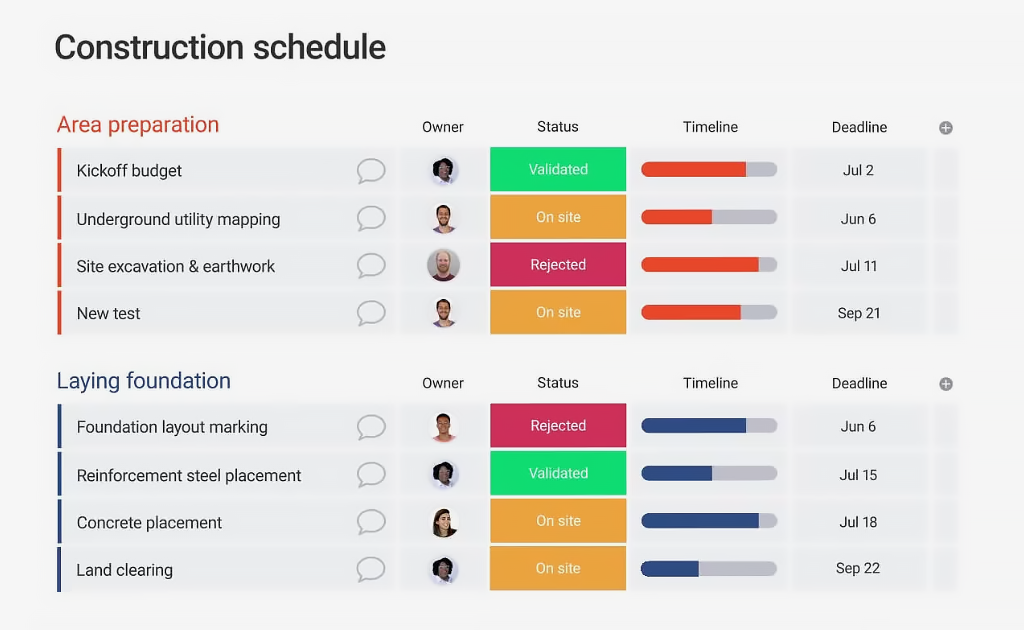
Source: https://monday.com/
Monday.com emphasizes visual dashboards and customizable workflows.
Functionality: Drag-and-drop boards, automations, color-coded status, and progress tracking.
Pricing Overview: Free tier plus paid plans.
Reviews: 4.7/5 on G2.
Pros
- Highly visual and easy to understand at a glance
- Flexible templates for different industries
- Useful automation options
Cons
- Cost can increase quickly with scale
- Some advanced customization takes time to learn
10. Figma
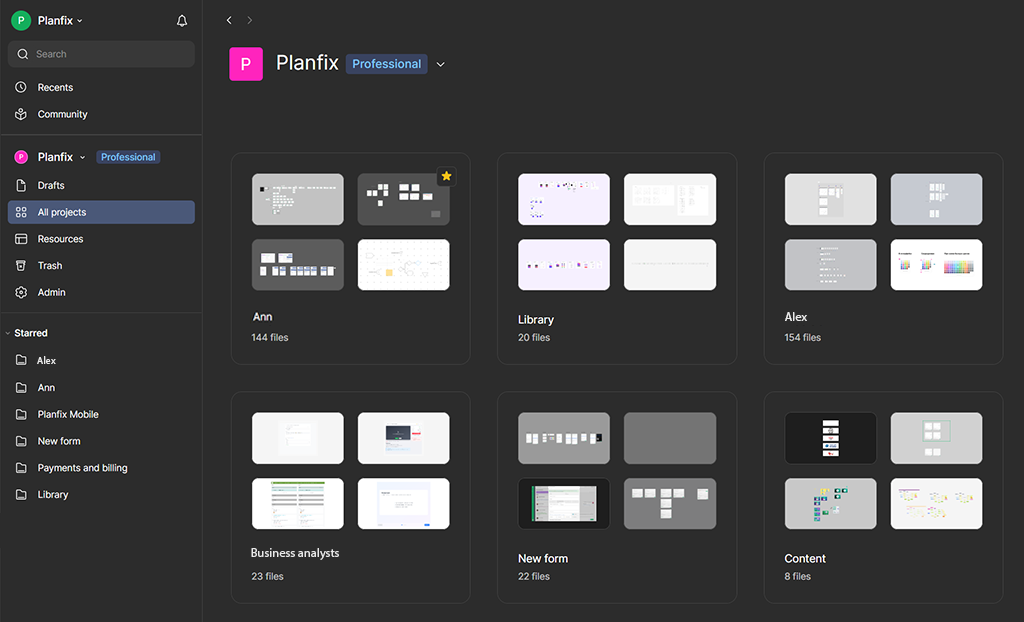
Source: https://www.figma.com/
Figma excels in real-time design and product team collaboration.
Functionality: Multiplayer editing, prototyping, component libraries, and FigJam whiteboarding.
Pricing Overview: Free starter plan; paid options for professional teams.
Reviews: 4.7/5 on G2.
Pros
- Smooth live editing for multiple users
- Excellent developer handoff tools
- Strong community and plugin ecosystem
Cons
- Primarily suited for design and product workflows
- Less relevant for non-creative teams
Categorization of the List
- Best free collaboration tools: Planfix free tier, Slack free, Google Workspace, Miro basic.
- Best for real-time messaging: Slack, Microsoft Teams.
- Best visual collaboration platforms: Miro, Figma.
- Best all-in-one workspaces: Planfix, Notion, ClickUp.
- Best for structured projects: Asana, Monday.com.
- Best enterprise options: Microsoft Teams, Monday.com.
How to Choose the Right Collaboration Tool
Selecting the best online collaboration tool depends on a few key questions:
- What creates the biggest daily friction – scattered messages, lost files, or unclear responsibilities?
- Does the team need mostly real-time interaction or strong async capabilities?
- Is the company already invested in Microsoft, Google, or another specific ecosystem?
- Should one platform handle everything or is it better to combine specialists?
- How important is connecting conversations directly to tasks and outcomes?
Start by matching the primary pain point to the tool descriptions above. For teams seeking a single space that links communication to actual work, Planfix offers a strong fit. Fast chat-focused groups often prefer Slack, while visual or creative teams lean toward Miro or Figma.
FAQ
What are the best online collaboration tools in 2026?
The top collaboration platforms vary by team needs. Planfix ranks highest for teams that want communication and task management in one connected workspace. Slack excels at fast messaging, Miro is ideal for visual brainstorming, and Microsoft Teams is the strongest choice for large organizations already using Microsoft 365.
What is the best free collaboration tool?
Several strong free options exist. Planfix offers a generous free tier for small teams, Slack provides a solid free plan for messaging, Google Workspace is excellent for document collaboration, and Miro’s basic plan works well for visual work. The best free tool depends on whether you need chat, documents, or visual collaboration.
What are online collaboration tools?
Online collaboration tools are platforms that let teams communicate, share files, manage tasks, and co-edit documents in a shared digital workspace – supporting both real-time and asynchronous work.
Why do remote and hybrid teams need collaboration platforms?
They reduce scattered communication across chats, email, and multiple apps by centralizing messages, files, tasks, and decisions – so work moves forward faster and stays visible.

