Best Organizational Chart Software
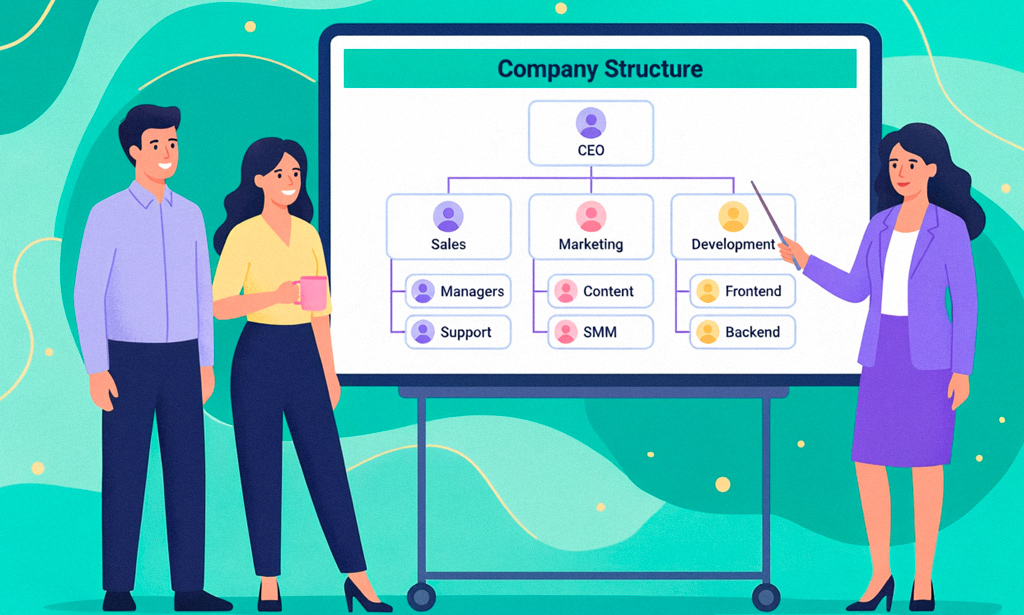
A company can change faster than its org chart. Someone gets promoted, a department splits, or a new manager takes over. Meanwhile, the official structure still sits in last quarter’s PowerPoint deck. Then someone sends an approval request to the wrong person.
The right organizational charting software can make reporting lines easier to build, update, and share. Modern org charting software can go further by connecting structure with employee data, permissions, tasks, and workflows, which is especially useful for teams working across global time zones where reporting lines and responsibilities may span different working hours.
We’ve reviewed 11 leading options to help you choose the right fit. Our list covers dedicated charting tools, collaborative diagramming platforms, free organizational charting software, and broader work management systems.
| Tool | Best for | Key strength | Starting price |
| Planfix | Teams connecting structure to real work | Structure tied to tasks and workflows | $8/user/month |
| Lucidchart | Professional visual diagrams | Data-linked diagramming | $9/month |
| Microsoft Visio | Microsoft 365 organizations | Microsoft ecosystem integration | $5/user/month |
| Miro | Collaborative visual planning | Shared infinite canvas | Free |
| diagrams.net | Free chart creation | No-cost diagramming | Free |
| Creately | Data-connected org design | Visual modeling and data sync | $5/month |
| Organimi | Dedicated org charts | Employee data and chart management | $13/month |
| Canva | Simple visual charts | Templates and easy design | $120/year |
| SmartDraw | Automated diagram creation | Auto-formatting and templates | $9.95/month |
| Sift | Employee directories and automated org charts | HR and IT data synchronization | $150/month |
| OrgChart | HR integrations and workforce planning | Workforce data and scenario modeling | $105/month |
Each tool takes a different approach to organizational charting, from simple visual diagrams to data-connected workforce platforms.
What Is Organizational Chart Software?
A company structure is more than a collection of names and boxes. It shows who reports to whom, how departments relate, and where responsibilities sit.
Organizational charts software creates and maintains that visual map digitally. Basic tools replace PowerPoint, spreadsheets, or manually drawn diagrams. More advanced platforms connect the structure to employee records, permissions, workforce information, or business processes.
That distinction becomes important as a company grows. A static chart can document today’s reporting lines, but a connected system has a better chance of staying useful after the next promotion or reorganization.
SHRM makes a similar distinction in its organizational design guidance: effective organizational design goes beyond the chart and connects structure with processes, people, technology, decision rights, and workflows.
How We Evaluated These Tools
Most hierarchy tools look similar in a demo. The real differences appear later, when somebody changes departments, managers, responsibilities, or access rights.
We evaluated each option against the factors that matter after the first chart has been created:
- Chart creation: How quickly can teams build and edit a hierarchy?
- Data connection: Can the structure use employee, spreadsheet, or other business data, including employees’ work schedules where relevant?
- Collaboration: Can several people review and update the structure?
- Permissions: Can administrators control who can view or edit sensitive information?
- Customization: Can teams change layouts, fields, branding, and relationship types?
- Scalability: Does the tool remain practical as the organization grows?
- Connection to work: Can the structure influence tasks, workflows, or team management?
- Price: Is there a usable free version, and what happens when the team needs more?
We also checked current pricing and public G2 review data where available.
The most important question behind our ranking is simple: who is responsible for keeping the structure accurate after the first version is created?
Best Organizational Charting Software: Full List
Some tools are designed mainly to draw a hierarchy. Others are built to keep organizational information connected to the work happening around it. That difference is important when comparing the best organisation chart software for different types of teams.
1. Planfix
A growing company rarely needs a hierarchy just for presentation. HR needs to know where employees belong. Managers need visibility into their teams. Operations needs reporting relationships to work with the processes people actually perform.
That’s where Planfix takes our top spot.
Planfix is a business and work management platform with a dedicated company structure chart feature. Teams can organize employees into workgroups, establish relationships between groups, appoint managers, and manage access to subordinate tasks. The structure therefore exists in the same environment as projects, tasks, reports, and workflows.
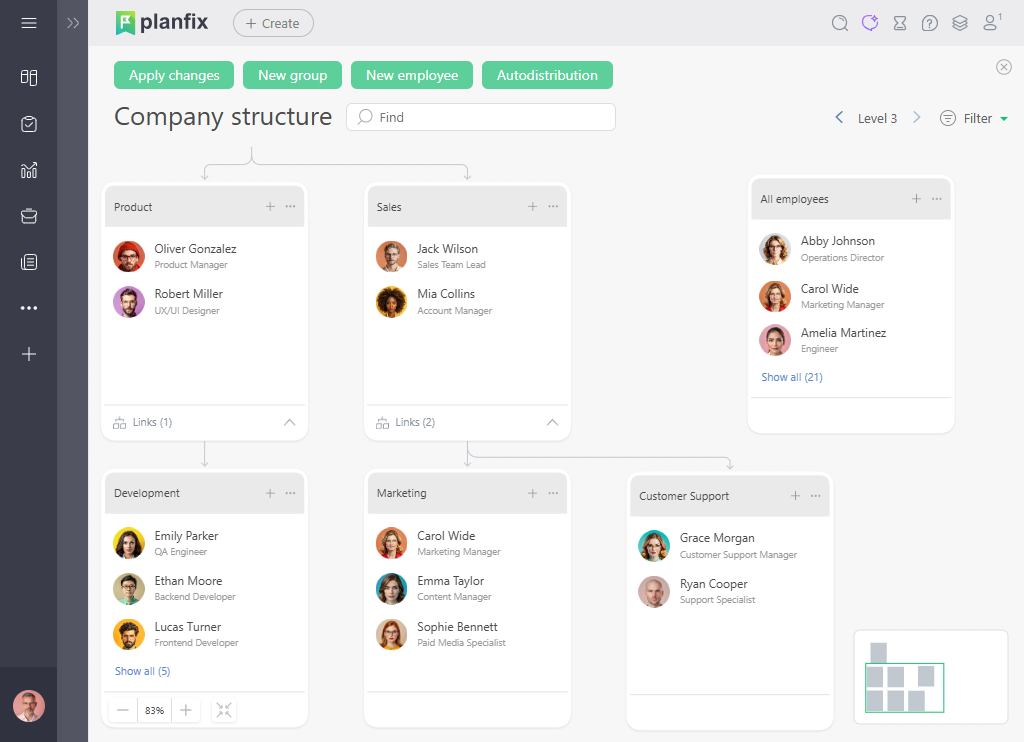
This makes the platform different from a pure diagramming application. The chart is not simply an image that needs to be recreated every time the organization changes. Managers and groups can be part of the access model used for everyday work.
Planfix also provides employee management features such as positions, work schedules, time zones, temporary replacements, and custom employee fields.
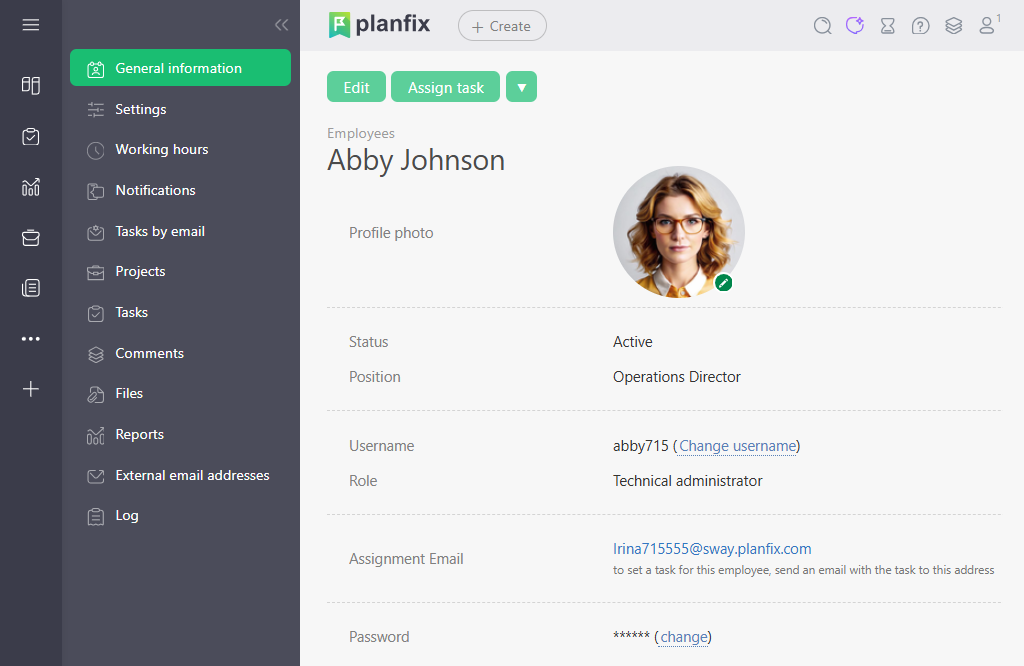
For teams already managing their work in Planfix, this connection is the main advantage. The organizational structure can support task visibility and management rather than living in a separate slide deck.
Best features
- Build and visually manage company groups and reporting relationships.
- Connect group managers with access to subordinate employees’ tasks.
- Manage employees, positions, schedules, and workgroups in one environment.
- Configure workflows and automation around the team’s actual processes.
- Extend the platform through integrations, APIs, and tools such as Zapier.
Limitations
- Teams that only need a simple diagram may find the wider platform broader than necessary.
- Advanced configurations can require more setup than a lightweight drawing application.
- HRIS synchronization should be evaluated against the specific integration a company needs rather than assumed.
Pricing: Planfix offers a Free plan for up to five users. The price starts at $8 per user/month when billed annually.
Rating on G2: 4.6/5 from 18 reviews. G2 reviewers frequently highlight Planfix’s flexibility and customization, while some mention the learning curve involved in configuring the platform.
Planfix earns the #1 position because the structure is connected to execution. For teams that want reporting lines to influence how work is organized and accessed, that connection can matter more than another collection of diagram templates.
2. Lucidchart
Source: https://lucid.co/lucidchart
Some teams already keep employee information in another system and need a polished way to visualize it. Lucidchart is a strong fit when diagramming is the main requirement.
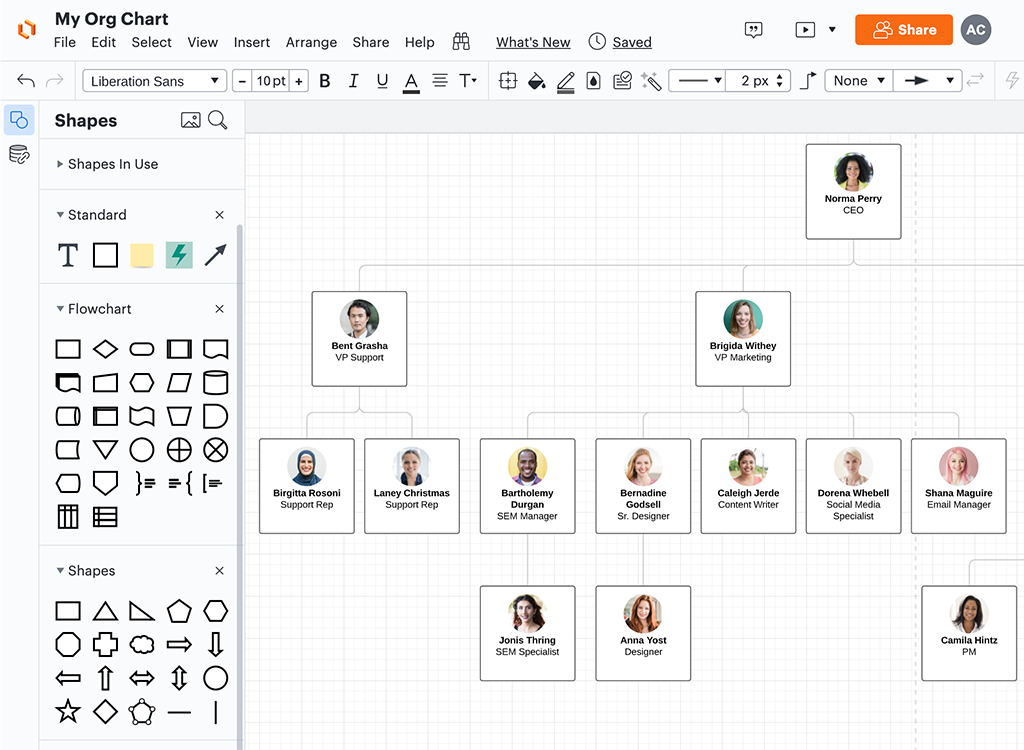
Lucidchart is a dedicated visual diagramming application with templates, drag-and-drop editing, collaboration, and data-linking capabilities. Its broader diagramming toolkit also makes it useful for process maps, system diagrams, flowcharts, and software organizational charts.
The platform offers a Free plan with limited documents and shapes. Paid Individual plans provide unlimited documents and shapes, premium templates, and additional diagramming capabilities.
That makes Lucidchart particularly useful when an org chart is one piece of a wider visual documentation workflow.
Best features
- Build professional hierarchies from templates and shapes.
- Edit reporting relationships with drag-and-drop controls.
- Connect diagrams with external data.
- Collaborate with teammates on shared diagrams.
- Reuse the same platform for many types of business documentation.
Limitations
- Its broad diagramming feature set may be more than a small team needs for one hierarchy.
- Companies looking for a full employee-management platform will still need other systems.
- The Free plan has meaningful limits on editable documents and shapes.
Pricing: Lucidchart has a Free plan. The Individual plan starts at $9/month when billed annually. Team and Enterprise options are also available.
Rating on G2: 4.5/5 from 8,614 reviews. Reviewers commonly praise its intuitive interface, templates, and collaboration features, while some mention a learning curve for more advanced use.
User-review takeaway: G2 reviewers frequently highlight how quickly they can create, edit, and share diagrams.
Lucidchart is a sensible choice when the organization needs high-quality visual documentation rather than a system that manages the underlying employee structure.
3. Microsoft Visio
Source: https://www.microsoft.com/en-us/microsoft-365/visio
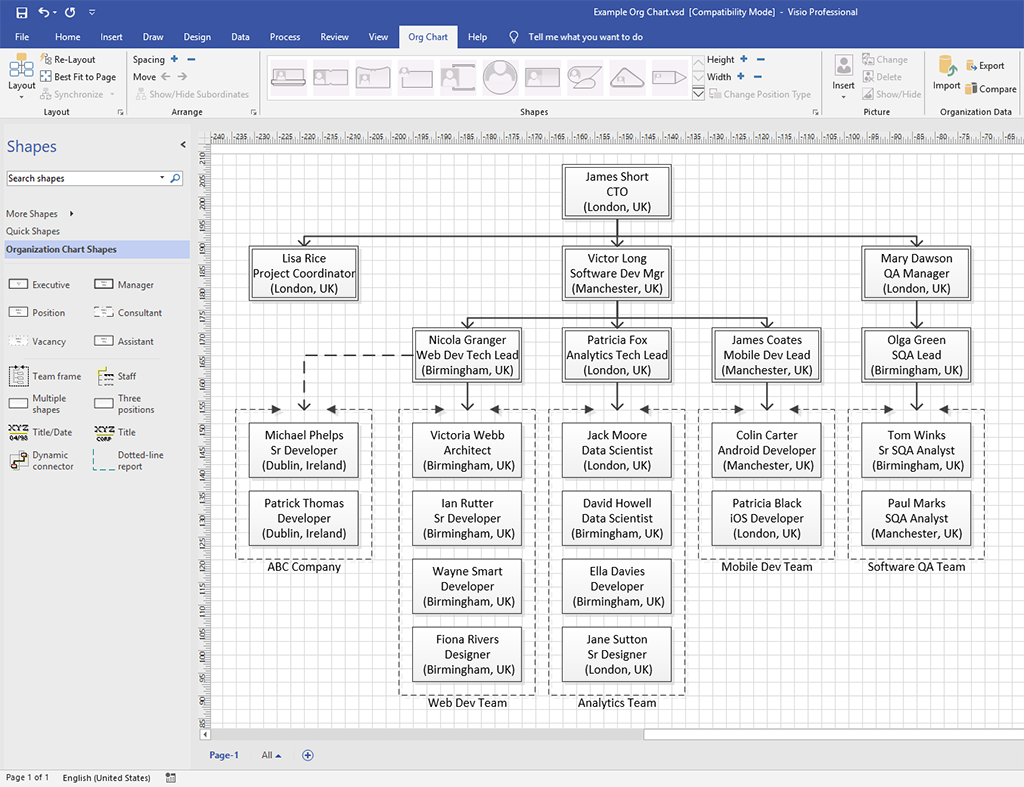
If your company already relies heavily on Microsoft 365, adding another visual platform can create unnecessary friction. Visio makes sense when diagramming needs to stay close to the Microsoft ecosystem.
Visio Plan 1 includes advanced organization chart layouts, employee photos and fields, Microsoft integrations, and other diagram types. Plan 2 adds the desktop application, advanced diagramming, and broader data connectivity.
That makes Visio particularly relevant to established organizations where Microsoft licensing, Teams, OneDrive, Excel, and existing document workflows influence purchasing decisions.
Best features
- Build organizational charts with dedicated layouts and employee fields.
- Collaborate through Microsoft Teams and related services.
- Connect diagrams with Microsoft data and applications.
- Use the same application for technical and business diagrams.
- Move to desktop functionality with Visio Plan 2.
Limitations
- It makes the most sense for organizations already invested in Microsoft products.
- Advanced functionality requires a paid plan.
- Visio is primarily a diagramming and visualization application rather than an employee-management platform.
Pricing: Visio Plan 1 starts at $5/user/month when billed yearly. Plan 2 costs $15/user/month when billed yearly. The basic Visio web app is included with selected Microsoft 365 commercial plans.
G2: 4.2/5 from 678 reviews. Users often praise the templates and Microsoft 365 integration, while some reviews identify cost and occasional performance issues as drawbacks.
For Microsoft-heavy organizations, Visio can be the practical choice because the surrounding tools, accounts, and workflows are already familiar.
4. Miro
Source: https://miro.com/index
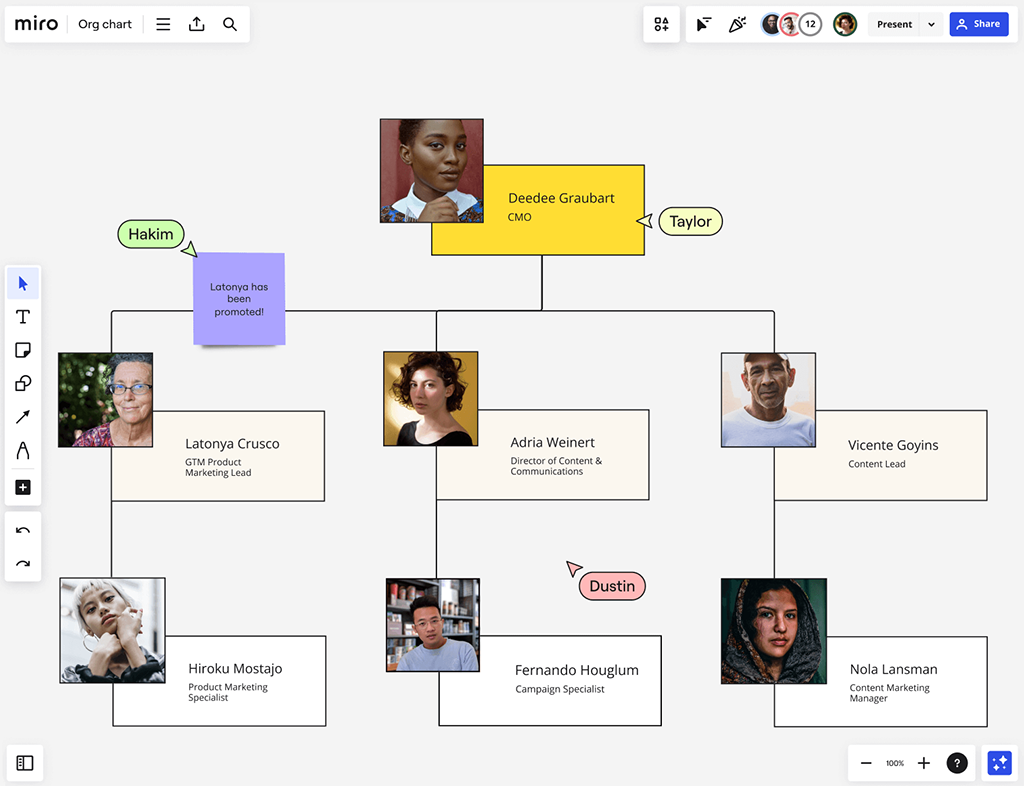
An org chart can be more than a record of the current structure. Leadership teams may use one during a reorganization, planning workshop, or workforce discussion. Miro is particularly useful when several people need to work through the structure together.
Miro provides an infinite collaborative canvas with templates, diagrams, comments, integrations, and real-time editing. Teams can place a hierarchy alongside notes, process maps, workshop outputs, or other planning material.
The limitation is also the reason Miro works well for this use case: it is a collaborative canvas rather than a dedicated employee directory. Teams should maintain a separate source of truth if they need automatic HR-style updates.
Best features
- Start from organizational chart templates.
- Edit the same canvas collaboratively in real time.
- Combine hierarchy planning with workshops and notes.
- Connect the workspace with other business applications.
- Keep alternative structures visible while planning a reorganization.
Limitations
- Large boards can become harder to navigate.
- Manually maintained structures can become outdated.
- Some collaboration and administration capabilities require paid plans.
Pricing: Miro offers a Free plan. Its Starter plan currently starts at $8/member/month when billed annually.
G2: 4.6/5 from 12,814 reviews. Reviewers frequently praise the intuitive interface and real-time collaboration, while some mention performance issues with larger boards.
Miro is strongest when the structure itself is part of a conversation. It is less suited to teams that need the chart to serve as an authoritative employee directory.
5. diagrams.net
Source: https://www.drawio.com
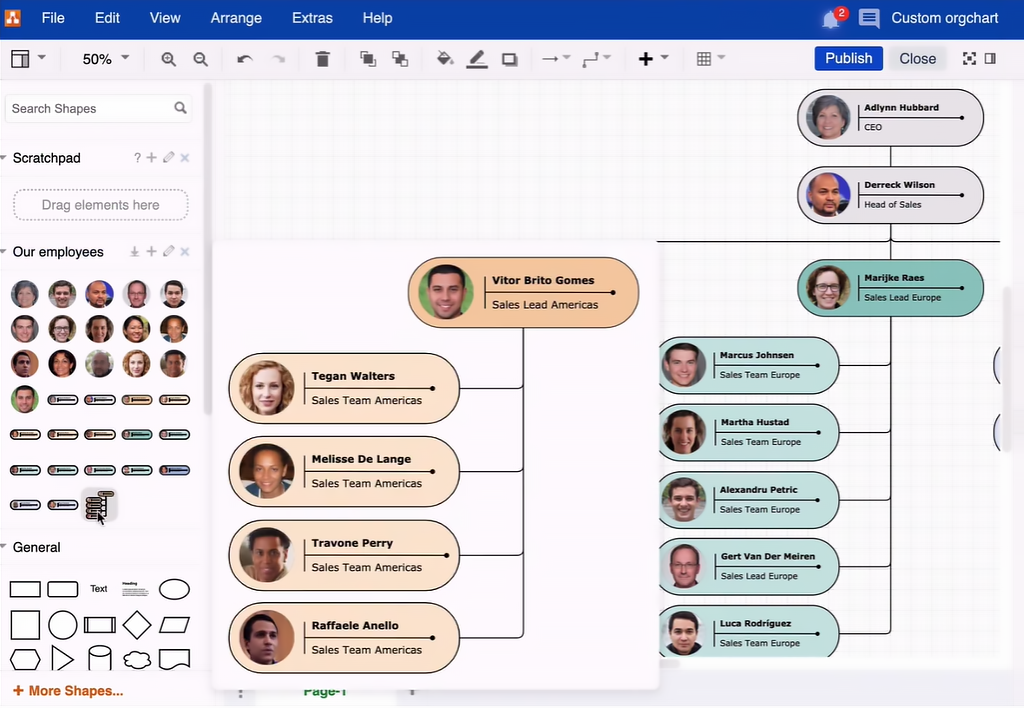
Sometimes the requirement is simple: create a clear hierarchy without buying another subscription. diagrams.net, also known as draw.io, is one of the strongest options for that use case.
The application supports flowcharts, UML diagrams, network diagrams, database schemas, and organizational structures. It is available online and as a desktop application, and users can choose where their diagram files are stored.
That makes it particularly relevant to searches for free organizational chart programs.
Best features
- Create diagrams without a paid subscription.
- Use a large library of shapes and connectors.
- Work online or through the desktop application.
- Store files on a preferred cloud service or local device.
- Import and export common diagram formats.
Limitations
- It focuses on diagram creation rather than employee management.
- Reporting relationships must be maintained manually.
- It is not designed as an HR data platform.
Pricing: Free for online and desktop diagramming.
G2: 4.4/5 from 446 reviews. Reviewers frequently mention ease of use and straightforward diagram creation. G2 also shows feedback around limited features and complexity for some use cases.
For teams searching specifically for free organizational charting software, diagrams.net is hard to ignore. It delivers the core diagramming job without turning a simple hierarchy into a larger software purchase.
6. Creately
Source: https://creately.com
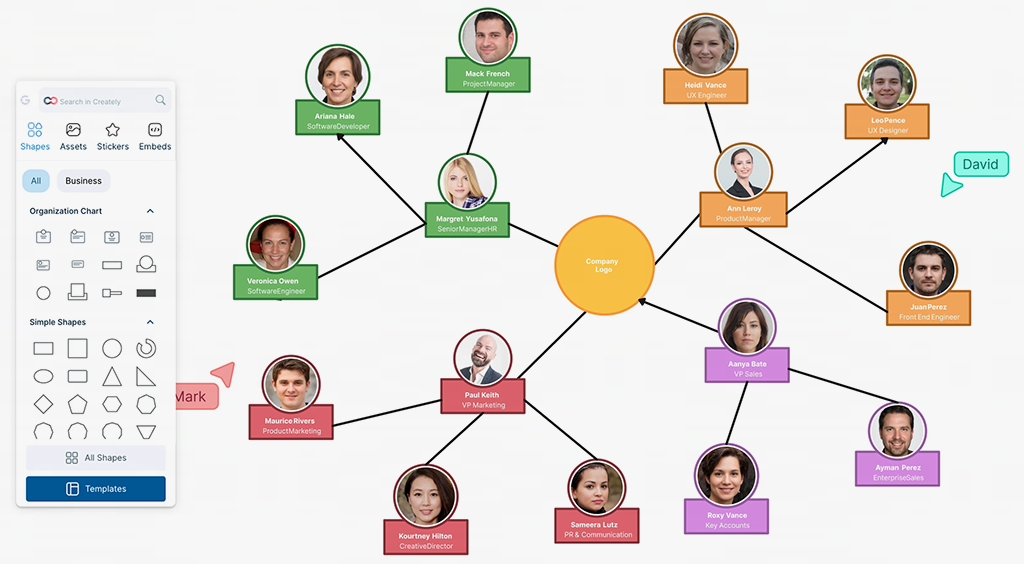
A team that needs more than boxes and connectors may also need data imports, collaboration, different relationship types, and planning views. Creately is designed around that broader visual workspace.
Its organizational chart tools support hierarchical and matrix structures, while the platform also provides collaboration, templates, data connections, and workspace management. Creately’s current Business plan includes two-way data synchronization with Excel and Google Sheets, alongside HR, IT, and process toolkits.
That makes it relevant to HR and operations teams that want to model the current structure or explore proposed changes visually.
Best features
- Create charts from templates or imported employee data.
- Model hierarchical and matrix relationships.
- Collaborate through shared visual workspaces.
- Connect data with Excel and Google Sheets on supported plans.
- Use the workspace for organizational planning beyond the chart itself.
Limitations
- The wider visual workspace can be more than needed for a basic hierarchy.
- Free and lower-tier plans have limits on items, folders, storage, and advanced features.
- Data synchronization and advanced workforce functionality depend on the selected plan.
Pricing: Creately offers a Free plan. Its current pricing information lists Starter and Team options from $5/month when billed annually, with Business from $89/month annually.
G2: 4.4/5 from 1,373 reviews on the current G2 product page. Reviewers commonly praise ease of use, templates, and real-time collaboration, while larger diagrams can create performance concerns.
User-review takeaway: G2 reviewers frequently mention templates and smart shapes as useful for building diagrams quickly.
Creately is worth considering when HR or operations needs a visual structure that can also support planning and data-driven work.
7. Organimi
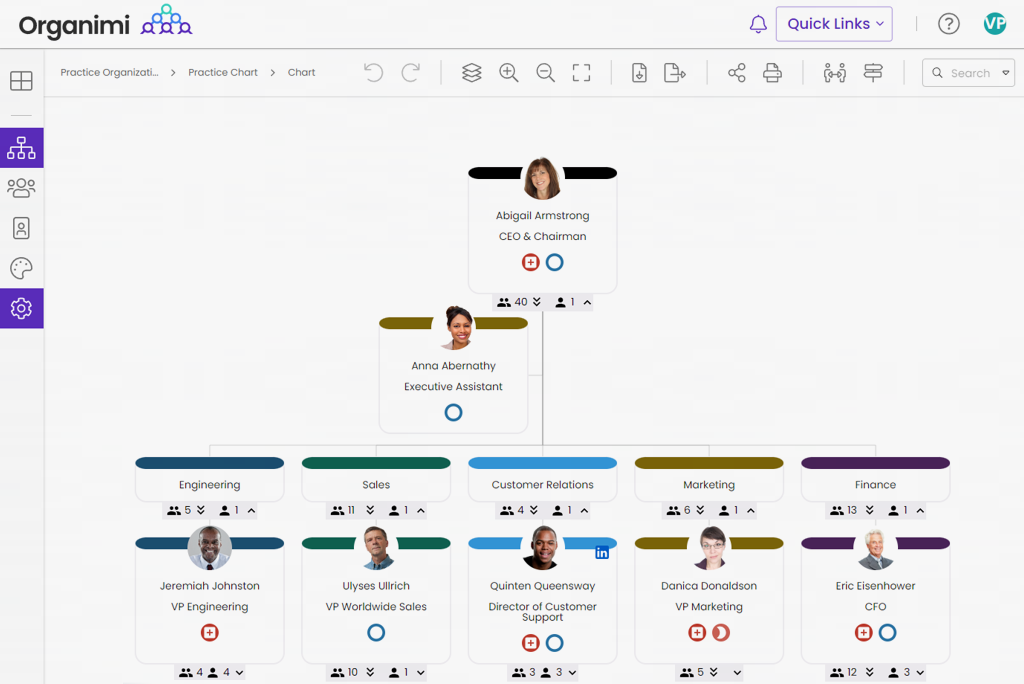
Source: https://www.organimi.com
If the main requirement really is a company hierarchy, a specialized platform can be more appropriate than a broad work management suite.
Organimi focuses on creating, sharing, and maintaining organizational structures. Its current plans support CSV and Excel imports, custom fields, traditional charts, and higher-tier matrix and governance charts. Premium also adds SSO, reporting and analytics, and connections through Organimi Connect.
That makes the platform especially relevant to HR teams that want a polished directory-style experience without adopting a broader project management system.
Best features
- Import employee information from CSV or Excel.
- Build traditional, matrix, and governance charts.
- Customize employee fields and chart layouts.
- Share structures with teams and stakeholders.
- Use the hierarchy as a visual employee directory.
Limitations
- It focuses more on organizational structure than day-to-day work execution.
- Advanced integrations and governance features require higher plans.
- Some users report that parts of the interface take time to learn.
Pricing: Organimi’s current pricing page lists Basic at $22/month when billed monthly and $13/month when billed annually.
G2: 4.5/5 from 156 reviews. Reviewers praise ease of use and customization, while some identify areas for improvement around printing and exporting.
User-review takeaway: G2 reviewers often highlight the clear company-wide view and flexibility of different layouts and visibility settings.
Organimi is a strong choice when the chart itself is the central requirement, particularly for HR, onboarding, consulting, and organizational planning.
8. Canva
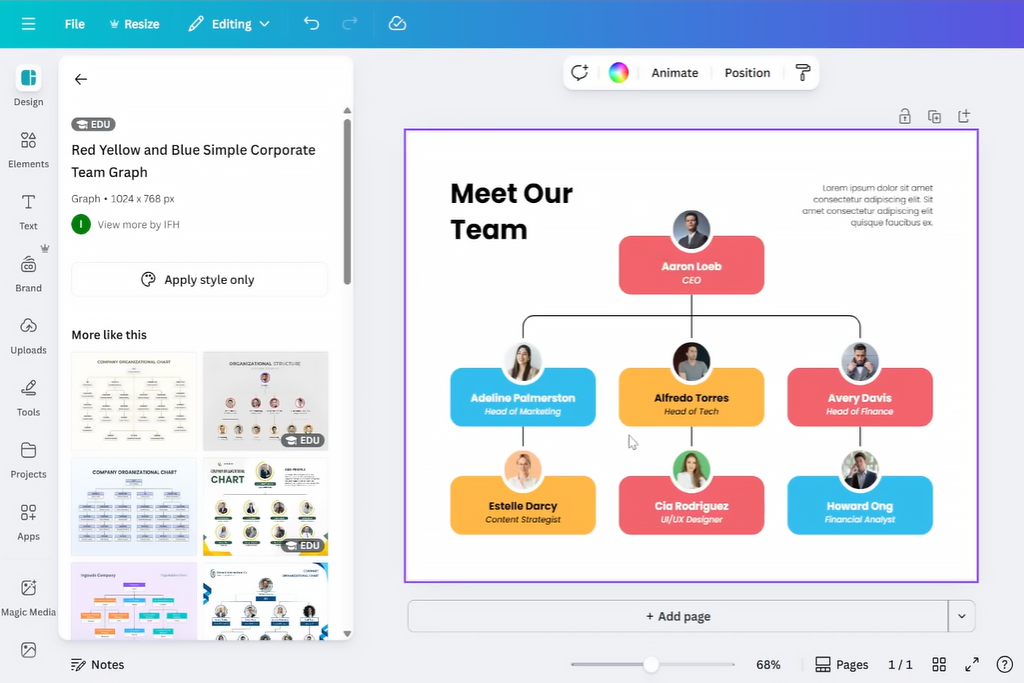
Source: https://www.canva.com
Not every team needs data synchronization or workforce analytics. Sometimes someone needs a clear hierarchy for onboarding, an internal presentation, or a company overview.
Canva is well suited to that scenario because its main strength is accessible visual design. Its drag-and-drop editor and template library let non-designers create polished materials quickly.
That simplicity also defines the product’s role in this list. Canva is one of the better organizational chart apps for presentation-focused work, but it is not designed to become an authoritative employee directory.
Best features
- Start with ready-made visual templates.
- Customize colors, fonts, layouts, and branding.
- Add employee names, roles, and photos.
- Collaborate with teammates on the design.
- Reuse the chart in presentations and other company materials.
Limitations
- It is primarily a visual communication platform, not an employee-management system.
- A manually designed hierarchy still needs manual updates.
- Data-driven reporting relationships are better handled by specialized platforms.
Pricing: Canva offers a Free plan. Its current Business plan is listed at US$120/year per person, while other paid options vary by account and market.
G2: 4.7/5 from more than 6,900 reviews on current G2 listings. Reviewers consistently praise ease of use and the template library, while many note that advanced features require a paid subscription.
User-review takeaway: G2 reviewers frequently praise Canva’s drag-and-drop workflow and templates, especially for people without formal design experience.
Canva demonstrates an important point: the best program for organizational charts depends on the job. For a polished visual that takes little time to create, simplicity can be more useful than advanced data connections.
9. SmartDraw
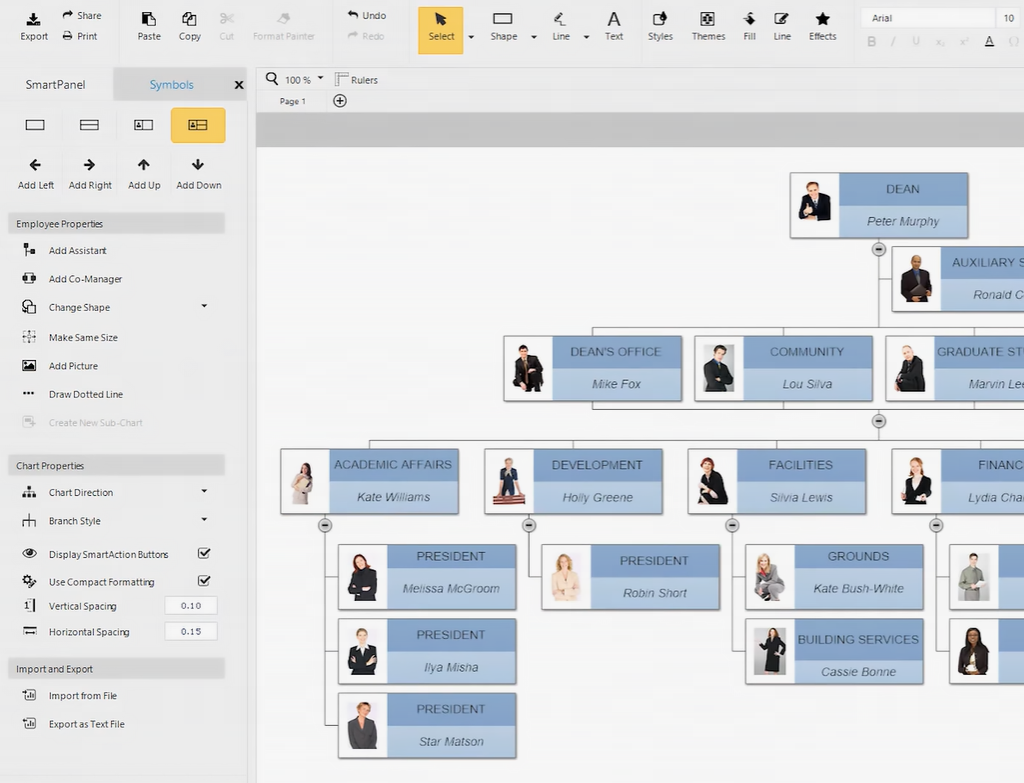
Source: https://www.organimi.com
A company may need organizational charts alongside dozens of other diagram types. SmartDraw is designed for that broader diagramming workload and emphasizes templates and automated formatting.
Its organizational chart functionality supports employee names, roles, departments, photos, and automatic layout. The wider platform covers flowcharts, floor plans, engineering diagrams, network diagrams, and other visual documentation. G2’s current feature information also lists support for importing employee information and updating charts as an organization grows.
That combination makes SmartDraw useful for teams that want dedicated diagramming power without manually arranging every element.
Best features
- Create organizational structures from templates.
- Automatically arrange and format diagrams.
- Add employee details, roles, and photos.
- Import employee information from Excel.
- Reuse the platform for many other diagram types.
Limitations
- The broader feature set may be unnecessary for a simple hierarchy.
- Advanced diagramming capabilities can take time to learn.
- Larger files may perform more slowly.
Pricing: SmartDraw pricing information lists Individual at $9.95/month, Team at $8.95/user/month.
G2: 4.5/5 from 399 reviews. Reviewers commonly praise ease of use, templates, and automated formatting, while some report slower performance with larger files.
User-review takeaway: G2 reviewers often highlight how quickly SmartDraw turns structured information into professional-looking diagrams.
SmartDraw is a useful middle ground for teams that need more automation than a basic drawing application but still want a dedicated diagramming environment.
The strongest choice is not necessarily the one with the most attractive template. It is the one that matches what your team needs the structure to do after it has been created.
10. Sift
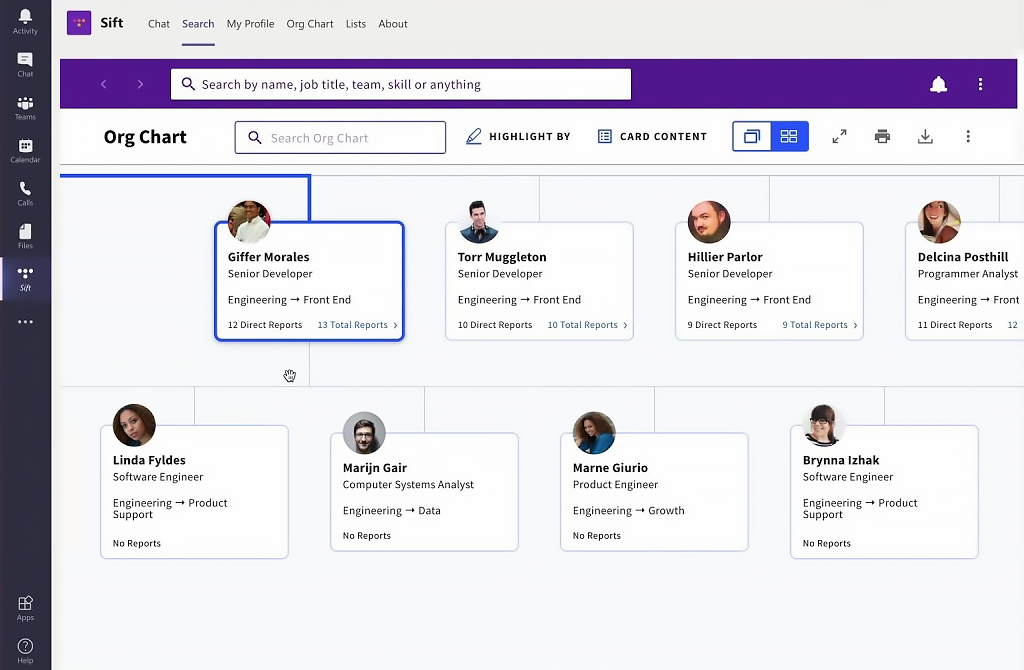
Source: https://www.justsift.com
Some organizations do not need another tool for drawing boxes and connectors. They need an organizational chart that stays accurate as employees join, leave, change roles, or move between teams. Sift takes this approach by generating its org chart from existing HR and IT data rather than treating the chart as a manually maintained diagram.
Sift combines an automated organizational chart with an employee directory. Its Org Chart plan supports multi-level structures, dotted-line relationships, open roles, departmental charts, custom attributes, search, filtering, sharing, and automatic synchronization with company data. The platform can connect to sources such as Workday, UKG, Microsoft Entra ID, Google Workspace, Okta, and CSV files.
That makes Sift particularly useful for larger organizations where employees need more than a reporting hierarchy. The directory can provide additional information about colleagues, while the org chart gives employees a visual view of how teams and reporting relationships fit together.
Best features
- Automatically generate and update organizational charts from HR and IT data.
- Visualize direct and dotted-line reporting relationships.
- Display departments, teams, open roles, and custom organizational attributes.
- Combine the org chart with searchable employee profiles and directory information.
- Integrate employee data from HR systems, identity platforms, and other internal sources.
Limitations
- Sift is not a diagramming tool, so it is less suitable for teams that want to manually design an org chart from scratch.
- It is more expensive than free diagramming applications and lightweight charting tools.
- Its value is highest for organizations that have reliable employee data available to synchronize.
Pricing: Sift’s Org Chart plan starts at $150/month when paid annually, with additional users priced at $1.50/month. Sift also offers Directory and Complete plans, starting at $175/month and $200/month respectively when paid annually. A 14-day free trial is available.
Rating on G2: 4.8/5 from more than 500 reviews. Recent G2 reviewers highlight Sift’s ability to make employee information easy to find and its usefulness for onboarding and understanding company structure.
Sift is strongest when the organizational chart needs to function as a living representation of the company rather than a document someone updates manually. For HR and larger organizations that already maintain employee information in HR and IT systems, automatic synchronization can make the chart substantially easier to keep current.
11. OrgChart
Source: https://theorgchart.com
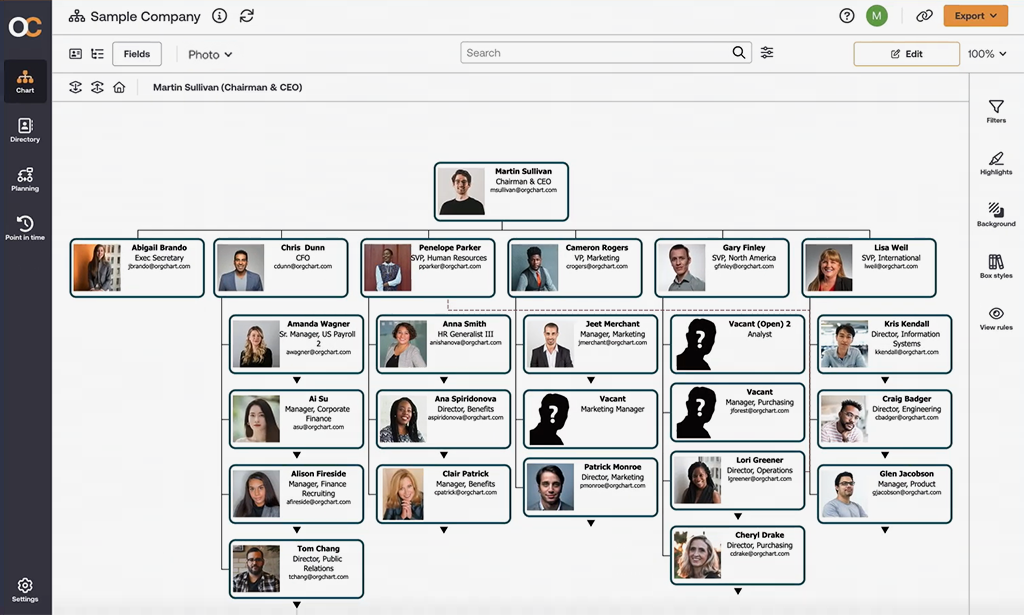
Organizations with complex structures often need more than a visual hierarchy. HR and leadership teams may need to connect organizational charts with employee data, analyze headcount, model proposed changes, and understand how restructuring will affect the workforce. OrgChart is designed around those requirements.
OrgChart is a dedicated organizational chart and workforce planning platform that can connect with HR systems such as Workday, ADP, UKG, and other employee data sources. Instead of manually rebuilding a chart whenever employee information changes, teams can use synchronized data to keep organizational structures current. The platform also supports workforce planning and scenario modeling, which can help organizations evaluate proposed restructurings before implementing them.
Best features
- Automatically generate organizational charts using employee and HR data.
- Connect with HRIS and workforce management systems.
- Analyze headcount, reporting relationships, and organizational structures.
- Model proposed organizational changes and compare different scenarios.
- Create customized charts and reports for different departments and stakeholders.
- Share and export organizational charts in formats suitable for presentations and internal documentation.
Limitations
- Its workforce-planning capabilities may be more than smaller teams need.
- Advanced functionality can require more configuration than a basic diagramming tool.
- Pricing is less transparent than some lightweight organizational chart applications.
- Teams looking only for a simple visual hierarchy may not need its broader workforce-planning features.
Pricing: OrgChart offers several plans for different organizational needs. Pricing starts at approximately $105/month for Premium, while Enterprise plans are available at higher rates. Organizations with more complex requirements can request custom pricing.
Rating on G2: 4.5/5 from more than 200 reviews. Reviewers frequently praise OrgChart’s flexibility, visualization capabilities, and usefulness for managing complex organizational structures. Some users note that advanced customization and configuration can require additional time to learn.
OrgChart is a strong choice when an organizational chart needs to support workforce planning rather than simply document reporting lines. For HR and leadership teams managing complex or frequently changing structures, its HR integrations and scenario-planning capabilities can provide more value than a conventional diagramming application.
How to Choose the Right Organizational Chart Software
A five-person startup and a 500-person organization can both need a hierarchy, but the maintenance problem is very different. The right choice depends on how often the structure changes and what information must stay connected to it.
For a small team with a stab le structure, start simple. If the chart is mainly for onboarding, a presentation, or an internal reference, Canva or diagrams.net may be enough. A free tool is often the sensible answer when there are only a few employees and little need for automated updates.
For a growing company, the calculation changes. People change roles, departments split, managers take on new teams, and responsibilities move between groups. A separate spreadsheet or slide deck becomes harder to maintain. A platform such as Planfix becomes more relevant when the reporting structure needs to connect with employee management, permissions, tasks, and workflows, helping teams manage HR processes and team structure in one connected environment.
Because organizational changes often affect day-to-day work, task management software can also help teams turn changes in responsibilities and reporting lines into actionable workflows. Teams can also use Planfix’s Excel integration when company information needs to move between systems.
For a large HR or workforce-planning team, focus on data, permissions, governance, and multiple relationship types. Organimi can suit teams that want a dedicated employee structure, while Creately can fit organizations that want visual planning and data connections. Microsoft Visio can be compelling where Microsoft 365 is already the standard.
Also consider whether your organization is purely hierarchical. Matrix organizations and dotted-line relationships need tools that can represent more than one reporting relationship. A visually simple chart can become misleading if it cannot distinguish formal authority from cross-functional responsibility.
Finally, think about the person responsible for maintenance. If the answer is “someone in HR will remember to edit the PowerPoint,” you may already need a more connected system.
The right platform should reduce the administrative work around organizational change, not simply make the first version look better.
Final Thoughts
An org chart is useful only while it reflects the organization people actually work in. A polished hierarchy that becomes inaccurate after the next reorganization can create more confusion than clarity.
The practical goal is therefore bigger than drawing reporting lines. Organisational charting software should help teams maintain a structure that remains useful as people move, responsibilities change, and processes evolve.
For companies that want that connection inside one work environment, Planfix brings company structure together with employees, task management, permissions, automation, and day-to-day workflows. You can explore the company and employee management features to see how those pieces fit together.
A useful hierarchy should not just tell employees where they sit. It should help the company work the way that structure says it does.
FAQ
What is organizational chart software?
Organizational chart software is a tool for creating, managing, and sharing visual representations of a company’s structure. Depending on the platform, it can also connect organizational charts with employee data, reporting relationships, permissions, tasks, and workflows.
Is there free organizational chart software?
Yes. Several organizational chart tools offer free plans or are completely free to use. diagrams.net is a fully free option for creating organizational charts, while Miro, Canva, Creately, and Planfix offer free plans with varying limitations. Free organizational chart software is usually sufficient for small teams with relatively stable structures.
Can organizational chart software show dotted-line and matrix reporting?
Yes. Some organizational charting tools support dotted-line relationships, matrix structures, and other non-hierarchical reporting models. This is particularly useful for companies where employees report to a direct manager while also working under project, functional, or cross-departmental leadership.
What is the difference between organizational chart software and diagramming software?
Organizational chart software is specifically designed to represent and manage company structures, while general diagramming software focuses on creating many types of visual diagrams. Dedicated platforms may include employee directories, HR integrations, automated updates, and workforce planning, whereas diagramming tools are often better for creating flexible visual charts and presentations.