Infrastructure Contractors (Low-voltage / Access Control / CCTV) - Projects & Service Planfix CRM and Project Management System

Infrastructure Contractors (Low-voltage / Access Control / CCTV) - Projects & Service

Run low voltage and service work in one place. Planfix captures every request, routes it to the right technician, and proves what was delivered.

Service And Projects In One Workflow —  Infrastructure Contractors (Low-voltage / Access Control / CCTV) - Projects & Service

Service And Projects In One Workflow

Every call, email or messenger message becomes a task on the first try. It lands in the right project or maintenance contract. You keep site data, access rules, photos, time and materials in one place.

Capture And Classify

Turn any inbound message into a task with client and site filled in.

Assign And Schedule

Dispatch the right technician from Planner using rules, lists and calendars.

Prove And Bill

Technicians add photos, time and materials so finance can invoice fast.

Start Fast —  Infrastructure Contractors (Low-voltage / Access Control / CCTV) - Projects & Service

Start Fast

Turn inbound emails and messenger messages into tasks. Add the client and site once. Now nothing is lost and every service incident has a card with the right people watching it.

Show The Value Right Away —  Infrastructure Contractors (Low-voltage / Access Control / CCTV) - Projects & Service

Show The Value Right Away

Open the Planner and see calls, punch lists and maintenance on one board. Share the task in the Client Dashboard. Customers see photo reports without calling the dispatcher.

Faster Intake

Unstructured requests become correct tasks with client and site in seconds.

Faster Dispatch

Assign by crew, territory or project and keep technicians on mobile.

Faster Dispatch —  Infrastructure Contractors (Low-voltage / Access Control / CCTV) - Projects & Service

Stronger Proof

Close tasks with photos, time tags and data tags for billing reports.

Stronger Proof —  Infrastructure Contractors (Low-voltage / Access Control / CCTV) - Projects & Service

Clear Portfolio

Use Project Totals to see installations, service and margin in one view.

If This Sounds Familiar

If This Sounds Familiar —  Infrastructure Contractors (Low-voltage / Access Control / CCTV) - Projects & Service
Lost Requests
Clients write to several managers and some messages never reach dispatch.
If This Sounds Familiar —  Infrastructure Contractors (Low-voltage / Access Control / CCTV) - Projects & Service
Mixed Workloads
You need projects and service in the same tool but cleanly separated.
If This Sounds Familiar —  Infrastructure Contractors (Low-voltage / Access Control / CCTV) - Projects & Service
Wrong Parts
Technicians arrive without the right material because site data was not stored.
If This Sounds Familiar —  Infrastructure Contractors (Low-voltage / Access Control / CCTV) - Projects & Service
Messenger Chaos
You reconcile photos with completion documents after every visit and lose time.
If This Sounds Familiar —  Infrastructure Contractors (Low-voltage / Access Control / CCTV) - Projects & Service
Delayed Billing
Finance waits because time and materials were not captured in the task.
Capture And Classify Every Request —  Infrastructure Contractors (Low-voltage / Access Control / CCTV) - Projects & Service

Capture And Classify Every Request

Convert every email or message to a task so nothing is lost. Enrich it with client, site, device and access rules from directories and the Location field. Apply the correct status set from day one.
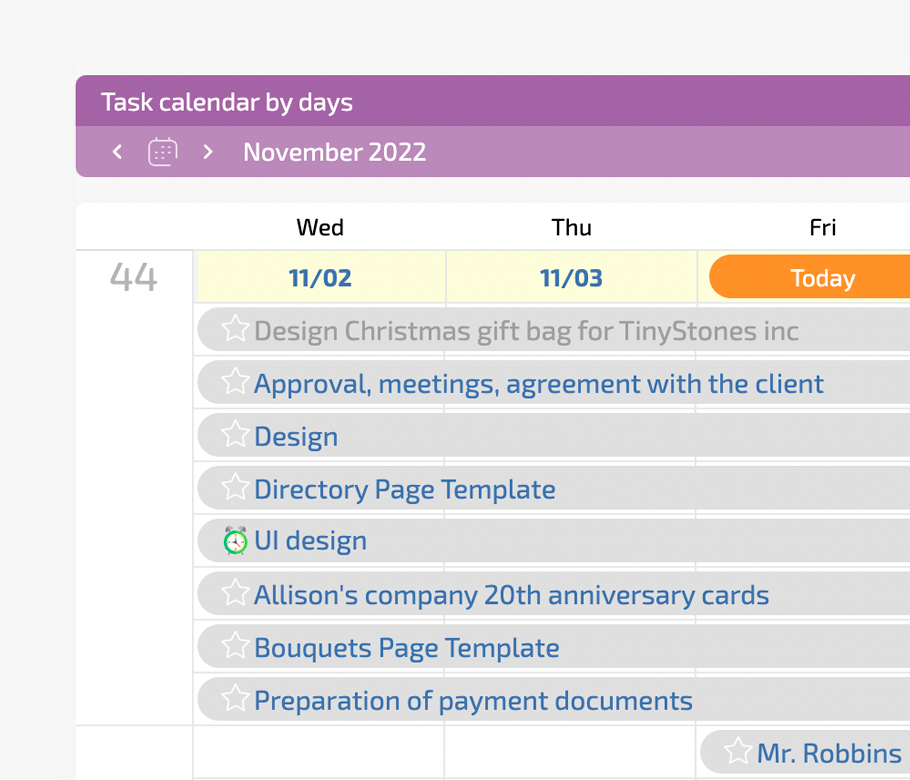
Convert Channels

Email to task and channel to task make all signals actionable.

Use Directories

Pull sites, devices and access rules from a single source of truth.

Use Directories —  Infrastructure Contractors (Low-voltage / Access Control / CCTV) - Projects & Service

Apply Status Sets

Use different workflows for service and project tasks with rules.

Apply Status Sets —  Infrastructure Contractors (Low-voltage / Access Control / CCTV) - Projects & Service

Let AI Dataminer Work

Extract values from messy messages and write data into fields.

Dispatch The Right Person —  Infrastructure Contractors (Low-voltage / Access Control / CCTV) - Projects & Service

Dispatch The Right Person

View service, maintenance and project tasks on one Planner. Drag between conditional lists to change responsible, priority or territory. Technicians get tasks on mobile and can route to the site.

One Screen

Planner shows all work types with the filters you need.

One Screen —  Infrastructure Contractors (Low-voltage / Access Control / CCTV) - Projects & Service

Rule Based

Dragging a task rewrites fields to match the target list rules.

Mobile Crews

Use company calendars so field teams get tasks on time.

Subcontractors

Invite external crews in a restricted interface to work safely.

Subcontractors —  Infrastructure Contractors (Low-voltage / Access Control / CCTV) - Projects & Service
Prove Work And Prepare Billing —  Infrastructure Contractors (Low-voltage / Access Control / CCTV) - Projects & Service

Prove Work And Prepare Billing

Technicians complete checklists, attach photos and comment from the field. They log time and materials as data tags. Status rules require key fields before closure. Finance gets a ready service report.

Field Checklists

Technicians tick steps and upload photo proof for each visit.

Time And Materials

Data tags feed reports and billing with real work values.

Time And Materials —  Infrastructure Contractors (Low-voltage / Access Control / CCTV) - Projects & Service

Governed Closure

Status rules block closure until all evidence is filled in.

Governed Closure —  Infrastructure Contractors (Low-voltage / Access Control / CCTV) - Projects & Service

Service Report

Generate a clean document for the customer and finance team.

What Success Looks Like —  Infrastructure Contractors (Low-voltage / Access Control / CCTV) - Projects & Service

What Success Looks Like

You run low voltage, access control and CCTV work in one system. Every request is tied to client, site and device. Dispatch is on one screen. Clients see what you did. Billing has complete data.

Predictable Service

Requests turn into tasks and are dispatched on time.

Customer Visibility

Client Dashboard shows what was done with photos attached.

Clean Delivery

Installation, commissioning and punch lists stay on schedule.

Removing Friction —  Infrastructure Contractors (Low-voltage / Access Control / CCTV) - Projects & Service

Removing Friction

Planfix captures messenger photos inside the task so you keep history. It stores sites and devices in Directories and links them to tasks. It uses status sets so every workflow follows the right path.

Why Planfix Instead Of Other Tools —  Infrastructure Contractors (Low-voltage / Access Control / CCTV) - Projects & Service

Why Planfix Instead Of Other Tools

Generic task tools cannot route by client or site. Ticketing tools split service from project execution. Planfix turns channels into tasks, adds AI agents to extract data and gives clients a portal.
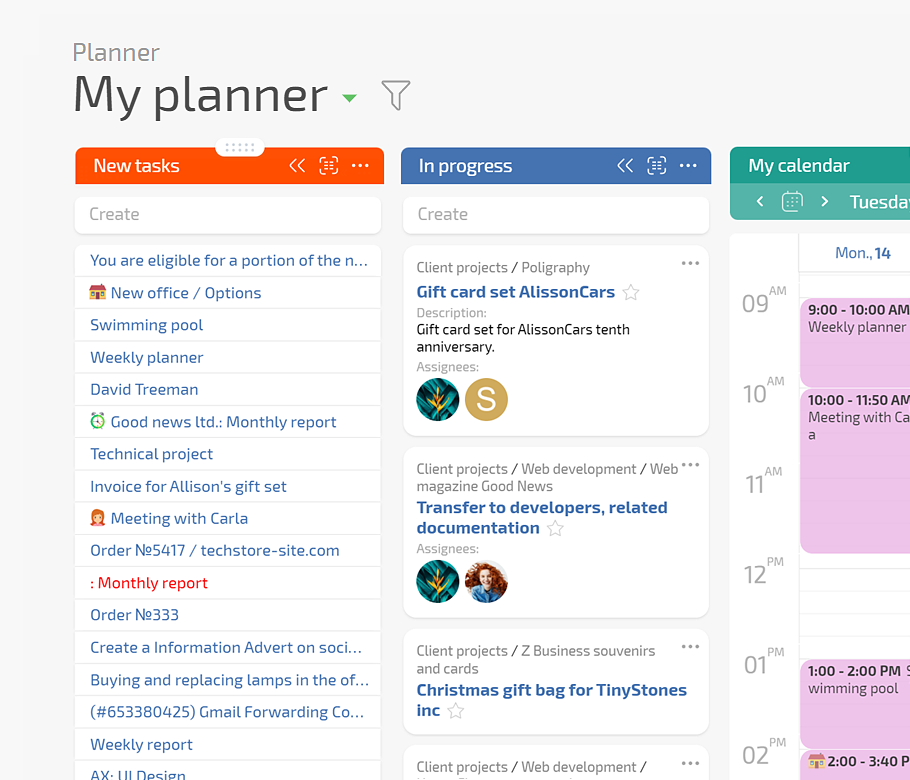
Planner For Dispatch

Client Dashboard

Location And Routing

AI Agents

Planner For Dispatch —  Infrastructure Contractors (Low-voltage / Access Control / CCTV) - Projects & Service

Planner For Dispatch

Show service, maintenance and project tasks on one board.
Use conditional lists so tasks appear automatically.
Drag cards to update fields and responsible.
Planner in Planfix
Client Dashboard —  Infrastructure Contractors (Low-voltage / Access Control / CCTV) - Projects & Service

Client Dashboard

Share task progress and photo proof with customers.
Customer replies return to the same task.
No extra portals to maintain.
See how it works
Location And Routing —  Infrastructure Contractors (Low-voltage / Access Control / CCTV) - Projects & Service

Location And Routing

Use the Location field for sites and devices.
Build map views for field teams.
Keep territory oversight in Planfix.
Tasks on the map
AI Agents —  Infrastructure Contractors (Low-voltage / Access Control / CCTV) - Projects & Service

AI Agents

Add a Dataminer to tasks to extract values.
Keep summaries current for managers.
Reduce dispatcher typing work.
AI in Planfix
FAQ

Use all of Planfix's features for 14 days, completely free of charge

Start now