

- We’ve Revamped the Date Picker in Tasks
- File Version Control Is Now Easier
- We’ve Added a Quick Way to Create Whiteboards
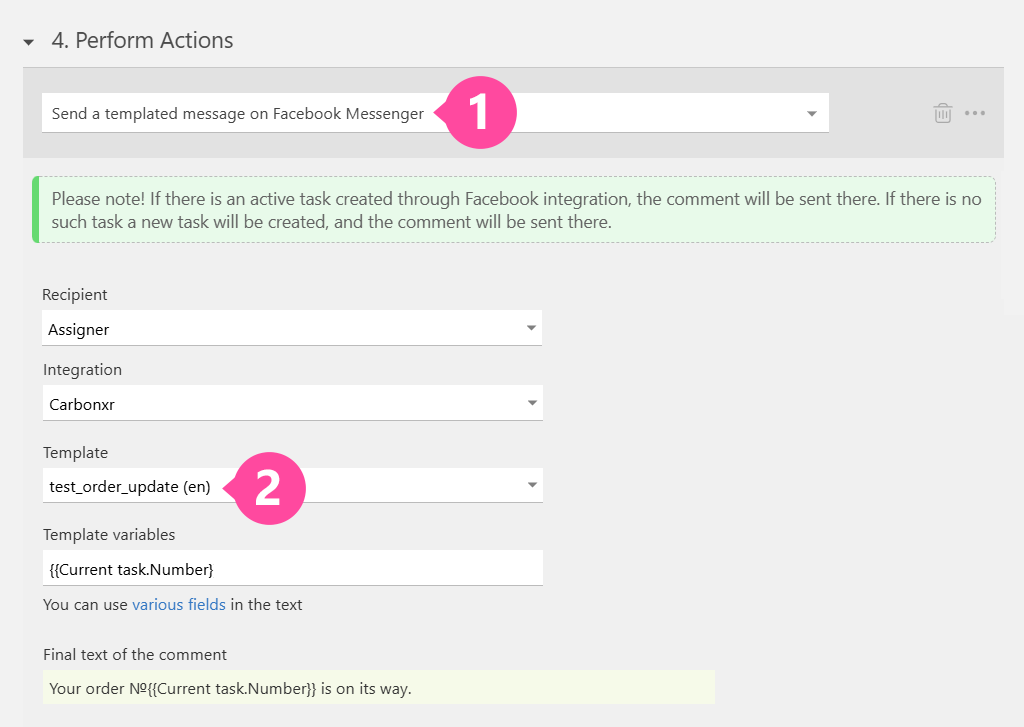
- New in the Facebook Integration: Utility Templates
- Now It’s Super Easy to See Which Teammates Are Out on Vacation
- Hourly Data Tags in Calendar Are Now Even More Convenient
- We Made Main Menu Setup Way Easier
- Our AI Dataminer Just Got Smarter
- New Video:
Throughout May, the Planfix team was fine-tuning the system. We’re excited to announce a host of fixes designed to increase efficiency and improve user experience. Stay tuned for the latest updates!
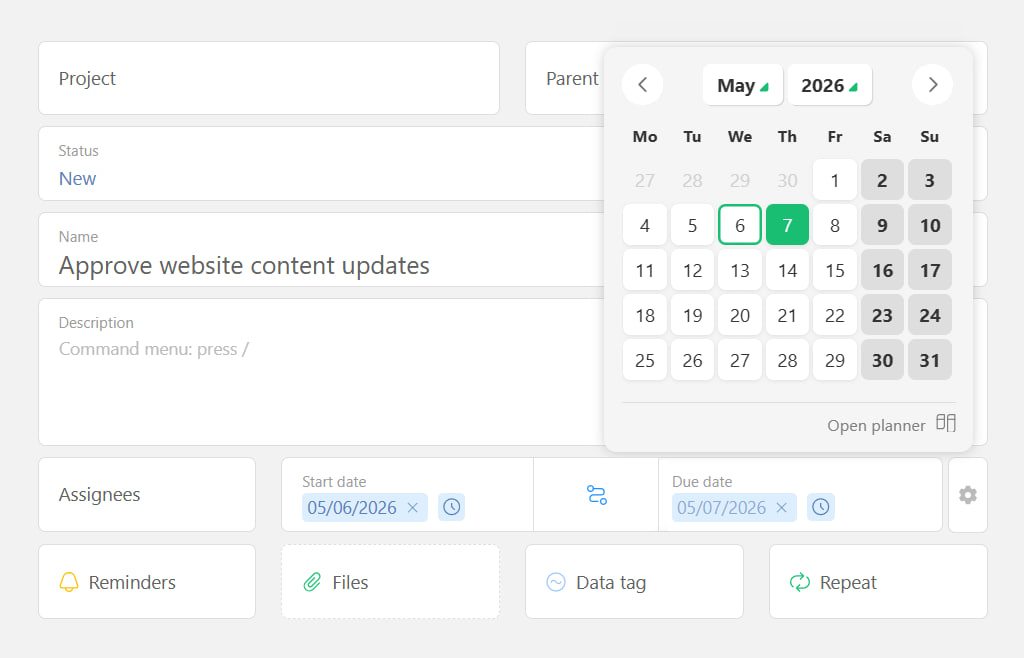
We’ve Revamped the Date Picker in Tasks
What’s new:
- The window is now more compact and clean.
- By default, only the Due Date shows up — because, let’s be honest, that’s what you usually need. The Start Date and Duration fields are tucked away under the gear icon, and you can enable them whenever you need.
- Time selection got a makeover too: instead of a clock dial, you get a dropdown where you can type the exact time right from your keyboard.
We carefully watched how you use date picking and noticed that the Due Date is the star of the show most of the time. Before, the Start Date and Duration fields were all visible, so folks filled them out just because they were there. Now, they won’t distract you unless you actually need them.
We know real-world tasks can throw curveballs, so we’re all ears for your feedback. Tell us what’s working smoother and faster — and what’s still a pain or slowing you down!
File Version Control Is Now Easier
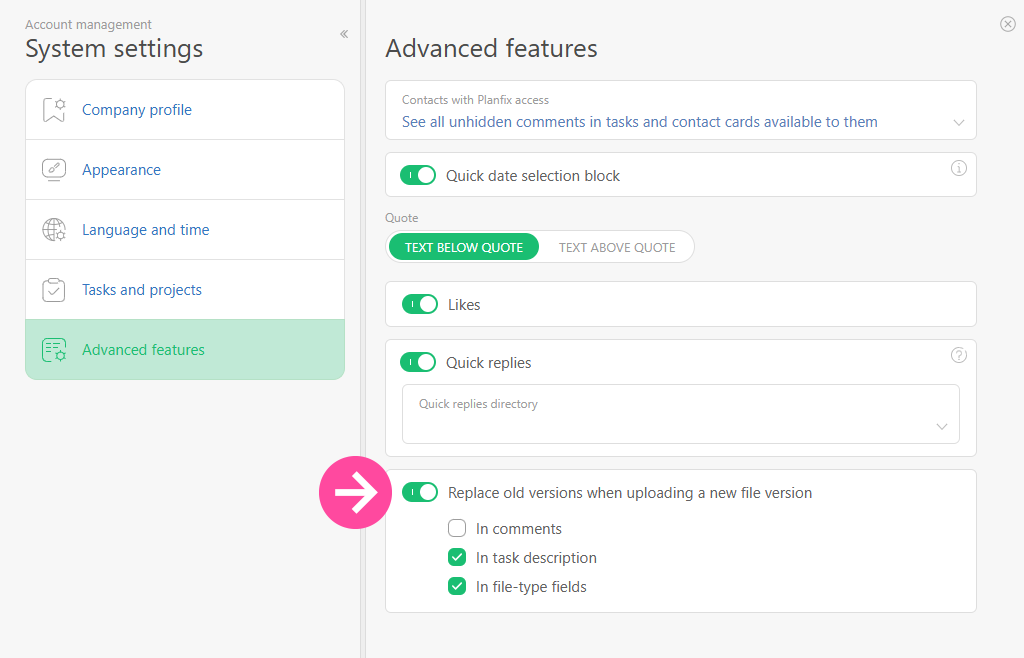
Now you’re totally in control of what happens when you upload a new version of a file.
There’s a clear, easy-to-find option in your account settings that lets you decide what happens to the previous file version whenever you upload a new one. It works the same way every time – whether you’re uploading through the interface, editing online, or updating the file via API.
Just pick your preferred option once in the settings, and from then on, new versions will upload exactly how you want – no matter who does it or how!
We’ve Added a Quick Way to Create Whiteboards
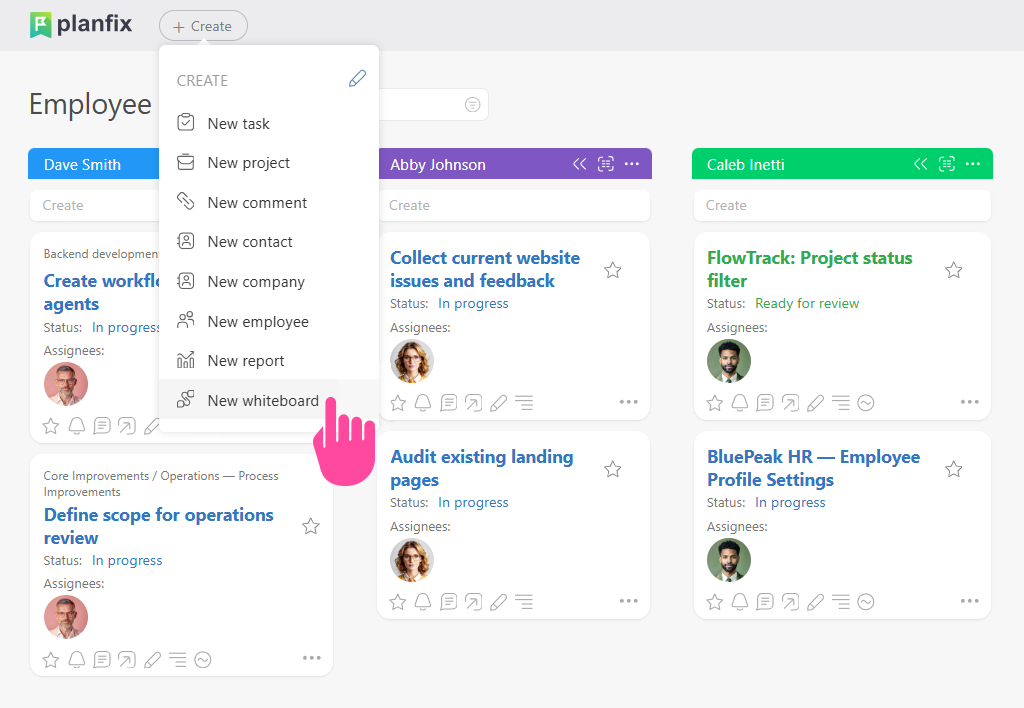
Now you can whip up a whiteboard in just a couple of clicks – hit the button, generate your whiteboard, copy the link, and attach it right to the task or project you need.
All your whiteboards are automatically organized in a dedicated section in the main menu.
We often hear from you that whiteboards aren’t just useful in the Planner but also within projects and tasks. This release is the first step toward that. More convenient stuff coming soon.
New in the Facebook Integration: Utility Templates
These are Facebook-approved message templates that Planfix’s scripts can send to your clients anytime – even outside the usual 24-hour messaging window.
You create these templates right in the template manager (the button in the integration settings), submit them to Facebook for approval, and once approved, you can plug them into your message-sending scripts in Messenger.
Learn more about working with Utility templates in the help section.
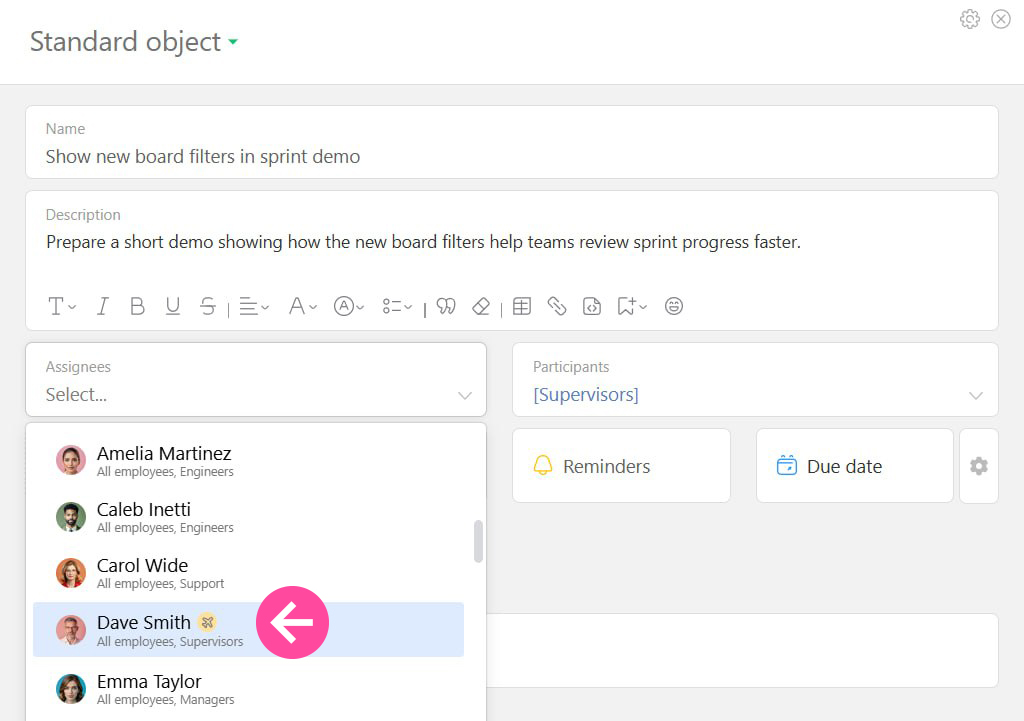
Now It’s Super Easy to See Which Teammates Are Out on Vacation
We’ve added a special icon right next to the name of anyone who’s currently taking time off – and you’ll spot it right when you’re creating a task. That way, you instantly know that this colleague is away.
It helps you quickly decide whether to reassign the task or pick a better deadline. And stay tuned – we’re planning to show this icon in more places across Planfix soon, wherever you connect with your coworkers during your workflow.
You can also learn how to set up a temporary replacement so work keeps moving while a teammate is out of office.
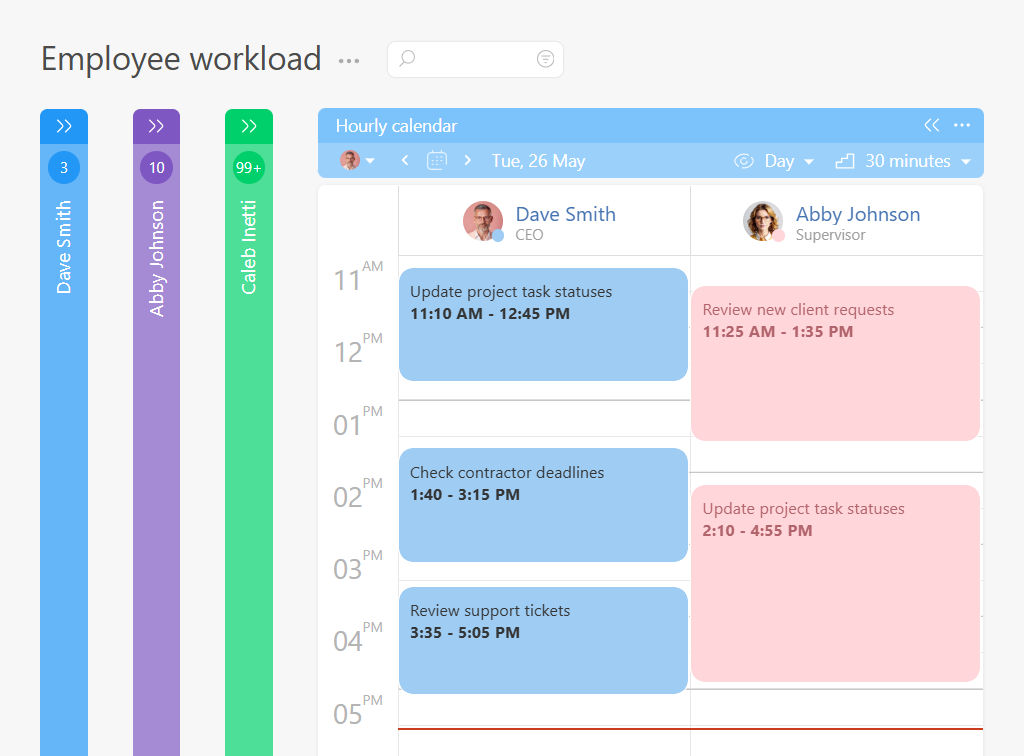
Hourly Data Tags in Calendar Are Now Even More Convenient
Switch your calendar to “Day” view, and you’ll see multiple team members’ data laid out in separate columns. It’s a breeze to scan and compare.
Now, with a glance, you can spot open slots for new clients, see who’s swamped, and who could use a breather.
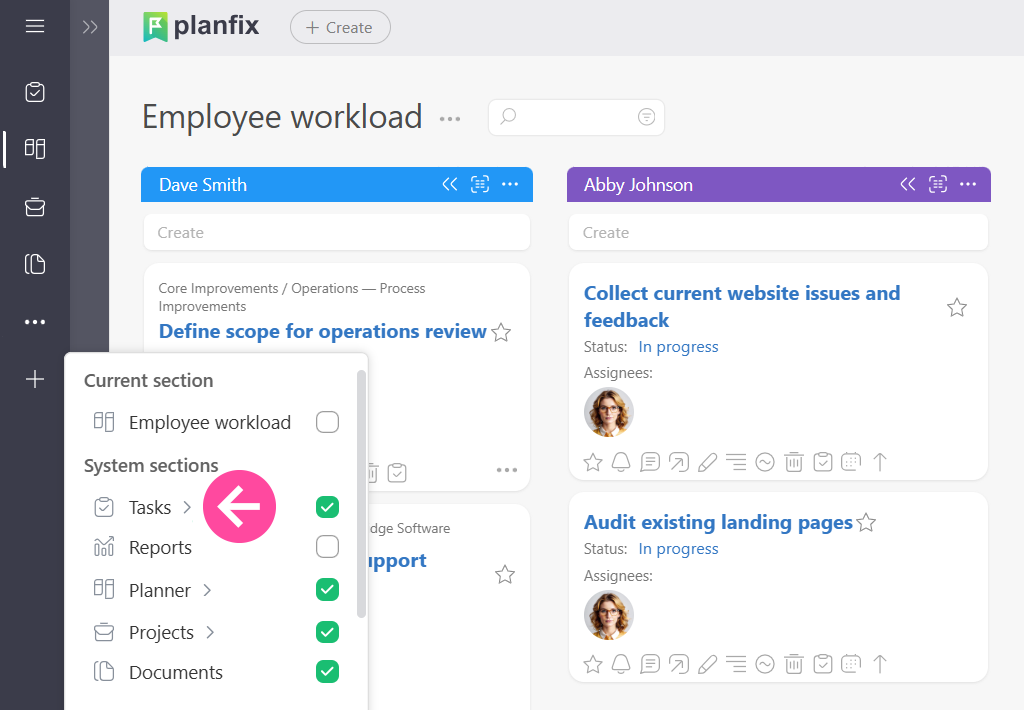
We Made Main Menu Setup Way Easier
Now, when you add a section to the main menu, there’s a little dropdown icon right next to its name. Click it, and a window pops up where you can pick exactly what you want – like a specific task filter, for example. This way, you can build out your entire main menu without ever leaving the settings.
Our AI Dataminer Just Got Smarter
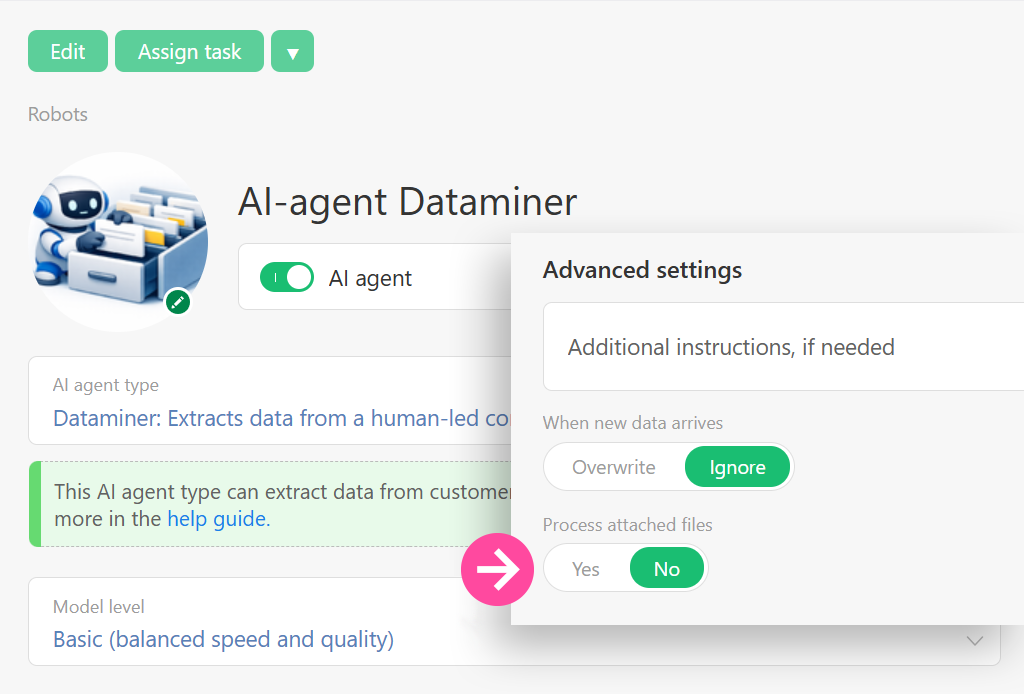
Now Reads Inside Word and Excel Files.
Previously, our AI dataminer could only read task texts and comments – including images and PDFs. But now, it’s leveled up and can look inside Word and Excel documents.
If you upload a .doc, .docx, .xls, or .xlsx file to a task, the dataminer will seamlessly process its content along with the rest of the info.
So, say goodbye to manually copying numbers and text from commercial proposals, price lists in spreadsheets, contracts, or reports. The agent will pull what it needs straight from the attachment and factor it into its analysis.
New Video:
Make Tasks Clear
Are you struggling with work tasks blurring into an endless grey mass while deadlines constantly slip through the cracks? In this video, we will show you how to set up visual order in Planfix so that you and your team can gauge priorities and the current status of any process at a single glance.
We will break down the practical interface customization tools that transform a chaotic task list into a transparent management system. You will learn how to adapt data visualization to your business logic, speed up employee workflows, and relieve managers from repetitive micro-control.
Tracking Client Payments
Are cash flows slipping through your fingers, and tracking missing invoices for open projects feels like a total nightmare? In this video, we will show you how to build a powerful financial tracking report in Planfix to monitor client settlements and control invoice closures automatically.
We will break down the exact step-by-step setup using custom data tags inside task workflows to eliminate payment delays and human error. You will learn how to structure financial operations, automate calculation formulas, and generate clear data summaries that give business owners full visibility over their project profitability.

