Resolve Pharmacy Customer Requests Planfix CRM and Project Management System

Resolve Pharmacy Customer Requests

Capture every request, return, complaint, and out of stock from any channel, route it to the right team, and keep a full audit trail.

Keep Every Store and Channel Aligned — Resolve Pharmacy Customer Requests

Keep Every Store and Channel Aligned

Log issues from counter, call, marketplace, messenger, or email the same way. Add customer, store, SKU, and order context in one task. Route to finance, pharmacy control, or replenishment with conditional Planner boards and status sets.
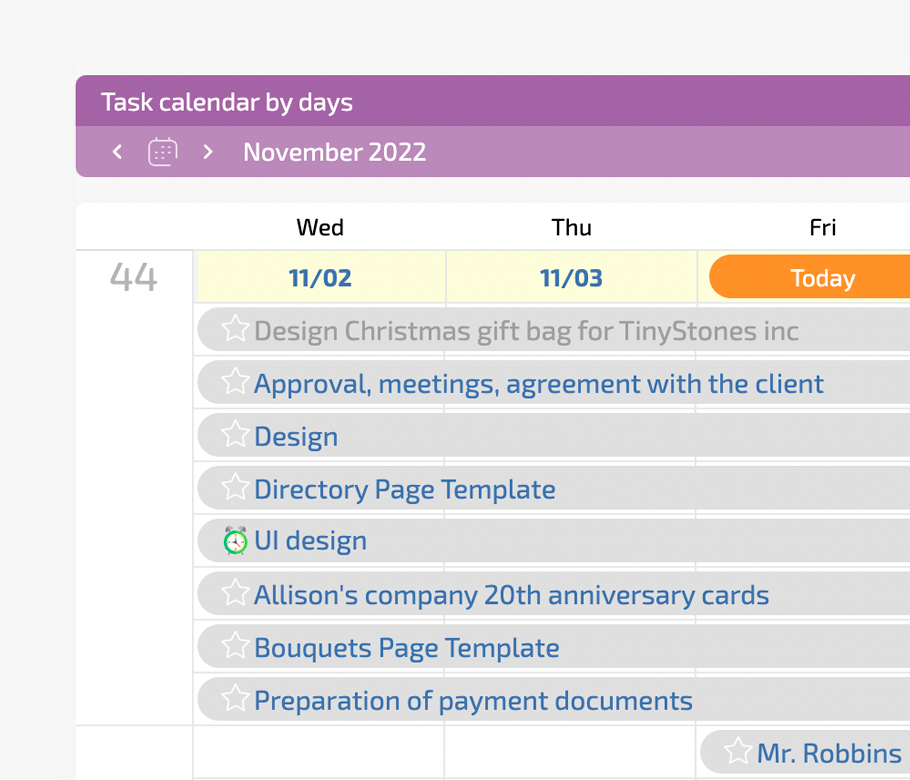
Capture the Request

Create tasks from counter notes, email, messenger, or marketplace so nothing is lost.

Classify and Route

Label as request, return, complaint, or out of stock and send to the right role.

Classify and Route — Resolve Pharmacy Customer Requests

Work in Planner

Use conditional lists so moving a card updates assignee and status automatically.

Work in Planner — Resolve Pharmacy Customer Requests

Show Status to Customers

Expose task state through client dashboard so customers do not reopen tickets.

Start Fast — Resolve Pharmacy Customer Requests

Start Fast

Begin with email to task and one Planner board. All store and online events land in one view. Drag a card to another list and Planfix updates assignee, status, and target team without making duplicates.

Handle Customer Requests

Process Returns and Complaints

Resolve Out of Stocks

Handle Customer Requests — Resolve Pharmacy Customer Requests

Handle Customer Requests

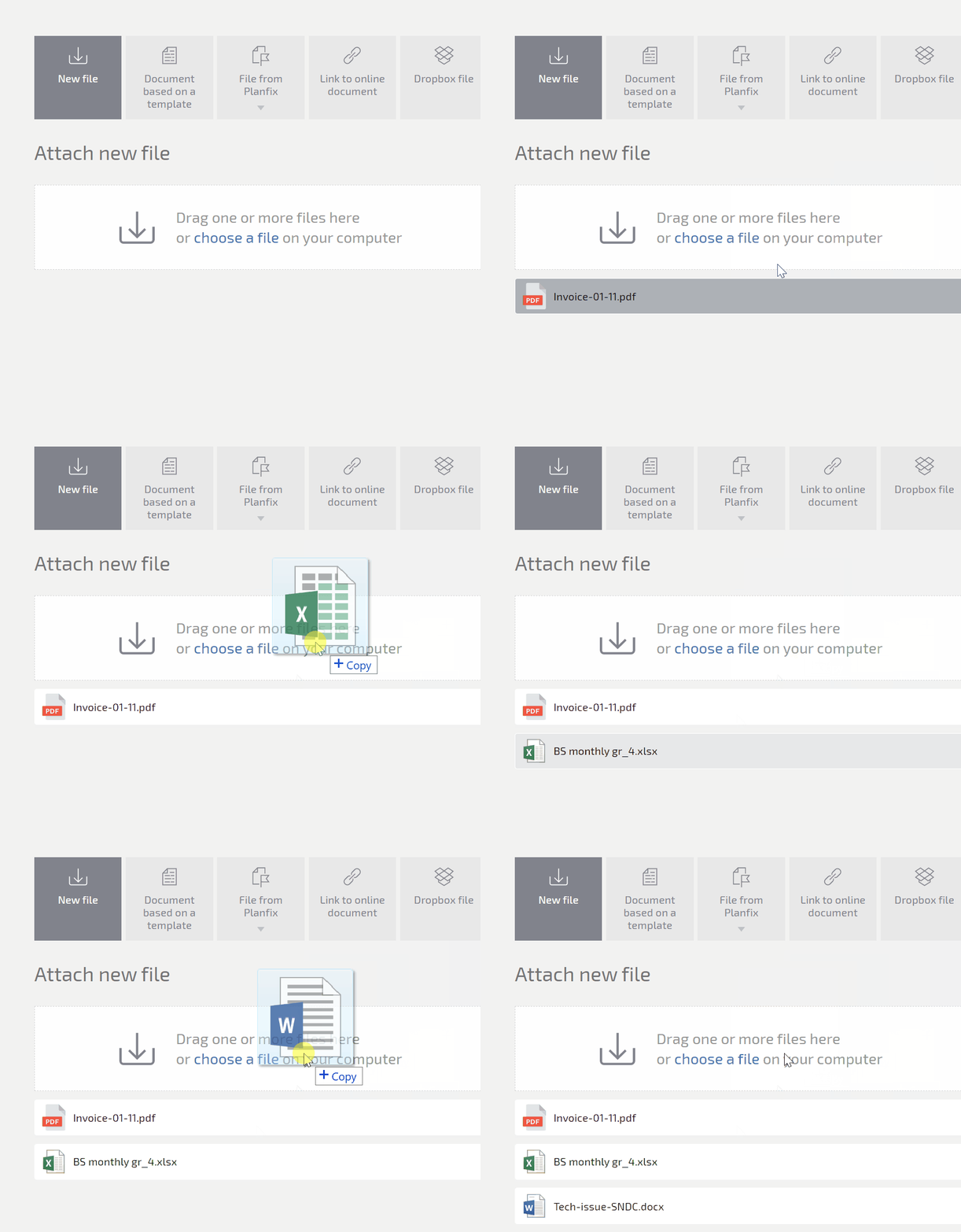
Capture from email, messenger, call log, or marketplace in one task.
AI Dataminer fills customer, store, and SKU from messy messages.
Show status to the customer through client dashboard.
Omnichannel in Planfix
Process Returns and Complaints — Resolve Pharmacy Customer Requests

Process Returns and Complaints

Enforce photos and receipts with status transition rules.
Drag to pharmacy control or finance without losing history.
Log write offs and refunds with data tags for reporting.
Status sets
Resolve Out of Stocks — Resolve Pharmacy Customer Requests

Resolve Out of Stocks

Stores create tasks for out of stock at shelf level.
Link product and store from directories for clean replenishment data.
Roll up recurring gaps into project totals for management.
Directories

Traceable Capture

Every customer message lands in one board with source, time, and store.

Clean Routing

Move tasks between lists and Planfix updates assignee and workflow automatically.

Clean Routing — Resolve Pharmacy Customer Requests

Compliance Record

Photos, receipts, approvals, and decisions stay in one trail for audits.

Compliance Record — Resolve Pharmacy Customer Requests

Management Visibility

See which stores and SKUs create noise with reports and project totals.

Handle Customer Requests in One Place — Resolve Pharmacy Customer Requests

Handle Customer Requests in One Place

Turn every inbound event into a structured task. Attach customer and store from directories. Let AI classify into request, return, complaint, or out of stock. Show status to the customer and reduce repeat calls.

Capture the Event

Create tasks from email, messenger, or phone log with auditability.

Capture the Event — Resolve Pharmacy Customer Requests

Attach Customer and Store

Pick from directories to avoid manual retyping and secure branch accountability.

Classify with AI

Use AI agents and status rules so tasks fall into the correct workflow.

Show Status to Customers

Client dashboard keeps customers informed and reduces follow-up messages.

Show Status to Customers — Resolve Pharmacy Customer Requests
Process Returns and Complaints in a Governed Flow — Resolve Pharmacy Customer Requests

Process Returns and Complaints in a Governed Flow

Make photos, receipts, and approvals mandatory with transition rules. Drag tasks to pharmacy control or finance without losing the origin. Log financial impact with data tags and summarize the case with an AI summarizer for managers.

Mandatory Evidence

Enforce photos and receipts so every return can be proved later.

Mandatory Evidence — Resolve Pharmacy Customer Requests

Drag to Specialists

Planner drag and drop sends cases to pharmacy control or finance.

Log Financial Impact

Data tags capture write offs and refunds for store and SKU reporting.

AI Summarizer

Managers read one field instead of scrolling through comments and files.

AI Summarizer — Resolve Pharmacy Customer Requests
Resolve Out of Stocks and Feed Replenishment — Resolve Pharmacy Customer Requests

Resolve Out of Stocks and Feed Replenishment

Capture out of stock at store level as tasks so HQ does not wait for POS exports. Link to product and store directories for clean data. Route to supply or another store and roll up recurring gaps into project totals.

Store-level Capture

Stores create tasks for out of stock items right when they happen.

Route to Supply

Send tasks to supply or another store for fulfillment with full history.

Route to Supply — Resolve Pharmacy Customer Requests

See Patterns

Project totals and reports show recurring gaps by store and by SKU.

Reduce Barriers for Stores and External People — Resolve Pharmacy Customer Requests

Reduce Barriers for Stores and External People

Deliver Planner boards that look like the way stores work. Use AI Dataminer to clean messy customer inputs. Give clients and external approvers a restricted interface so they see only what is shared.

Store-friendly Boards

Show tasks in lists so stores can drag and drop to the next step.

AI Cleanup

AI agents extract data from emails and chats into structured fields.

Restricted UI

Share tasks with external people without exposing internal data.

Why Planfix Replaces Other Tools — Resolve Pharmacy Customer Requests

Why Planfix Replaces Other Tools

Shared inboxes and chats become tasks with owners. POS or ERP data stays, while Planfix stores unstructured customer events. You get workflows for retail, pharmacy, returns, and supply in one platform with directories and AI.

Run customer service for every store in one workspace

Start now
No credit card needed • Unlimited time on Free plan
FAQ

Use all of Planfix's features for 14 days, completely free of charge

Start now