Recurring Tasks in Project Templates for Workflow Automation
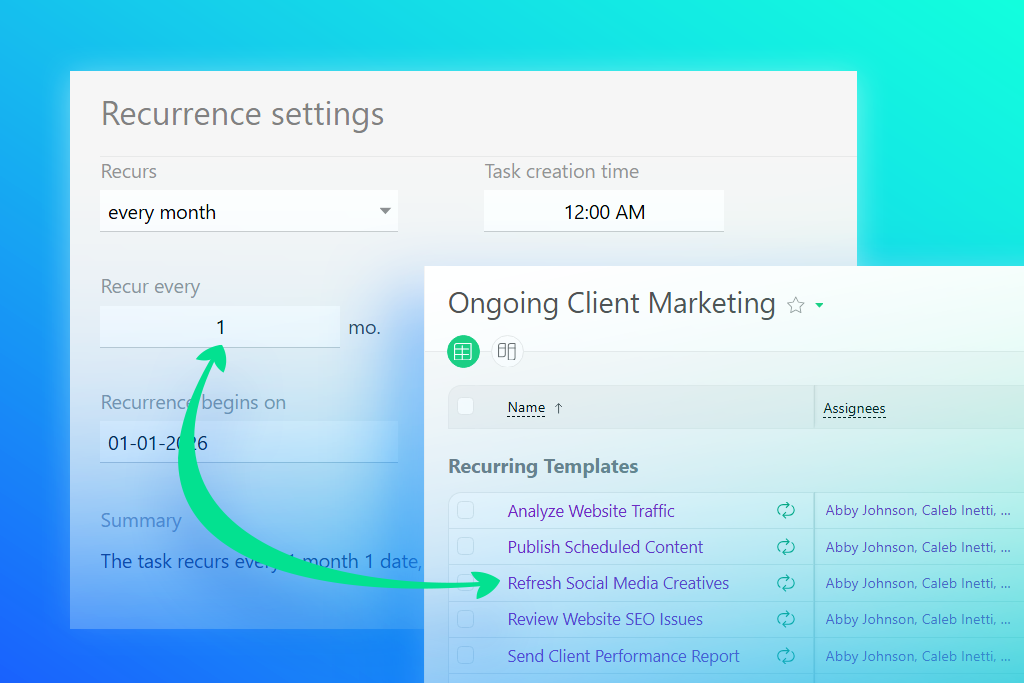
Planfix now includes an option that completely changes how teams manage recurring processes. Simply add recurring tasks directly to project templates, and the system will automatically launch them at the right time. This means that teams no longer have to rely on personal reminders, while processes become more transparent, stable, and predictable.
This is especially useful for businesses with intensive, repeatable operations. One common example is digital agencies, where work depends on regular checks, reporting, strategy updates, and approval cycles.
With recurring tasks, what once required constant manual control can now become a steady automated workflow.
How Recurring Tasks Work Inside Project Templates
When adding recurring tasks to a project template, you have the option to define how often they should recur. Set the recurrence once, and every time a project is created from that template, Planfix will launch the right tasks at the right time.
Rather than tasks someone has to remember to do manually, everything from tax reports and weekly hypothesis checks to CRM record updates, content plan preparation, and traffic analysis can all be part of an automated workflow.
Why Businesses Need Automated Task Management
When teams manage recurring processes manually, the business becomes overly dependent on human factors. But even the best humans are imperfect. Employees miss deadlines, tasks get buried in conversations, and managers can make mistakes during manual checks.
Automating recurring tasks helps create a more predictable workflow. Instead of manually assigning the same tasks again and again, the company gets a unified mechanism in which processes start automatically. This way, everyone on the team follows the same clear, transparent rules.
This is especially vital to agencies, service teams, and companies with lots of repeatable operations. When dozens of clients require weekly reports, checks, and approvals, manual management quickly becomes chaotic, putting unnecessary pressure on employees.
Workflow Automation Software for Agencies and Operations Teams
For agencies and operations teams, recurring processes are part of daily work. Because campaign checks, content updates, material approvals, KPI analysis, and client reporting all happen on a regular cycle, they need consistent execution.
Project templates with recurring tasks help standardize these processes. This way, the team gets a clear workflow for each client, while managers get transparency and control without constant manual supervision.
This approach reduces errors, balances the workload, and helps the business scale without adding more operational chaos.
How to Automate Recurring Tasks in Planfix
Setting up recurring tasks in a project template only takes a few simple steps.
Using Workflow Templates for Process Automation
First, create a separate project template for each client type or service profile, such as Contextual Advertising, Targeted Advertising, Content Marketing, or Full-Service Promotion.
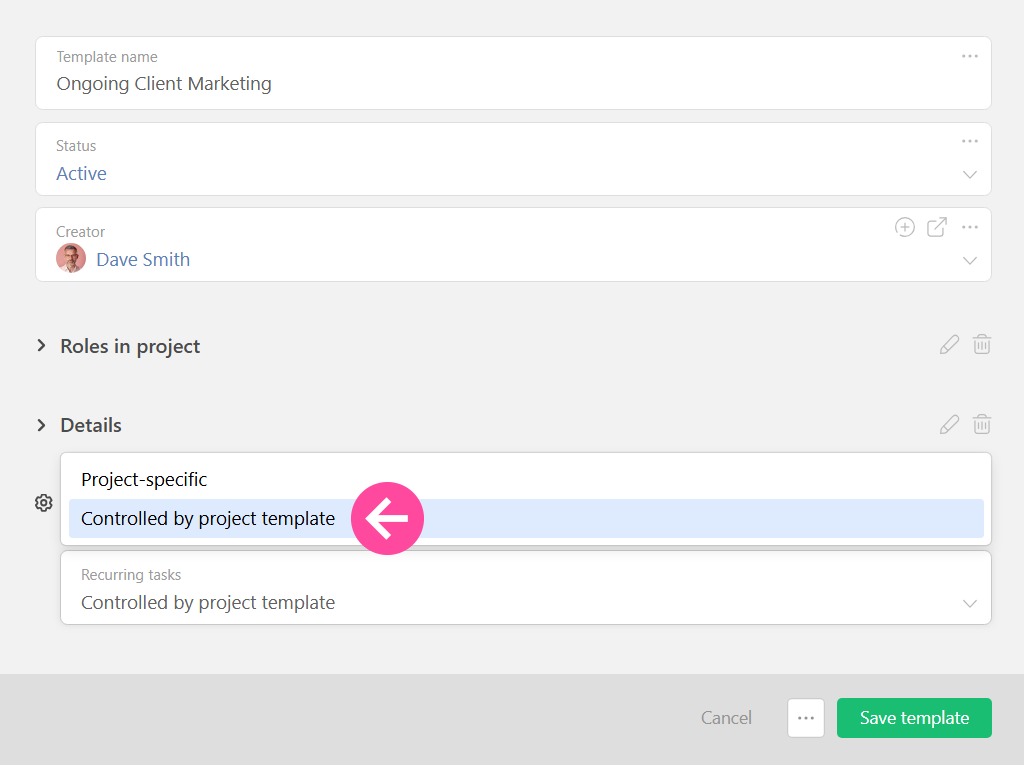
Each template stores its own processes and cycles. You can enable recurring tasks directly in the template settings:
CRM Workflow Automation for Recurring Processes
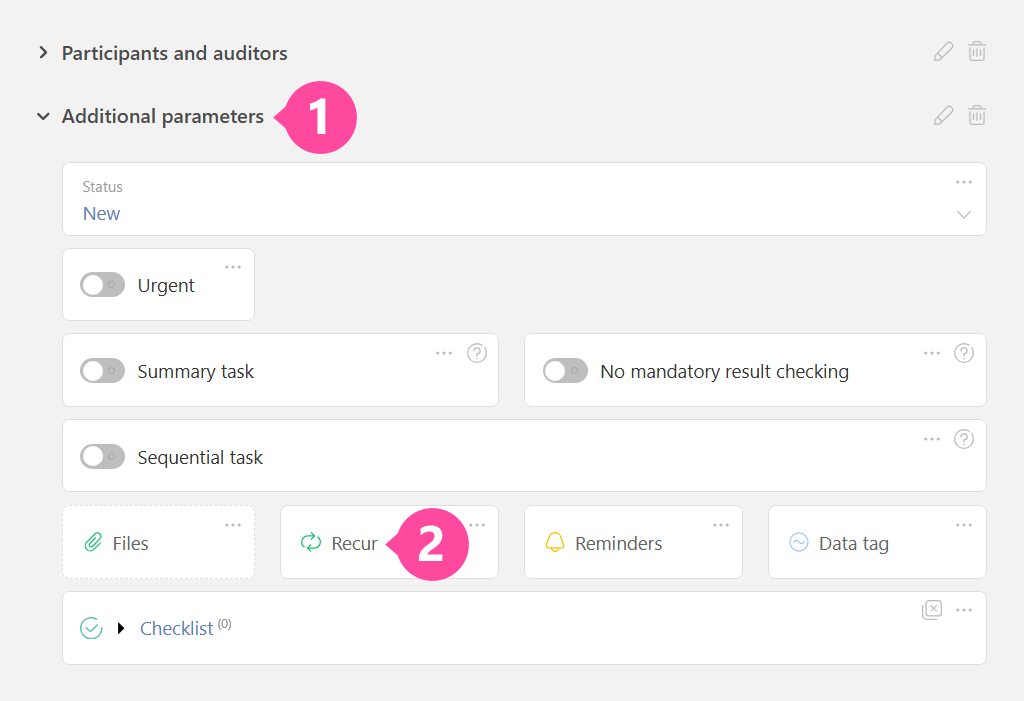
Once the option is enabled, you can add as many recurring tasks to the template as you need. Tasks may include everything from weekly campaign checks and monthly client reports to strategy updates or regular KPI reviews. All you need to do is set the recurrence, reminders, and additional parameters when you create the task. After that, everything runs automatically.
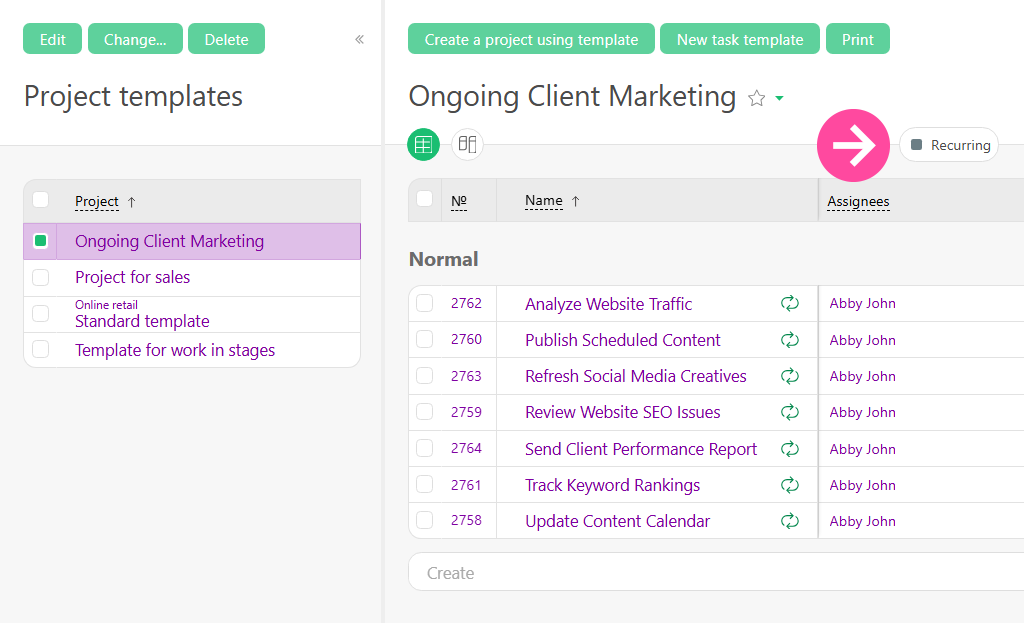
To view the full list of recurring tasks, switch to the corresponding tab as shown below.
Workflow Scheduling Software for Predictable Operations
When you create a new project, all the recurring tasks will appear automatically and begin according to the schedule set in the template.
If platform rules, reporting schedules, or client requirements change, simply update the task recurrence in the template. The changes you make will apply to all existing projects as well as any new ones you create.
Business Process Automation Without Manual Control
Automating recurring tasks helps businesses move from manual management to a more systematic way of working. Instead of constant supervision, teams get access to a preconfigured workflow where tasks appear automatically and follow a clear scenario.
When recurring processes run automatically, the team no longer wastes time creating the same tasks by hand or constantly checking deadlines. The more repeatable operations a business has, the more noticeable the difference is, especially for daily operations like workload distribution and process updates.
| Process | Manual Task Management | Workflow Automation in Planfix |
| Task scheduling | Managers create tasks manually | Tasks created automatically |
| Recurring workflows | Controlled by employees | Controlled by templates |
| Reporting cycles | Easy to forget deadlines | Automated recurring schedules |
| Team workload | Uneven distribution | Predictable operations |
| Process updates | Requires manual changes | Updates applied automatically |
| Operational control | Difficult to scale | Centralized workflow management |
Workflow Automation Examples for Daily Operations
Automation inside project templates can support almost any repeatable process.
Digital agencies can automate weekly ad campaign checks, client report preparation, and media plan updates. Sales teams can launch recurring follow-up tasks and track lead management. HR teams can build structured cycles for employee onboarding, performance reviews, and internal meetings.
Meanwhile, service companies can use business process automation to control SLAs, scheduled inspections, and client maintenance. For internal operations teams, recurring tasks are a practical way to manage reporting, audits, document flow, and other recurring work in a consistent system.
Conclusion: Recurring Task Management for Scalable Business Processes
By utilizing recurring tasks in project templates, companies can make their business processes more predictable and easier to manage. Meanwhile, teams get a single mechanism that keeps their work rhythm running automatically and reduces dependence on manual control.
Instead of chaotic task management, the business is able to build a stable system where processes can scale without sacrificing transparency or quality. For teams with demanding operational workloads, that means less time managing tasks and more time growing the business.
See how Planfix can automate recurring workflows and keep your team’s operations running on schedule.
FAQ
How does workflow automation software help businesses?
Workflow automation software reduces manual work by automatically launching recurring processes, assigning tasks, tracking deadlines, and standardizing operations across teams.
What are recurring tasks in project management?
Recurring tasks are tasks that repeat on a schedule – daily, weekly, monthly, or at custom intervals – without needing to be recreated each time.
How does recurring task scheduling work in Planfix?
In Planfix, recurring tasks can be configured directly inside project templates. Once the template is used, tasks are automatically created and launched according to the defined schedule.
What is CRM workflow automation?
CRM workflow automation helps businesses streamline repetitive client-related processes, including follow-ups, reporting, lead management, and customer communication.
How can agencies use recurring task automation?
Agencies can automate campaign reviews, client reports, strategy updates, approvals, KPI monitoring, and other operational routines that repeat across multiple projects.
What are examples of workflow automation in daily operations?
Examples include recurring financial reports, marketing performance checks, employee onboarding, CRM updates, SLA monitoring, internal audits, and scheduled client communications.
