


April’s Planfix update is here, and we’re excited to show you new features that will make your life easier and increase productivity.
Keep reading for more – there’s definitely something for you.
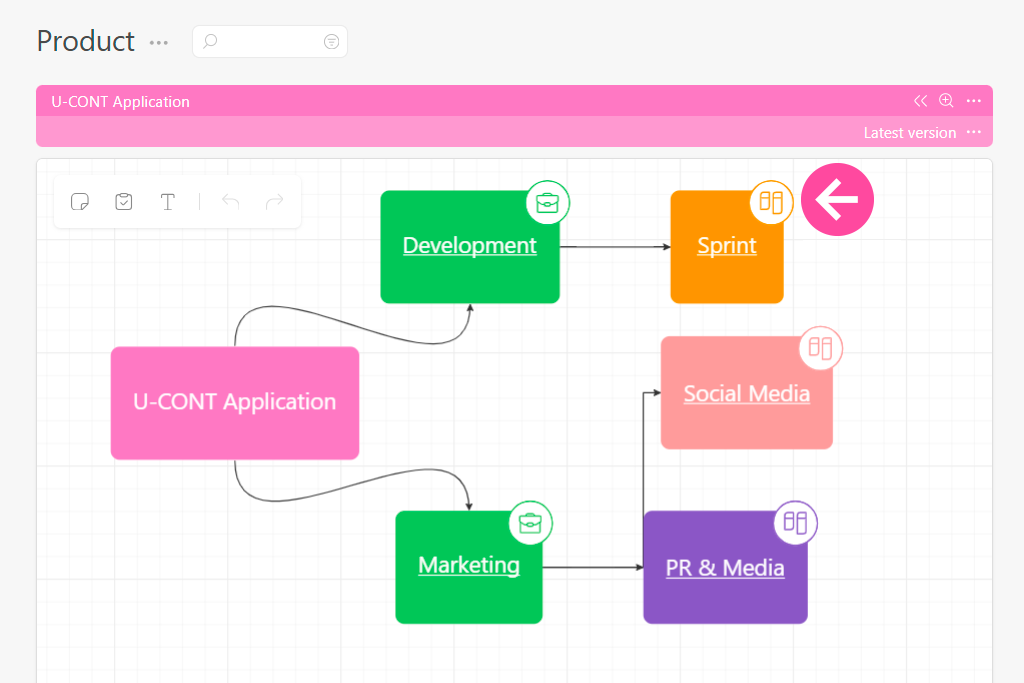
You Can Now Add Planners to Your Whiteboard
It’s super easy — just paste a link to the planner right into the block, just like you would with projects or tasks, and it’ll show up on your whiteboard. This is especially handy when you’re building detailed process flows or creating a navigation map for your team.
Moving Fields in Task Forms Just Got Easier
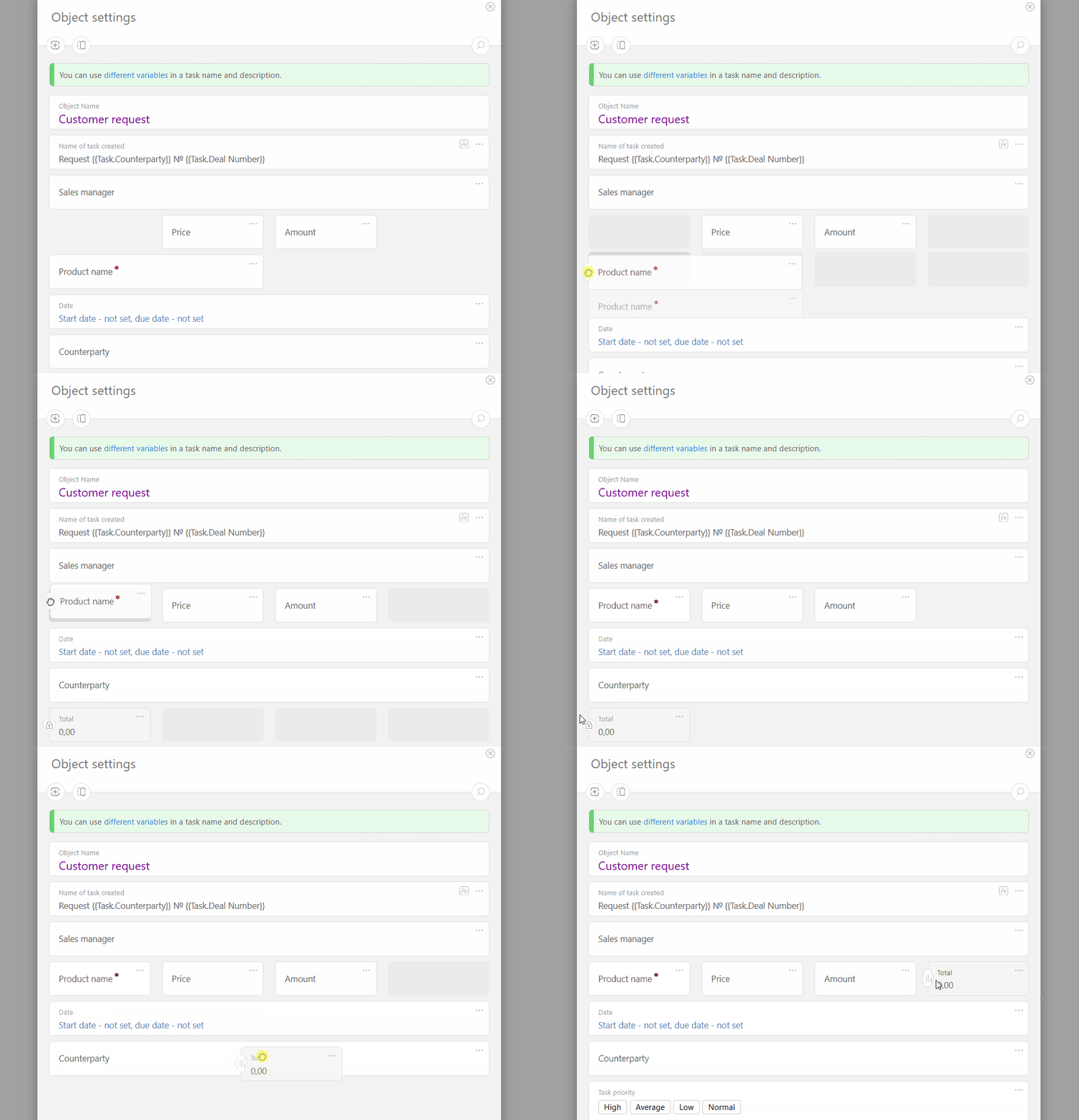
Dragging and dropping fields in your task form just got a whole lot easier and clearer.
Now, when you move a field, other fields smoothly shift aside — so you can immediately see exactly where your field will land. Plus, the size of the field you’re dragging adjusts automatically, giving you a clear idea of how much space it’ll take up.
We’ve fine-tuned the drag & drop feature so you don’t have to worry about the mechanics — you can focus entirely on which field goes where. This is especially handy when you’re juggling a bunch of fields and rearranging them one by one.
Give it a try — you’ll definitely notice the difference!
Planfix Version 0.70 for iOS and Android is Here
What’s new:
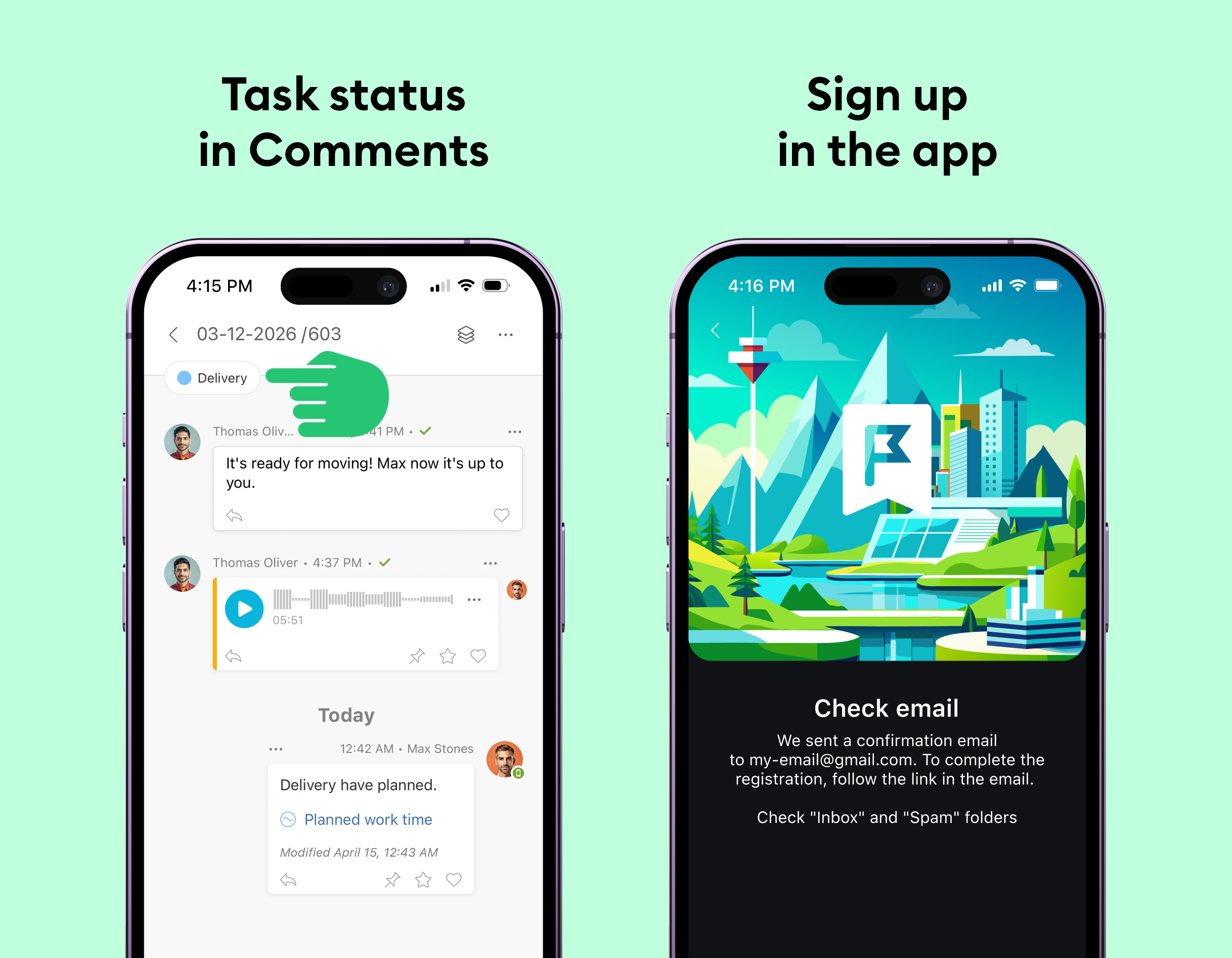
- Sign Up Directly from the App: Gone are the days when you had to first sign up on the website and then log back into the app. Now, you can go from “I want to try it” to having a fully functional account — all from your phone. Easy peasy!
- Contacts Tab in Task Cards: All task participants’ details — from colleagues to clients and partners — are now neatly sorted in one tab. No more sifting through various fields in “Details” to find the right person. All the info you need is just a tap away, whether you’re checking contact info or diving deeper into profiles.
- Task Status on the Comments Tab: Small change, big impact. Now, when you’re knee-deep in a discussion about a task, you don’t have to switch tabs to check its status. It’s right there with your conversation threads.
Update and enjoy, and rest assured, we’re continuing to tweak and enhance the Planfix mobile experience!
iOS: https://itunes.apple.com/us/app/id1475346366
Android: https://play.google.com/store/apps/details?id=com.planfixng
Hidden projects just got way easier to manage
Previously, access to hidden project was granted only to people with at least one task in the project. It worked, but it often caused confusion. For example, to give someone access, you had to create an extra task, and to revoke it, you’d have to hunt down an old task that still granted them access. Not exactly convenient, right?
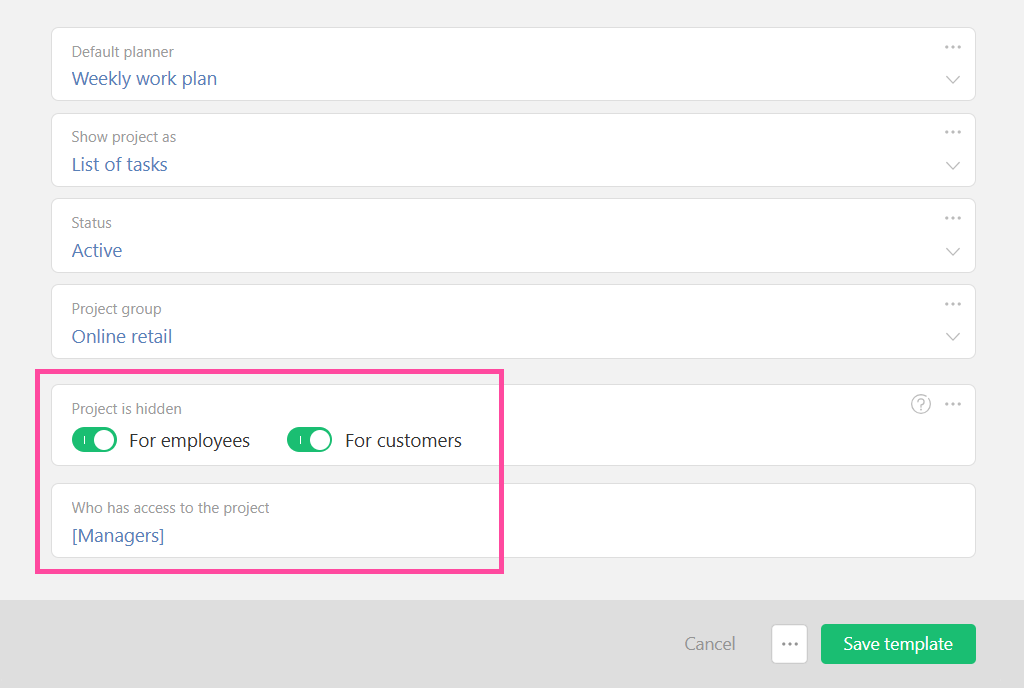
Now it’s totally different. Each hidden project has a new, dedicated field that shows exactly who has access. When you create a task, the assignees and participants are automatically added to that list.
Need to give someone access? Just add them.
Want to remove access? Take them off the list.
Overall, it’s simpler and way more transparent — especially noticeable in bigger accounts with lots of hidden projects. Managing access is faster, and finding the right project is easier than ever.
New Video:
Eisenhower Matrix in Planfix
Want to work more effectively? In this short video, we’ll show you a simple example of how to prioritize tasks and plan your work using the Eisenhower Matrix in Planfix.
Managing Plotter Workload
Learn how to easily monitor your plotter’s workload and manage orders efficiently using the Planfix Planner. In this video, we’ll walk you through setting up order queues, statuses, and workload tracking to prevent bottlenecks and ensure you never miss a deadline.
How to Reach Out to Support Team
Learn how to contact Planfix Support or your integrator in this quick tutorial.

