Podcast Production Studios - Episode Pipeline & Sponsorships Planfix CRM and Project Management System

Podcast Production Studios - Episode Pipeline & Sponsorships

Run episodes and sponsorships in one governed workspace. Capture from any channel, route to the right team, and prove delivery.

One Pipeline for Podcasts and Sponsors — Podcast Production Studios - Episode Pipeline & Sponsorships

One Pipeline for Podcasts and Sponsors

Run podcast work the same way every week. Planfix joins episode intake, production, publishing, and sponsor delivery in one pipeline so ops, editors, talent, and sales are always looking at the same task.

Capture Every Request

Turn episode and sponsor requests from email, chat, and social into tasks in seconds.

Run Production Cleanly

Use dates, roles, and checklists so editors and producers always know the next step.

Report to Sponsors

Share sponsor delivery and export reports without building one-off spreadsheets for sales.

Turn Every Message into Work — Podcast Production Studios - Episode Pipeline & Sponsorships

Turn Every Message into Work

Every inbound message becomes a task. Email to task and messenger to task give you one work surface. From there rules, lists, automations, and reports apply to episodes and sponsorships.
Show the Process Visually — Podcast Production Studios - Episode Pipeline & Sponsorships

Show the Process Visually

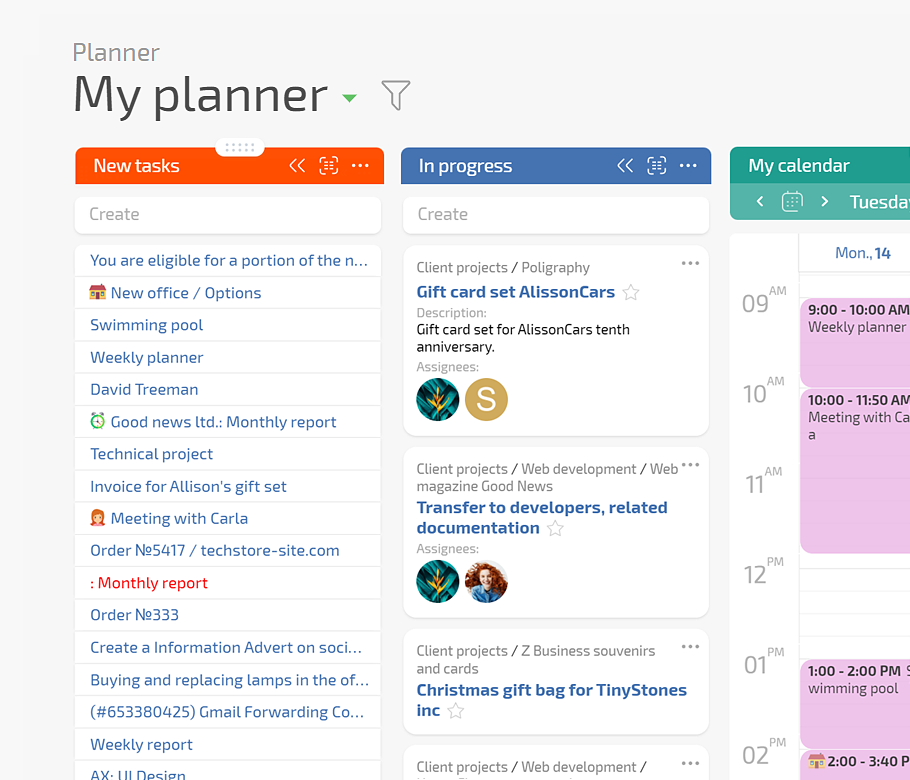
Show episodes in Planner across idea, booked, recording, editing, ready to publish, and sponsor not mapped. Dragging cards rewrites fields instantly. Open the same task for sponsors through the Client Dashboard so they see only what you shared.

If This Sounds Familiar

If This Sounds Familiar — Podcast Production Studios - Episode Pipeline & Sponsorships
Ideas in many channels
Ideas, guest topics, and sponsor inserts arrive in many channels and get lost.
If This Sounds Familiar — Podcast Production Studios - Episode Pipeline & Sponsorships
Dates slip
Dates slip because someone did not upload files or confirm a guest.
If This Sounds Familiar — Podcast Production Studios - Episode Pipeline & Sponsorships
Sponsor visibility
You do not have one place showing which sponsor was promised which slot.
How You Capture and Qualify Work — Podcast Production Studios - Episode Pipeline & Sponsorships

How You Capture and Qualify Work

Convert inbound channels to tasks so ideas, briefs, and sponsor requests land in one place. Apply episode templates and auto routing in Planner to send work to the right producer immediately.
Convert Channels to Tasks

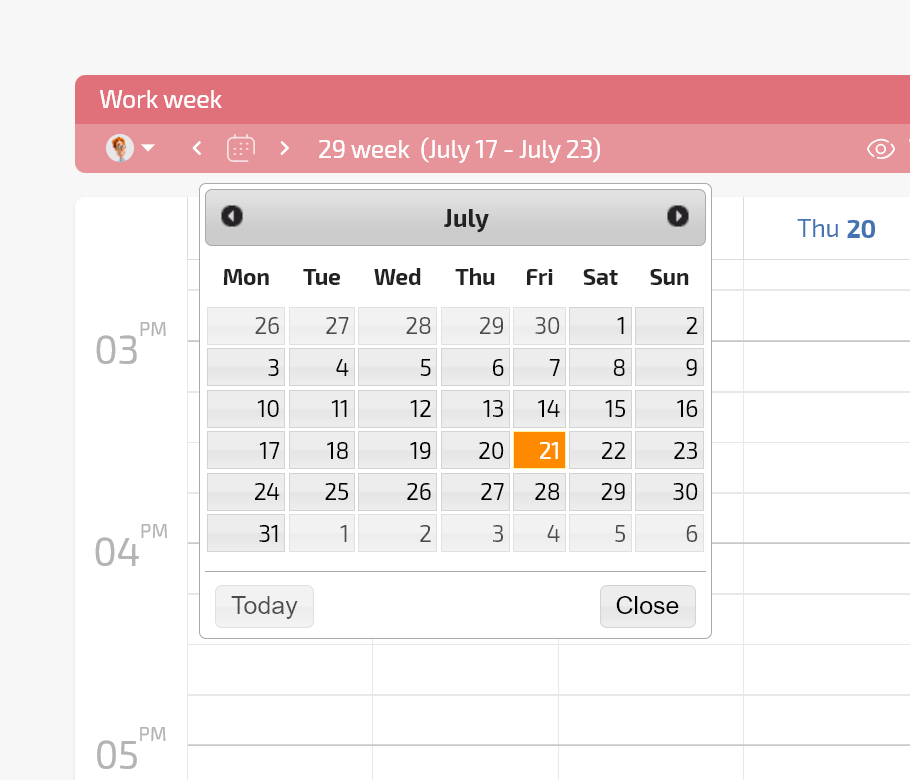
Create tasks from mail, messengers, or forms so you see work from the first message.

Episode and Sponsor Templates

Standardize fields for show, guest, sponsor slot, and attachments for consistent intake.

Episode and Sponsor Templates — Podcast Production Studios - Episode Pipeline & Sponsorships

Auto Routing in Planner

Use conditional lists and rules to send tasks to the right producer or editor.

Auto Routing in Planner — Podcast Production Studios - Episode Pipeline & Sponsorships
How You Run Production — Podcast Production Studios - Episode Pipeline & Sponsorships

How You Run Production

Schedule recording and editing with dated fields and planned work time. Keep checklists for guest assets, tech checks, and final exports. Move the task across conditional lists so moving the card rewrites responsible, status, or due date.

Recording and Editing Dates

Use calendars and planned work time so sessions appear for producers and editors.

Recording and Editing Dates — Podcast Production Studios - Episode Pipeline & Sponsorships

Production Checklists

Track guest assets, audio edits, and exports so nothing is missed on publishing day.

Context in the Task

Keep the latest brief inside the task so hosts and editors stay aligned.

Planner Multiviews

Let editors and producers switch views while still working on the same task set.

Planner Multiviews — Podcast Production Studios - Episode Pipeline & Sponsorships
Deliver Sponsorships Exactly as Sold — Podcast Production Studios - Episode Pipeline & Sponsorships

Deliver Sponsorships Exactly as Sold

Store sponsor account and package as linked records in Planfix. Add copy, slot type, and link to the episode task. Status sets and transition rules stop closure until sponsorship delivery is complete. Data tags give sponsors proof.
Status Sets with Rules

Disallow closing an episode until the sponsorship task or slot is delivered.

Reporting with Data Tags

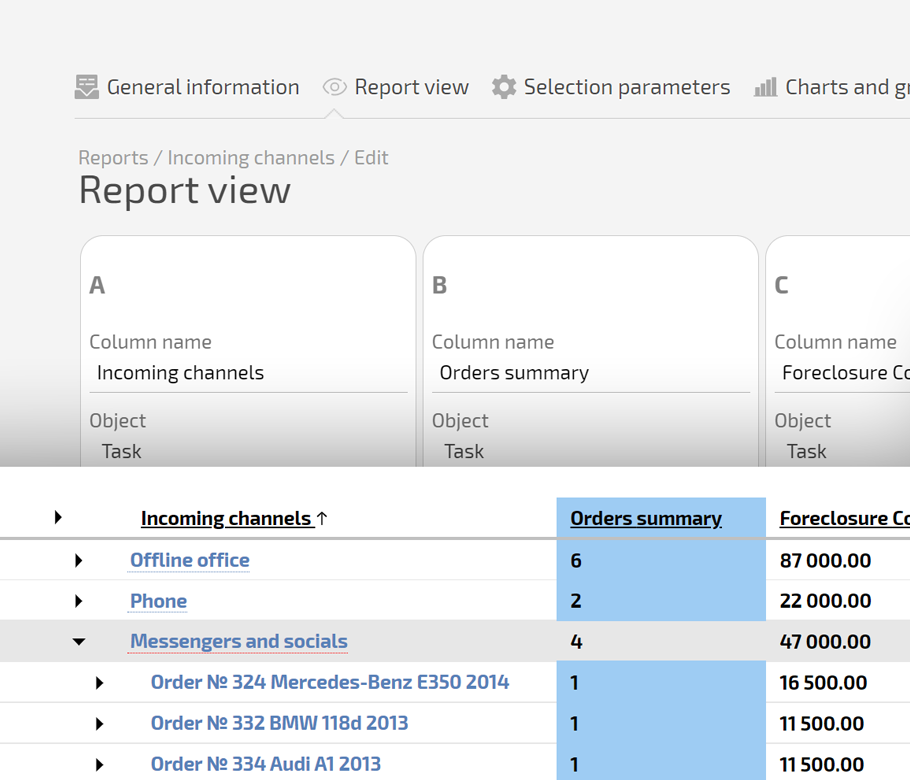
Write delivery into data tags and run sponsor-ready reports immediately.

Client Dashboards for Sponsors

Share selected tasks so sponsors see progress without asking for updates.

Client Dashboards for Sponsors — Podcast Production Studios - Episode Pipeline & Sponsorships
How You Report and Improve — Podcast Production Studios - Episode Pipeline & Sponsorships

How You Report and Improve

Pin dashboards that show episodes by status, overdue items, and sponsor not mapped. Use Project Totals to aggregate delivered sponsor slots and overdue episodes. Update templates and automations when the same gap appears every week.

What the Target State Looks Like — Podcast Production Studios - Episode Pipeline & Sponsorships

What the Target State Looks Like

Your studio runs on one Planfix board.
Every episode has an owner, guest, date, edit, sponsor mapping, and publishing checklist.
Sponsors can be shown proof on demand. Management sees workload and bottlenecks. Sales trusts that delivery happened.

Channel to Task

Pull teams out of mail and messengers by replying inside the task thread.

Personal Workspaces

Give editors and producers their own Planner and reports without breaking the process.

Client Dashboard

Let sponsors view what you shared in basic mode or advanced restricted mode.

Replace Other Tools — Podcast Production Studios - Episode Pipeline & Sponsorships

Replace Other Tools

Replace generic task tools that cannot auto build lists from conditions. Replace spreadsheet episode trackers that do not notify people or collect files. Replace CRMs that store sponsor data but never touch production.

Run Podcast Operations in Planfix

Start now
No credit card needed • Unlimited time on Free plan
FAQ

Use all of Planfix's features for 14 days, completely free of charge

Start now