Market Research Agencies - Field Tasks & Reporting Planfix CRM and Project Management System

Market Research Agencies - Field Tasks & Reporting

Capture the brief, distribute field tasks by geography, validate results, and show clients clean counts with proof — all in one governed workspace.

Why Your Field Teams Need This — Market Research Agencies - Field Tasks & Reporting

Why Your Field Teams Need This

Briefs, quotas, cities and interview artifacts arrive from different channels. Planfix turns them into structured tasks, drops them in the right queue on the first try, and keeps evidence ready for the client dashboard.

Capture the Brief

Turn the client brief and clarifications into a task with fields for study name, sample and geography.

Distribute Fieldwork

Use Planner with conditional lists so tasks for a city, outlet or supervisor appear automatically.

Deliver Auditable Results

Report designer pulls only verified interviews and groups them the way the client requested.

Start with the Brief — Market Research Agencies - Field Tasks & Reporting

Start with the Brief

Route every new research brief and every clarification into Planfix as a task. Use a template with client, study, sample, geography, deadline and reporting format. Email from the client becomes part of the same task, so the whole study lives in one place.
Work in Planner — Market Research Agencies - Field Tasks & Reporting

Work in Planner

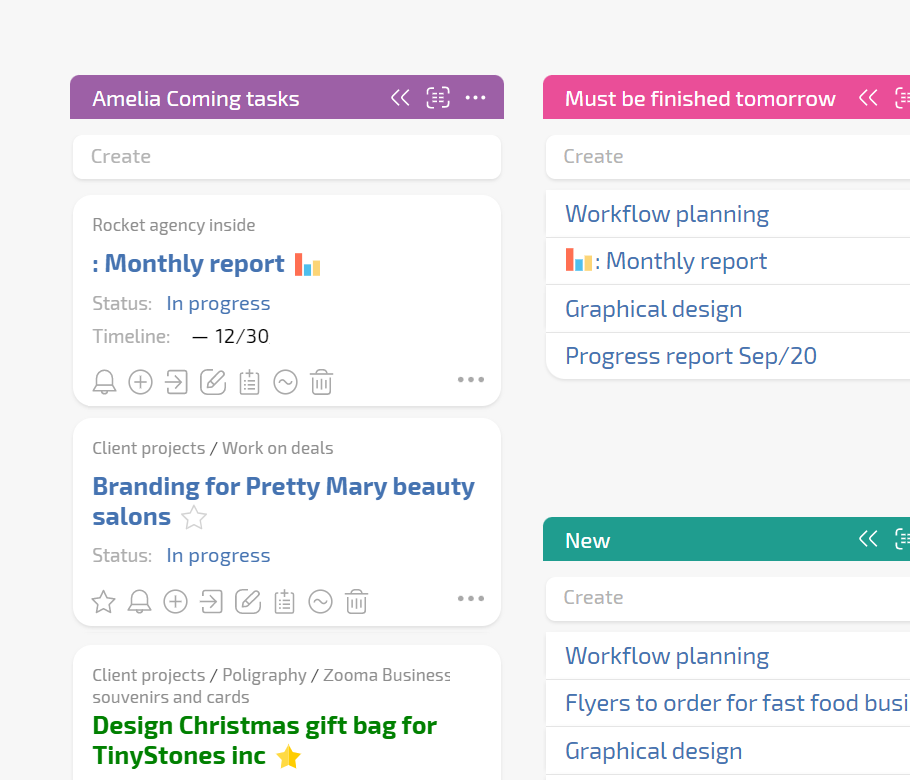
Open Planner and see field tasks auto filled into lists by city, interviewer or status. Dragging tasks between conditional lists rewrites task fields, so mismatched quotas and wrong supervisors get fixed on the fly.

Geography & Maps

Use location fields and map views so interviewers receive tasks with exact addresses.

One Task Thread

Comments from field teams become updates in the same task so nothing is scattered.

Client Dashboard

Show progress, proof and final files to clients without exposing internal work or drafts.

Support and Validate Fieldwork — Market Research Agencies - Field Tasks & Reporting

Support and Validate Fieldwork

Supervisors see tasks that need decisions in their Planner and can approve replacements. Status sets with transition rules ensure only tasks with proof can move to Verified. Project totals show completed versus required so you can fill gaps early.

Cleaner Reporting

Data tags, AI extraction and validation statuses make the dataset ready for reporting.

Audit Trail

See who validated, who rejected and why — useful for client escalations.

Faster Setup

Project templates already have statuses, fields and roles for field teams.

Deliver Reporting to the Client — Market Research Agencies - Field Tasks & Reporting

Deliver Reporting to the Client

AI agents such as Dataminer and Summarizer write structured values and short summaries into fields. Report designer pulls only verified interviews. The client dashboard shows progress, dataset and final files in a controlled way.

Recognize Your Situation

Remove Typical Barriers

What the End State Looks Like

Recognize Your Situation — Market Research Agencies - Field Tasks & Reporting

Recognize Your Situation

Clients ask for progress by city and you open several spreadsheets.
You resolve mismatched quotas from external interviewers manually.
Data arrives in messengers and calls and is easy to lose.
Centralize communications
Remove Typical Barriers — Market Research Agencies - Field Tasks & Reporting

Remove Typical Barriers

Give external interviewers restricted access or a client-style dashboard.
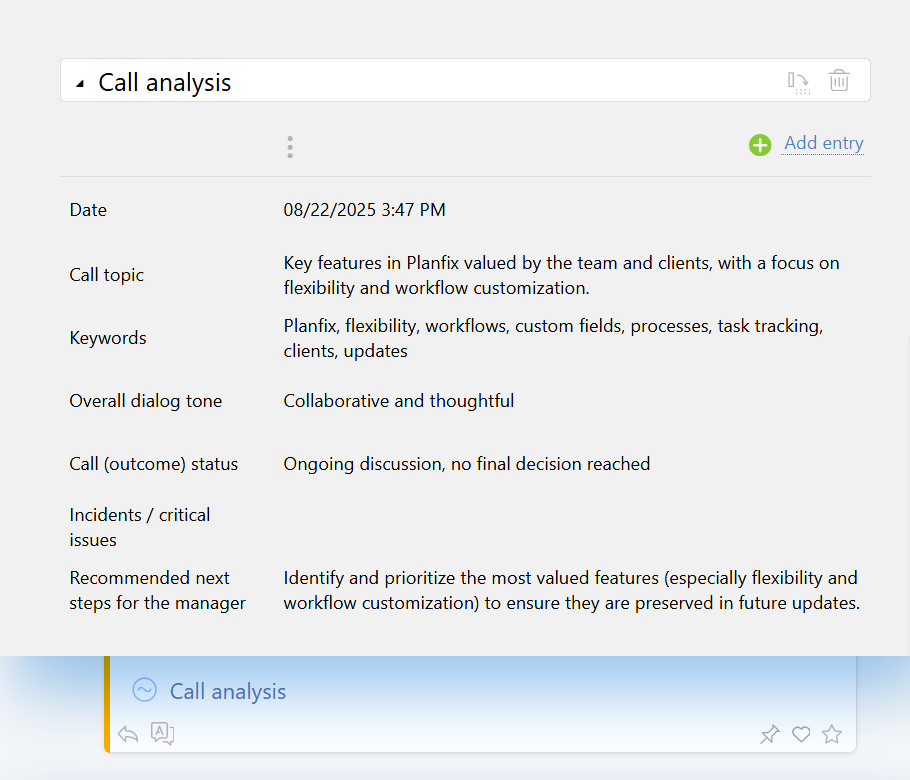
Attach telephony calls and let AI transcribe and analyze them.
Start with email to task and Planner views your team already knows.
Telephony integration
What the End State Looks Like — Market Research Agencies - Field Tasks & Reporting

What the End State Looks Like

Predictable fieldwork across internal and external interviewers.
Transparent reporting that matches what the client ordered.
Reusable research workspace for future waves.
Workspaces in Planfix

Run your next wave in a governed Planfix workspace

Start now
No credit card needed • Unlimited time on Free plan
FAQ

Use all of Planfix's features for 14 days, completely free of charge

Start now