Smart-home Installers - Projects & Service Planfix CRM and Project Management System

Smart-home Installers - Projects & Service

Planfix runs your smart home projects and service in one live system so you finish installs on time, resolve issues fast, and protect margin.

Keep Smart Home Projects And Service Under Control — Smart-home Installers - Projects & Service

Keep Smart Home Projects And Service Under Control

Your day jumps between inquiries, site visits, and support calls. Planfix gives you one workspace for projects, tickets, and client history. Planner, email to ticket, telephony events, Data tags, and Project Totals keep work, cost, and margin under control.
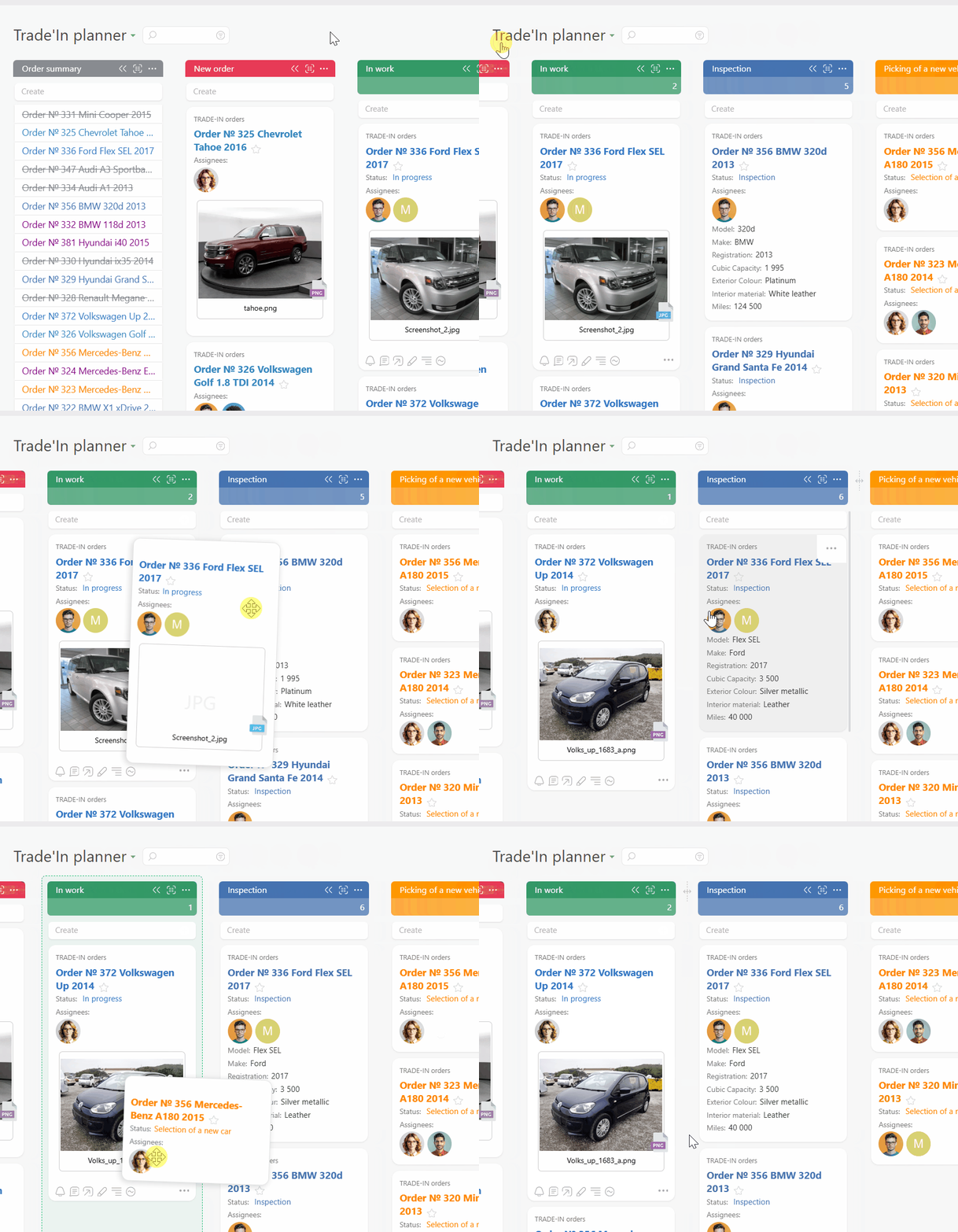
Capture Every Request

Turn calls, emails, and chats into tasks with clear owners and next steps.

Plan Projects And Teams

Schedule crews on calendars and Planner boards so field work stays realistic and predictable.

Track Tickets And Incidents

Keep service history, photos, and agreements in one timeline for every smart home client.

Start With A Fast Win — Smart-home Installers - Projects & Service

Start With A Fast Win

Connect email, telephony, and messengers so every inquiry lands in Planfix as a task. Use a simple Planner board from New Inquiry to Won. Drag cards to update status and assignee in one move without changing how you install.
Give Your Team Instant Visibility — Smart-home Installers - Projects & Service

Give Your Team Instant Visibility

Show every open project and ticket on one Planner board with clear status, assignee, and due date. Open a client card and see calls, emails, photos, quotes, and visits on one timeline so anyone can step in with confidence.

Capture And Qualify

Plan And Schedule

Execute And Support

Improve And Grow

Capture And Qualify — Smart-home Installers - Projects & Service

Capture And Qualify

Turn inquiries from calls, email, and messengers into tasks with clear owners and next steps.
Use AI Dataminer to fill task fields from unstructured messages without extra typing.
Qualify requests fast so sales, installers, and service start with the same clean data.
Capture Requests From Any Channel
Plan And Schedule — Smart-home Installers - Projects & Service

Plan And Schedule

See pipeline, installs, and tickets on one Planner board with conditional lists.
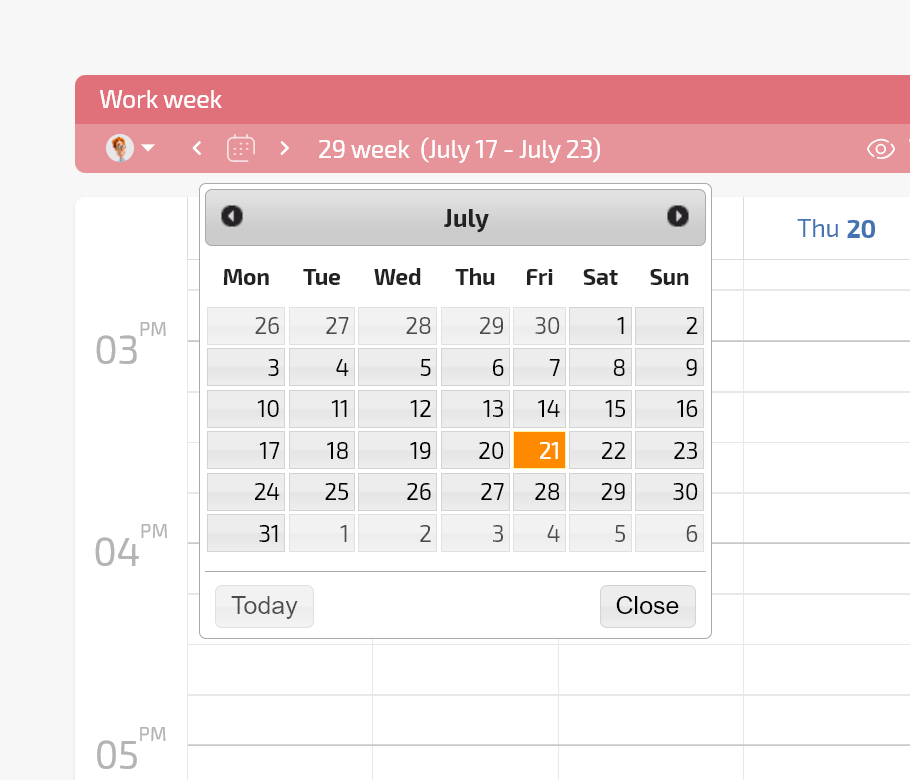
Use calendars and work schedules to balance crews and avoid overload or idle days.
Add Location fields and map views to group nearby visits and cut travel time.
Planner And Calendars
Execute And Support — Smart-home Installers - Projects & Service

Execute And Support

Give technicians task templates, checklists, and photo fields for surveys, installs, and handover.
Keep tickets linked to the same client and site record so history is never lost.
Use speech recognition and call analysis to turn recordings into structured notes for reports.
Checklists And Task Templates
Improve And Grow — Smart-home Installers - Projects & Service

Improve And Grow

Use Data tags and Project Totals to see hours, costs, and margin per job and client.
Build reports for callbacks, rework, and first time fix rate across installers and crews.
Spot profitable job types and ideal clients so you can scale what really works.
Analytics With Data Tags
Does This Sound Familiar — Smart-home Installers - Projects & Service

Does This Sound Familiar

New jobs arrive in calls and messengers and live in the heads of a few people. You hear about a missed visit only when an angry client calls your personal phone. Rework, extra visits, and blame slowly kill margin and trust.

Run Every Smart Home Project And Service Request In One System — Smart-home Installers - Projects & Service

Run Every Smart Home Project And Service Request In One System

Capture every request, plan installs, and run service in one flow. Tasks, calendars, Location fields, Data tags, and Project Totals show who owns each job, what it costs, and how it performs so you scale with confidence.

Capture And Qualify Every Request

Log every call, email, and chat as a task with AI Dataminer and telephony so nothing is missed.

Plan And Schedule Work

Use Planner, calendars, and work schedules to plan crews, avoid clashes, and protect service levels.

Execute Installs And Service

Give technicians templates, checklists, and photo fields so surveys, installs, and tickets finish right the first time.

Keep Clients Informed And Confident

Share progress in the Client dashboard while Summarizer keeps a clear list of decisions and next steps.

Handle Support And Changes

Keep tickets tied to the same client and site record with call analysis and photos ready for every case.

Learn From Every Job

Use reports, Data tags, and Project Totals to track margin, rework, and first time fix rate.

You feel calm because every request and job has a clear owner and plan. You feel confident promising dates and outcomes to smart home clients. You run projects that finish on time and deliver responsive service with visible status for every ticket.

Start Without Disrupting Your Work

Start Without Disrupting Your Work — Smart-home Installers - Projects & Service

No Time To Implement

Begin by capturing inquiries and using one Planner board. Add templates, Data tags, and reports when the team is ready.
Start Without Disrupting Your Work — Smart-home Installers - Projects & Service

Technicians Dislike Complex Tools

Give installers simple tasks, checklists, photos, and maps on mobile while managers keep configuration and reports in workspaces.
Start Without Disrupting Your Work — Smart-home Installers - Projects & Service

You Already Use Chat And Sheets

Keep your channels while Planfix turns messages into tasks and replaces fragile manual spreadsheets with reliable live reports.

Shared Inboxes And Chats

Turn conversations into tasks with status, assignee, and deadline so work moves forward instead of circling in threads.

Shared Inboxes And Chats — Smart-home Installers - Projects & Service

Generic Help Desk Tools

Connect projects, installs, telephony, and service in one system instead of juggling tickets that ignore field work.

Generic Project Boards

Use Planner with conditional lists, Data tags, and Project Totals so every column reflects live operational data.

Run Your Smart Home Projects In Planfix

Start now
No credit card needed • Unlimited time on Free plan
FAQ

Use all of Planfix's features for 14 days, completely free of charge

Start now