Staffing / Outstaff - Client Requests, Shifts, Timesheets Planfix CRM and Project Management System

Staffing / Outstaff - Client Requests, Shifts, Timesheets

Give your staffing team one governed workspace for client requests, schedules, and timesheets. Capture every inquiry, fill shifts on time, and reconcile hours and costs without chasing spreadsheets, inboxes, or side chats.

One System for Client Requests, Shifts, and Timesheets — Staffing / Outstaff - Client Requests, Shifts, Timesheets

One System for Client Requests, Shifts, and Timesheets

You handle staffing work across email, messengers, spreadsheets, and calls. Planfix turns every request into a task and keeps shifts, sites, time, and costs on the same records. Everyone finally sees the full picture in one place.

What You Improve First

What You Improve First — Staffing / Outstaff - Client Requests, Shifts, Timesheets

Clean Client Requests

Turn every inbound message into a structured request with client, site, roles, and dates captured once.
What You Improve First — Staffing / Outstaff - Client Requests, Shifts, Timesheets

One Planner for Shifts

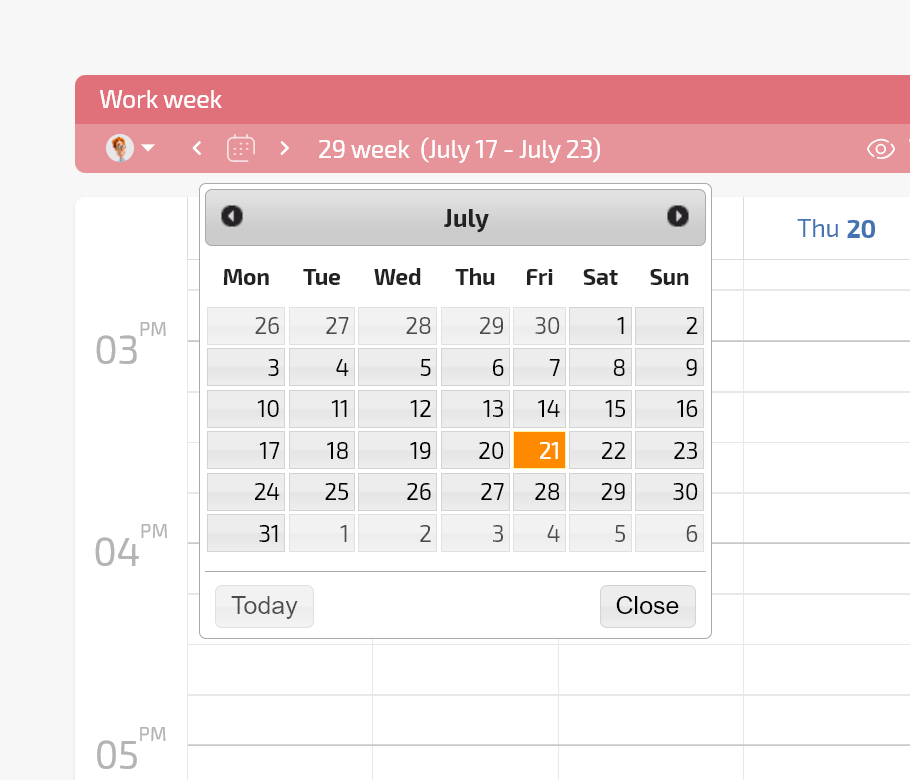
Build and update shift schedules on a single Planner board instead of juggling separate spreadsheets.
What You Improve First — Staffing / Outstaff - Client Requests, Shifts, Timesheets

Reliable Timesheets and Billing

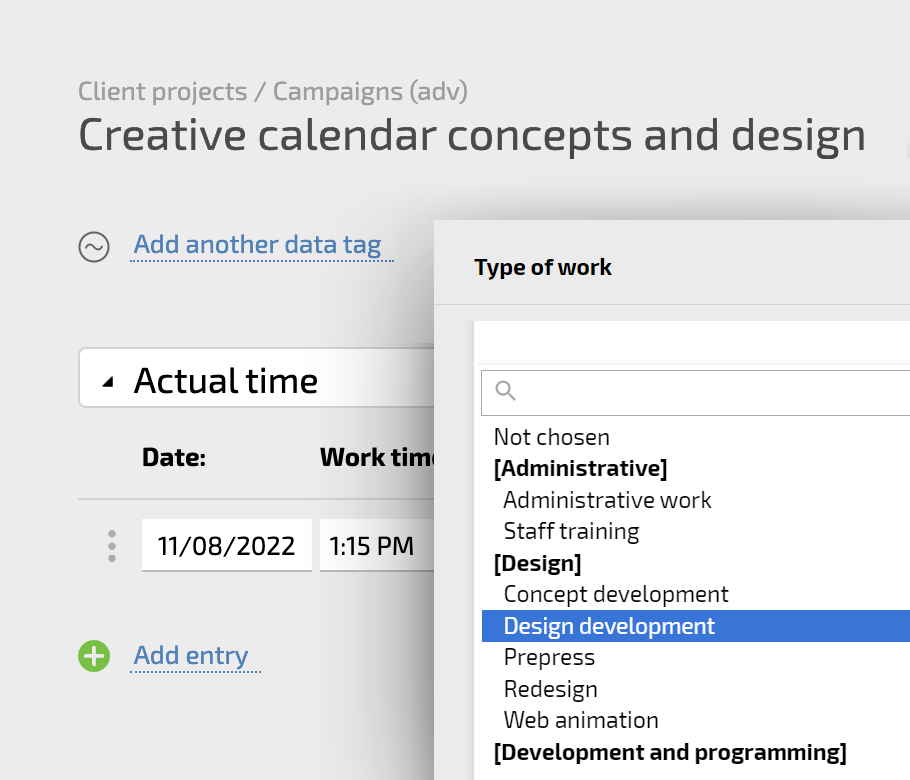
Collect hours and overtime with data tags so payroll, invoicing, and reports always use the same numbers.
Start With Clean Client Requests — Staffing / Outstaff - Client Requests, Shifts, Timesheets

Start With Clean Client Requests

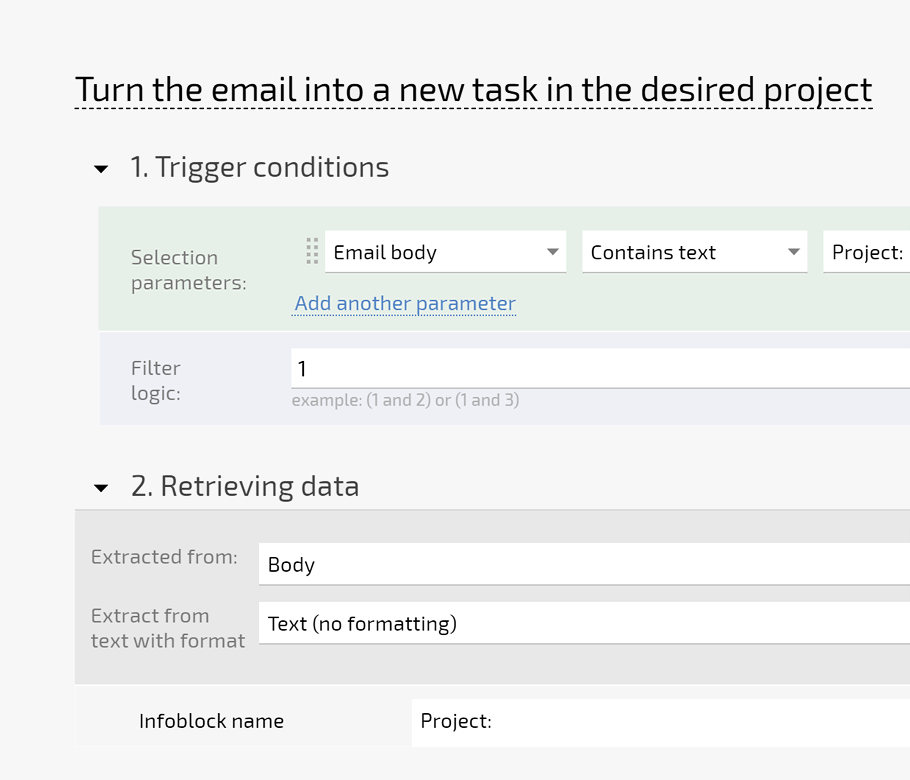
Set up email and chat to task so every request lands in Planfix with structured fields. AI Dataminer reads freeform messages and fills the details you choose, so owners, next steps, and service terms are always clear.

Planner Board for Coverage

Use conditional lists to see shifts by client, site, or day and update fields by simple drag and drop.

Client Dashboard

Give clients a secure view of shared requests, shifts, and reports without separate portals or manual exports.

AI Dataminer

Let a robot user parse client messages and write roles, dates, and volumes directly into task fields.

Build Smart Shift Schedules and Assignments — Staffing / Outstaff - Client Requests, Shifts, Timesheets

Build Smart Shift Schedules and Assignments

Create shift tasks from templates and link them to client requests so repeat work scales cleanly. Use Planner views and calendars to see open slots, real workloads, and skills in one place before you confirm coverage.

Incidents In Context

Log issues as comments or subtasks on the shift so you always see what happened and how it was fixed.

Real Time Updates

Use notifications and mobile apps so coordinators and supervisors see changes to shifts as soon as they happen.

Calls and Voice Notes

Attach calls to tasks, transcribe speech, and use call analysis so conversations turn into searchable structured data.

Collect, Reconcile, and Report Time and Cost — Staffing / Outstaff - Client Requests, Shifts, Timesheets

Collect, Reconcile, and Report Time and Cost

Log hours and costs with data tags on each shift task. Use timers or manual entries, then compare planned shifts to actual work. Calculated fields and Project Totals show margin and overtime before you bill a client.

Predictable Operation

Run staffing from one governed workspace so you always know what is planned, in progress, and closed.

Confident Team

Coordinators see the same live board, numbers, and context so urgent requests feel controlled rather than chaotic.

Protected Margin

Use reports and dashboards to see cost of coverage decisions by client, site, and period in real time.

Reduce Barriers to Change — Staffing / Outstaff - Client Requests, Shifts, Timesheets

Reduce Barriers to Change

Mirror your current staffing flow with no code configuration, custom fields, and status sets instead of forcing a template. Start with one client or site, then expand as teams get comfortable with boards, dashboards, and reports.

Stabilize Staffing Operations With Planfix

Start now
No credit card needed. Unlimited time on Free plan
Other Solutions for Small and Medium Business
FAQ

Use all of Planfix's features for 14 days, completely free of charge

Start now