Factory QA Labs - CAPA & Incidents Planfix CRM and Project Management System

Factory QA Labs - CAPA & Incidents

Run every lab deviation, incident, and CAPA in one governed workspace. Planfix captures reports from any channel, routes them to QA, and proves what was done.
Make Every Signal a Structured Task — Factory QA Labs - CAPA & Incidents

Make Every Signal a Structured Task

Every nonconformance, OOS, OOT, instrument issue, or sample mix-up lands in the right QA flow on the first try. Add evidence, assign teams, collect RCA, launch CAPA, and show auditors a complete trail with reportable data.

Capture the Incident

One task with evidence, reporter, batch, instrument, and dates becomes the single source of truth.

Triage and Route

Classify and send to the right QA or lab owner without manual mail chasing.

Triage and Route — Factory QA Labs - CAPA & Incidents

Run Investigation

Mandatory fields and guided steps make RCA complete and comparable across cases.

Run Investigation — Factory QA Labs - CAPA & Incidents

Close CAPA on Time

Corrective and preventive actions are real tasks with owners, dates, and evidence.

Start with the Fastest Win — Factory QA Labs - CAPA & Incidents

Start with the Fastest Win

Turn every lab signal into a task, no matter the channel. Email to task, messenger to task, operator note to task. All reports enter Planfix in the same schema so nothing is lost and every case is traceable.
Show the System at Work — Factory QA Labs - CAPA & Incidents

Show the System at Work

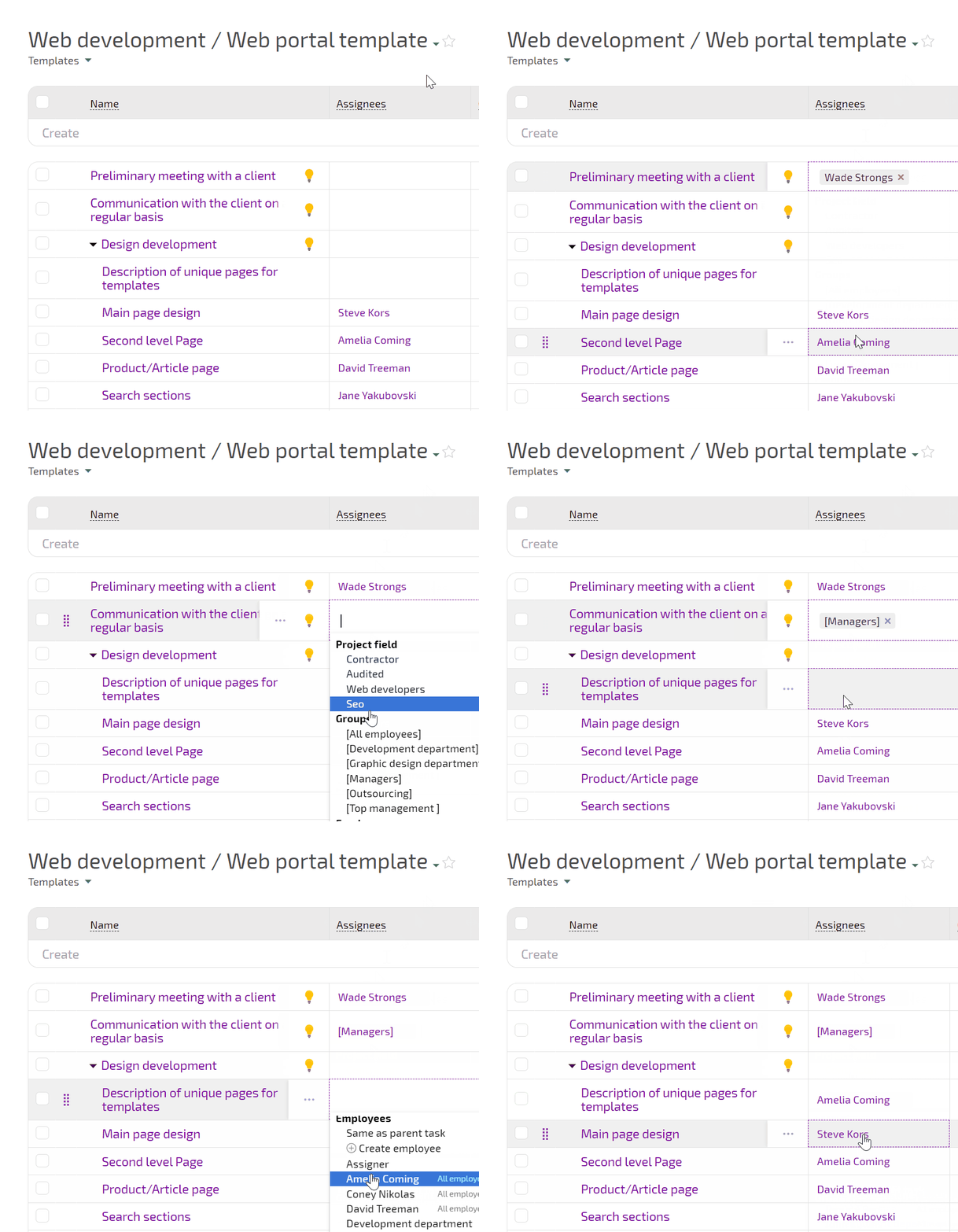
Drag the incident card on Planner and assignee, status, or department update because lists are conditional. Add an AI Dataminer robot and it pulls batch, product, test, instrument, and reporter straight into fields.

Captured Once, in Full

Incidents are complete, so audits are simpler and repeat findings drop.

Automatic Triage

Urgent work is routed instantly, not blocked in inboxes or chats.

Automatic Triage — Factory QA Labs - CAPA & Incidents

CAPA as Tasks

Actions close on time and with proof in the same task thread.

CAPA as Tasks — Factory QA Labs - CAPA & Incidents

Trend Reports

Counts, causes, overdue items, and effectiveness show management real numbers.

If This Sounds Familiar

If This Sounds Familiar — Factory QA Labs - CAPA & Incidents
Signals get lost
Deviations arrive by mail, chats, or lab tools and some never reach QA.
If This Sounds Familiar — Factory QA Labs - CAPA & Incidents
RCA is incomplete
You chase people for analysis, training proof, or maintenance notes.
If This Sounds Familiar — Factory QA Labs - CAPA & Incidents
No audit story
You cannot show why an incident was closed or how long containment took.

Intake from Any Channel

Investigation and RCA

CAPA Execution

Reporting and Audits

Intake from Any Channel — Factory QA Labs - CAPA & Incidents

Intake from Any Channel

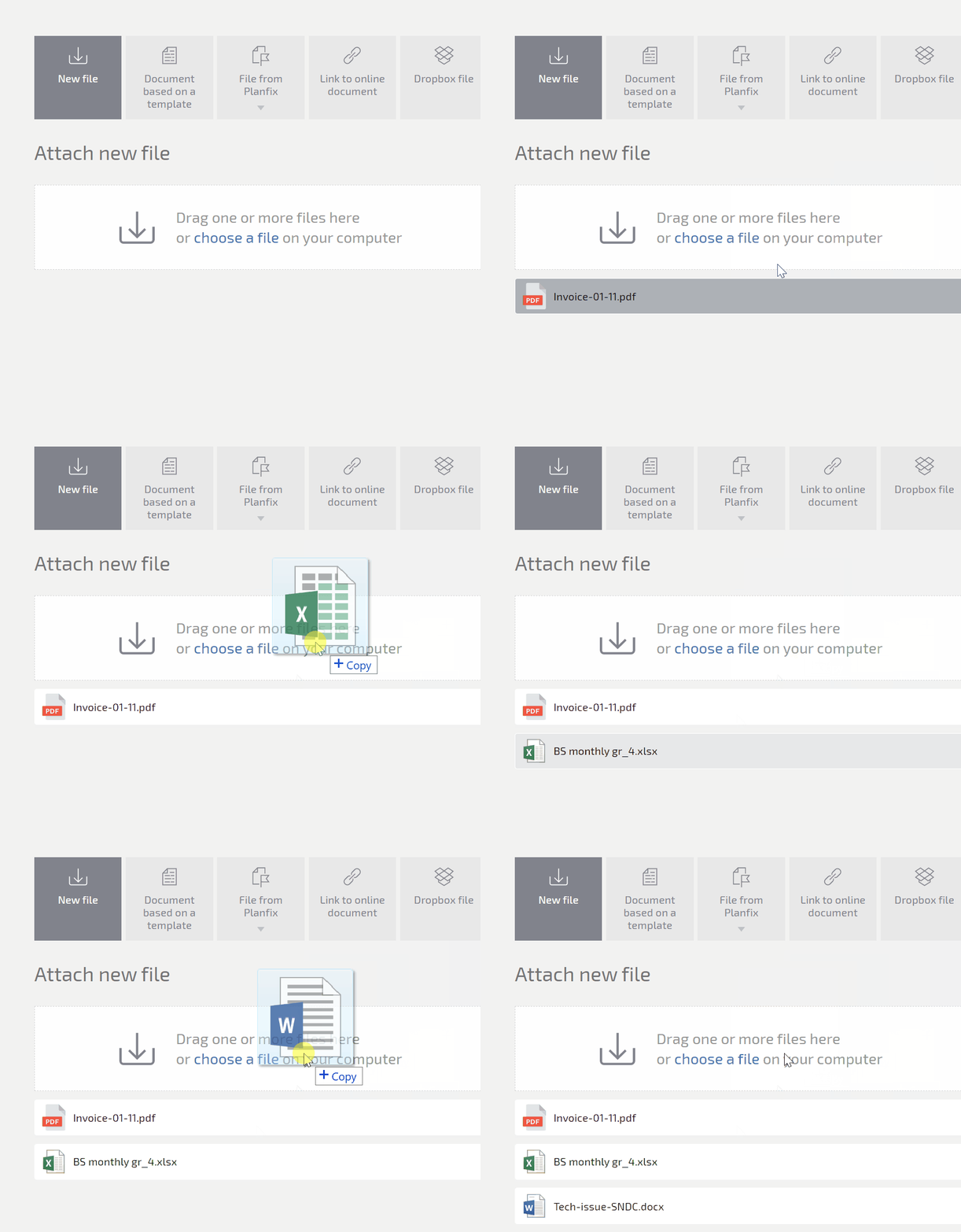
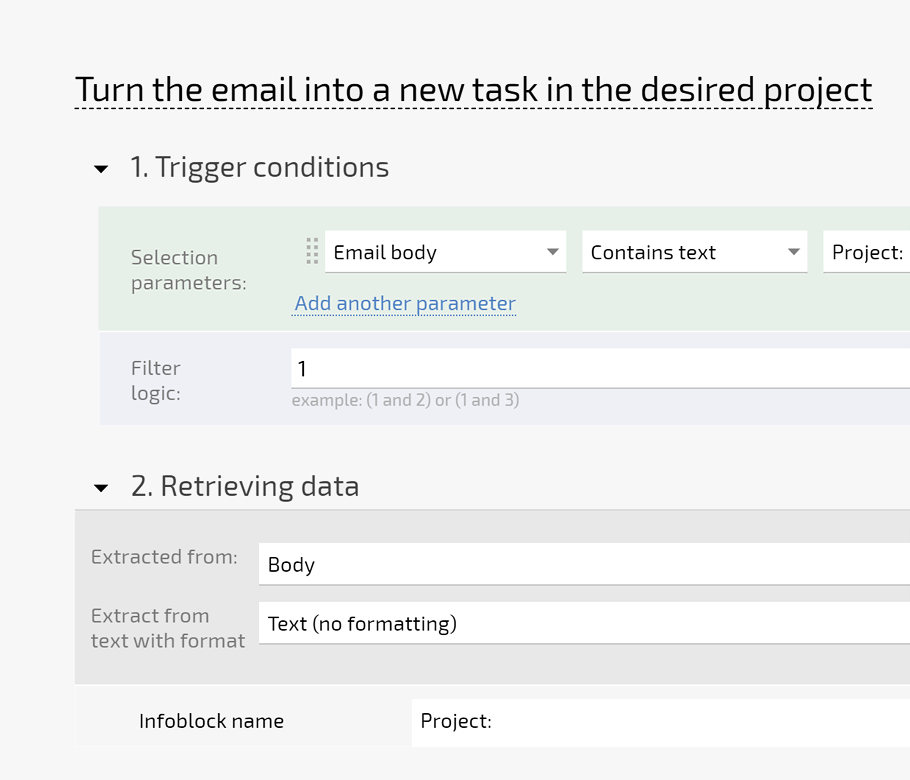
Email to task and messenger to task keep all signals in one place.
Operator notes and lab reports enter with the same field schema.
Nothing is lost between systems or teams.
Create tasks by email
Investigation and RCA — Factory QA Labs - CAPA & Incidents

Investigation and RCA

AI Interviewer runs guided RCA right in the task.
Status sets and transition rules prevent skipping mandatory steps.
All evidence and versions stay attached.
Status sets
CAPA Execution — Factory QA Labs - CAPA & Incidents

CAPA Execution

Generate corrective and preventive actions from templates.
Assign across teams with calendar-aware deadlines.
Track open, closed, and overdue CAPA on one Planner view.
Task templates
Reporting and Audits — Factory QA Labs - CAPA & Incidents

Reporting and Audits

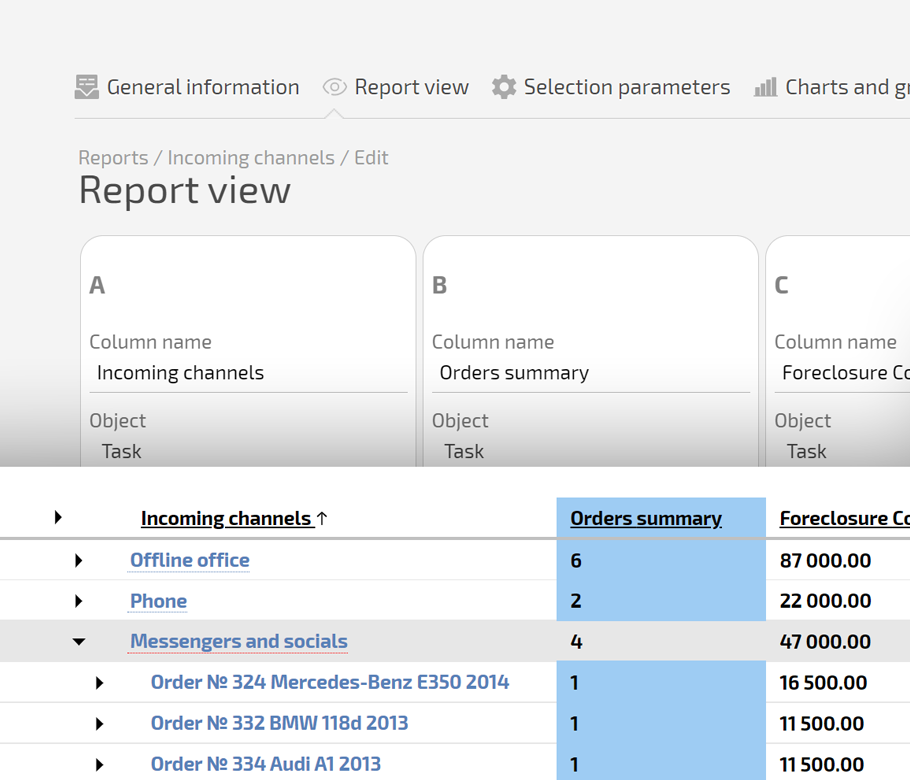
Dashboards show counts, causes, overdue items, and effectiveness.
Project Totals summarize CAPA for management.
Auditors see the full story in minutes.
Project reports
How You Capture and Govern Lab Incidents — Factory QA Labs - CAPA & Incidents

How You Capture and Govern Lab Incidents

Capture the initial report from any channel and convert it to a task. Normalize it with fields and AI Dataminer to make data reportable. Apply status sets and transition rules so no one can skip steps. Keep all evidence in the task for audit-ready packages.

How You Investigate and Document Root Cause — Factory QA Labs - CAPA & Incidents

How You Investigate and Document Root Cause

Move the task to Investigation on Planner so everyone sees the stage. Run a guided interview with AI Interviewer so RCA is complete. Link related tasks like instrument maintenance or previous deviations. Add Summarizer to keep a running case brief for leads and auditors.

How You Run and Close CAPA — Factory QA Labs - CAPA & Incidents

How You Run and Close CAPA

Generate CAPA tasks from templates so no one starts from scratch. Assign across QA, production, and maintenance with dates that respect calendars. Track all actions on one Planner view. Use Project Totals to see open, closed, and overdue CAPA in real time.

What the Finished System Looks Like — Factory QA Labs - CAPA & Incidents

What the Finished System Looks Like

Your lab and QA run on one system. Every deviation is logged. Every CAPA has an owner. Every action has evidence. Reports tell you where the plant is improving and where it is not. You can walk an auditor through any case in minutes.
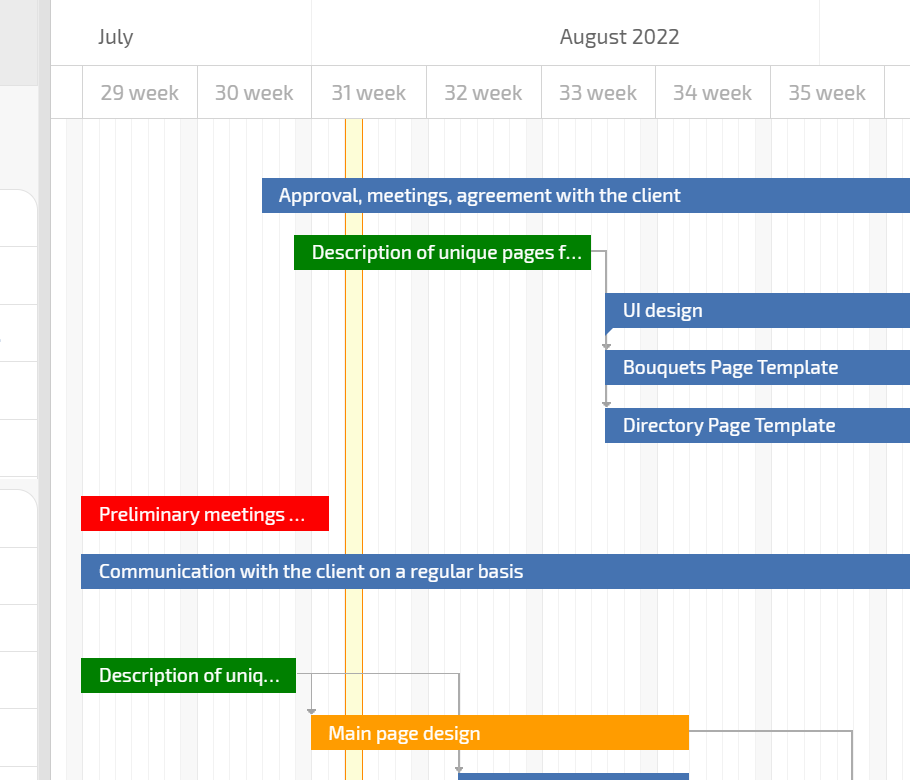
Removing Typical Barriers — Factory QA Labs - CAPA & Incidents

Removing Typical Barriers

People report in different tools - Planfix unifies this with email to task and channel to task.
Teams skip steps - Planfix stops this with status sets and transition rules.
Managers cannot see the program - Planner and dashboards fix it.

Spreadsheets

Replaced by a single task thread with files and dates in one place.

Spreadsheets — Factory QA Labs - CAPA & Incidents

Mail Threads

Replaced by conditional Planner lists and lab-oriented fields.

Generic Tools

Replaced by Planner, status rules, and CAPA templates built for QA.

Local Notes

Replaced by AI agents, directories, and reportable data tags.

Local Notes — Factory QA Labs - CAPA & Incidents

Planfix Integrations for QA and Lab Teams

Centralize incident data, files, and conversations with connected lab and business tools.

See all integrations

Show auditors a complete incident and CAPA trail

Start now
No credit card needed • Unlimited time on Free plan
FAQ

Use all of Planfix's features for 14 days, completely free of charge

Start now