Ad Ops Teams - Campaign Tickets, Tags, Reporting Planfix CRM and Project Management System

Ad Ops Teams - Campaign Tickets, Tags, Reporting

Turn campaign tickets, tag requests, and reporting tasks into one live system so you launch clean campaigns faster and always trust your numbers.
Run All Ad Ops Work in One Place — Ad Ops Teams - Campaign Tickets, Tags, Reporting

Run All Ad Ops Work in One Place

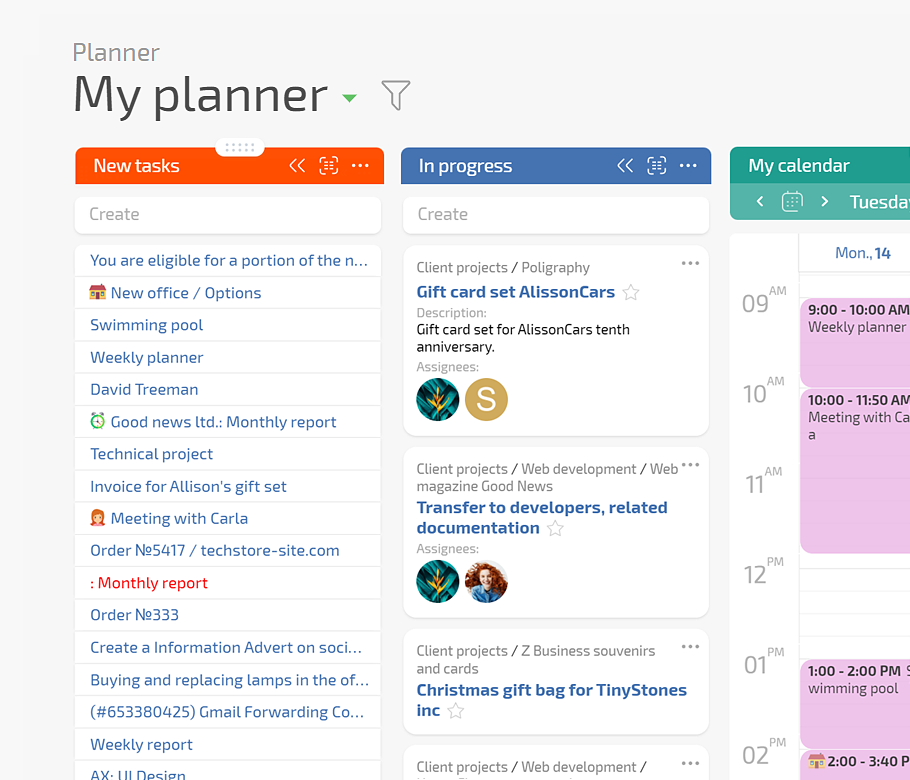
Your team turns messy partner messages into clean campaigns, correct tags, and reliable reporting. Planfix captures every request, runs auto triage by SLA, and shows the pipeline on a Planner board with conditional lists.

Use AI to Keep Briefs and Tracking Aligned — Ad Ops Teams - Campaign Tickets, Tags, Reporting

Use AI to Keep Briefs and Tracking Aligned

Planfix AI Dataminer reads unstructured briefs and fills structured fields for targeting, budgets, and tracking. AI Summarizer maintains a live brief of decisions and next steps, while data tags log every change so reports and reality always match.
Turn Every Request into a Trackable Ticket — Ad Ops Teams - Campaign Tickets, Tags, Reporting

Turn Every Request into a Trackable Ticket

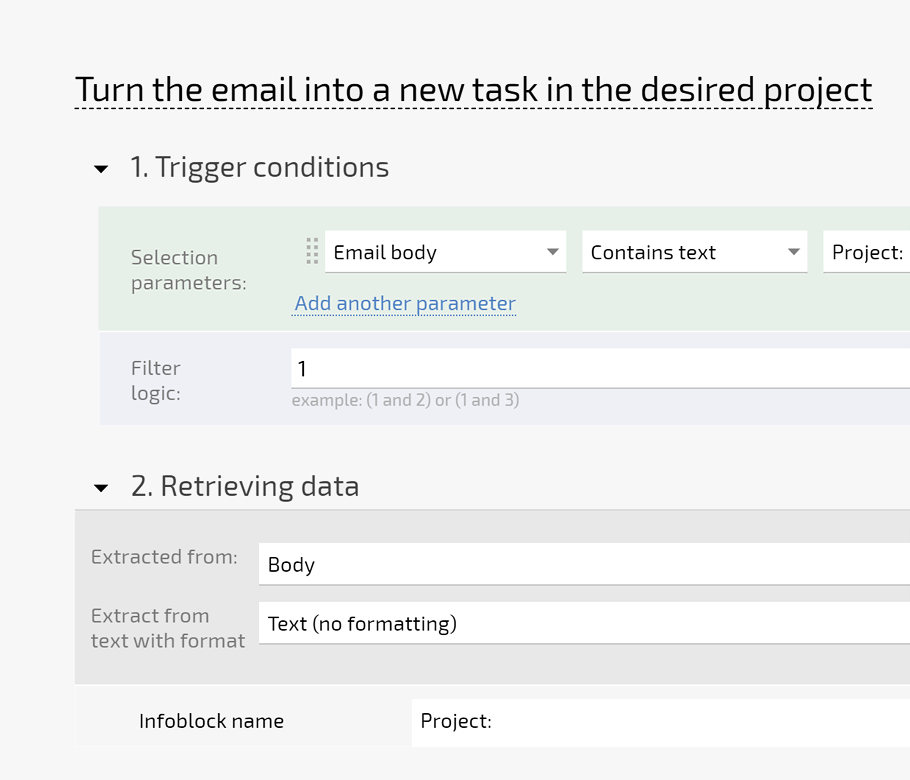
Point all campaign and tag requests into Planfix through email to ticket and channel to task. Add SLA and priority fields, then manage work on a Planner board so you get one queue for all ad ops work.

Fewer Lost Requests

Reduce lost and late requests, raise SLA compliance, and keep partners confident that every campaign ticket is tracked.

Faster First Response

Answer partners and internal teams faster with one queue, clear priorities, and ownership visible on every ticket.
Launch Clean Campaigns with Fewer Tagging Errors — Ad Ops Teams - Campaign Tickets, Tags, Reporting

Launch Clean Campaigns with Fewer Tagging Errors

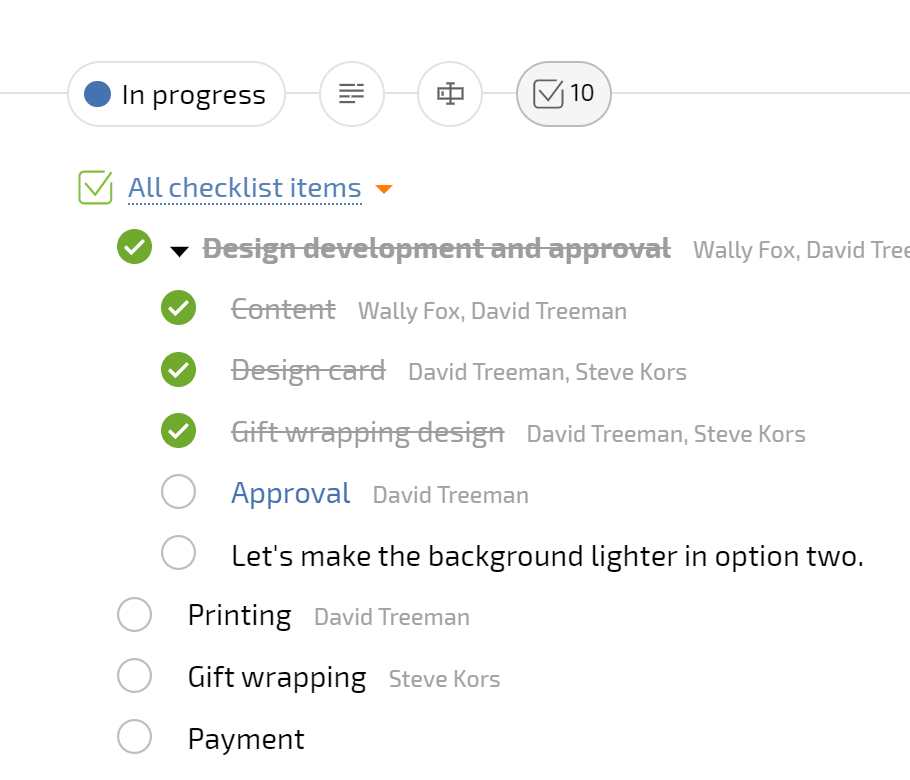
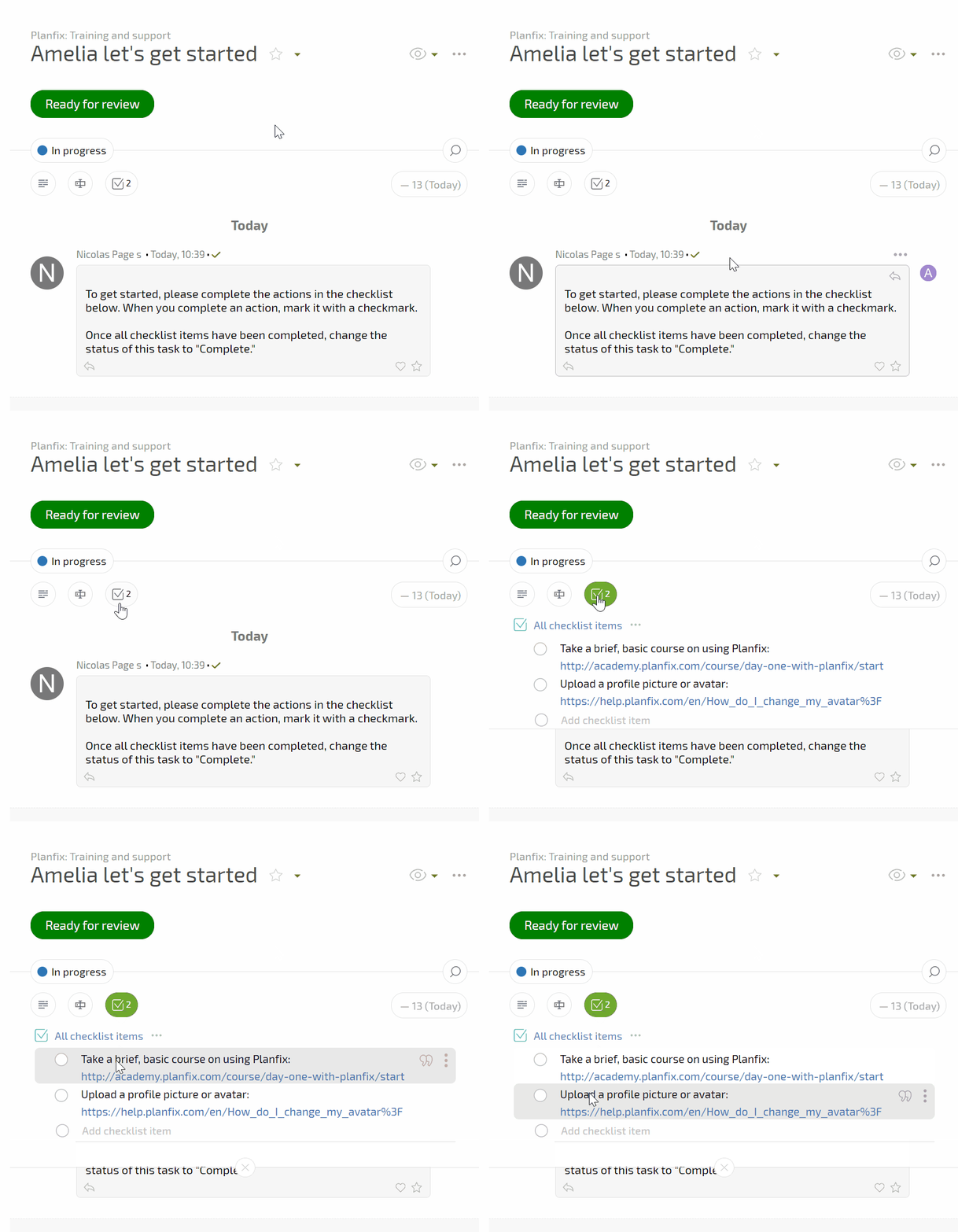
Standardize how you implement campaigns and tags. Task templates and checklists turn trafficking steps into repeatable workflows. Planner boards with conditional lists update status and ownership as you drag tickets, so everyone knows what is ready, blocked, or at risk.

Cleaner Implementations

Launch cleaner implementations and tracking with fewer tagging mistakes and misapplied pixels across platforms and partners.

Lower MTTR

Cut time to resolve issues because task history, checklists, and ownership make root causes easier to see.

Monitor Delivery and Prove Every Decision — Ad Ops Teams - Campaign Tickets, Tags, Reporting

Monitor Delivery and Prove Every Decision

Keep campaign context, files, and decisions in one place. Comments, attachments, AI Summarizer briefs, and Client Dashboard access give every stakeholder the same view. Data tags and Project Totals log spend, pacing changes, and incidents so reporting matches reality.

When this page is for you

When this page is for you — Ad Ops Teams - Campaign Tickets, Tags, Reporting

Scattered requests

On Monday you reconstruct ad ops work from chats, email, and sheets because no system shows one reliable queue.
When this page is for you — Ad Ops Teams - Campaign Tickets, Tags, Reporting

No clear risk view

Leaders ask which campaigns are at risk, yet you cannot open one board that shows SLAs, owners, and status.
When this page is for you — Ad Ops Teams - Campaign Tickets, Tags, Reporting

Tagging mistakes

You worry the next tagging error will damage trust with a key client and spark another painful escalation.
When this page is for you — Ad Ops Teams - Campaign Tickets, Tags, Reporting

Fragmented history

Work, reporting, and operational history live in different tools so every incident investigation turns into time-consuming detective work.

Capture and Triage Every Request

Standardize Implementation and Tracking

Keep Context and Decisions Aligned

Monitor Delivery and Incidents in Real Time

Capture and Triage Every Request — Ad Ops Teams - Campaign Tickets, Tags, Reporting

Capture and Triage Every Request

Pull email, chat, and form messages into tasks with one pipeline.
Apply SLA, priority, and channel fields as tickets arrive in Planfix.
Use rules to auto assign owners and split queues by client or region.
Highlight overdue and at-risk work before partners escalate issues.
Automation for routing
Standardize Implementation and Tracking — Ad Ops Teams - Campaign Tickets, Tags, Reporting

Standardize Implementation and Tracking

Use task templates and checklists so every campaign follows consistent trafficking steps.
Drag tickets across conditional lists to update status, owner, and next action instantly.
Group work by channel, region, or partner without duplicating tasks or losing history.
Capture required fields before launch so campaigns go live clean the first time.
Checklists in Planfix
Keep Context and Decisions Aligned — Ad Ops Teams - Campaign Tickets, Tags, Reporting

Keep Context and Decisions Aligned

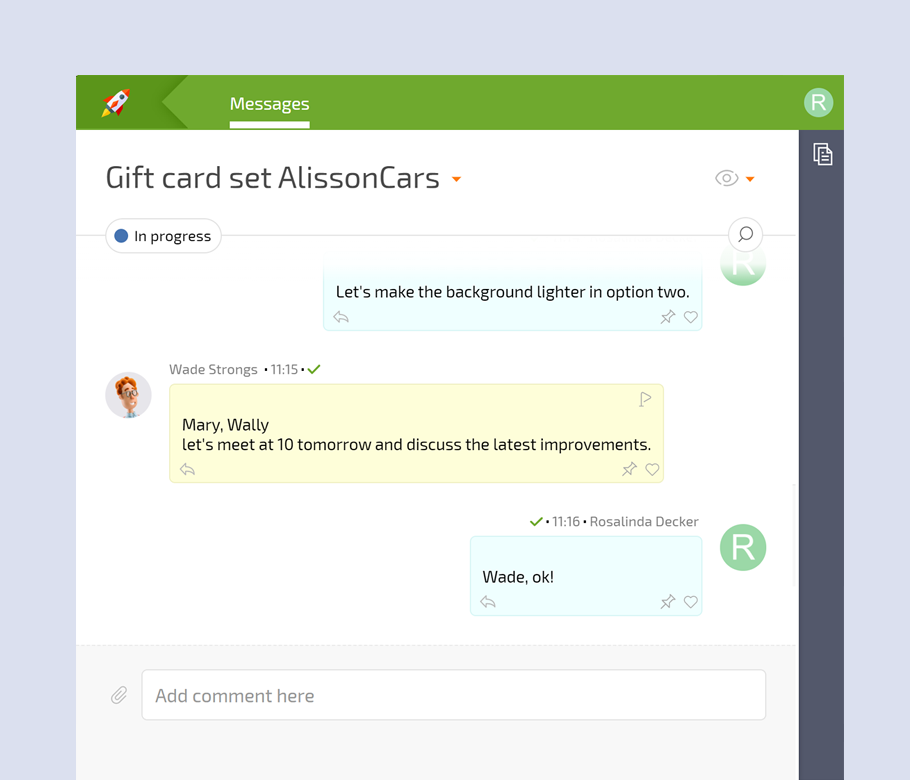
Use task comments, files, and AI summaries to keep the full story in one place.
Let new teammates join mid flight without scrolling long message threads.
Share Client Dashboards so partners track progress without constant status meetings.
Store approvals and key decisions inside tasks instead of scattered documents.
Task chat and comments
Monitor Delivery and Incidents in Real Time — Ad Ops Teams - Campaign Tickets, Tags, Reporting

Monitor Delivery and Incidents in Real Time

Log spend, pacing changes, and incidents as data tags on campaigns and projects.
Use Project Totals to see delivery, risk, and MTTR across clients or portfolios.
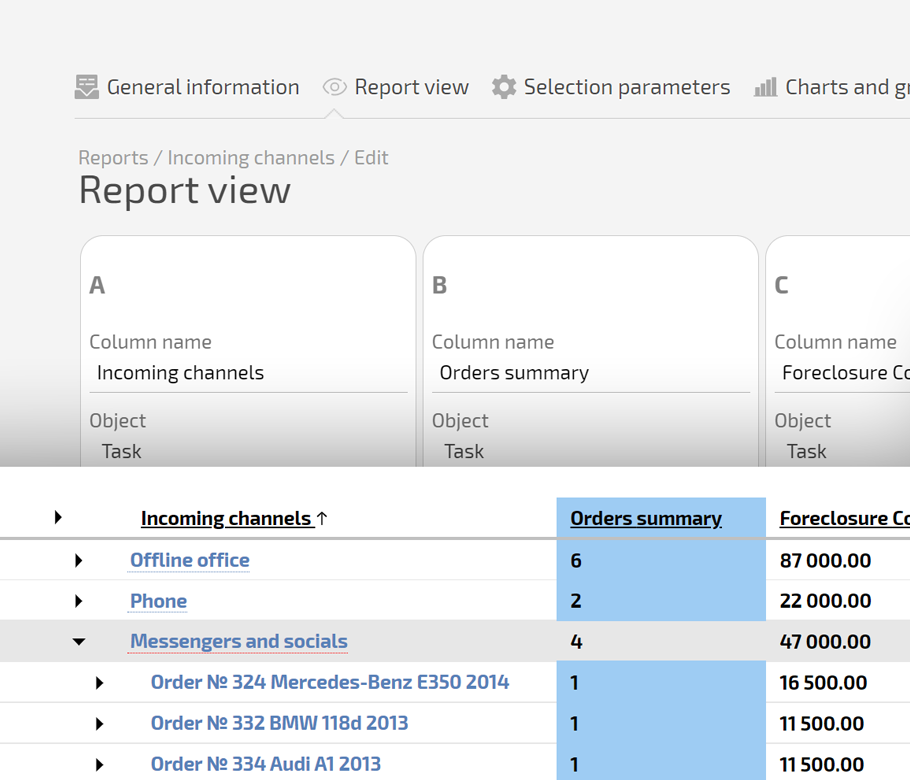
Build custom reports and dashboards that match how leadership reviews performance.
Export or schedule reports for stakeholders while keeping operational detail in Planfix.
Report designer in Planfix
What Your Team Looks Like with Planfix — Ad Ops Teams - Campaign Tickets, Tags, Reporting

What Your Team Looks Like with Planfix

Your ad ops team runs from a single Planner board that shows every campaign ticket, tag change, and incident. Requests flow in, are auto triaged by SLA and priority, and move through clear statuses that match how you work.

Calm Control

Run busy weeks from one Planner board and feel calm control instead of inbox-driven chaos.

Trustworthy Numbers

Report with confidence because Project Totals, data tags, and tasks share one consistent source of truth.

Scale without Burnout

Grow campaign volume and complexity without burning out ad ops, thanks to automation and reusable templates.
Fit Planfix into Your Existing Stack — Ad Ops Teams - Campaign Tickets, Tags, Reporting

Fit Planfix into Your Existing Stack

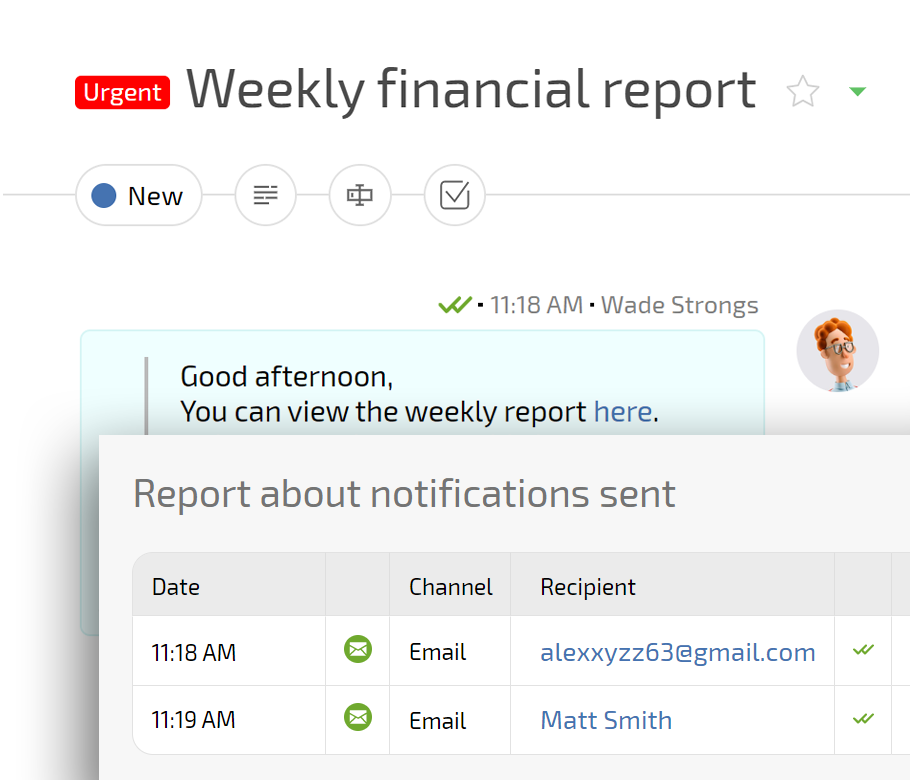
Planfix can ingest the same email inboxes, reuse your tags and statuses, and add Planner boards and AI agents on top so you gain control without a risky big bang switch or forcing teams to abandon familiar tools.

Replace Spreadsheets and Generic Ticket Tools — Ad Ops Teams - Campaign Tickets, Tags, Reporting

Replace Spreadsheets and Generic Ticket Tools

Spreadsheets and generic ticket tools scatter campaign details, tag changes, and report links. Planfix keeps every campaign, tag, decision, and report inside tasks, projects, and dashboards so operational work, approvals, and performance numbers stay aligned in one place.

Bring calm control to ad ops with Planfix

Start now
No credit card needed • Unlimited time on Free plan
Startup management with Planfix
FAQ

Use all of Planfix's features for 14 days, completely free of charge

Start now