Mass-production Furniture Manufacturing - Workstation Standards Rollout Planfix CRM and Project Management System

Mass-production Furniture Manufacturing - Workstation Standards Rollout

Capture a workstation standard change once, distribute it to every affected line and station, and prove that every step was completed.

Keep Every Rollout in One Workspace — Mass-production Furniture Manufacturing - Workstation Standards Rollout

Keep Every Rollout in One Workspace

Roll out workstation standards across multiple lines without losing versions or arguing about responsibilities. Planfix turns incoming requests into tasks, uses Planner with conditional lists, and applies status sets with transition rules so every station follows the same flow.

Capture the Change

Store the source standard, files, and approvals in a single task for the rollout owner.

Distribute to Stations

Use Planner conditional lists to route tasks to the right line, shift, or supervisor automatically.

Verify and Lock in

Status sets and checklists prove who applied the standard and when they completed verification.

Start with One Change — Mass-production Furniture Manufacturing - Workstation Standards Rollout

Start with One Change

Begin with a single standard change for one product group. Attach the standard, assign all stations through Planner, and let status rules guide them through apply, verify, done. Then reuse the template for the next rollout.

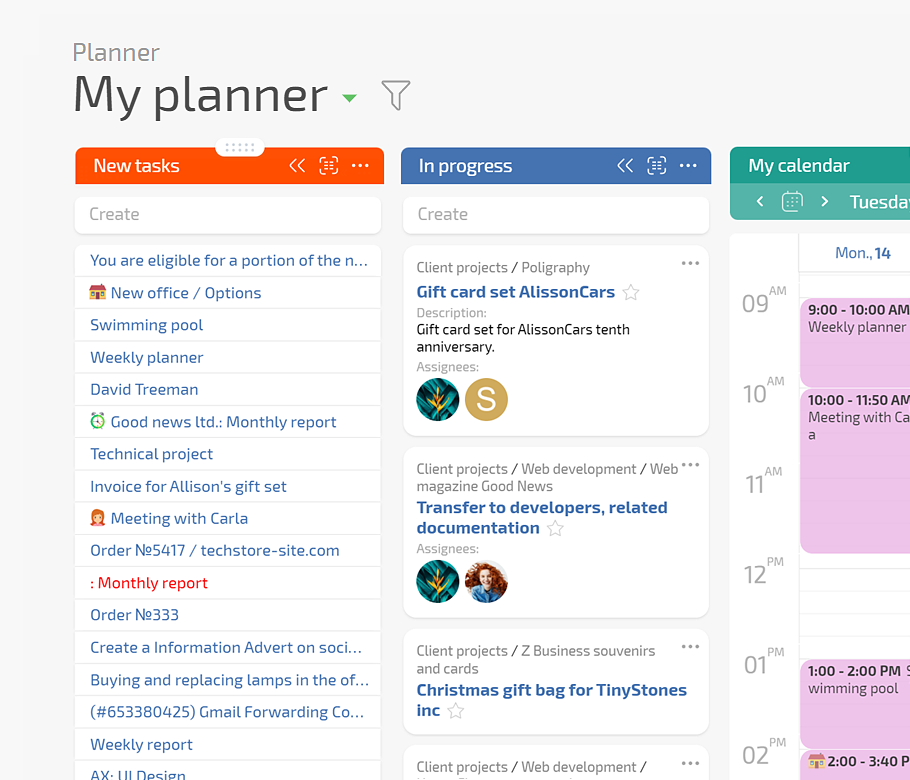
Rollout Board in Planner

Stations appear automatically when they match the rules so stakeholders see the real rollout.

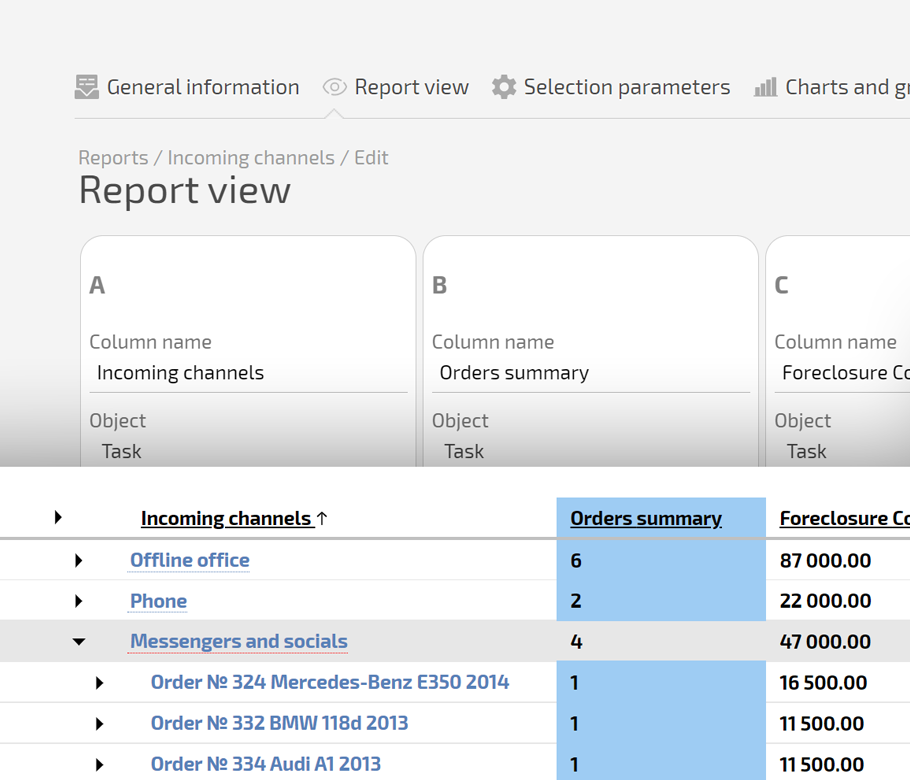
Project Totals Report

Show how many stations are done and which ones are stuck without manual spreadsheet updates.

One Task Per Change

Source standard, files, and approvals live together so engineering and quality see the same data.

Conditional Distribution

Planner routes tasks to the right station lead using conditions for line, shift, or plant.

Conditional Distribution — Mass-production Furniture Manufacturing - Workstation Standards Rollout

Execution Proof

Checklists, status sets, and performer names show when the station was updated and by whom.

Execution Proof — Mass-production Furniture Manufacturing - Workstation Standards Rollout

Reusable Setup

Use the same template and workflow for the next change without rebuilding the process.

Standards Get Lost in Email.
You want a controlled rollout instead of chasing supervisors.
You Wait for Line Reports.
You need visibility for plants, remote sites, and second shifts.
Audits Are Painful.
You must show when the change was applied and by whom.

1. Capture the Change

2. Distribute to All Stations

3. Execute and Prove

4. Report and Improve

1. Capture the Change — Mass-production Furniture Manufacturing - Workstation Standards Rollout

1. Capture the Change

Turn engineering or quality instruction into a task with attachments.
Define affected plants, lines, and stations to prevent under or over rollout.
Set the rollout workflow through status sets for a unified flow.
Set rollout statuses
2. Distribute to All Stations — Mass-production Furniture Manufacturing - Workstation Standards Rollout

2. Distribute to All Stations

Auto build lists in Planner per line, shift, or supervisor.
Assign deadlines that respect production calendars.
Notify remote teams through the Client’s Dashboard.
Client’s Dashboard
3. Execute and Prove — Mass-production Furniture Manufacturing - Workstation Standards Rollout

3. Execute and Prove

Supervisors mark checklists and upload photos as visual proof.
Quality verifies and moves status to done without skipping steps.
AI Summarizer keeps a short rollout brief in the task.
AI agents in Planfix
4. Report and Improve — Mass-production Furniture Manufacturing - Workstation Standards Rollout

4. Report and Improve

Use data tags to log time, issues, and small costs.
Project Totals show completed, pending, and blocked stations.
Share reports with plant management in real time.
Reporting in Planfix
Remove Rollout Barriers — Mass-production Furniture Manufacturing - Workstation Standards Rollout

Remove Rollout Barriers

Chats and emails make people skip steps and hide progress. Planfix turns messages into tasks, enforces status transitions, and shares tasks through the Client’s Dashboard so remote sites work in the same flow with only the fields they need.

Why This Beats Spreadsheets and Shared Folders — Mass-production Furniture Manufacturing - Workstation Standards Rollout

Why This Beats Spreadsheets and Shared Folders

Spreadsheets depend on manual updates. Generic task boards don’t auto populate. Planfix uses live tasks, conditional lists that update fields when you move a card, and Project Totals over real work so management sees actual rollout progress.

Standardize every workstation rollout in Planfix

Start now
No credit card needed • Unlimited time on Free plan

Connect Planfix to your production stack

Pull signals from channels, share tasks with remote teams, sync calendars for rollout slots.

See all integrations
FAQ

Use all of Planfix's features for 14 days, completely free of charge

Start now