Creative Production ( Print / Video Gear ) - Orders & Approvals Planfix CRM and Project Management System

Creative Production ( Print / Video Gear ) - Orders & Approvals

Run every creative production order in one governed workspace. Planfix captures the request from any channel, routes it to the right approver, and proves what was delivered.

Requests in One Queue — Creative Production ( Print / Video Gear ) - Orders & Approvals

Requests in One Queue

You get every brief, print run, rental, or vendor request as a structured task on the first try. It enters the correct approval flow. Vendors and internal teams work from the same record. You have proof of delivery before you pay.

Why This Matters — Creative Production ( Print / Video Gear ) - Orders & Approvals

Why This Matters

You stop losing requests in email and chat. You stop chasing approvals. You see production status before the shoot day. You pay suppliers only when the result is accepted. You can show management what was ordered by campaign or product line.
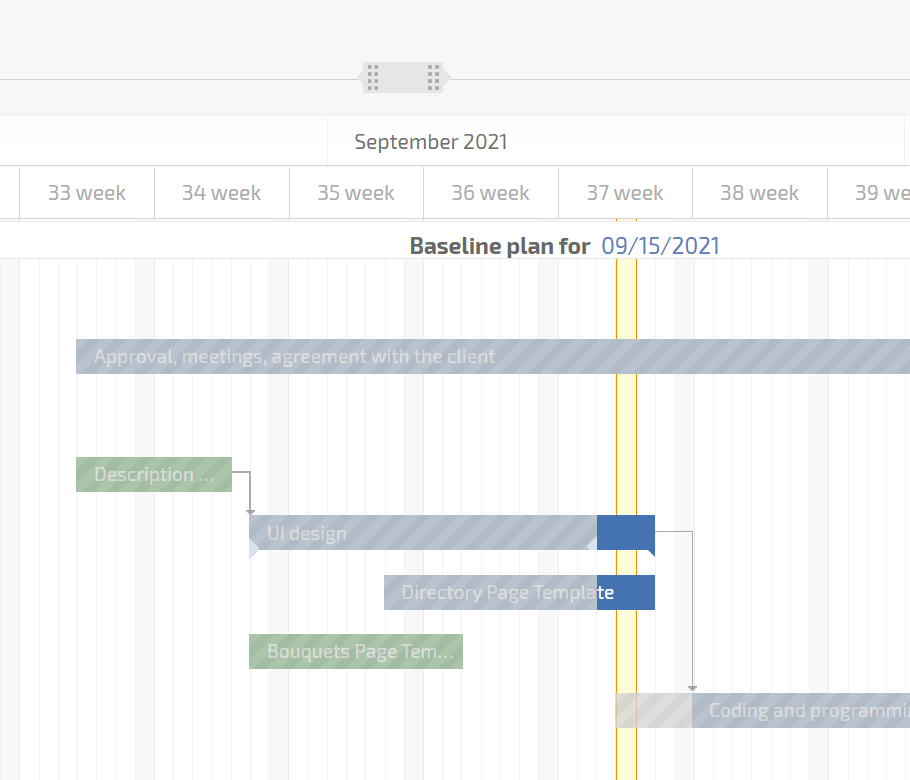
Conditional Planner Boards

Boards show orders by rules; dragging cards updates fields automatically.

Conditional Planner Boards — Creative Production ( Print / Video Gear ) - Orders & Approvals

Status Sets

Controlled lifecycle with transition rules for creative, print, and gear orders.

Client Dashboard

Approvers and guests can confirm requests without full onboarding.

Document Templates

Create POs and orders from task data in one click for vendors.

Document Templates — Creative Production ( Print / Video Gear ) - Orders & Approvals

1. Capture the Request

2. Clarify the Specs

3. Route for Approval

4–6. Vendor & Delivery

1. Capture the Request — Creative Production ( Print / Video Gear ) - Orders & Approvals

1. Capture the Request

Email, messenger, or form creates a task with requester and files.
Audit starts immediately in a governed record.
No creative order stays in an inbox.
Turn email into tasks
2. Clarify the Specs — Creative Production ( Print / Video Gear ) - Orders & Approvals

2. Clarify the Specs

Custom fields for format, quantity, finish, delivery date.
AI Dataminer puts data from text into fields.
Vendors can produce without calls.
Data capture
3. Route for Approval — Creative Production ( Print / Video Gear ) - Orders & Approvals

3. Route for Approval

Status rules pick approver by amount or department.
Approvers use Client Dashboard or restricted UI.
Clean audit trail for finance.
Approvals for guests
4–6. Vendor & Delivery — Creative Production ( Print / Video Gear ) - Orders & Approvals

4–6. Vendor & Delivery

Use vendor directories and templates for POs.
Planner shows production, delivery, approval.
Status Approved releases payment.
Vendor directories
Value for Each Role — Creative Production ( Print / Video Gear ) - Orders & Approvals

Value for Each Role

Capturing teams get every order as a task. Approvers see only what they must approve. Production sees progress, files, and delivery dates. Finance and reporting get costs, vendors, and outcomes logged with data tags and project totals.

Many Channels

All print and gear requests go to one queue and one process.

Waiting for Signoff

Reminders and calendars protect shoot days and delivery dates.

Pay with Proof

Photos and notes from mobile confirm delivery before payment.

Reporting and Control — Creative Production ( Print / Video Gear ) - Orders & Approvals

Reporting and Control

All orders for print, wide format, promo, props, and video gear live in one place. Approvals are fast and visible. Finance sees real costs per campaign. Management sees throughput and vendor performance by month.

Why Planfix Instead of Manual Tools — Creative Production ( Print / Video Gear ) - Orders & Approvals

Why Planfix Instead of Manual Tools

Shared mailboxes become structured tasks with statuses and approvals. Generic boards become conditional Planner lists that update fields on move. Spreadsheets and ad hoc POs become document templates, data tags for costs, and project totals in real time.

Vendor Directories

Keep approved suppliers in one place and insert them into orders.

Document Flow

Generate POs, attach proofs, and keep all files by order.

Data Tags

Log costs, vendors, and outcomes for reporting and approvals.

Fast, traceable creative ordering across teams

Start now
No credit card needed • Unlimited time on Free plan
FAQ

Use all of Planfix's features for 14 days, completely free of charge

Start now