
Access to data tags
From Planfix
To designate data tag access, you need to go to the Account Management — Data tags and select the desired data tag. Then, in the Data tag permissions tab, set which employees and customers should be able to add or view this kind of data tag:
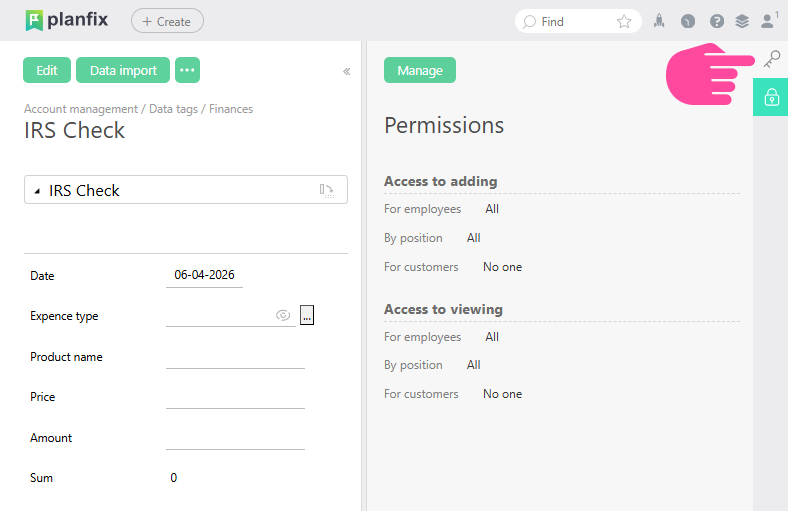
By default, all employees can add and view data tags, and no customers have either ability.
Important
- Access to a data tag affects its visibility both in tasks as well as in reports: if an employee doesn't have access to view a certain type of data tag, they won't see any lines with this data tag in any report.