
Omnichannel Customer Communication: No Lost Leads
Omnichannel customer communication in Planfix: bring WhatsApp, Telegram, Viber, email and forms into one window so no lead or client chat gets lost.

AI Business Process Automation: A Video Guide
AI business process automation in Planfix: build a workspace from a text request, add AI agents to tasks, let AI summarize discussions and extract data.
How to Schedule Recurring Tasks and Automate Routine Work
3-minute video + steps: schedule recurring tasks in Planfix, repeat them on the first business day of the month and see future workload in the calendar.

How to Mention Team Members in Task Comments
How to mention team members in task comments in Planfix: notify a whole department, leave personal notes, and hide comments to cut notification noise.

Task Search in Planfix: Find, Filter, Sort Tasks
Task search in Planfix, step by step: find a task by keyword, narrow the list with filters, sort tasks by last comment and search inside the Planner.

Planfix Bulk Employee Registration via Self-Registration Link
Do you remember adding your first employees to Planfix? At the beginning, it probably felt quick and easy. You simply entered their first name, last name, email, and…

AI Knowledge Base in Planfix: Smart Assistant for Customer Answers
Manual libraries of canned responses are officially a thing of the past. With the latest update, the Planfix AI assistant can now work directly with your company's…

CRM Workflow Automation: Reduce Human Error
Set up CRM workflow automation in Planfix: scripts email customers, update deal stages and alert managers; buttons replace manual chains. Watch the video.
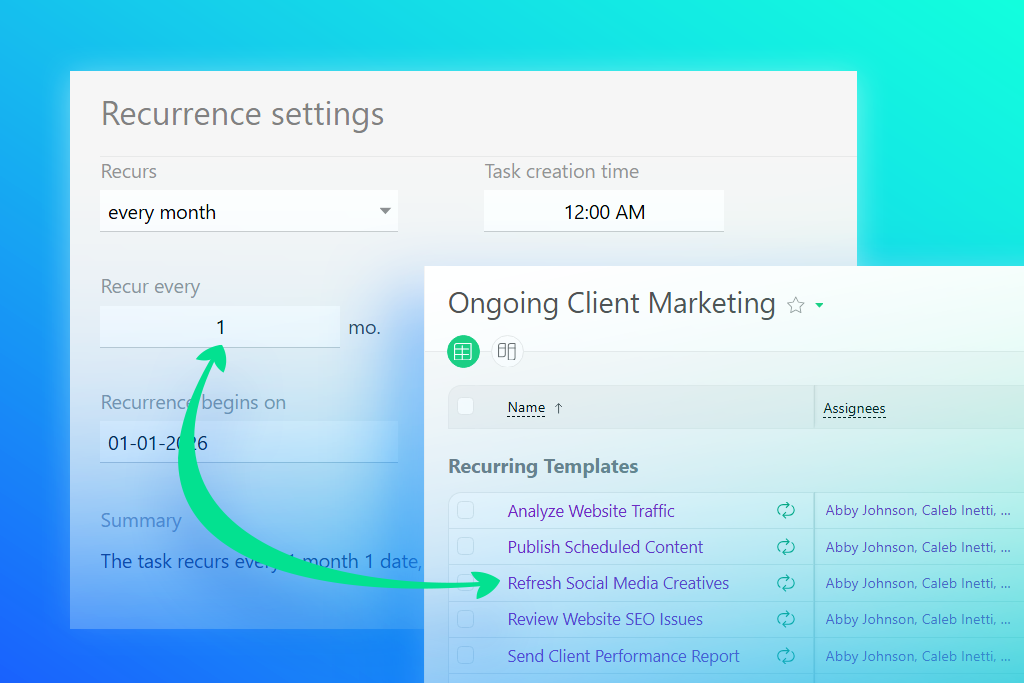
Recurring Tasks in Project Templates for Workflow Automation
Planfix now includes an option that completely changes how teams manage recurring processes. Simply add recurring tasks directly to project templates, and the system…

How to Create a Successful CRM Strategy: Easy Steps
A CRM strategy defines exactly who owns each lead, how fast the team responds, when follow-ups happen, and how results are measured. It is not the software — it is the…

What’s New in Planfix: June 2026
June may be over, but our efforts to improve Planfix are just getting into full swing. Check out our latest updates and improvements to optimize your workflow even more…

Time and Expense Tracking in Tasks with Data Tags
Time and expense tracking inside Planfix tasks: set up data tags for costs and labor hours, limit who sees financial data and feed entries into reports.