The Planfix team is committed to offering convenient services to our customers, many of whom are entrepreneurs passionate about what they do. Given the importance of…

Excel calculates time by subtracting one time value from another and formatting the result as time – and date differences work the same way, using the serial day numbers…
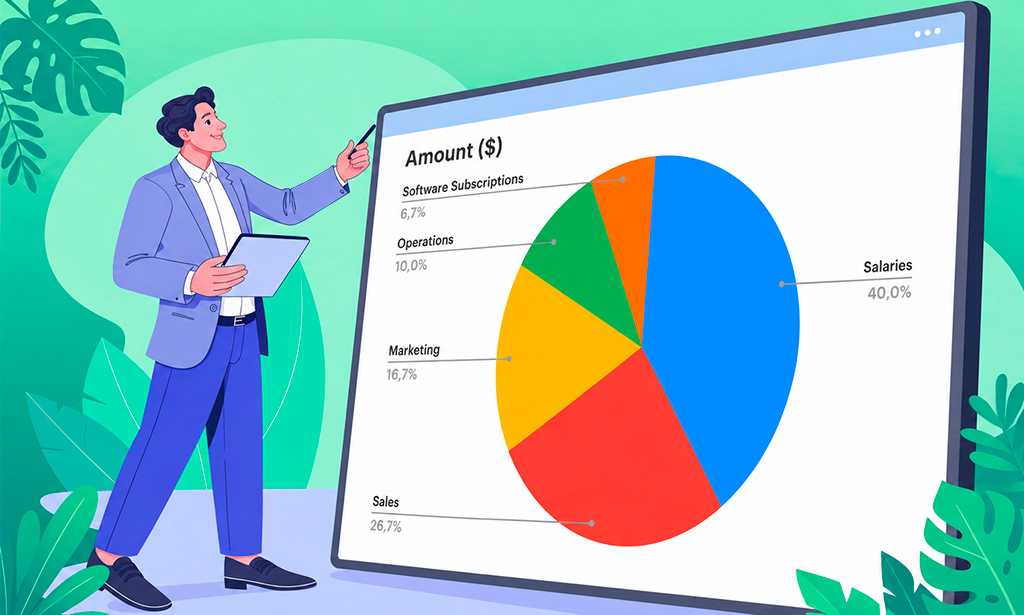
Excel makes it easy to store business data, but a spreadsheet full of numbers is not always easy to present. When you're preparing a report, you often need a way to show…

3-minute video + steps: make reports more informative in Planfix — pick the object, group the rows, calculate columns with formulas and export the result.

A 6-minute video and steps: see why teams stop trying to manage tasks in Excel, and set up reminders, deadlines, checklists, chat and workload in Planfix.
Planfix works with Excel in three ways: reports export to XLSX, CSV or Google Sheets, Excel and Word forms become document templates filled with task data, and the Microsoft 365 integration lets a team co-edit files. The articles include plain Excel tutorials, a Gantt chart built in Excel and cases where a Planfix report can replace a formula.