Removing a link between accounts
If you no longer want to use a link between accounts:
- Go to your personal profile and delete the link in the Linked accounts tab:
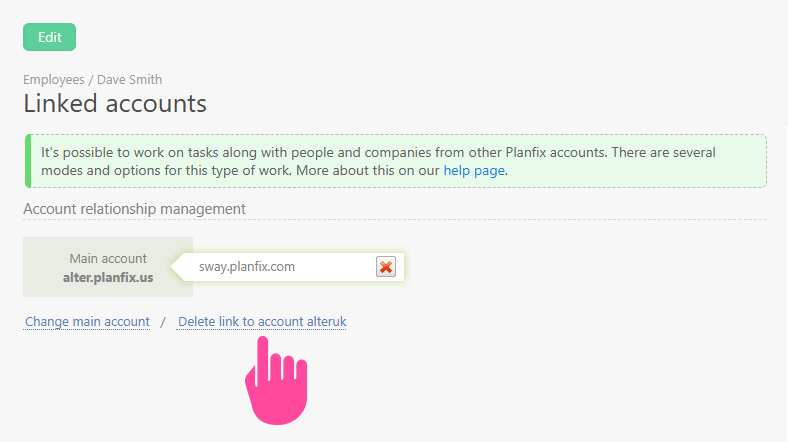
Important: Deleting a link will not delete the information transferred via the link at an earlier date. You will only stop future information transfer.
Removing the link between accounts for individual tasks
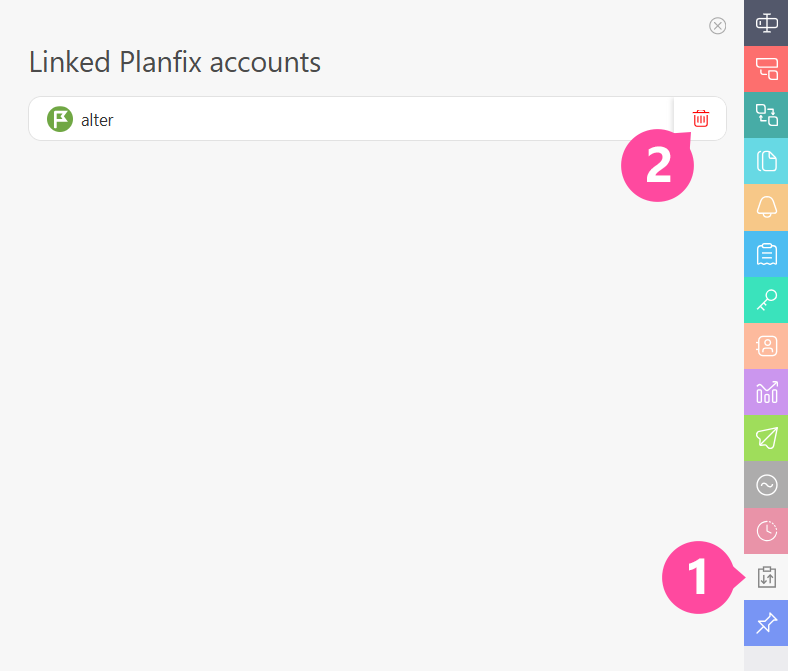
Tasks created via an account link contain an additional panel called Linked accounts. This panel shows the name (s) of the account(s) linked to the current account that contain a copy of this task. Users with editing rights for this task Removing the account link by clicking the recycle bin icon:
Additional info
- Information about the task that was transferred at an earlier date remains in the linked account;
- Contacts from the linked account are removed from the task;
- Contacts from the current task are removed from the task in the linked account.
No new comments or files added in your account will be added to the linked account, and vice versa.
This is useful when a link was established between accounts by mistake, for example, by adding the wrong user to a task.