
Modified and Current tasks in scripts actions
From Planfix
It's common to see scripts with actions that refer to a modified and a current task, so it's important to understand what each term means.
- The Current task is the task where the event occurred that triggered the script.
- The Modified task is the task that was selected to be modified. This could be the Current task, or a different task chosen in the action's settings.
Examples
1. The task in which the script was triggered is modified, so the Modified task is the same as the Current task:
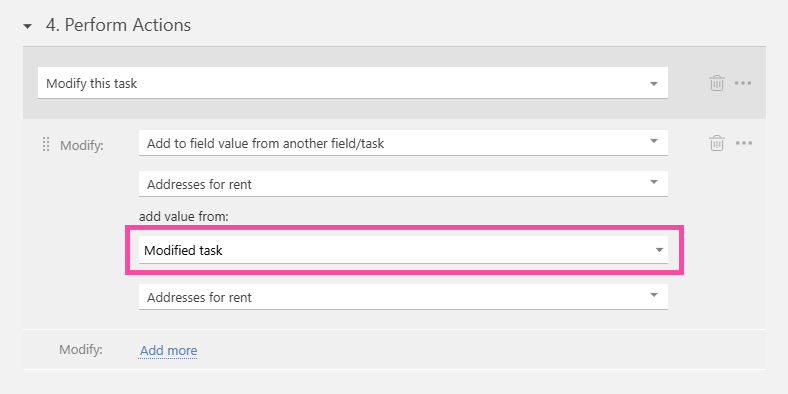
Accordingly, the result of the action will be the same as in the case shown in the screenshot below:
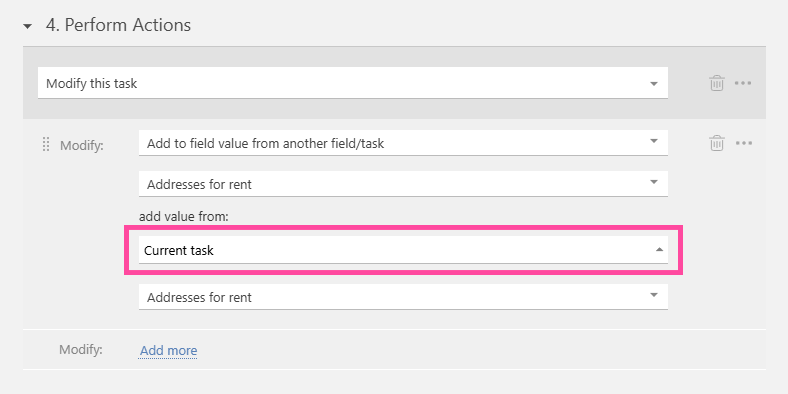
2. A different task is modified from the original task. Here, the Modified task is the parent task of the Current task:
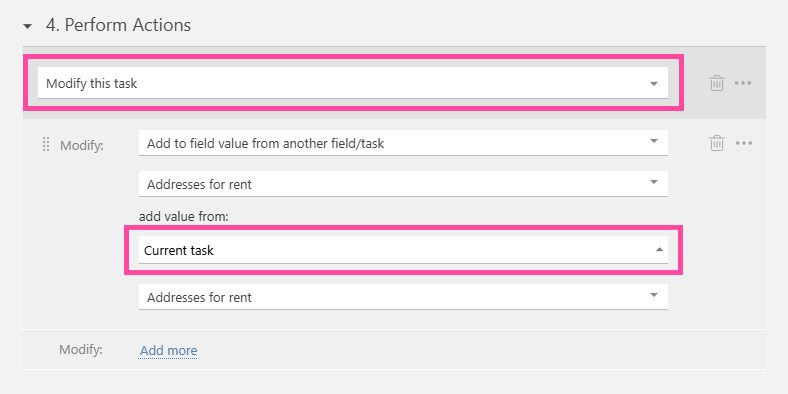
As a result of this action, the "Addresses for rent" field in the parent task of the current task (the Modified task) will be filled with the value from the "Addresses for rent" field of the task with the event that triggered the script (the Current task).