Migration of a phone number from another Solution Partner
Before starting the migration make sure that:
- Your business is verified.
- If you are moving the number into an existing WABA account, a payment method must be added to it.
Migration process
- Go to the link.
- Find the source WABA account and the phone number you plan to migrate, and disable 2FA (two-step verification).
- Go to Account management — Integrations — Messengers — WhatsApp Business — Link.
- Select an existing or create a new WABA account, add the phone number:
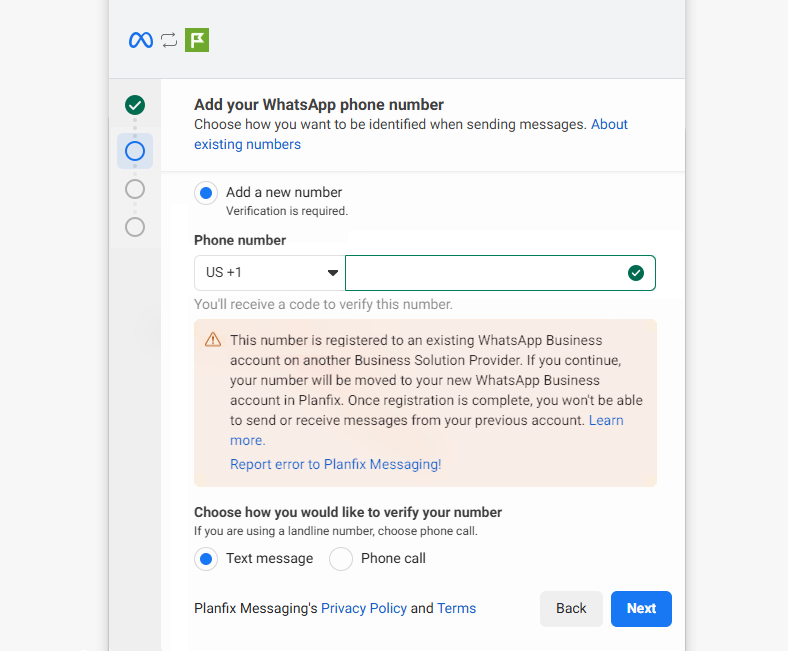
If you created a new WABA account
- Add a payment method using the button.
- After that return to Planfix and refresh the authorization token in the integration settings.
- Repeat the number connection steps, this time selecting the existing account and the existing number.
Important
- Without a payment method added to the WABA, the number migration does not complete fully — the number remains in Pending status.
- If the number was connected via a third-party provider, the integration in Planfix must be disabled.
- Tasks created through the old integration must be completed.