
How the number of automations is calculated
Automations include:
- scripts
- buttons
- webhooks
- email rules
The count is calculated for the current month.
You can view full automation statistics in Account management — Log — Automation statistics:
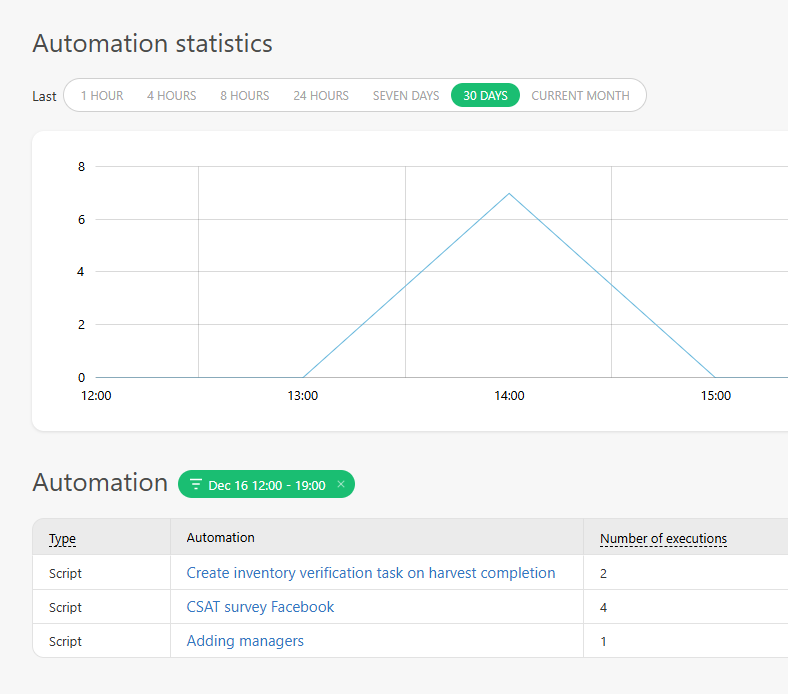
How automations are counted
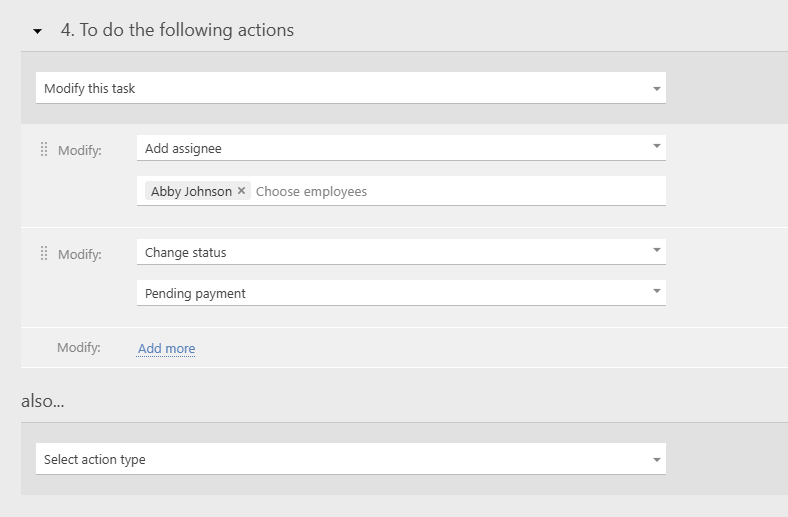
- The script above has one automation: "Modify this task." Within it, there are two actions: "Change status" and "Add assignee."
- If the script is executed 15 times a month, it has 15 actions.
- These 15 automations are included in the automation statistics.
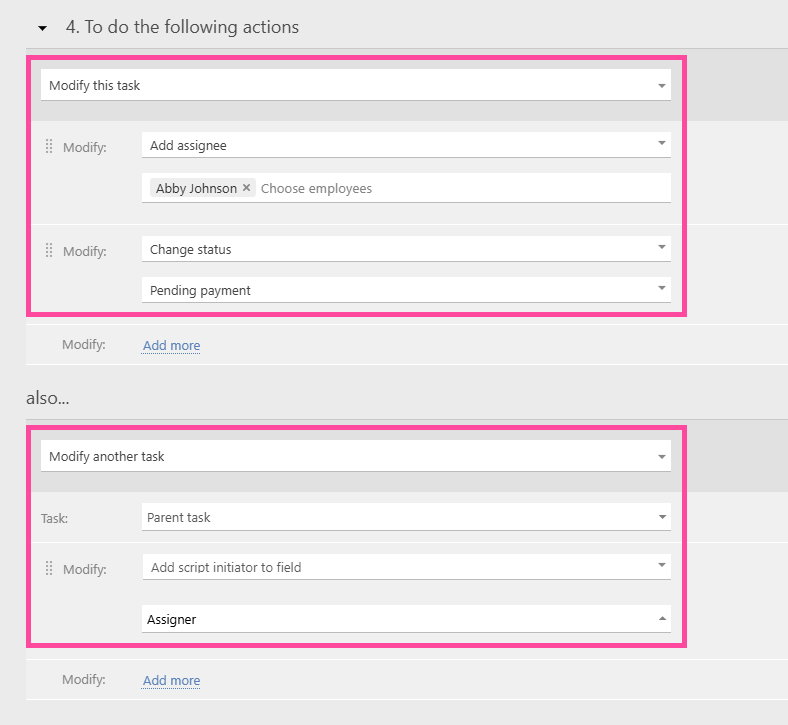
- In this example, there are two automations: "Modify this task" and "Modify another task." These automations contain three actions within: "Change status," "Add assignee," and "Add script initiator to field."
- Over the course of a month, the automation was triggered 15 times, which means 15 × 2 = 30 automations.
- These 30 automations are included in the automation statistics.
Bulk changes
Each change or creation counts as an individual automation for scripts that modify or create multiple tasks or data tag entries.
Example:
- A script is executed once.
- It has a single automation: modify other tasks.
- If this automation changes 150 tasks at once, 150 automations are displayed in the chart and in the automation statistics.
Additional bonuses
Usage bonus
This bonus is added to the account’s monthly limit. It is applied automatically on the day after the highest single spike in the number of automations used in the account during the month. The bonus lets you avoid increasing your standard limits after a one-time surge and continue normal system usage. It also covers many cases of one-off system load, regardless of the reason.
Partner bonus
Adding a partner account to your account doubles the limit. For example, if your account has a limit of 10,000 automations, adding a partner account automatically grants a partner bonus of 20,000 automations. As a result, the total number of automations available in the account becomes 30,000.
Important
- Automation statistics are stored in the system for the last 90 days.