Qabıldaw jäne bas tartw batırmaları
When a task has the status New, it contains Accept and Decline buttons for assignees. These buttons allow the assignee to accept or decline the task:
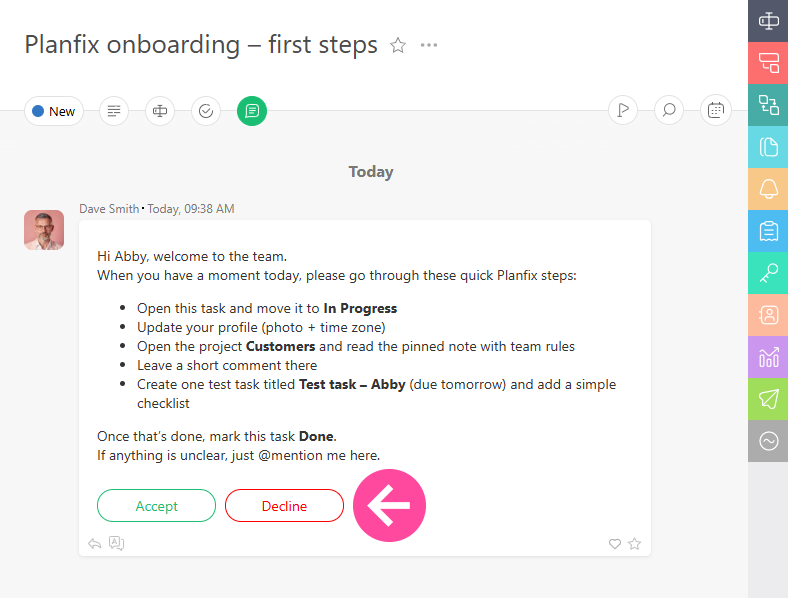
These are system buttons, so their text and behavior cannot be modified:
- Clicking the Accept button changes a task's status to In progress (by default) or to a different status is specified in the settings of the status set.
- Clicking the Decline button will open a text field where you can explain why you are declining the task:
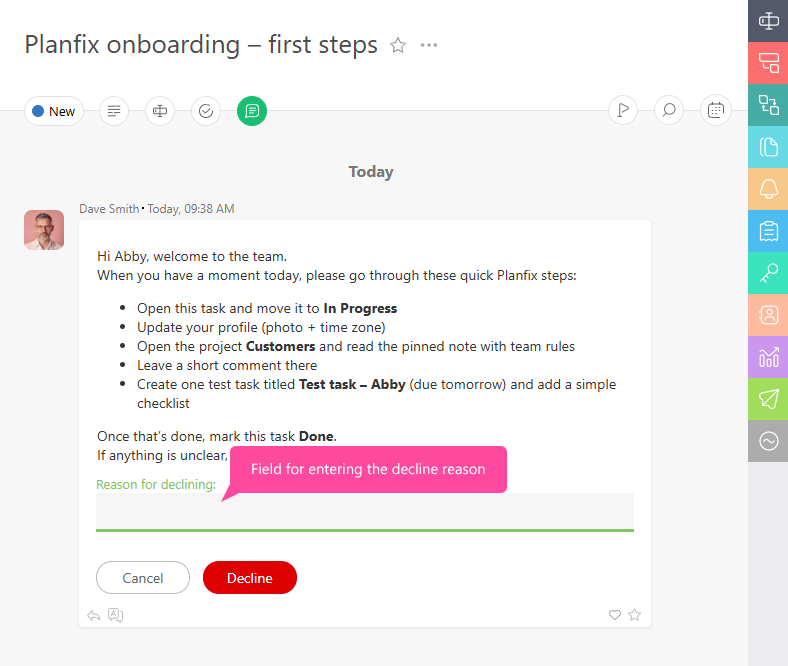
Your reason will be sent to the task assigner. If a task is declined, the assigner must make any necessary changes to it and change the status back to New so the assignee can accept it.
Qosımşa aqparat
- Jüýelik batırmalar Accept jäne Decline jaña tapsırmalarda tapsırmadağı basqa barlıq batırmalardan burın körsetiledi, sonıñ işinde Custom Buttons, olar process-ke qosılğan bolwı mümkin.
- New küýindegi tapsırmalardı birneşe täsilmen konfïgwracïyalawğa boladı. Osı konfïgwracïyalardıñ biri — Accept batırması basılğanda tapsırmanıñ qandaý küýge awısatının ornatw.
- Eger Accept jäne Decline batırmalarınıñ logïkası sizdiñ qajettilikteriñizge saý kelmese, öz procesiñizdiñ küý jïıntığınan New küýin alıp tastañız da, onı basqa küýge awıstırıñız. Sodan keýin qajetti logïkası bar buttons qosıp, olardıñ jaña küýdegi körinisin baptañız.