قابىلداۋ جانە باس تارتۋ باتىرمالارى
When a task has the status New، it contains Accept and Decline buttons for assignees. These buttons allow the assignee to accept or decline the task:
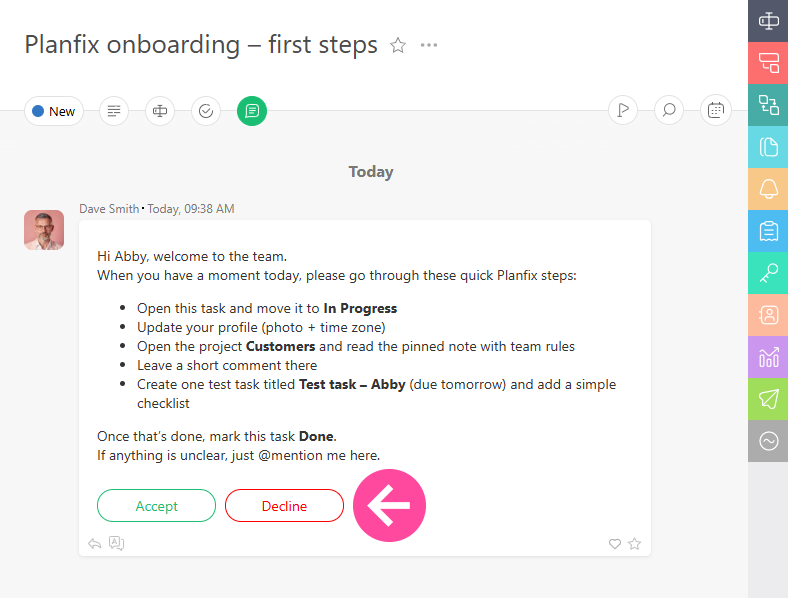
These are system buttons، so their text and behavior cannot be modified:
- Clicking the Accept button changes a task's status to In progress (by default) or to a different status is specified in the settings of the status set.
- Clicking the Decline button will open a text field where you can explain why you are declining the task:
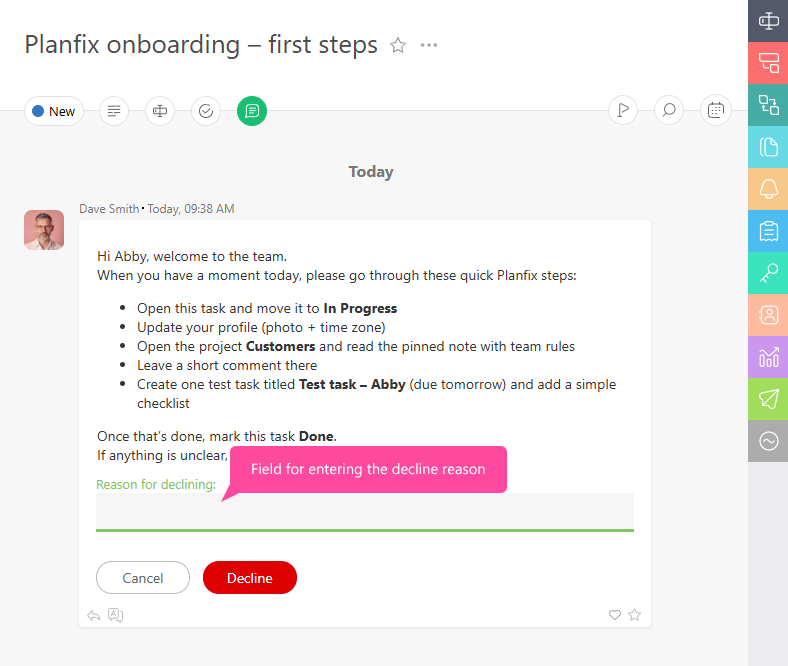
Your reason will be sent to the task assigner. If a task is declined، the assigner must make any necessary changes to it and change the status back to New so the assignee can accept it.
قوسىمشا اقپارات
- جۇيەلىك باتىرمالار Accept جانە Decline جاڭا تاپسىرمالاردا تاپسىرماداعى باسقا بارلىق باتىرمالاردان بۇرىن كورسەتىلەدى، سونىڭ ىشىندە Custom Buttons، ولار process-كە قوسىلعان بولۋى مۇمكىن.
- New كۇيىندەگى تاپسىرمالاردى بىرنەشە تاسىلمەن كونفىيگۋراتسىييالاۋعا بولادى. وسى كونفىيگۋراتسىييالاردىڭ ٴبىرى — Accept باتىرماسى باسىلعاندا تاپسىرمانىڭ قانداي كۇيگە اۋىساتىنىن ورناتۋ.
- ەگەر Accept جانە Decline باتىرمالارىنىڭ لوگىيكاسى ٴسىزدىڭ قاجەتتىلىكتەرىڭىزگە ساي كەلمەسە، ٴوز پروتسەسىڭىزدىڭ كۇي جىيىنتىعىنان New كۇيىن الىپ تاستاڭىز دا، ونى باسقا كۇيگە اۋىستىرىڭىز. سودان كەيىن قاجەتتى لوگىيكاسى بار buttons قوسىپ، ولاردىڭ جاڭا كۇيدەگى كورىنىسىن باپتاڭىز.