Қабылдау және бас тарту батырмалары
When a task has the status New, it contains Accept and Decline buttons for assignees. These buttons allow the assignee to accept or decline the task:
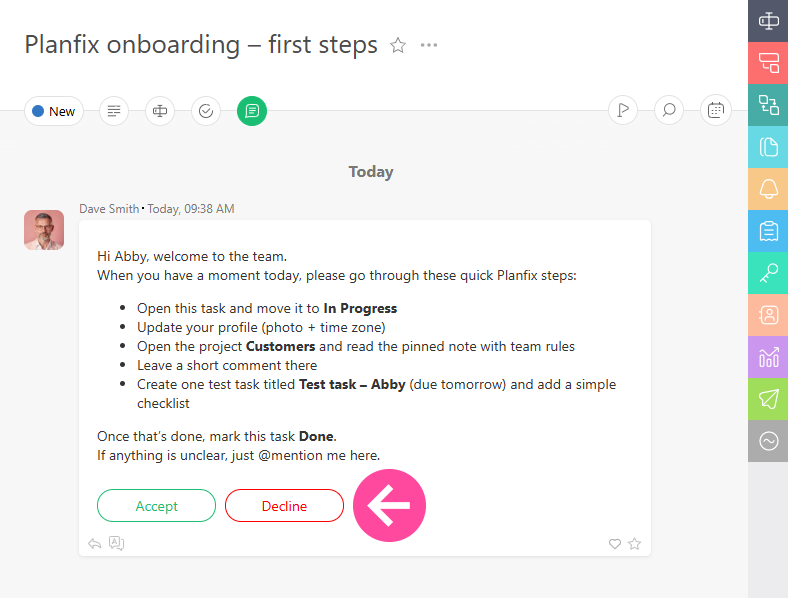
These are system buttons, so their text and behavior cannot be modified:
- Clicking the Accept button changes a task's status to In progress (by default) or to a different status is specified in the settings of the status set.
- Clicking the Decline button will open a text field where you can explain why you are declining the task:
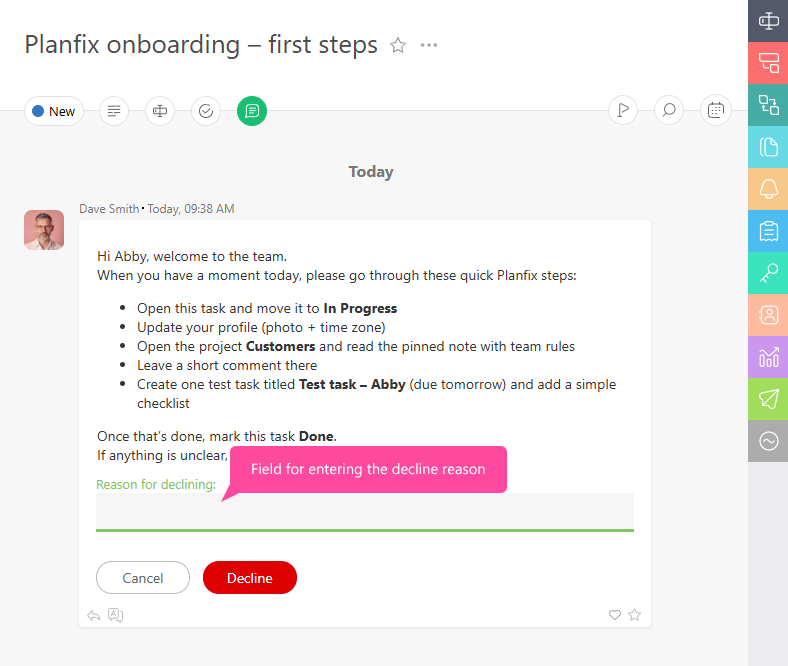
Your reason will be sent to the task assigner. If a task is declined, the assigner must make any necessary changes to it and change the status back to New so the assignee can accept it.
Қосымша ақпарат
- Жүйелік батырмалар Accept және Decline жаңа тапсырмаларда тапсырмадағы басқа барлық батырмалардан бұрын көрсетіледі, соның ішінде Custom Buttons, олар process-ке қосылған болуы мүмкін.
- New күйіндегі тапсырмаларды бірнеше тәсілмен конфигурациялауға болады. Осы конфигурациялардың бірі — Accept батырмасы басылғанда тапсырманың қандай күйге ауысатынын орнату.
- Егер Accept және Decline батырмаларының логикасы сіздің қажеттіліктеріңізге сай келмесе, өз процесіңіздің күй жиынтығынан New күйін алып тастаңыз да, оны басқа күйге ауыстырыңыз. Содан кейін қажетті логикасы бар buttons қосып, олардың жаңа күйдегі көрінісін баптаңыз.