Relationship between Contacts and Tasks
Any contact can be either a counterparty or a participant in a task:
- Counterparty — a person or company who is on the receiving end of the task (the customer, contractor, etc.)
- Participant — a contact with a role in the task (assignee, participant, assigner, auditor, etc.)
Contact cards include two settings that determine whether a contact appears as a counterparty or participant:
- Show in list for choosing task participants
- Show in list for choosing task counterparties
They are configured in the contact template in the Access to contact section — enabling these settings affects the contact's appearance in the counterparties and participants lists of a task. They determine whether a contact is displayed in the counterparty and task participant lists.
Displaying tasks in contact cards
On the main screen of a contact card, the tasks linked to the contact are displayed:
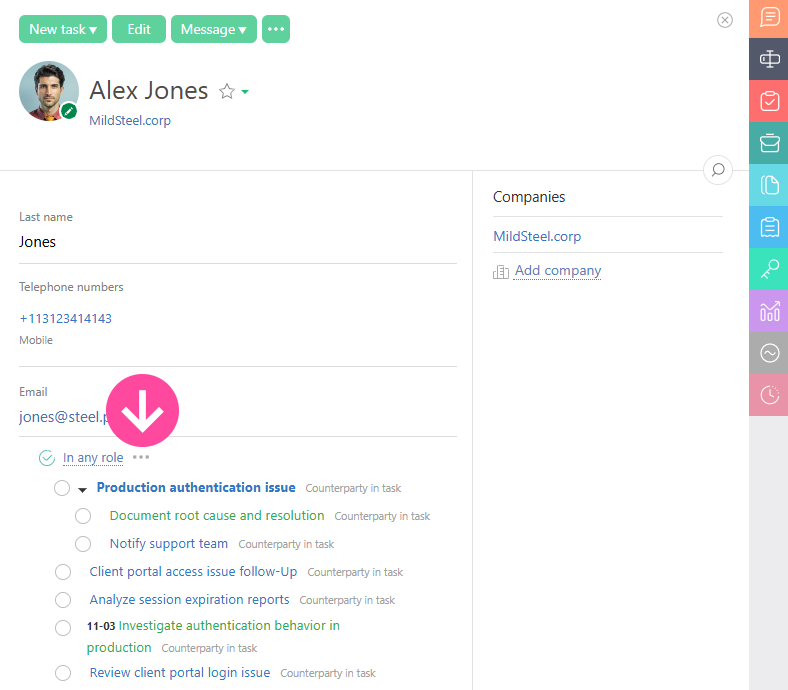
If there are many tasks, only some of them will be displayed on the main screen, the full list of Tasks is displayed on the additional "Tasks" panel in the contact card:
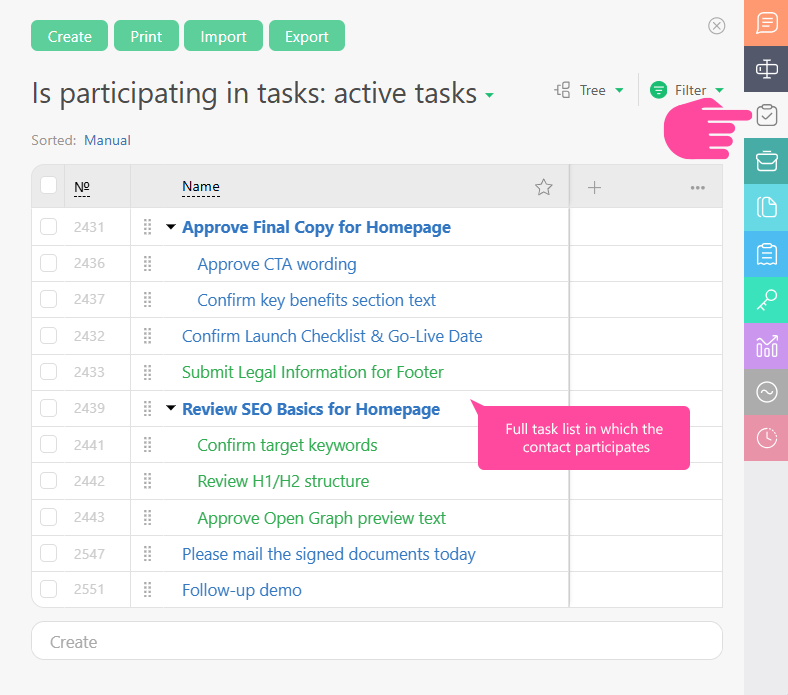
Here you can also switch between the standard filters for the contact's tasks and see the list of tasks in which the contact acts in a different role. To do this, click the header of the task list and select the required contact role from the dropdown menu.