Hourly calendar
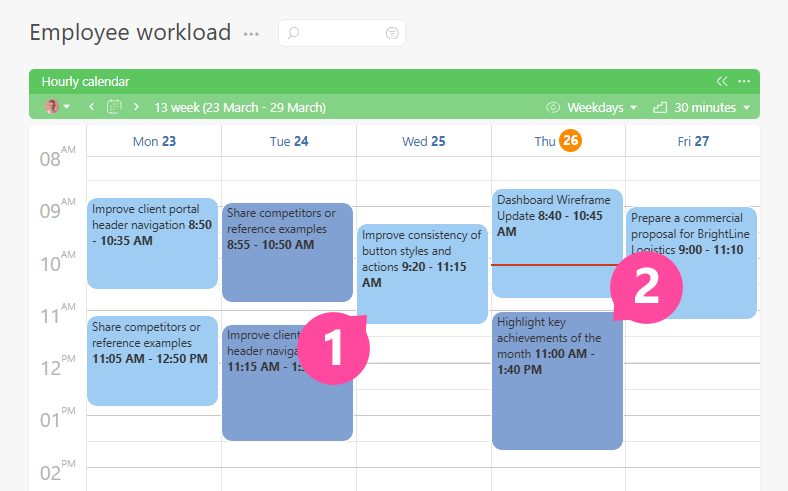
In the Hourly calendar display view (often called the "hourly block") data tags are displayed that contain a Time period field. Examples of such data tags are the standard Planfix data tags Planned and Actual working time.
Settings for "Hourly calendar" lists
In the "Display data" section of the list settings, you can choose which data tags are shown.
Task dates
The first item in the "Display data" list is "Task dates". If you select it, the hourly calendar will show tasks themselves — by their start and due date and time. Tasks longer than one day are not shown in the hourly calendar. The color for the "Task dates" item is set the same way as for data tags and is stored separately from the filter color.
Different data tags
A single list can display data tags of several types at once. Each type of data tag will be shown in a different color, which you can also set yourself.
In addition, the list settings include the following options:
- Type of objects displayed in a list
- Object selection parameters
- Calendar grid settings
- Link for exporting a calendar in iCal format
- Google Contacts sync block
- List heading color
- Use full form setting
- Automatically collapse empty lists setting
- Task/contact card display
Useful information
- Using the hourly block of the Planner
- Determine the workload of employees without having access to their tasks
- A special case of the hourly calendar is the Reminder calendar, which allows you to display notifications that you have received or will receive in the future.
- Using the hourly calendar, you can organize company resource management, for example, meeting rooms.