Unread event count
Planfix shows how many new events you haven’t read yet:
- Total count — on the browser tab where Planfix is open
- Per task — in the Chronicle
The counter helps you stick to the main rule: A good Chronicle is an empty Chronicle.
If you need to reset the event counter, use the special menu option:
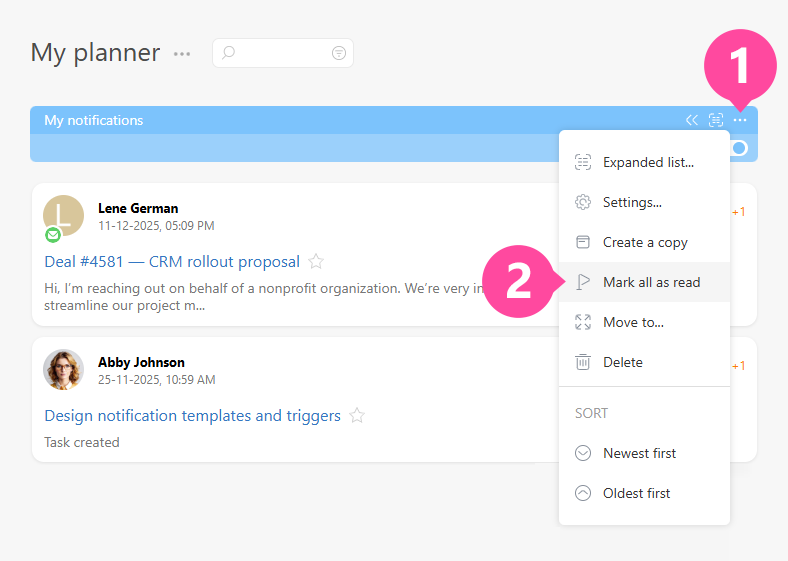
Note
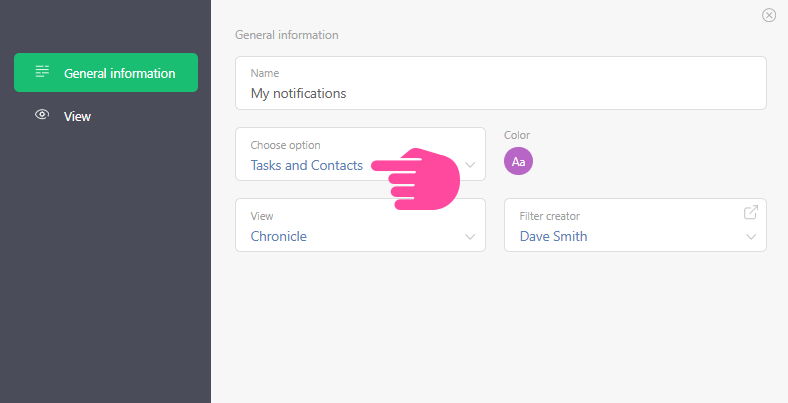
- The counter tracks events that are related to both tasks and contacts. You can configure the Chronicle for tasks and contacts separately to ensure the counter readings are displayed correctly. Another option is to use the Chronicle settings for both tasks and contacts:
Additional features
- In user's card settings you can disable the browser tab unread event count.