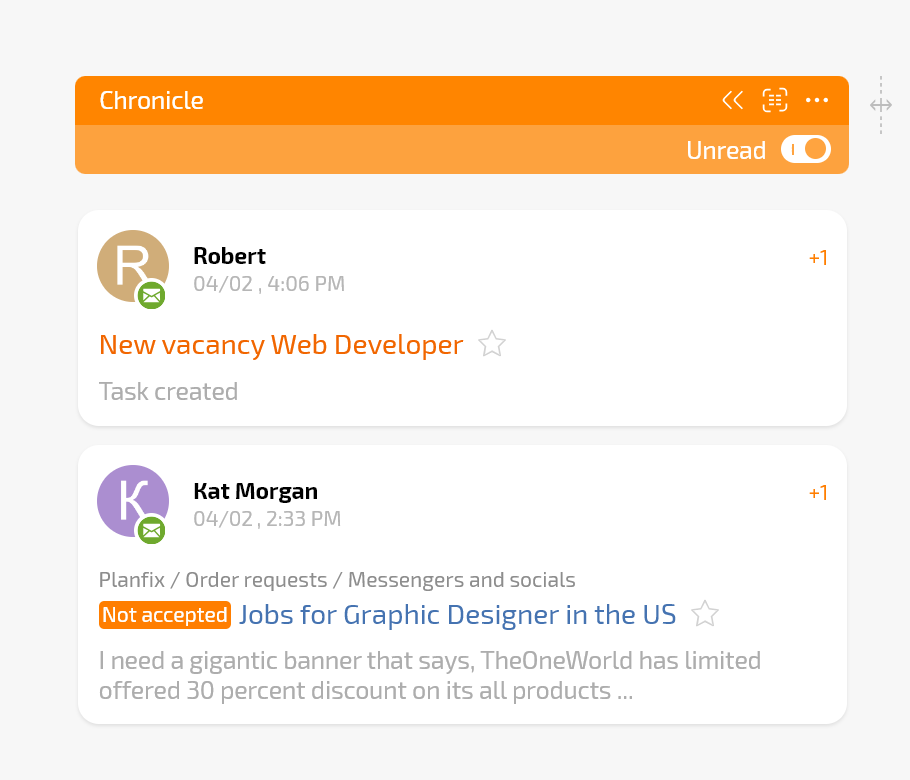
Manage Priority Messages
Chronicle is a display view for Planfix planners that helps you receive notifications based on parameters you set. This could be notifications for specific tasks or from specific employees or contacts.
Chronicle is a display view for Planfix planners that helps you receive notifications based on parameters you set. This could be notifications for specific tasks or from specific employees or contacts.

STAY UP TO DATE
You alone determine which events are displayed in Chronicle. Set up notifications for tasks, contacts, or projects, or combine them all together so you don't miss anything important.

DATA AT HAND
Receive notifications in Chronicle so you can react in a timely manner: respond to emails, receive tickets, process requests, set reminders, or add tasks to your favorites.

Structure your work on projects. Set up planners for yourself and your teams within one or more projects to receive relevant notifications and efficiently delegate your work over the course of a workday.