
Retail businesses, from small shops to large chains, require efficient tools to manage operations, track sales, and engage customers. The best retail management software streamlines tasks and enables retailers to focus on growth. Whether you’re running a boutique or an online store, choosing the best software for retail business can significantly improve efficiency and profitability. This guide explores 10 top retail management solutions, highlighting their features, pricing, and benefits to help you find the best retail software for small business.
Why Do You Need Management System Software for Your Retail Store
Retail management software is a comprehensive toolset designed to handle the core operations of a retail business, including inventory tracking, sales processing, customer management, and reporting. Unlike standalone tools these platforms integrate multiple functions into a single system, providing a centralized hub for managing daily tasks. They often include features like CRM, inventory control, and analytics, tailored to the needs of retail stores, both physical and online.
The need for such software stems from the complexity of retail operations. Managing stock levels, processing transactions, and maintaining customer relationships manually can lead to errors and inefficiencies. Retail management software automates these tasks, ensuring accuracy and saving time. For small businesses seeking the best software for retail shop, it offers scalability, while larger retailers benefit from advanced integrations and analytics. By adopting the best retail CRM management system, businesses can optimize operations and enhance customer experiences.
Benefits of Using Retail Management System Software
Retail management software provides tools to streamline operations and improve customer satisfaction. These platforms are essential for retailers seeking the best retail software systems to stay competitive. Below are key benefits of implementing such a system.
- Unified Operations: Centralize inventory, sales, and customer data for easy access and management across multiple channels.
- Inventory Control: Track stock levels in real-time, receive low-stock alerts, and manage reordering to prevent overstocking or shortages.
- Efficient Sales Processing: Integrate with best software for retail store to process transactions quickly and securely, improving checkout experiences.
- Customer Relationship Management: Store customer data and purchase history to personalize marketing and build loyalty, aligning with the best CRM for retail stores.
- Automation of Tasks: Automate repetitive tasks like inventory updates, email campaigns, and employee scheduling with best retail automation software.
- Data-Driven Insights: Generate reports on sales trends, inventory turnover, and customer behavior to inform strategic decisions.
By leveraging these benefits, retailers can reduce manual work, enhance efficiency, and focus on growth. The best retail management system software empowers businesses to deliver seamless customer experiences while optimizing operations.
Top 10 Retail Management Software Solutions
Below is a detailed overview of 10 of the best retail software options, starting with Planfix, a versatile platform that stands out for its all-in-one approach.
1. Planfix
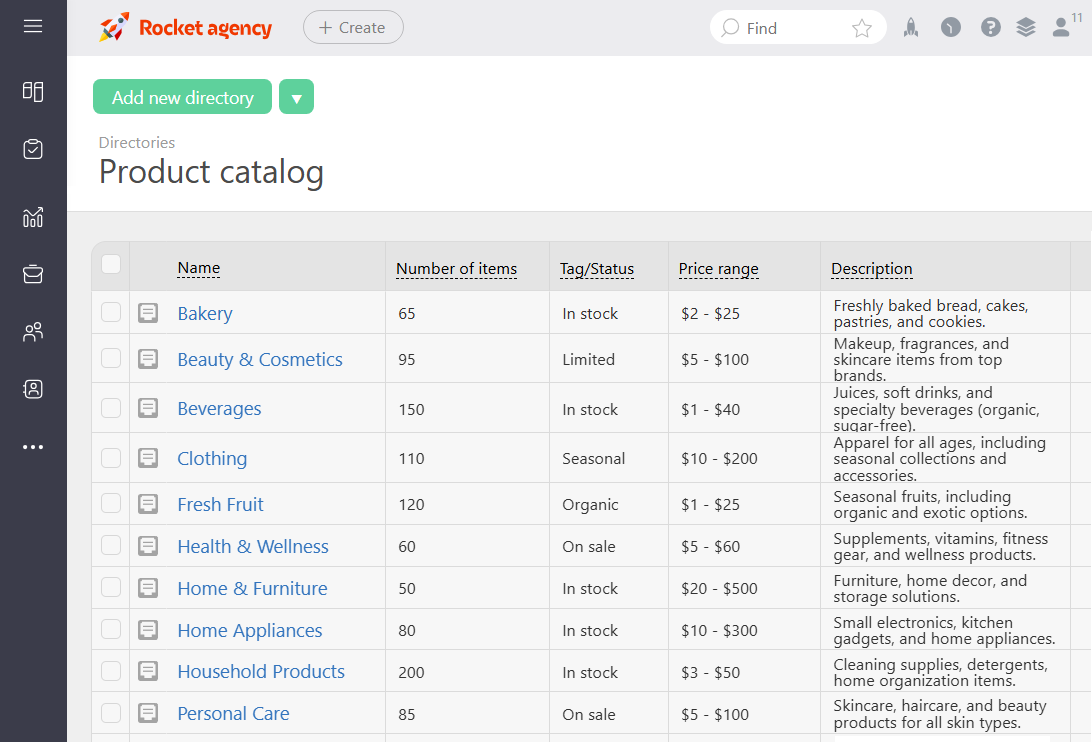
Source: https://planfix.com/
Planfix is a versatile, all-in-one platform that redefines retail management by integrating best retail management software, CRM, task management, and project management into a single, customizable system. Designed for retailers ranging from small shops to large chains, Planfix streamlines operations, enhances customer engagement, and boosts team collaboration. Its unique approach goes beyond traditional retail software, offering tools to manage inventory, automate workflows, and track financials, making it a top choice for the best software for small retail business. Planfix’s flexibility ensures it adapts to the specific needs of any retail operation, whether managing a single store or coordinating multiple locations.
Planfix Overview and Features
Planfix stands out as a comprehensive solution among best retail software systems, providing a robust set of tools to manage every aspect of retail operations. Its customizable workflows and integrations make it ideal for retailers seeking the best retail management system. Here’s what Planfix offers:
- Task Management: Assign tasks for inventory restocking, customer follow-ups, or marketing campaigns, with clear deadlines and progress tracking.
- Customer Management: Store detailed customer profiles, including purchase history and preferences, to support personalized marketing and loyalty programs.
- Workflow Automation: Automate repetitive tasks like sending promotional emails or updating inventory, aligning with best retail automation software capabilities.
- Financial Tools: Track expenses, create invoices, and manage budgets, serving as a strong contender for best accounting software for retail business.
- Analytics and Reporting: Generate detailed reports on sales trends, inventory turnover, and customer behavior to inform strategic decisions.
- Mobile App: Access all features on the go, enabling management during store visits or supplier meetings.
Planfix’s strength lies in its adaptability, allowing retailers to tailor dashboards, workflows, and reports to their unique needs. For example, a small boutique can use Planfix to manage customer relationships and inventory, while a multi-store retailer can coordinate operations and marketing campaigns. The platform’s mobile app ensures seamless access, and its financial tools reduce the need for separate best retail accounting software. With robust automation and team collaboration features, Planfix is a holistic solution for retailers aiming to streamline operations and grow efficiently.
Planfix Pros and Cons
Planfix offers a powerful feature set with some considerations for users. Here’s a balanced look at its advantages and drawbacks:
- Pros
- Highly customizable to fit diverse retail workflows.
- Combining the best CRM for retail, task management, and financial tools in one platform.
- Strong automation for inventory, marketing, and scheduling tasks.
- Mobile app ensures accessibility for on-the-go management.
- Affordable pricing suitable for small and medium-sized retailers.
- Integrates with e-commerce and third-party apps via API or Zapier.
- Cons
- Initial setup may require time to configure custom workflows.
- Learning curve for users unfamiliar with advanced features.
- Some integrations may need technical expertise.
Overall, Planfix’s comprehensive tools and affordability make it an excellent choice for retailers seeking a unified platform, though new users may need time to fully leverage its customization options.
Planfix Pricing & Free Version
Planfix offers a free plan with basic CRM, project and task management, making it a strong contender among free best software for retail. Moreover, paid plans start at $4 per user/month (billed annually), including advanced automation, analytics, and integrations. A 30-day free trial is available for all paid plans.
2. Shopify
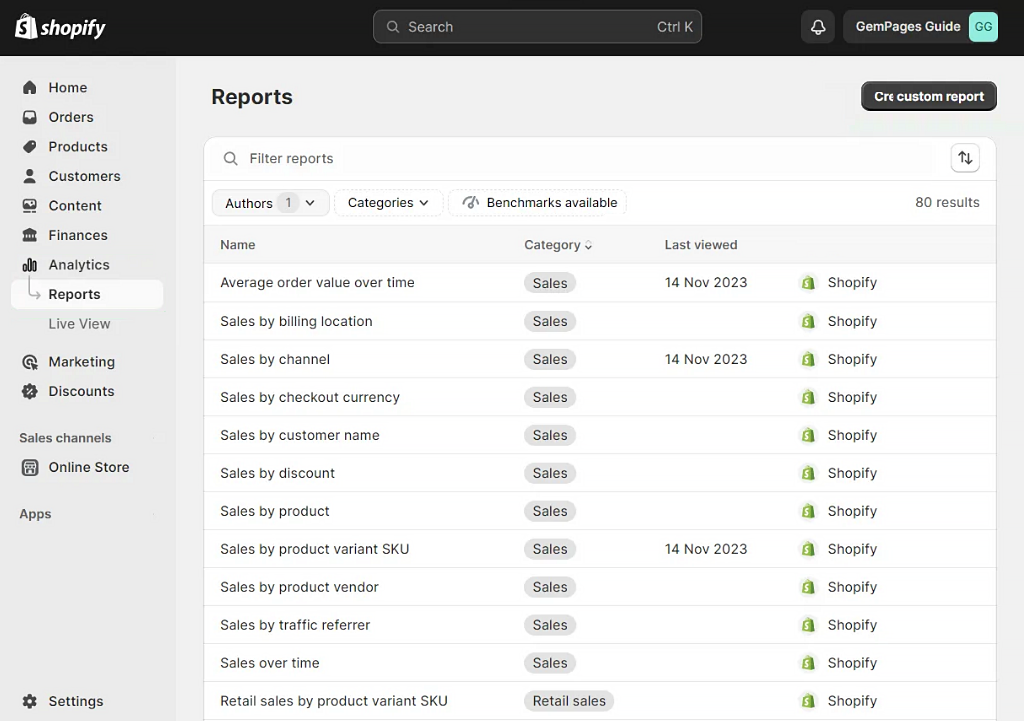
Source: https://www.shopify.com/
Shopify is a widely recognized platform that supports retail businesses with a comprehensive set of tools for managing online and physical stores. Known for its e-commerce capabilities, it also offers robust features for in-store retail, including inventory management, customer tracking, and analytics. Shopify is a popular choice for retailers seeking the best online retail software due to its ability to handle omnichannel sales and integrate with various third-party tools. It caters to businesses of all sizes, from small shops to larger chains, providing a flexible solution for retail operations.
Shopify Overview and Features
Shopify provides a solid suite of tools designed to streamline retail management, making it a strong contender among best retail software systems. Its user-friendly interface and extensive app marketplace allow retailers to customize their workflows. Key features include:
- Inventory Management: Track stock levels across online and physical stores, with automated alerts for low inventory.
- Customer Management: Store customer data, including purchase history, to support targeted marketing and loyalty programs.
- Sales Processing: Process in-store and online transactions with integrated payment systems, supporting multiple payment methods.
- E-commerce Integration: Build and manage online stores with customizable themes and seamless inventory syncing.
- Analytics and Reporting: Generate reports on sales, customer behavior, and inventory trends to inform business decisions.
- App Marketplace: Extend functionality with integrations for accounting, marketing, and CRM tools.
Shopify’s strength lies in its omnichannel approach, enabling retailers to manage both online and physical sales from a single platform. Its customizable templates and extensive app ecosystem make it adaptable for various retail needs, from small boutiques to multi-store operations. The platform’s analytics provide insights into sales performance, while its mobile app allows management on the go.
Shopify Pros and Cons
Shopify offers a robust feature set with some limitations. Here’s a balanced overview:
- Pros
- Seamless integration for online and in-store sales.
- Extensive app marketplace for customization.
- User-friendly interface suitable for beginners.
- Detailed analytics for sales and customer insights.
- Scalable for growing retail businesses.
- Mobile app for managing operations remotely.
- Cons
- Monthly costs can be high for small retailers.
- Additional fees for third-party apps and payment processing.
- Limited offline functionality for in-store operations.
Shopify’s omnichannel capabilities and ease of use make it a reliable choice for retailers managing both online and physical stores, though costs may accumulate with added features and transaction fees.
Shopify Pricing & Free Version
Shopify does not offer a free plan but provides a 3-day free trial. Paid plans start at $39 per month (billed annually), including inventory management, sales processing, and basic analytics. Higher tiers, starting at $105 per month, add advanced reporting and multi-store support.
3. iVend Retail
Source: https://ivend.com/
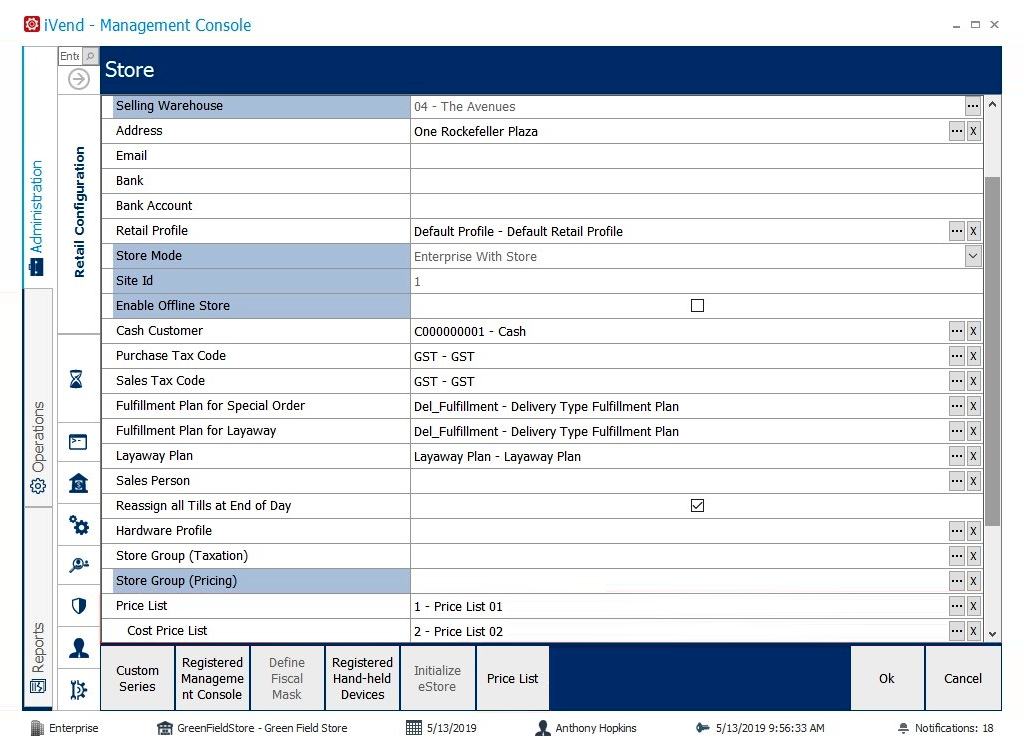
iVend Retail is a cloud-based omnichannel retail management platform designed to support medium to large and enterprise retailers in managing inventory, sales, and customer relationships. It offers a streamlined approach to retail operations, making it a viable option for those seeking the best retail software for small business. With features tailored for in-store and online retail, Vend enables businesses to handle daily tasks efficiently and integrate with e-commerce platforms. Its focus on simplicity and scalability makes it suitable for retailers looking to optimize operations without complex setups.
iVend Overview and Features
iVend provides a comprehensive set of tools to manage retail operations across multiple channels, positioning it among the best retail management system software. Its intuitive design and integration capabilities cater to retailers needing efficient workflows. Key features include:
- Inventory Management: Track stock levels across multiple locations, with automated low-stock alerts and reorder suggestions.
- Customer Management: Store customer data and purchase history to support loyalty programs and personalized marketing.
- Sales Processing: Handle in-store transactions with customizable interfaces, supporting various payment methods.
- E-commerce Integration: Unify online and offline sales channels within a single system.
- Analytics and Reporting: Generate reports on sales trends, inventory turnover, and customer behavior for data-driven decisions.
- Mobile Access: Manage operations via a mobile app, enabling oversight during store visits or on the go.
iVend’s strength lies in its omnichannel capabilities and centralized controland ability to support multi-store operations. Retailers can manage inventory and sales across locations while leveraging customer data for marketing. Its integrations with e-commerce and accounting tools enhance flexibility, making it a practical choice for growing businesses.
iVend Pros and Cons
Vend offers a reliable feature set with some limitations. Here’s a balanced overview:
- Pros
- Designed for medium to large retail operations.
- Scalable for multi-store operations.
- Strong e-commerce integrations.
- Detailed analytics for sales and inventory.
- Mobile app for remote management.
- Good customer support for setup and issues.
- Cons
- No free plan available.
- Advanced features require higher-tier plans.
- Limited customization for complex workflows.
- Complex implementation compared to simpler POS systems.
Vend’s simplicity and scalability make it a solid choice for retailers seeking an efficient management system, though the lack of a free plan and limited customization may be considerations for some businesses.
iVend Pricing & Free Version
iVend does not offer a free plan. Pricing is typically customized based on business size, number of stores, and required modules. Paid plans generally start at an enterprise level (approximately $1,799 per month or higher, depending on configuration). Implementation, training, and customization are usually additional costs.
4. Lightspeed
Source: https://www.lightspeedhq.com/
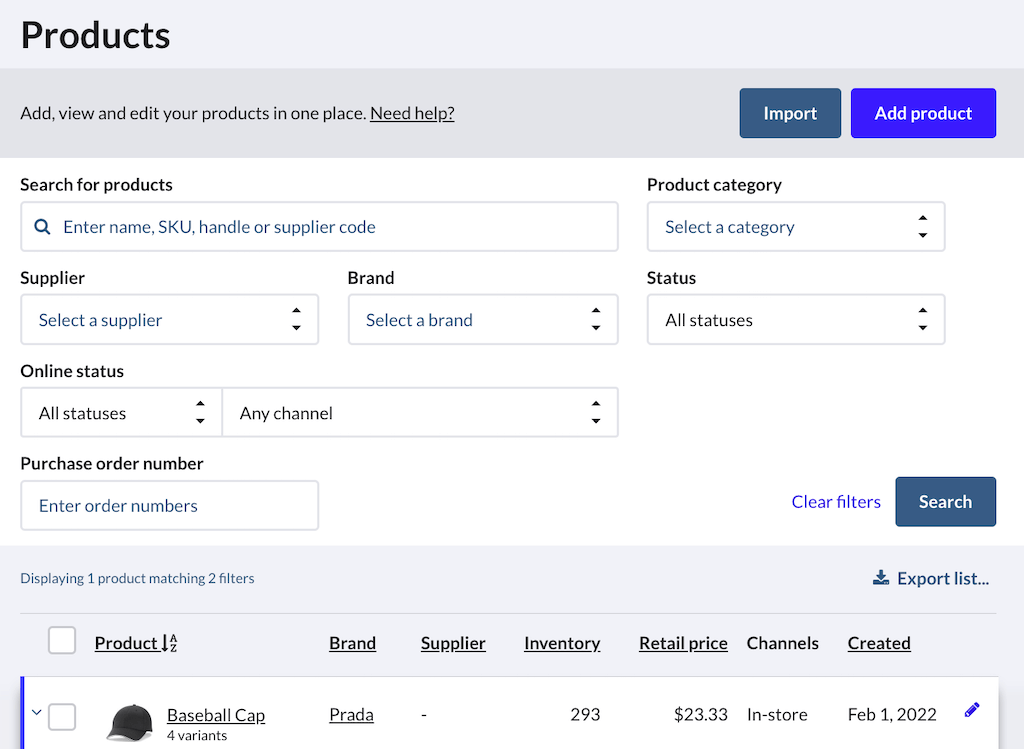
Lightspeed is a cloud-based retail management system designed to support retailers in managing inventory, sales, and customer relationships across physical and online stores. It offers a comprehensive set of tools for businesses of varying sizes, making it a notable option for those seeking the best retail management system. With features like inventory tracking, e-commerce integration, and analytics, Lightspeed caters to retailers aiming to streamline operations and enhance customer engagement. Its scalability makes it suitable for single stores or multi-location chains.
Lightspeed Overview and Features
Lightspeed provides a robust platform for retail operations, positioning it among the best retail software systems. Its intuitive interface and integration capabilities help retailers manage complex workflows efficiently. Key features include:
- Inventory Management: Track stock across multiple locations with real-time updates and automated reorder alerts.
- Customer Management: Store customer data and purchase history to support loyalty programs and targeted marketing.
- Sales Processing: Handle transactions with flexible payment options for in-store and online sales.
- E-commerce Integration: Sync with platforms like Shopify and WooCommerce for omnichannel sales.
- Analytics and Reporting: Generate reports on sales, inventory, and customer trends to inform business strategies.
- Mobile Access: Manage operations via a mobile app for flexibility during store visits.
Lightspeed’s omnichannel capabilities allow retailers to manage both online and physical stores from a single platform. Its analytics provide insights into sales performance, while integrations with accounting and marketing tools enhance functionality, making it adaptable for various retail needs.
Lightspeed Pros and Cons
Lightspeed offers a solid feature set with some considerations. Here’s a balanced overview:
- Pros
- Strong omnichannel support for online and in-store sales.
- Detailed analytics for data-driven decisions.
- Scalable for single stores or multi-location chains.
- Extensive integrations with third-party apps.
- Mobile app for on-the-go management.
- Cons
- Higher cost may challenge small retailers.
- Setup can be complex for beginners.
- No free plan available.
Lightspeed’s robust features and scalability make it a reliable choice for retailers managing multiple sales channels, though its cost and setup complexity may require careful consideration for smaller businesses.
Lightspeed Pricing & Free Version
Lightspeed offers no free plan but provides a 14-day free trial. Paid plans start at $89 per month (billed annually), including inventory management, sales processing, and basic analytics. Higher tiers, starting at $149 per month, add advanced reporting and multi-store capabilities.
5. Zoho Inventory
Source: https://www.zoho.com/inventory/
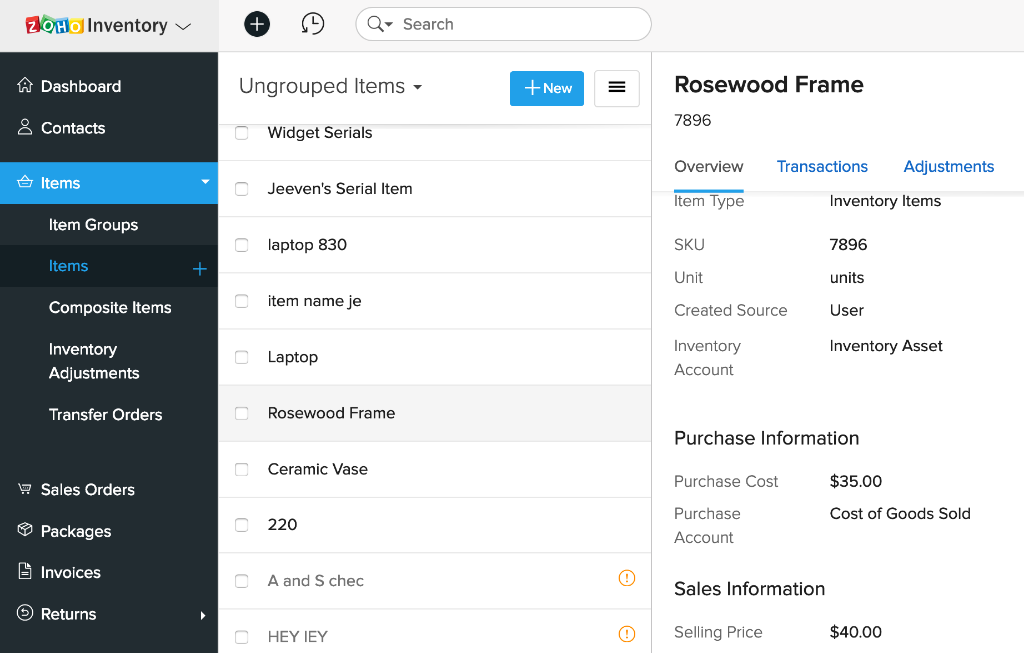
Zoho Inventory is a cloud-based retail management solution within the Zoho suite, designed to help retailers manage inventory, orders, and customer relationships. It’s a practical choice for small to medium-sized businesses seeking the best software for small retail business, offering tools to streamline operations across physical and online stores. With its focus on inventory control and integrations with other Zoho products, it supports retailers in maintaining efficient workflows and tracking key metrics.
Zoho Inventory Overview and Features
Zoho Inventory provides a cohesive set of tools for retail management, positioning it among the best retail management system software. Its user-friendly interface and integration capabilities make it adaptable for various retail needs. Key features include:
- Inventory Management: Track stock levels across multiple warehouses with real-time updates and reorder alerts.
- Order Management: Streamline sales and purchase orders, from creation to fulfillment.
- Customer Management: Store customer data to support targeted marketing and loyalty initiatives.
- E-commerce Integration: Sync with platforms like Shopify, WooCommerce, and Amazon for omnichannel sales.
- Analytics and Reporting: Generate reports on inventory, sales, and customer trends for strategic planning.
- Mobile Access: Manage operations via a mobile app, enabling oversight during store visits or travel.
Zoho Inventory’s strength lies in its inventory-focused features and seamless integration with other Zoho tools, such as Zoho CRM and Zoho Books, making it a viable option for retailers needing best accounting software for retail store. Its scalability supports businesses growing from single stores to multi-location operations.
Zoho Inventory Pros and Cons
Zoho Inventory offers a focused feature set with some limitations. Here’s a balanced overview:
- Pros
- Affordable pricing for small businesses.
- Strong integration with Zoho suite and e-commerce platforms.
- Intuitive interface for easy adoption.
- Detailed inventory and sales analytics.
- Mobile app for remote management.
- Cons
- Limited sales processing features compared to competitors.
- Advanced features require higher-tier plans.
- Setup may need time for complex integrations.
Zoho Inventory’s affordability and inventory management capabilities make it a solid choice for small retailers, though its limited sales processing features may require supplementary tools for some businesses.
Zoho Inventory Pricing & Free Version
Zoho Inventory offers a free plan for up to two users with basic inventory and order management features. Paid plans start at $59 per month (billed annually), including advanced analytics, e-commerce integrations, and multi-warehouse support. A 14-day free trial is available for paid plans.
6. Retail Pro
Source: https://www.retailpro.com/
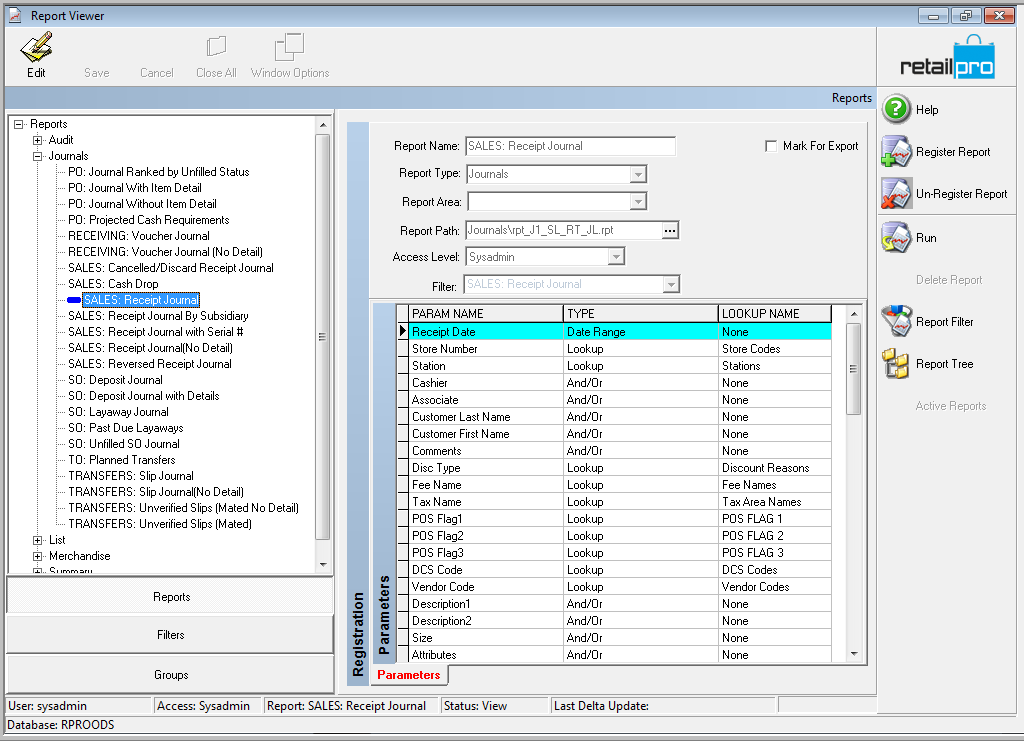
Retail Pro is a comprehensive retail management system designed to support retailers in managing inventory, sales, and customer relationships across single or multi-store operations. It’s tailored for businesses seeking the best retail software, offering tools to streamline operations and enhance customer engagement. With a focus on customization and scalability, Retail Pro suits retailers ranging from small boutiques to global chains, providing flexibility to adapt to diverse retail needs.
Retail Pro Overview and Features
Retail Pro offers a robust platform for retail operations, positioning it among the best retail store software systems. Its customizable features and integration capabilities make it adaptable for various retail environments. Key features include:
- Inventory Management: Track stock across multiple locations with real-time updates and automated reorder triggers.
- Customer Management: Store customer data and purchase history to support loyalty programs and personalized marketing.
- Sales Processing: Handle transactions with customizable workflows for in-store and online sales.
- Analytics and Reporting: Generate detailed reports on sales, inventory, and customer trends to guide business decisions.
- E-commerce Integration: Sync with platforms like Magento and Shopify for omnichannel sales.
- Mobile Access: Manage operations via mobile devices for flexibility during store visits or travel.
Retail Pro’s strength lies in its customization options, allowing retailers to tailor workflows and dashboards to specific needs. Its analytics provide insights into sales performance, while integrations with e-commerce and accounting tools, such as those for best retail accounting software, enhance functionality for complex operations.
Retail Pro Pros and Cons
Retail Pro provides a solid feature set with some considerations. Here’s a balanced overview:
- Pros
- Highly customizable for diverse retail workflows.
- Scalable for single stores or global chains.
- Strong analytics for sales and inventory insights.
- Supports omnichannel sales with e-commerce integrations.
- Mobile access for on-the-go management.
- Cons
- Higher cost may challenge small retailers.
- Complex setup requires technical expertise.
- No free plan available.
Retail Pro’s customization and scalability make it a reliable choice for retailers with complex needs, though its cost and setup complexity may be considerations for smaller businesses.
Retail Pro Pricing & Free Version
Retail Pro does not offer a free plan, but a demo is available upon request. Pricing is customized, typically starting around $119 per month (billed annually), including inventory management, analytics, and integrations. Higher tiers add advanced features for multi-store operations.
7. Odoo
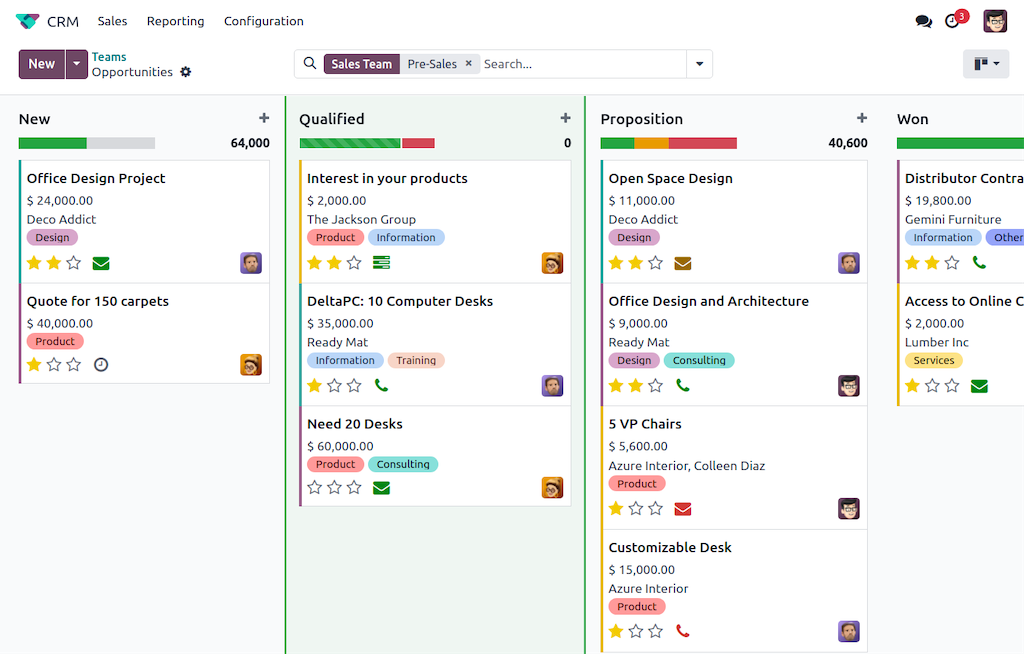
Source: https://www.odoo.com/
Odoo is an open-source business management platform that offers a suite of retail management tools, including inventory, sales, and customer relationship management. It’s a flexible option for retailers seeking the best software for retail business, suitable for small shops to larger enterprises. With modular apps, Odoo allows businesses to customize their setup, integrating retail-specific features with broader business functions like accounting and e-commerce, making it adaptable for diverse retail operations.
Odoo Overview and Features
Odoo provides a comprehensive set of tools for retail management, positioning it among the best software for retail. Its modular design and integration capabilities cater to retailers needing tailored workflows. Key features include:
- Inventory Management: Track stock across multiple warehouses with real-time updates and automated reorder alerts.
- Customer Management: Store customer data and purchase history to support loyalty programs and targeted marketing.
- Sales Processing: Manage transactions with customizable workflows for in-store and online sales.
- E-commerce Integration: Sync with Odoo’s e-commerce module or platforms like Shopify for omnichannel sales.
- Analytics and Reporting: Generate reports on sales, inventory, and customer trends for strategic planning.
- Mobile Access: Manage operations via a mobile app for flexibility during store visits or travel.
Odoo’s modular approach allows retailers to select only the apps they need, such as inventory or CRM, while its integration with accounting tools supports best retail accounting software needs. The platform’s open-source nature offers customization for complex retail workflows, suitable for both single stores and multi-location chains.
Odoo Pros and Cons
Odoo offers a versatile feature set with some considerations. Here’s a balanced overview:
- Pros
- Modular design allows tailored feature selection.
- Scalable for small to large retail businesses.
- Strong integration with e-commerce and accounting apps.
- Detailed analytics for sales and inventory insights.
- Open-source option for cost-conscious retailers.
- Cons
- Setup can be complex for non-technical users.
- Some features require additional paid apps.
- No free plan for full retail management suite.
Odoo’s flexibility and scalability make it a solid choice for retailers needing a customizable platform, though setup complexity and potential app costs may require planning for smaller businesses.
Odoo Pricing & Free Version
Odoo offers a free plan with limited features, suitable for basic inventory and sales management. Paid plans start at $24.90 per user/month (billed annually), including advanced modules like CRM and analytics. A 15-day free trial is available for paid plans.
8. NetSuite
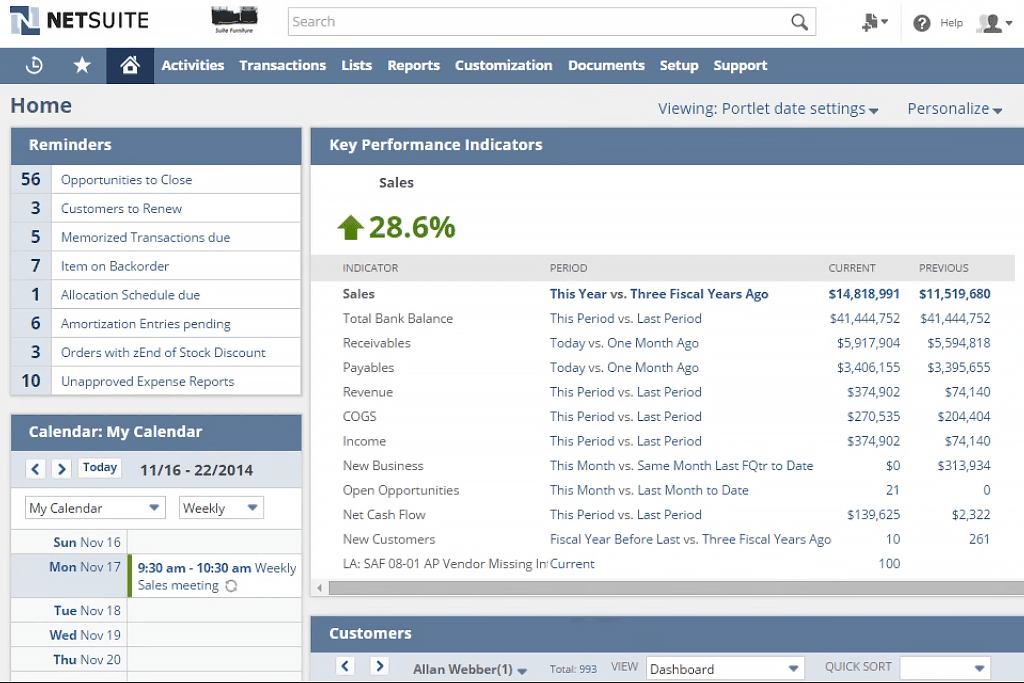
Source: https://www.netsuite.com/
NetSuite, part of Oracle’s suite, is a cloud-based business management platform offering robust retail management tools for inventory, customer relationships, and financial tracking. It’s designed for retailers seeking the best retail management system, catering to businesses from small shops to large enterprises. With integrated features for omnichannel retail and financial management, NetSuite supports complex operations, making it suitable for retailers needing scalability and comprehensive functionality.
NetSuite Overview and Features
NetSuite provides an extensive set of tools for retail management, positioning it among the best apps for retail business. Its integrated approach and customization options make it adaptable for diverse retail needs. Key features include:
- Inventory Management: Track stock across multiple locations with real-time updates and automated reorder triggers.
- Customer Management: Store customer data and purchase history to support loyalty programs and targeted marketing campaigns.
- Sales Processing: Manage transactions for in-store and online sales with unified workflows.
- E-commerce Integration: Sync with platforms like Magento and Shopify for omnichannel sales.
- Financial Tools: Handle budgeting, invoicing, and expense tracking, aligning with best accounting software for online retailers.
- Analytics and Reporting: Generate detailed reports on sales, inventory, and customer trends for strategic insights.
NetSuite’s strength lies in its ability to unify retail operations with financial and e-commerce functions. Its analytics provide actionable insights, while integrations with third-party tools enhance flexibility for retailers managing multiple sales channels or complex workflows.
NetSuite Pros and Cons
NetSuite offers a comprehensive feature set with some considerations. Here’s a balanced overview:
- Pros
- Unified platform for retail and financial management.
- Scalable for small to enterprise-level retailers.
- Strong analytics for data-driven decisions.
- Extensive integrations with e-commerce platforms.
- Customizable workflows for complex operations.
- Cons
- Higher cost may challenge small retailers.
- Complex setup requires technical expertise.
- No free plan available.
NetSuite’s integrated approach and scalability make it a reliable choice for retailers with complex needs, though its cost and setup complexity may be considerations for smaller businesses.
NetSuite Pricing & Free Version
NetSuite does not offer a free plan, but a demo is available upon request. Pricing is customized, typically starting around $999 per month (billed annually), including inventory, CRM, and financial tools. Additional modules may increase costs based on business needs.
9. Epicor Retail
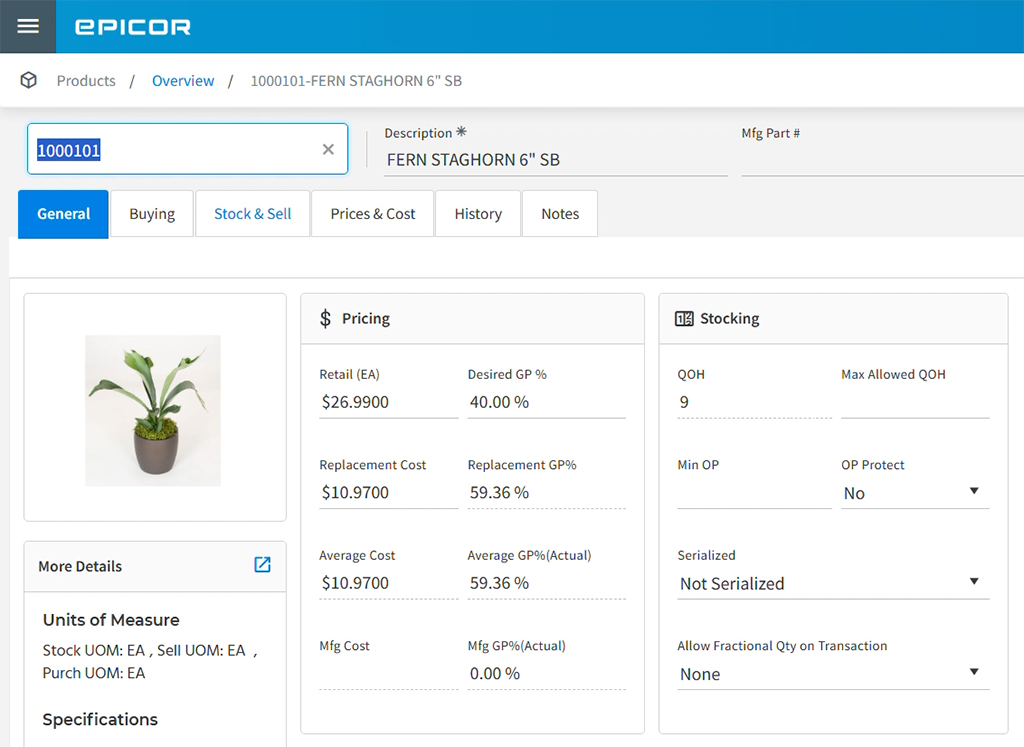
Source: https://www.epicor.com/
Epicor Retail is a cloud-based retail management system designed to support retailers in managing inventory, customer relationships, and sales operations across multiple channels. It’s a viable option for businesses seeking the best retail automation software, catering to small stores and larger enterprises. With tools for inventory control, customer engagement, and financial management, Epicor Retail provides a robust platform for retailers aiming to streamline complex operations and enhance scalability.
Epicor Retail Overview and Features
Epicor Retail offers a comprehensive suite of tools for retail management, positioning it among the top retail management software. Its integrated features and customization options make it adaptable for various retail environments. Key features include:
- Inventory Management: Track stock across multiple locations with real-time updates and automated reorder alerts.
- Customer Management: Store customer data and purchase history to support loyalty programs and personalized marketing.
- Sales Processing: Manage transactions for in-store and online sales with unified workflows.
- E-commerce Integration: Sync with platforms like Magento for omnichannel sales.
- Financial Tools: Handle budgeting and expense tracking, aligning with best accounting software for retail.
- Analytics and Reporting: Generate reports on sales, inventory, and customer trends for strategic planning.
Epicor Retail’s strength lies in its ability to manage complex retail operations, particularly for multi-store businesses. Its analytics provide insights into performance, while integrations with e-commerce and accounting tools enhance functionality for retailers with diverse needs.
Epicor Retail Pros and Cons
Epicor Retail offers a solid feature set with some considerations. Here’s a balanced overview:
- Pros
- Robust tools for multi-store and omnichannel retail.
- Strong analytics for sales and inventory insights.
- Customizable workflows for complex operations.
- Integrations with e-commerce and financial tools.
- Scalable for growing retail businesses.
- Cons
- Higher cost may be prohibitive for small retailers.
- Complex setup requires technical knowledge.
- No free plan available.
Epicor Retail’s comprehensive features and scalability make it a reliable choice for retailers with complex operations, though its cost and setup complexity may be considerations for smaller businesses.
Epicor Retail Pricing & Free Version
Epicor Retail does not offer a free plan, but a demo is available upon request. Pricing is customized, typically starting around $125 per month (billed annually), including inventory, CRM, and financial tools. Additional features may increase costs based on business requirements.
10. ShopKeep
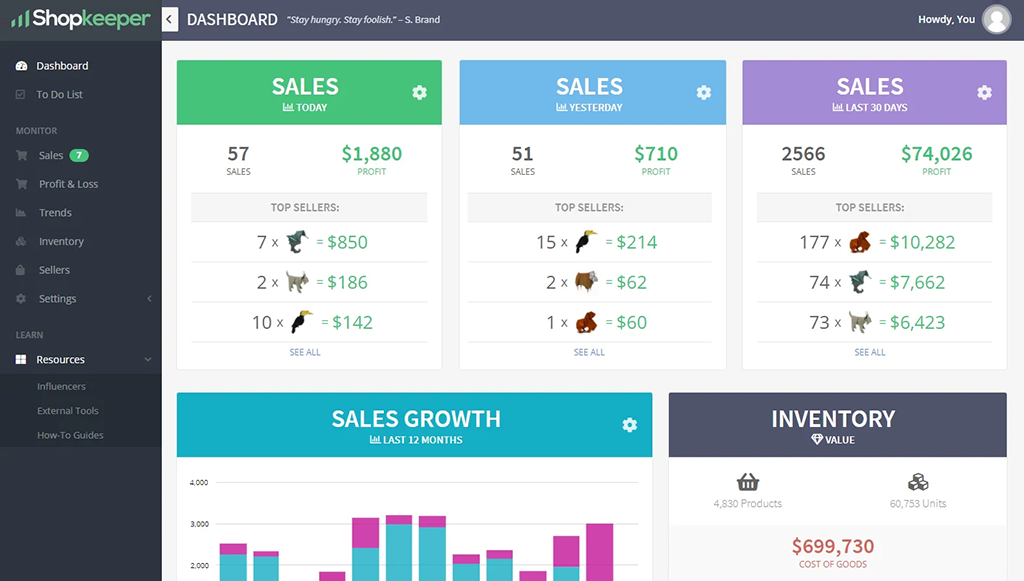
Source: https://www.epicor.com/
ShopKeep is a cloud-based retail management system designed to support small to medium-sized retailers in managing inventory, sales, and customer relationships. It’s a practical option for those seeking the best software for retail shop, offering tools to streamline daily operations and enhance customer engagement. With features for inventory tracking and analytics, ShopKeep caters to retailers looking for simplicity and efficiency in managing both in-store and online operations.
ShopKeep Overview and Features
ShopKeep provides a straightforward set of tools for retail management, positioning it among the best online retail software. Its user-friendly design and integration capabilities make it suitable for small businesses with straightforward needs. Key features include:
- Inventory Management: Track stock levels with real-time updates and automated low-stock alerts.
- Customer Management: Store customer data and purchase history to support loyalty programs and targeted marketing.
- Sales Processing: Handle transactions with flexible payment options for in-store sales.
- E-commerce Integration: Sync with platforms like BigCommerce to support online sales.
- Analytics and Reporting: Generate reports on sales, inventory, and customer trends, aligning with best retail task management software needs.
- Mobile Access: Manage operations via a mobile app for flexibility during store visits.
ShopKeep’s strength lies in its ease of use, making it accessible for retailers with limited technical expertise. Its analytics provide insights into sales performance, while integrations with e-commerce and accounting tools enhance functionality for small retail operations.
ShopKeep Pros and Cons
ShopKeep offers a focused feature set with some limitations. Here’s a balanced overview:
- Pros
- User-friendly interface ideal for small retailers.
- Affordable pricing for basic retail needs.
- Solid analytics for sales and inventory tracking.
- Supports e-commerce integrations.
- Mobile app for on-the-go management.
- Cons
- Limited scalability for large retail operations.
- Fewer integrations compared to competitors.
- No free plan available.
ShopKeep’s simplicity and affordability make it a reliable choice for small retailers, though its limited scalability and integration options may require supplementary tools for larger businesses.
ShopKeep Pricing & Free Version
ShopKeep does not offer a free plan but provides a free trial upon request. Paid plans start at $49 per month (billed annually), including inventory management, sales processing, and basic analytics. Higher tiers add advanced features for growing businesses.
Common Use Cases for Retail Management Software
Retail management software supports a variety of tasks, from inventory control to customer engagement. The best retail software addresses the diverse needs of retailers, enhancing efficiency and customer satisfaction. Below are common use cases for these platforms.
- Inventory Management: Track stock across multiple stores with real-time synchronization, set reorder points, and avoid stockouts or overstocking.
- Sales Processing: Use integrated POS systems to process transactions quickly, improving customer checkout experiences.
- Customer Loyalty Programs: Store customer data to create personalized offers and rewards, boosting retention.
- Marketing Campaigns: Launch email or social media campaigns to promote products and attract new customers.
- Employee Scheduling: Manage staff shifts and tasks, aligning with best retail scheduling software capabilities.
- Financial Tracking: Monitor sales, expenses, and profits with integrated best accounting software for retail business tools.
These use cases highlight how retail management software streamlines operations and enhances customer interactions. By adopting the best apps for retail business, retailers can optimize workflows and drive growth.
Selecting the right retail management software is crucial for streamlining operations and driving business growth. Planfix stands out as a comprehensive solution, combining inventory management, customer relationship tools, and task automation into a single, customizable platform. As one of the best retail store software options, it offers retailers the flexibility to tailor workflows to their unique needs, from small shops to multi-location businesses. Its robust features, including financial tracking and analytics, also make it a strong contender for the best crm for retail business. With affordable pricing and a free plan, Planfix is accessible for retailers aiming to optimize efficiency. Explore Planfix today with a free trial to see how it can transform your retail operations!
FAQ
What is retail management software?
Retail management software is a centralized platform that integrates inventory tracking, sales processing, customer relationship management, and analytics. It helps retailers manage daily operations, from stock control to customer engagement, in both physical and online stores.
Why do retailers need management software?
Retailers face complex tasks like managing inventory, processing sales, and retaining customers. Management software automates these processes, ensuring accuracy in stock levels, streamlining transactions, and organizing customer data for personalized marketing.
What features should I look for in retail management software?
Key features include real-time inventory tracking, customer management for loyalty programs, sales processing for in-store and online channels, and detailed analytics for sales and customer trends. Integration with e-commerce platforms and accounting tools is also crucial.
How do I choose the best retail management software?
Assess your business needs, such as inventory complexity, sales channels, and budget. Prioritize features like scalability, ease of use, and integrations with existing tools. Testing free trials or demos helps evaluate usability and fit. Consider long-term goals to ensure the software supports growth and adapts to evolving retail demands.
