

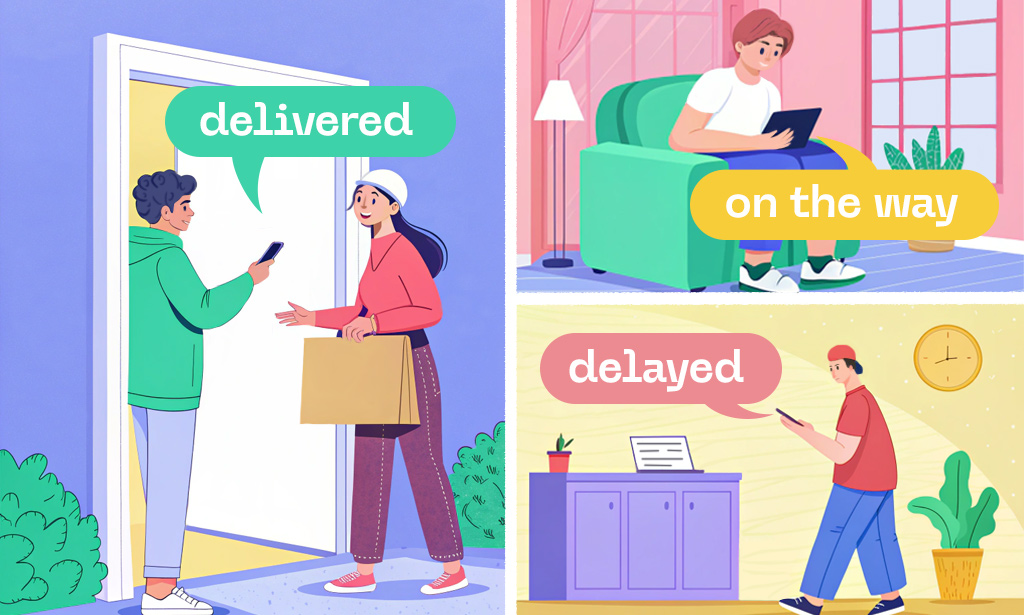
- Why Notification Programs Fail (and Calls Increase)
- The Event Model: Build Notifications Around Milestones, not Time
- Message Design: What Every Notification Must Contain
- Channel Strategy: SMS vs Email vs Push vs WhatsApp
- Reduce “WISMO” Calls with an Accurate ETA and Proactive Delay Logic
- Automate Exception Handling with Self-Serve Resolution
- Proof of Delivery: Turn “It Wasn’t Delivered” Into a Non-Issue
- Tooling: Platforms That Can Run Notification Workflows
- Feature Checklist Table (What “Good” Looks Like)
- KPIs to Prove Impact (and Catch Regressions)
- FAQ
Customer support calls in courier and last‑mile businesses are dominated by a few predictable questions: “Where is my order?”, “When will it arrive?”, “Why did it fail?”, and “Can you reschedule?”. Automatic delivery notifications reduce those calls only when they’re timely, accurate, and actionable-not just frequent.
This guide focuses on the operational best practices you can implement in software for courier management to lower inbound support volume while improving customer experience.
Why Notification Programs Fail (and Calls Increase)
Notifications backfire when they:
- Arrive too early or too late (customers can’t plan; drivers get interrupted).
- Contain vague statuses (“In transit” for 6 hours creates anxiety).
- Don’t include next actions (no link to reschedule, no instructions, no proof).
- Ignore exceptions (failed delivery creates a call because the system goes silent).
- Are inconsistent across channels (SMS says one thing, email says another, tracking page differs).
The goal is not “more messages” but “fewer reasons to call”.
The Event Model: Build Notifications Around Milestones, not Time
Design notifications around operational events emitted by your dispatch/TMS/driver app, such as:
Core Milestones (Minimum Viable Set)
- Order confirmed/label created (sets expectations, shares tracking link).
- Out for delivery (day-of signal).
- ETA window available (e.g., 2–4 hour window).
- Driver nearby (5–20 minutes).
- Delivered (with POD) (proof + receipt).
- Delivery failed/exception (reason + next step).
Exception Events (Where Support Calls Spike)
- Address not found/ geofence mismatch.
- Customer not available.
- Access issue (gate code, security).
- Payment due/COD mismatch.
- Damaged parcel/ partial delivery.
- Weather/force majeure delay.
- Capacity re-route (driver reassigned).
If your system can’t reliably generate these events, improve scan discipline, geofencing, and driver workflow first-automation can’t fix missing truth.
Message Design: What Every Notification Must Contain
A notification should answer three questions immediately:
- What happened? (status + timestamp)
- What happens next? (ETA/window or next attempt)
- What can the customer do now? (self-serve action link)
Best-Practice Content Blocks
- Shipment/order ID + merchant name (avoid confusion for multi-order customers).
- Clear status label (“Delivered”, “Attempted”, “Delayed due to weather”)
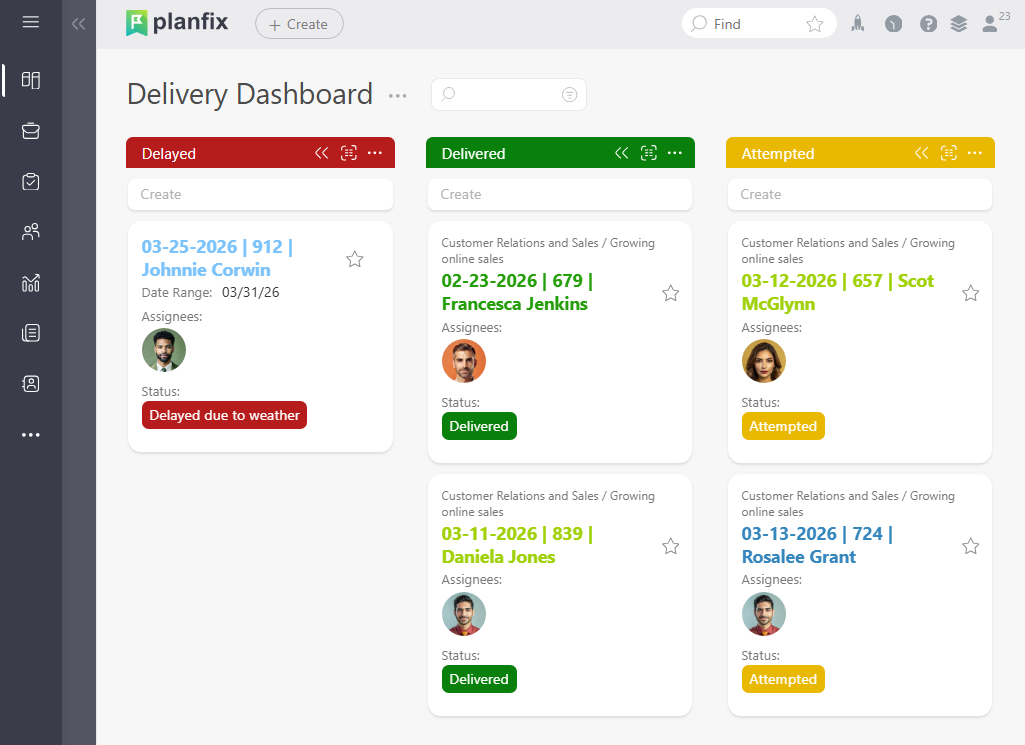
- ETA window with timezone.
- Tracking link to a single source of truth tracking page.
- Self-service actions: reschedule, redirect, safe place, contactless, cancel (if allowed).
- Support deflection: “Need help? Reply HELP” or “Tap for FAQ” (don’t force a call).
- Proof of Delivery (photo/signature/name) when delivered.
Channel Strategy: SMS vs Email vs Push vs WhatsApp
Use channels based on urgency and customer behavior:
- SMS: best for “driver nearby”, OTP, and high-urgency exceptions.
- Email: best for receipts, detailed POD, and non-urgent updates.
- Push notifications: best when you have a consumer app and want low cost at scale.
- WhatsApp/Viber: strong in many markets, but requires template governance and opt-in.
Rule: critical events should have at least two channels available, but avoid sending duplicates simultaneously unless the customer opts in.
Reduce “WISMO” Calls with an Accurate ETA and Proactive Delay Logic
“Where is my order?” calls drop most when customers trust the ETA.
ETA Best Practices
- Provide a window, not a single time (e.g., “12:30–14:00”).
- Update only when the change is meaningful (e.g., >20–30 minutes), or you’ll create churn.
- Use route progress signals (stops remaining, traffic) rather than static maps alone.
- When late, send a proactive delay notification before the customer notices.
Proactive Delay Template
- Apology + reason category (traffic, weather, hub delay).
- New ETA window.
- Self-service options (reschedule/redirect).
- “No action needed” if that’s true.
Automate Exception Handling with Self-Serve Resolution
Most calls happen when something goes wrong. Treat exceptions as workflows:
- Failed attempt → immediate notification with the exact reason selected by the driver
- Auto-open an internal task for dispatch only if:
- second attempt is at risk, or
- SLA breach is imminent, or
- customer action is required but not completed (no new slot chosen)
Self-serve links should allow:
- selecting a new delivery slot,
- confirming address/access instructions,
- adding gate code,
- choosing pickup point/locker,
- authorizing safe drop (with disclaimers).
Proof of Delivery: Turn “It Wasn’t Delivered” Into a Non-Issue
For delivered shipments, include:
- POD photo (when policy allows),
- GPS coordinate/geofence confirmation,
- timestamp,
- recipient name/signature/OTP result.
Also store POD in a system accessible to both support and the merchant. If customers can view POD on the tracking page, many disputes never become calls.
Tooling: Platforms That Can Run Notification Workflows
If you need a system to orchestrate event-driven notifications, internal tasks, and customer self-service, these platforms are commonly used:
- Planfix – flexible operations platform to build courier workflows: event triggers, task automation, templates, SLA timers, and exception handling in one workspace.
- Onfleet – last-mile delivery management with customer notifications and tracking.
- Bringg – enterprise last-mile orchestration with strong integrations.
- Stuart (where available) – delivery platform with tracking/notifications oriented to its network.
- Zoho CRM + integrations – possible for messaging flows, but typically needs customization for courier-grade milestones and POD.
The right choice depends on whether you need primarily dispatching or broader end-to-end workflow automation across support, merchants, and operations.
Feature Checklist Table (What “Good” Looks Like)
| Capability | Why it reduces support calls | Implementation note (best practice) |
| Event-driven triggers | Prevents late/irrelevant messages | Trigger on scans, geofence events, route state changes |
| ETA window & updates | Cuts WISMO requests | Update only on meaningful delta; show timezone |
| Exception notifications | Prevents “silence after failure” | Notify within 1–2 minutes of driver marking exception |
| Self-serve reschedule / redirect | Replaces calls with clicks | Make it mobile-first and one-step when possible |
| Unified tracking page | Avoids conflicting info | Single source of truth for all channels |
| Proof of Delivery (POD) | Reduces delivery disputes | Photo + timestamp + geo + recipient / OTP |
| Contact preference & opt-in | Increases reach, reduces complaints | Store consent per channel; honor quiet hours |
| Templates with variables | Keeps messages consistent | Version control templates; localize properly |
| SLA timers & escalation | Prevents missed promises | Auto-escalate to dispatch before SLA breach |
| Analytics & A/B tests | Finds what actually deflects calls | Track call rate per event and per carrier / route |
KPIs to Prove Impact (and Catch Regressions)
Track metrics weekly by region/carrier/route:
- Contact rate per 1,000 shipments (overall and by milestone)
- WISMO share of inbound tickets/calls
- Exception-to-contact rate (how often an exception produces a call)
- Self-serve completion rate (reschedule, redirect, safe drop)
- ETA accuracy (P50/P90 error)
- Delivery dispute rate (claimed non-delivery)
- Opt-out rate per channel (message fatigue indicator)
A practical target: reduce WISMO contacts first, then reduce exception calls through self-serve.
FAQ
What notifications are essential for reducing customer support calls?
At minimum: order confirmed, out for delivery, ETA window, driver nearby, delivered with POD, and failed/exception with next steps.
Should we send “In transit” updates every few hours?
Usually no. High-frequency generic updates increase anxiety and opt-outs. Use milestone-based messages and meaningful ETA changes.
How fast should we notify customers after a failed delivery attempt?
Within 1–2 minutes. Delays create uncertainty and almost guarantee an inbound call.
What’s the best channel for “driver arriving” notifications?
SMS (or push if you have an app) because it’s immediate and has high open rates.
How do automatic notifications integrate with software for courier management?
They should be triggered by operational events (scans, route states, POD capture) and connected to workflows for exceptions, SLA escalation, and customer self-service.
