


November’s Planfix update is here, and we’re excited to show you new features that will make your life easier and increase productivity.
Keep reading for more – there’s definitely something for you.
Cleaner Events for Smoother Integrations
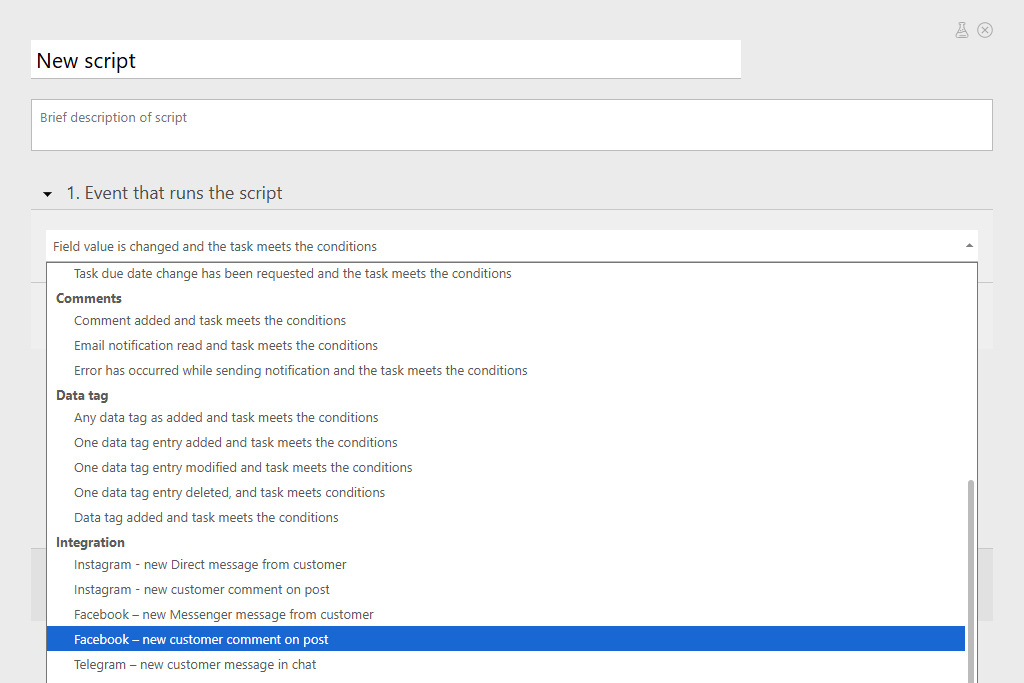
We’ve сleaned up the script events and added dedicated events for integrations.
What’s new?
1️⃣ Event Grouping
No more endless scroll, events are now neatly organized into blocks. Finding the right event just got way faster.
2️⃣ New “Integrations” Group
Before, to launch a script from a social network or messenger event, you had to add conditions inside the script itself. Now, these have their own separate events.
New integration triggers (visible if the integration is enabled):
- Instagram — new Direct message from customer
- Instagram — new customer comment on post
- Facebook — new Messenger message from customer
- Facebook — new customer comment on post (condition example: “Post link contains…”)
- WhatsApp — new customer message
- Telegram — new customer message in chat
- Telegram — new customer message in group (you can specify “Group name contains…”)
- API for chats — new customer message (condition example: “ProviderId contains…”)
No More “Who is This?” in Client Chats
Ever get a message from a client via messenger and wonder, “Wait, who is this?” Especially when you’re chatting about work stuff or exchanging files — it’s crucial to be sure you’re talking to your client.
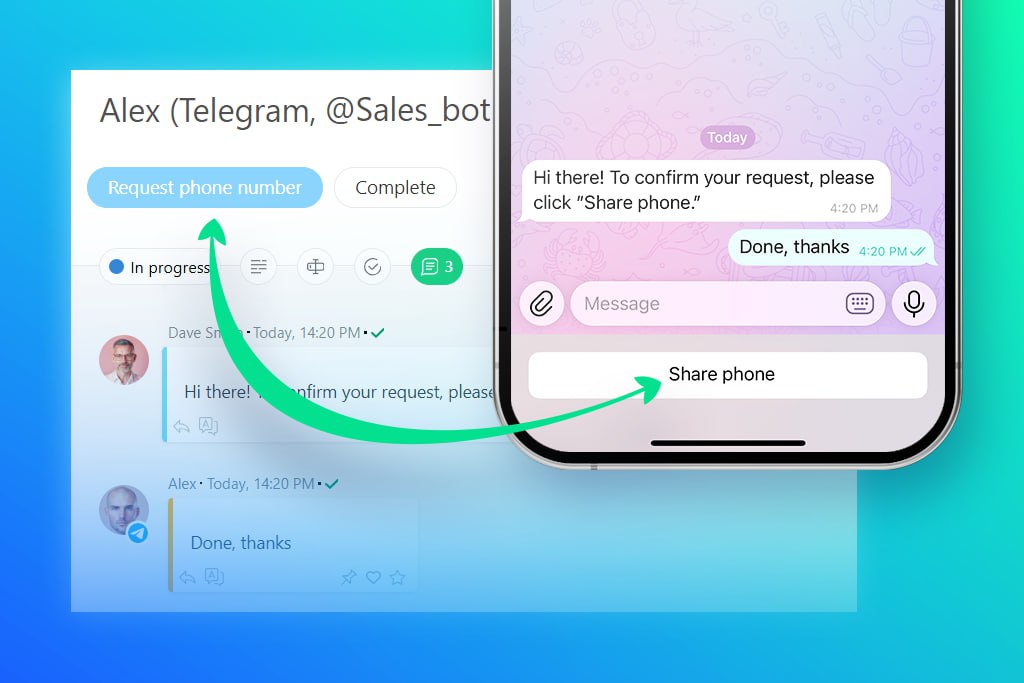
Now, you don’t have to guess. We’ve added a new action to your scripts: “Request contact phone number”.
Here’s how it works:
- Add the “Request contact phone number” action to your script.
- Planfix sends your contact a message in messenger with a “Share” button.
- The client taps the button and messenger automatically sends the verified number to Planfix.
- Planfix adds this verified number as a comment in the task and enters it into the corresponding field of the contact card.
This feature works if you’ve got integrations set up with Telegram, Viber, Facebook, or Instagram.
Stay connected — and confidently verified — with Planfix!
Customer Feedback from Facebook Messenger Now in Planfix
Ever finish chatting with a client and wonder — are they happy or not?
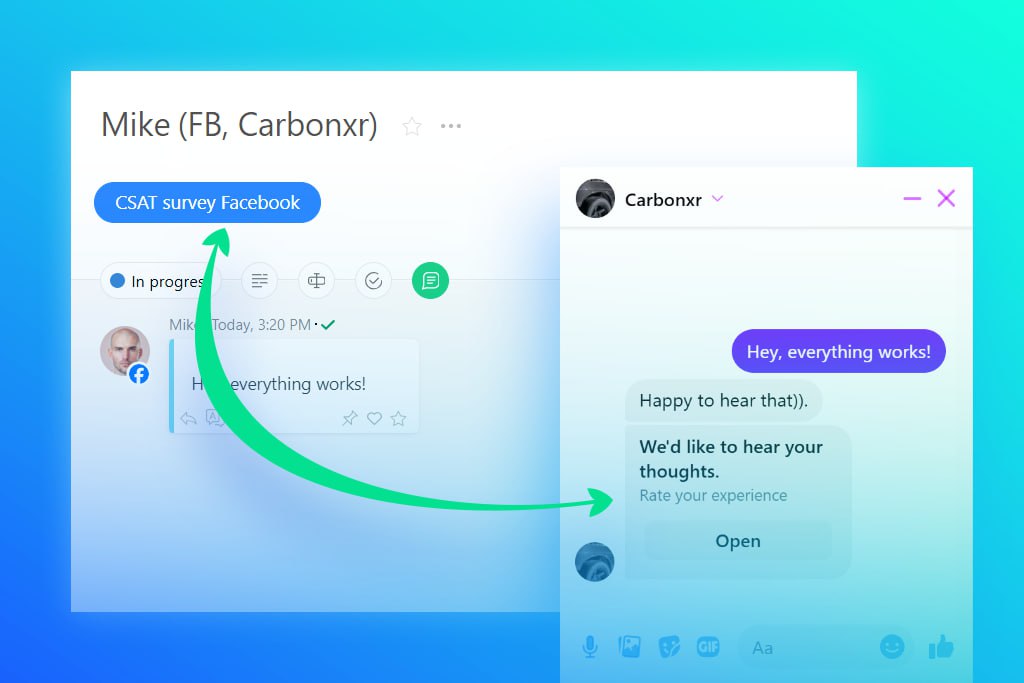
Well, now you can send them a quick Customer Feedback form right from your chat using our new scripts.
Here’s the scoop:
- Clients answer a short survey right in the Messenger chat.
- We support all the usual key metrics: NPS, CSAT, CES, plus a quick comment.
- Their responses instantly pop into the task — so you see the rating type, score, and their feedback all in one place.
Bottom line: with the Customer Feedback form, you get real-time insights and catch any unhappy clients before it’s too late.
New Video:
Password Manager in Planfix
In this video, we’ll show you how to store passwords in Planfix directories, configure access, and manage them efficiently across your team.
Navigating Inside a Task
This video will walk you through the structure of a task in Planfix: where to change the status and dates, how to work with the description, fields, and checklists, use comments, and search for the needed information.

