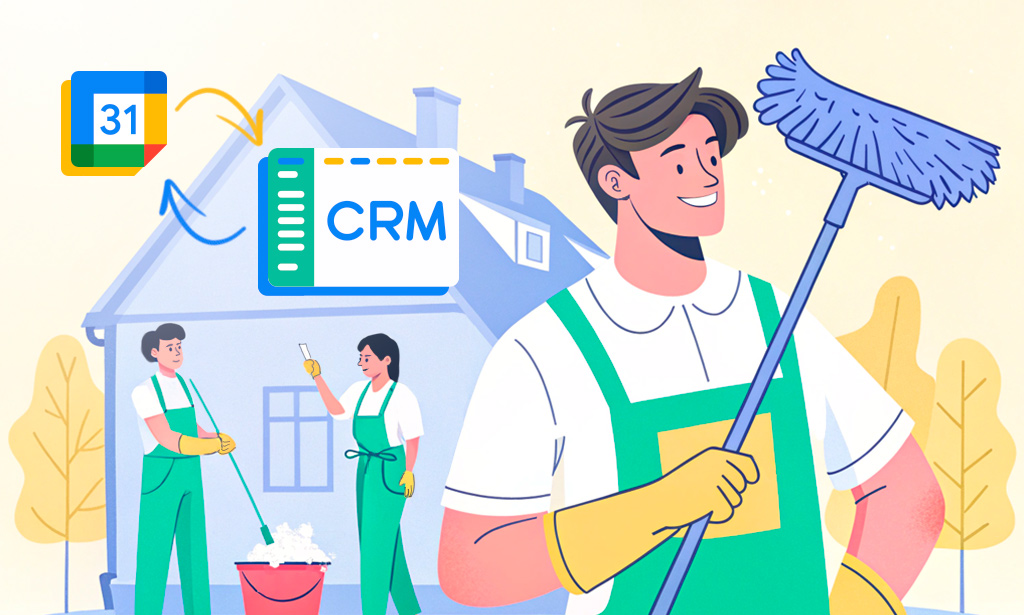
Syncing cleaners’ Google Calendars with your CRM eliminates double booking, missed visits, and manual updates. When calendar and CRM stay in sync, dispatchers, field staff, and customers all see the same schedule in real time.
Why Sync Google Calendar with Your CRM
For residential cleaning teams, time slots are the product, so schedule accuracy directly affects revenue and reputation. Manual copying between Google Calendar and CRM inevitably creates gaps, delays, and errors.
Key benefits of syncing calendars with your CRM:
- Single source of truth: Dispatchers schedule in the CRM, cleaners see updated visits on Google Calendar.
- Fewer no‑shows: Automated reminders and consistent time slots reduce missed appointments.
- Faster coordination: Changes in one system propagate to the other without extra calls or chats.
Options for Syncing Cleaners’ Calendars
Most cleaning businesses combine native calendar integrations with automation tools to reach full coverage.
Common options include:
- Direct CRM ↔ Google Calendar sync (e.g., Planfix, HubSpot) for official company schedules.
- One‑way CRM → Google Calendar sync (e.g., Jobber URL feeds) for “read‑only” job visibility in Google Calendar.
- Automation platforms (Zapier, Integrately, similar) to bridge gaps or create custom workflows between CRM and calendars.
The sections below show concrete steps using Planfix, Jobber, and HubSpot CRM so you can choose the approach that fits your stack.
Step-by-Step: Syncing Google Calendar with Planfix
Planfix provides built‑in, two‑way synchronization with Google Calendar and lets you choose exactly which planner or calendar to connect.
Basic setup flow:
Step 1: Create a Calendar in Planfix
In Planfix, create or open the planner (often an Hourly or Task calendar) that represents cleaners’ daily schedule.

Step 2: Choose the Calendar to Sync with
Open the planner settings, go to the Integrations section, and select Link with Google Calendar.

Step 3: Authorize Google Access
Authorize Google access, then pick the specific Google Calendar to sync (e.g., “Team Cleaning – West Zone”).

How the sync works in daily operations:
- Tasks and events created in Planfix appear in the linked Google Calendar, giving cleaners a familiar mobile view.
- Updates in Google Calendar (time changes, participants) can sync back and update tasks in Planfix, including attendees.
- If cleaners also use other tools tied to Google Calendar (like Todoist), those events can be displayed inside Planfix as well, consolidating all commitments.

This approach is best when Planfix is the operational hub and Google Calendar is the convenience layer for mobile access.
Step-by-Step: Syncing Google Calendar with Jobber
Jobber lets you expose your Jobber schedule as a calendar feed that Google Calendar can subscribe to. This creates a near real‑time view of jobs in Google Calendar but remains primarily one‑way from Jobber to Google.
Typical setup:
- In Jobber, open the calendar or schedule settings and locate the Calendar Sync or External Calendar option.
- Generate the calendar URL that represents your Jobber schedule.
- In Google Calendar, add a new calendar by URL and paste the Jobber link, then save.
Important behavior details:
- Google Calendar pulls data from Jobber roughly every 12 hours and does not support on‑demand manual refresh.
- Google Calendar can only sync a limited number of items (around 1111) for a single feed; above that, updates may stop.
- To avoid clutter, configure Jobber to sync only relevant items (jobs and visits), not every internal event.
Use this when Jobber is your main scheduling tool and cleaners only need a view‑only calendar on their phones.
Step-by-Step: Syncing Google Calendar with HubSpot CRM
HubSpot supports a two‑way calendar integration that is ideal when you use HubSpot to manage bookings or estimate visits that later feed your cleaning schedules.
HubSpot ↔ Google Calendar sync setup:
- In HubSpot, go to Settings → Integrations → Connected Apps and search for Google Calendar.
- Click Install or Connect, then choose your Google account and grant the requested permissions.
- Confirm the connection so that meetings and booked events in HubSpot automatically create Google Calendar events.
Practical usage patterns:
- Sales or coordinators book cleaning estimates in HubSpot; these appear in Google Calendar for the assigned teammate.
- Calendar events logged in HubSpot automatically appear on contact timelines, preserving the visit history.
- Workflows can send reminders and follow‑ups relative to calendar events to reduce no‑shows and missed estimates.
This is most useful for cleaning businesses using HubSpot for lead capture and pre‑service communication rather than day‑to‑day crew dispatch.
Comparison: Calendar Sync Approaches for Cleaning Teams
| Aspect | Planfix + Google Calendar | Jobber + Google Calendar | HubSpot CRM + Google Calendar |
| Integration type | Built‑in two‑way sync between Planfix planners and Google Calendar. | Calendar feed from Jobber to Google Calendar, effectively one‑way. | Built‑in two‑way meeting sync between HubSpot and Google Calendar. |
| Primary use | Operational scheduling for cleaners with full task context and attendees. | Exposing job schedules to cleaners as read‑only Google Calendar views. | Coordinating estimates, sales meetings, and customer appointments. |
| Update behavior | Changes sync both directions with planner‑level configuration. | Google checks the feed about every 12 hours; no manual refresh. | Updates to meetings in either system stay in sync for attendees. |
| Limits and caveats | Requires choosing the right calendar per team and configuring sync rules. | Google Calendar limit of ~1111 items per feed; heavy schedules may stop updating. | Best suited for meetings and estimates, not detailed route‑level job slots. |
| Best fit for cleaners | Teams that want Planfix as the main CRM and workflow engine, with mirrored Google Calendars per crew. | Crews that just need to see today’s jobs on their phones, while dispatch stays in Jobber. | Organizations that run cleaning plus additional services and manage pipelines in HubSpot. |
FAQ
Do I need two‑way sync, or is one‑way enough for cleaners?
Two‑way sync is valuable if cleaners or supervisors adjust times directly in Google Calendar and those changes must update the CRM automatically. One‑way CRM → Google sync is usually enough if only dispatch edits the schedule and cleaners simply follow it.
How often does Google Calendar update the data from my CRM?
With feed‑based integrations like Jobber, Google typically refreshes roughly every 12 hours, so changes are not instantaneous. Direct two‑way integrations (Planfix, HubSpot) reflect updates much faster because they communicate through APIs rather than static feeds.
What is the best way to avoid clutter in cleaners’ calendars?
Create separate calendars per team or region and sync only job‑relevant events rather than every internal task. This keeps each cleaner’s Google Calendar focused on visits that actually require travel and on‑site work.
Can Planfix sync separate Google Calendars for different cleaning crews or regions?
Yes. Each Planfix planner (e.g., “West Side Crew,” “Downtown Team”) links to its own Google Calendar. Sync rules apply per planner, so one crew’s changes don’t affect others.
How does Planfix’s two-way Google Calendar sync handle crew availability conflicts?
Planfix detects overlapping events during sync and flags conflicts in the planner view. Managers can drag tasks to resolve, and changes propagate back to Google Calendar, keeping both systems aligned.

