Deleting an employee
From Planfix
- When an employee quits or is dismissed, we don't recommend deleting them but instead following some set procedure.
- Before deleting an employee, transfer their active tasks to another employee.
Account administrators and employees managing account payments can delete employees.
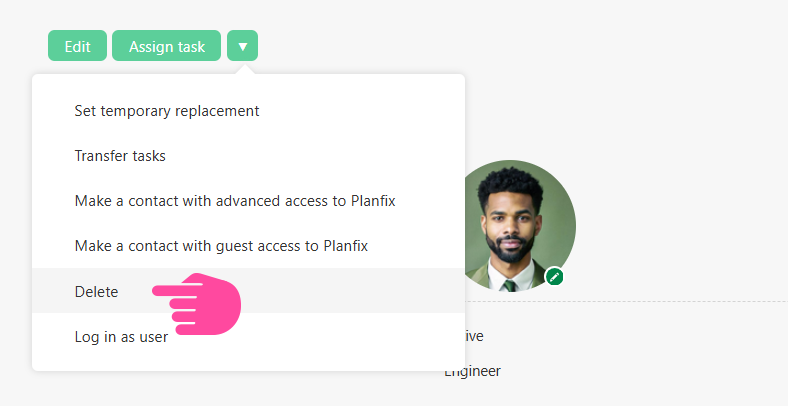
To delete an employee, you must:
- Go to the Company section.
- Click the employee you would like to delete.
- In the contact's card, select Delete in the additional operations menu: