
List of variables for a report export template
From Planfix
Every report has its own unique list of variables, which is determined by the objects used in the report (such as Tasks, Actions, or Data Tags) and the columns displayed. A list of these variables is available when editing the report, in the Export tab:
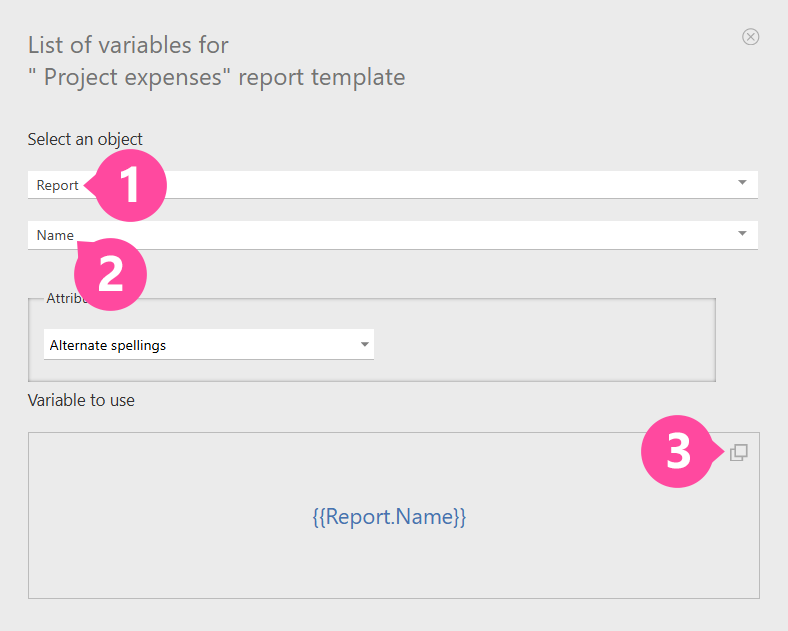
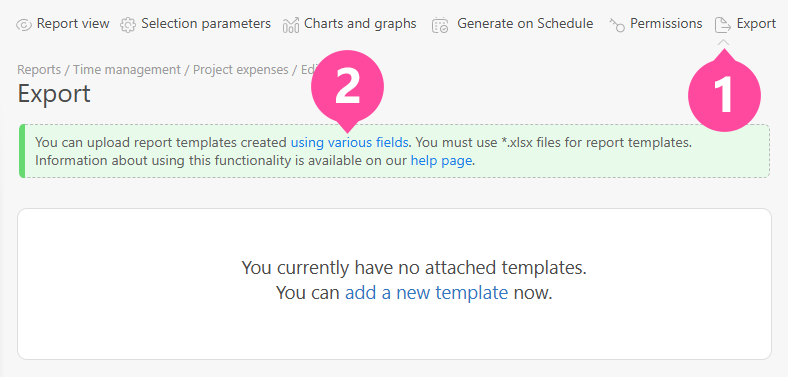 Clicking the words "using various fields" opens the list of variables available for the given report:
Important
- Variables also work in the names of export templates. When a document is generated from a template, the variables in the file name are replaced with the corresponding data from the report. This automatically assigns unique names to documents, making them quick to find and identify.