
Simple planner list: Difference between revisions
From Planfix
| Line 22: | Line 22: | ||
*Create a Planner for Kanban:: | *Create a Planner for Kanban:: | ||
https://s.pfx.so/pf/ | https://s.pfx.so/pf/9P/7ANt9t.jpg | ||
*Add a list:: | *Add a list:: | ||
| Line 32: | Line 32: | ||
https://s.pfx.so/pf/al/iN1Qdf.gif | https://s.pfx.so/pf/al/iN1Qdf.gif | ||
== How to work with simple lists == | == How to work with simple lists == | ||
The working algorithm is as follows: | The working algorithm is as follows: | ||
Revision as of 09:30, 24 October 2025
A simple list in the Planner is a type of list intended for quickly recording tasks, notes, ideas, or activities that are not tied to anything specific.
- The difference between a simple list and a list with conditions
- How to create a simple list
- How to work with simple lists
The difference between a simple list and a list with conditions
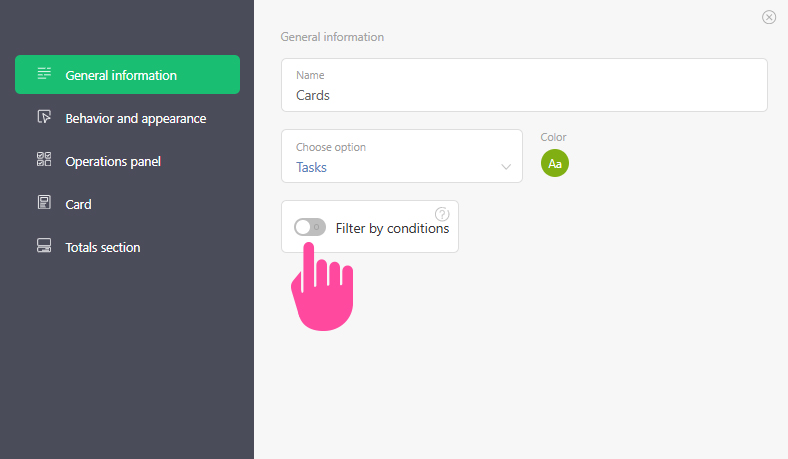
The main difference from standard lists in the planner is the lack of conditional filters. The toggle switch is inactive:
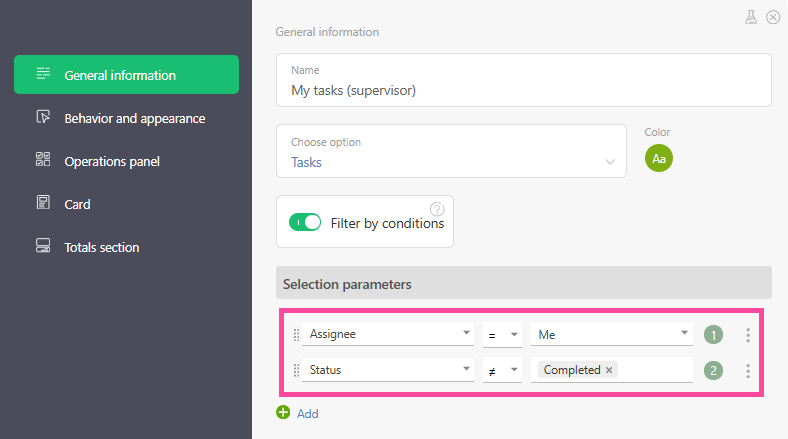
Standard lists (with conditional filters enabled) are a tool for more deliberate task management in Planfix:
How to create a simple list
- Create a Planner for Kanban::
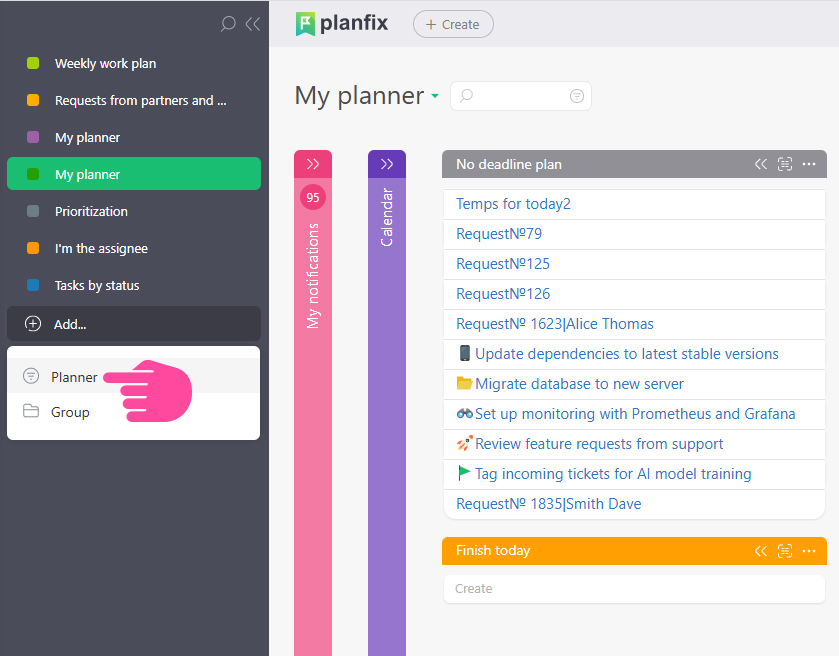
- Add a list::

- Add ideas or tasks to the list that need to be done:

How to work with simple lists
The working algorithm is as follows:
- Add tasks to the simple list.
- Plan who will complete these tasks, when, and in what order.
- Move the tasks to a standard list to assign them for work.

The task adopts the specified attributes of the list to which it was moved.