Directory entry: Difference between revisions
From Planfix
No edit summary |
No edit summary |
||
| (One intermediate revision by the same user not shown) | |||
| Line 7: | Line 7: | ||
In Planfix, [[Directories]] are used to store and use various information. A directory consists of entries. A '''Directory entry''' consists of a set of fields of various [[Types of custom fields|types]]: | In Planfix, [[Directories]] are used to store and use various information. A directory consists of entries. A '''Directory entry''' consists of a set of fields of various [[Types of custom fields|types]]: | ||
https://s.pfx.so/pf/ | https://s.pfx.so/pf/FY/HLkYOt.png | ||
The fields of each entry in the directory have the following parameters: | The fields of each entry in the directory have the following parameters: | ||
https://s.pfx.so/pf/ | https://s.pfx.so/pf/RX/CfhRXB.png | ||
*'''Mandatory field''' — prevents the directory entry from being saved until this field has a value. | *'''Mandatory field''' — prevents the directory entry from being saved until this field has a value. | ||
| Line 18: | Line 18: | ||
*'''Show in entry list''' — Allows additional directory fields to be selected for display. When this option is activated, the following fields are displayed: | *'''Show in entry list''' — Allows additional directory fields to be selected for display. When this option is activated, the following fields are displayed: | ||
https://s.pfx.so/pf/ | https://s.pfx.so/pf/6z/52oRph.png | ||
When selecting directory entries, they are displayed as follows: | When selecting directory entries, they are displayed as follows: | ||
https://s.pfx.so/pf/ | https://s.pfx.so/pf/XF/MuqZpU.png | ||
If the option is not activated, the selection of directory entries looks like this: | If the option is not activated, the selection of directory entries looks like this: | ||
https://s.pfx.so/pf/ | https://s.pfx.so/pf/ko/UqRwTc.png | ||
==Important== | ==Important== | ||
*Planfix has a custom field type, [[Directory entry - Field type|"Directory entry,"]] that stores links to Planfix directory entries. This field type is commonly used in tasks, contacts, projects, and directories. | *Planfix has a custom field type, [[Directory entry - Field type|"Directory entry,"]] that stores links to Planfix directory entries. This field type is commonly used in tasks, contacts, projects, and directories. | ||
| Line 33: | Line 33: | ||
In the "Company branches" directory, the "City" is a field of the "Directory entry" type that contains a link to an entry in another directory: | In the "Company branches" directory, the "City" is a field of the "Directory entry" type that contains a link to an entry in another directory: | ||
https://s.pfx.so/pf/ | https://s.pfx.so/pf/81/5aY7dn.png | ||
This is another directory "Cities": | This is another directory "Cities": | ||
https://s.pfx.so/pf/ | https://s.pfx.so/pf/I1/JJ2YHE.png | ||
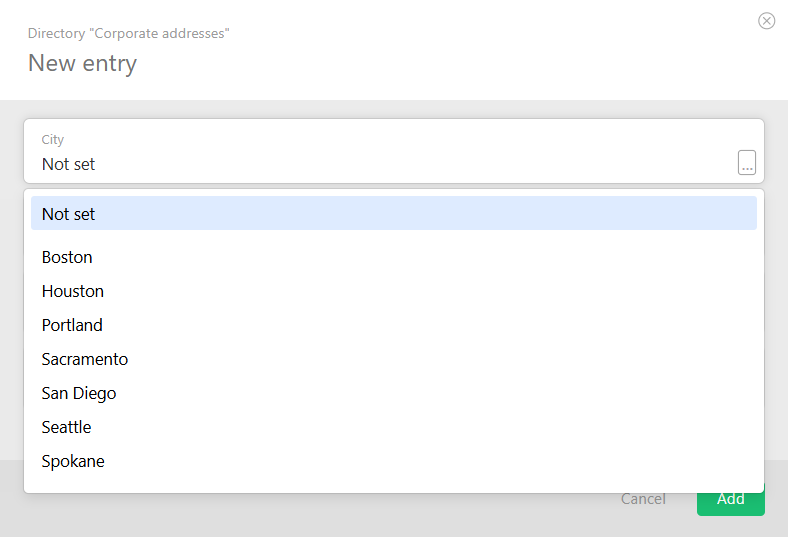
This is what it looks like when a new entry with "Directory entry" is added to the directory: | This is what it looks like when a new entry with "Directory entry" is added to the directory: | ||
https://s.pfx.so/pf/ | https://s.pfx.so/pf/f1/sv1daJ.png | ||
The result: | The result: | ||
https://s.pfx.so/pf/ | https://s.pfx.so/pf/md/RYKFIy.png | ||
==Go To== | == Go To == | ||
*[[How to create a directory?]] | *[[How to create a directory?]] | ||
*[[Directories]] | *[[Directories]] | ||
*[[Types of custom fields]] | *[[Types of custom fields]] | ||
Latest revision as of 13:31, 24 December 2025
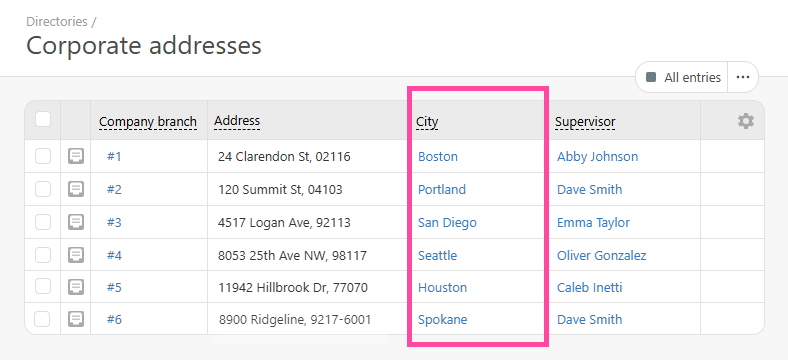
In Planfix, Directories are used to store and use various information. A directory consists of entries. A Directory entry consists of a set of fields of various types:
The fields of each entry in the directory have the following parameters:
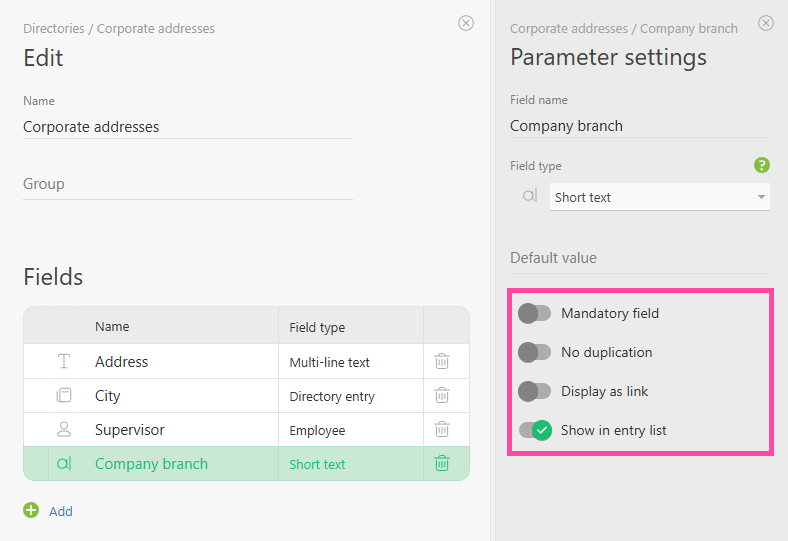
- Mandatory field — prevents the directory entry from being saved until this field has a value.
- No duplication — you can't save a directory entry if there is already a field with the same value in the directory
- Display as link — Allows fields of type "Text" to be displayed as hyperlinks in the directory.
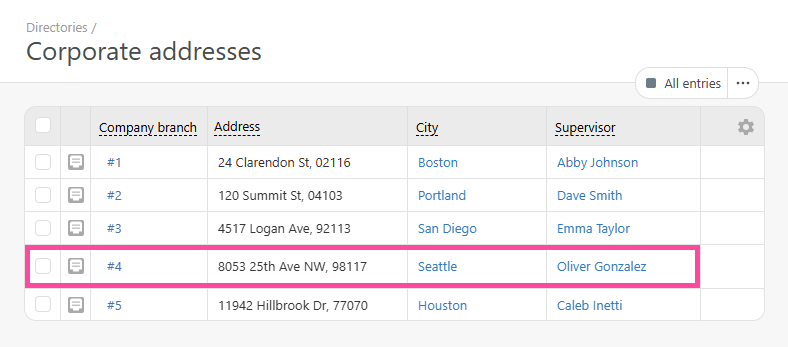
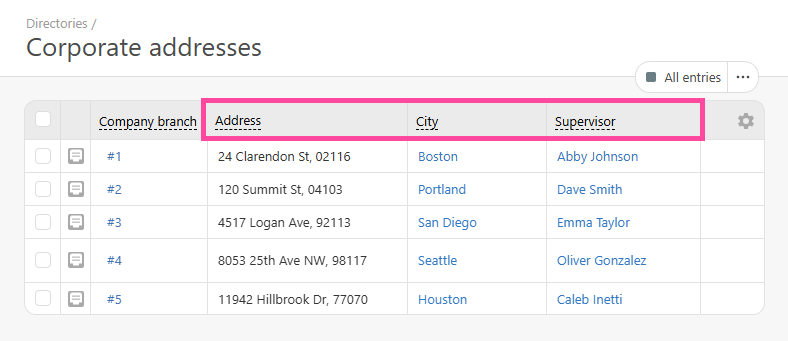
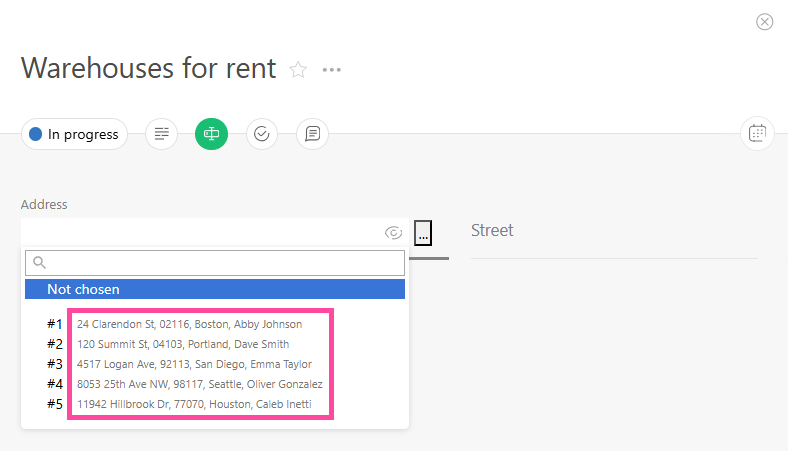
- Show in entry list — Allows additional directory fields to be selected for display. When this option is activated, the following fields are displayed:
When selecting directory entries, they are displayed as follows:
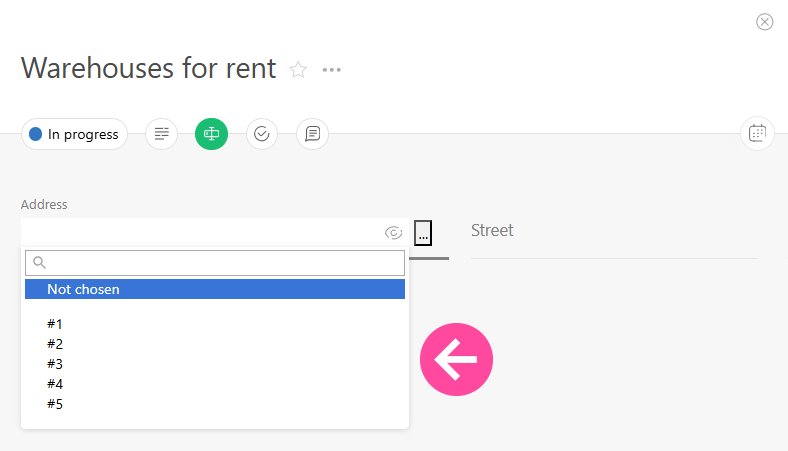
If the option is not activated, the selection of directory entries looks like this:
Important
- Planfix has a custom field type, "Directory entry," that stores links to Planfix directory entries. This field type is commonly used in tasks, contacts, projects, and directories.
- A directory entry can also contain fields of the "directory entry" type, which can be used to link directories. An example:
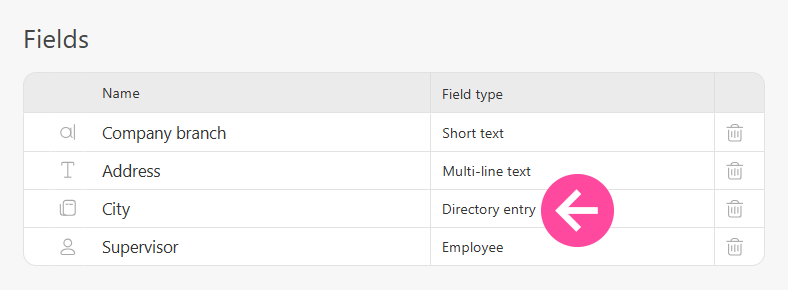
In the "Company branches" directory, the "City" is a field of the "Directory entry" type that contains a link to an entry in another directory:
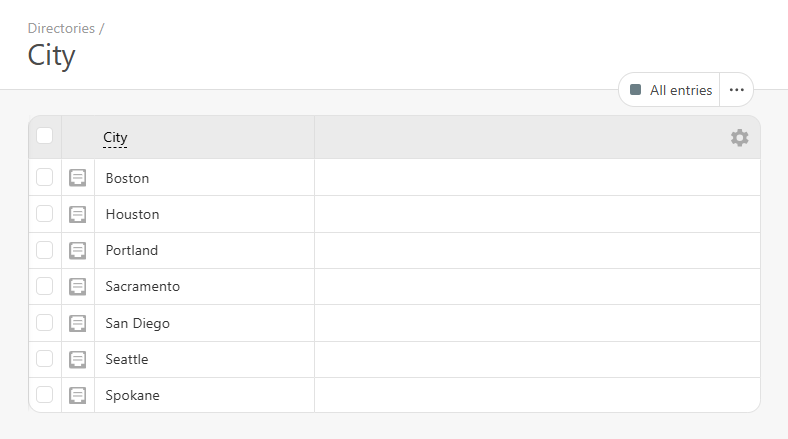
This is another directory "Cities":
This is what it looks like when a new entry with "Directory entry" is added to the directory:
The result: