Timer
The timer can be used to quickly track time spent on tasks. It is also available in the mobile app. Each employee must enable the timer for themselves in Planfix — in the employee card — Settings — Personal settings — Built-in timer.
How the timer is used
Before using the timer:
- Install the Time Tracking solution from the marketplace.
- Then open a Task and start the timer by clicking the clock icon in the upper right corner.
- If you stop the timer, a window for adding a Data tag will open. The first three fields there cannot be changed. Then specify the type of work, and in the comment, describe what you did:
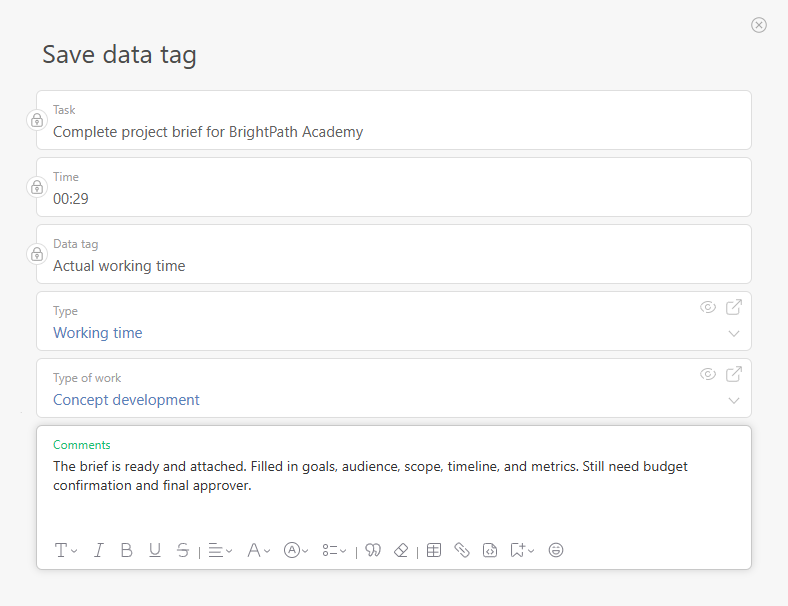
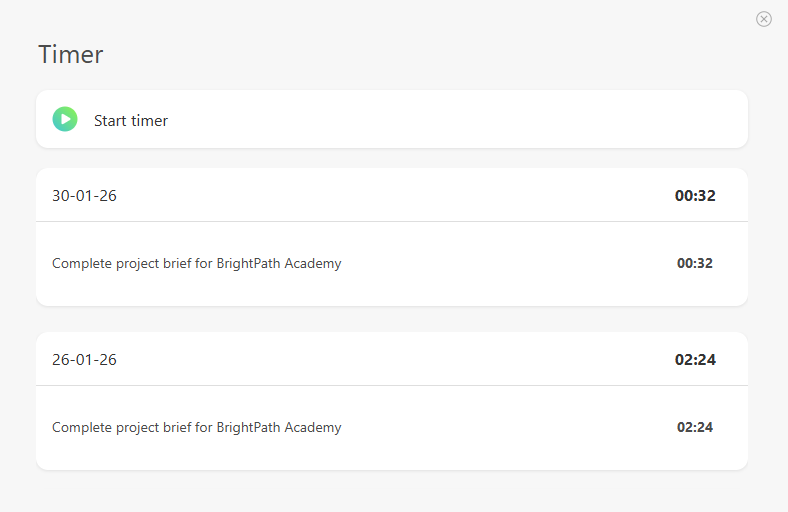
- Save the data tag. All saved Data tags will be displayed below:
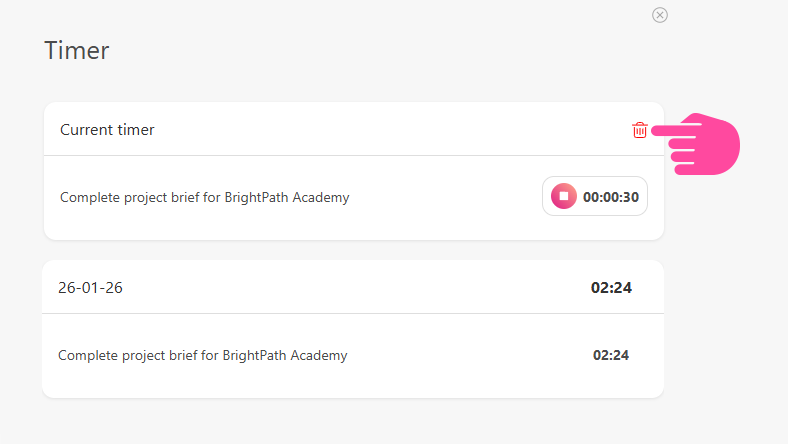
You can reset the timer without saving a Data tag by clicking this button:
Important
- Identical data tags added on the same day are merged into a single entry in the history section, and their times are combined. This is done for convenience, to keep the history from getting cluttered.