Adding a reminder to a comment
From Planfix
If you want Planfix to remind you or your colleagues about an event or task, you need to add a comment containing a reminder:
- Create a new comment
- Click the Plus icon and choose Reminder and enter the reminder text in the window that opens:
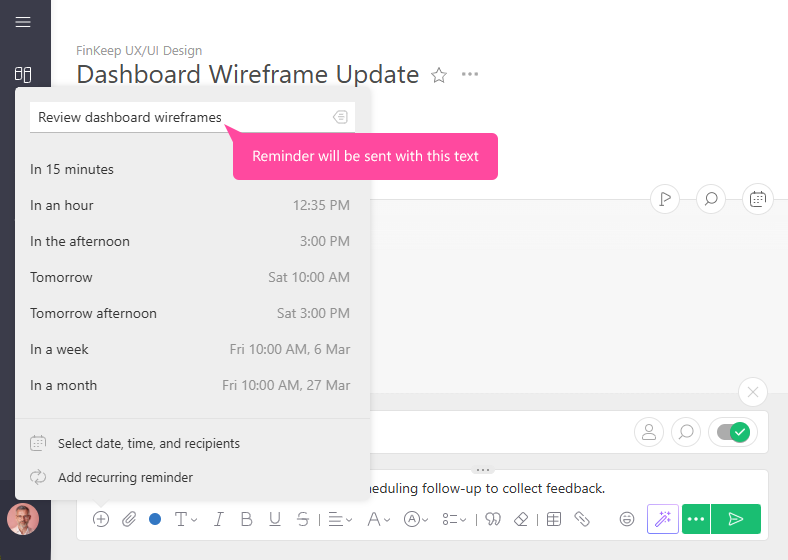 The image may differ depending on the selected comment display view.
- Select a date and time for Planfix to send the reminder
- If you would like other employees to receive reminders as well, click "Select date, time, and recipients." In addition to selecting specific people as recipients, you can also specify roles: the auditor, assigner, assignees, or task participants:
If no one is selected, only the person who created the comment will receive the notification.
- Save the comment.
At the specified time, the reminder will be sent via the method indicated in the settings of the specific employee.
Useful information
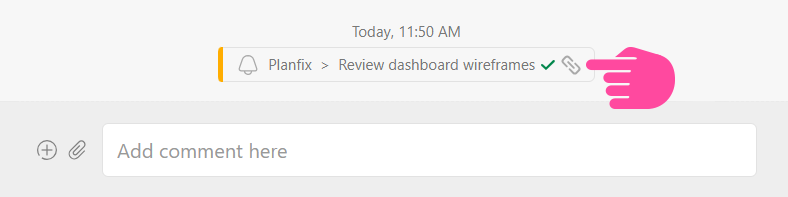
- Triggered reminders in a task's comment feed contain a link to the reminder source, which helps you keep track of where reminders came from if there are several in a task: