POST-request to Stripe: payment link: Difference between revisions
From Planfix
No edit summary |
No edit summary Tag: Reverted |
||
| Line 9: | Line 9: | ||
*'''Step 1''' — Create a request with payment details for Stripe: | *'''Step 1''' — Create a request with payment details for Stripe: | ||
https://s.pfx.so/pf/ct/QEkomO.jpg | https://s.pfx.so/pf/ct/QEkomO.jpg | ||
<pre> | |||
{ | |||
Request content: | |||
AS TEXT | |||
AS PARAMETERS | |||
Parameter | |||
Value | |||
success_url | |||
https://example.com/success | |||
cancel_url | |||
https://example.com/cancel | |||
mode | |||
payment | |||
line_items[0][price_data][currency] — currency | |||
line_items[0][price_data][product_data][name] — product name | |||
line_items[0][quantity] — product quantity | |||
line_items[0][price_data][unit_amount] — product price | |||
} | |||
</pre> | |||
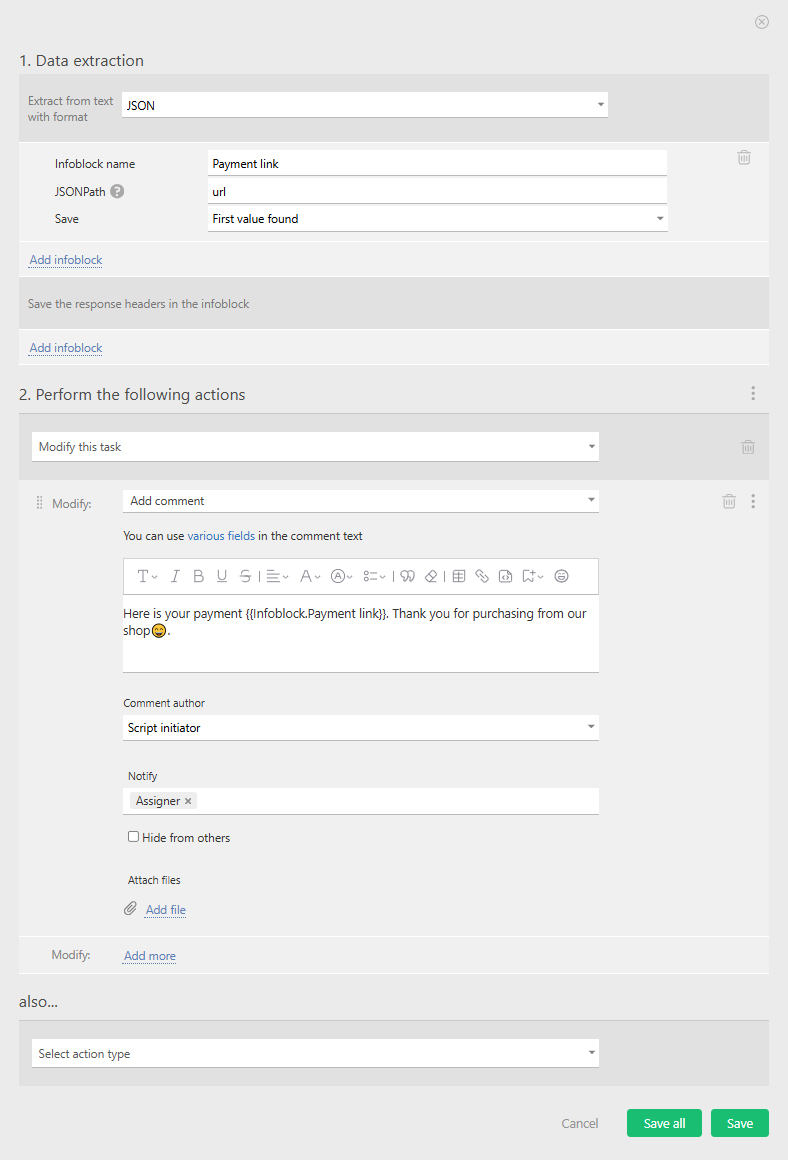
*'''Step 2''' — Parse the response and add the payment link to the task: | *'''Step 2''' — Parse the response and add the payment link to the task: | ||
https://s.pfx.so/pf/aD/rdFfP6.jpg | https://s.pfx.so/pf/aD/rdFfP6.jpg | ||
Revision as of 12:29, 21 August 2025
To connect Planfix to Stripe, we use a button with an HTTP request. The example we configure automatically generates a payment link and sends it to the customer.
- Step 1 — Create a request with payment details for Stripe:
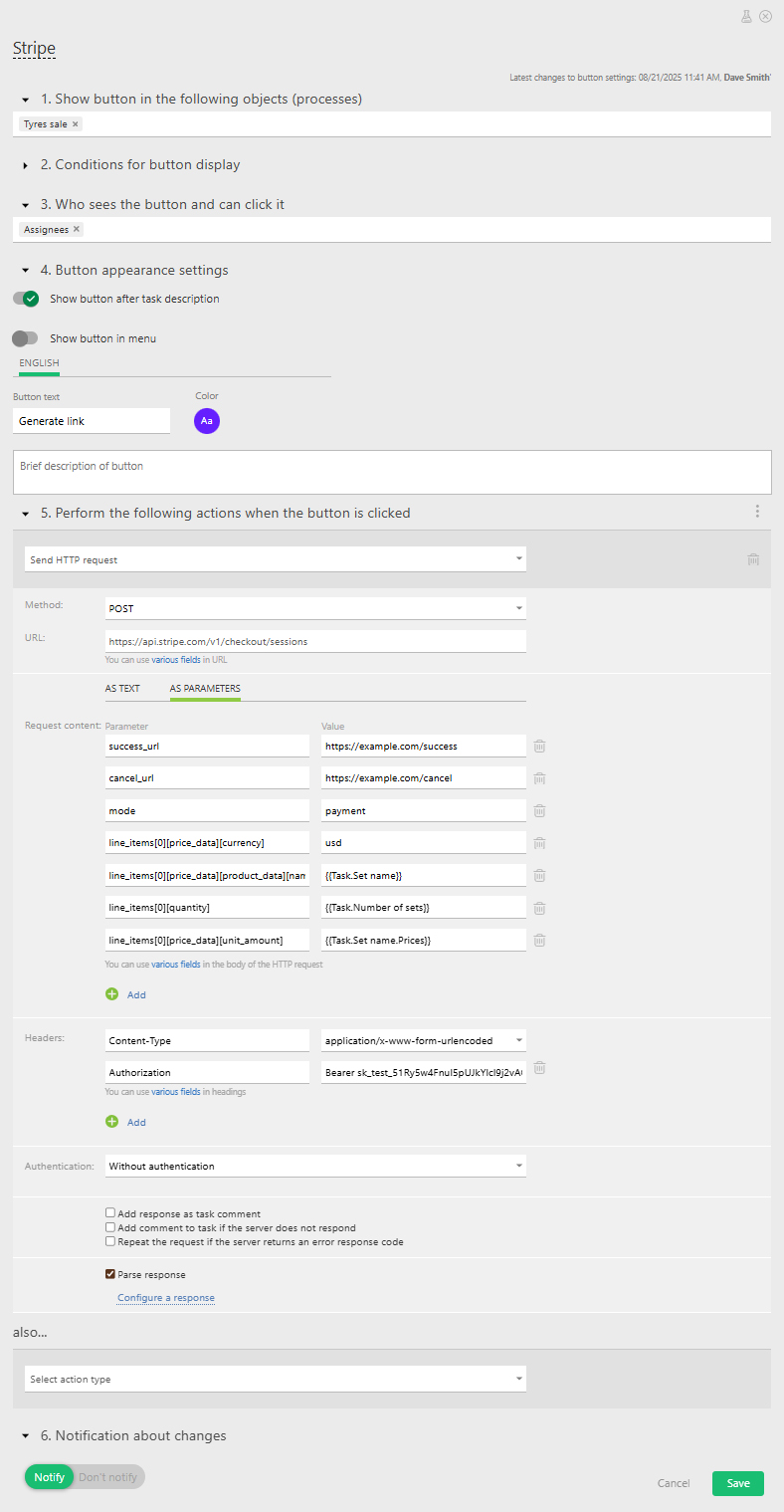
{
   Request content:
AS TEXT
AS PARAMETERS
Parameter
Value
success_url
https://example.com/success
cancel_url
https://example.com/cancel
mode
payment
line_items[0][price_data][currency] — currency
line_items[0][price_data][product_data][name] — product name
line_items[0][quantity] — product quantity
line_items[0][price_data][unit_amount] — product price
}
- Step 2 — Parse the response and add the payment link to the task: