HTTP requests and postal services: Difference between revisions
From Planfix
No edit summary |
|||
| (18 intermediate revisions by the same user not shown) | |||
| Line 2: | Line 2: | ||
|title=HTTP requests and postal services | |title=HTTP requests and postal services | ||
|titlemode=append | |titlemode=append | ||
|keywords=planfix, HTTP requests, buttons, tracking parcels, DHL, | |keywords=planfix, HTTP requests, buttons, tracking parcels, DHL, scripts | ||
|description=HTTP requests and postal services | |description=HTTP requests and postal services | ||
}} | }} | ||
Using [[HTTP | Using [[HTTP Requests]] in Planfix, you can track shipments from transportation companies. | ||
*[[#DHL|DHL]] | *[[#DHL|DHL]] | ||
*[[#FedEx|FedEx]] | |||
== DHL == | |||
We’ll configure parcel tracking via the [https://developer.dhl.com/api-reference/shipment-tracking#get-started-section/ DHL API]. | |||
*Firstly, we send a GET request containing our tracking number and the API key of our app: | |||
https://s.pfx.so/pf/kv/hlBm20.jpg | |||
*Once we have received the response, we parse the shipping data received from DHL and add it to the appropriate fields: | |||
https://s.pfx.so/pf/T3/1AZfQB.jpg | |||
== FedEx == | |||
You can also track your shipment using a POST-request to the [https://developer.fedex.com/api/en-us/home.html FedEx API]. | |||
*'''Step № 1''' — Here, we’ll start by sending a POST request to obtain our authorization token: | |||
https://s.pfx.so/pf/Ki/sbfq6O.jpg | |||
*'''Step № 2''' — Once we’ve parsed the response and received the token, we send a main request to FedEx to obtain our shipment information: | |||
https://s.pfx.so/pf/qr/aHANI5.jpg | |||
*'''Remember''' to add the token to the header of your main request. | |||
*'''Step № 3''' — Parse the information received from FedEx about the shipment and use it to fill in the appropriate field: | |||
https://s.pfx.so/pf/nC/iN9CBb.jpg | |||
== Go To == | |||
*[[HTTP Requests]] | |||
*[[Buttons]] | |||
*[[Scripts]] | |||
Latest revision as of 09:44, 17 November 2025
Using HTTP Requests in Planfix, you can track shipments from transportation companies.
DHL
We’ll configure parcel tracking via the DHL API.
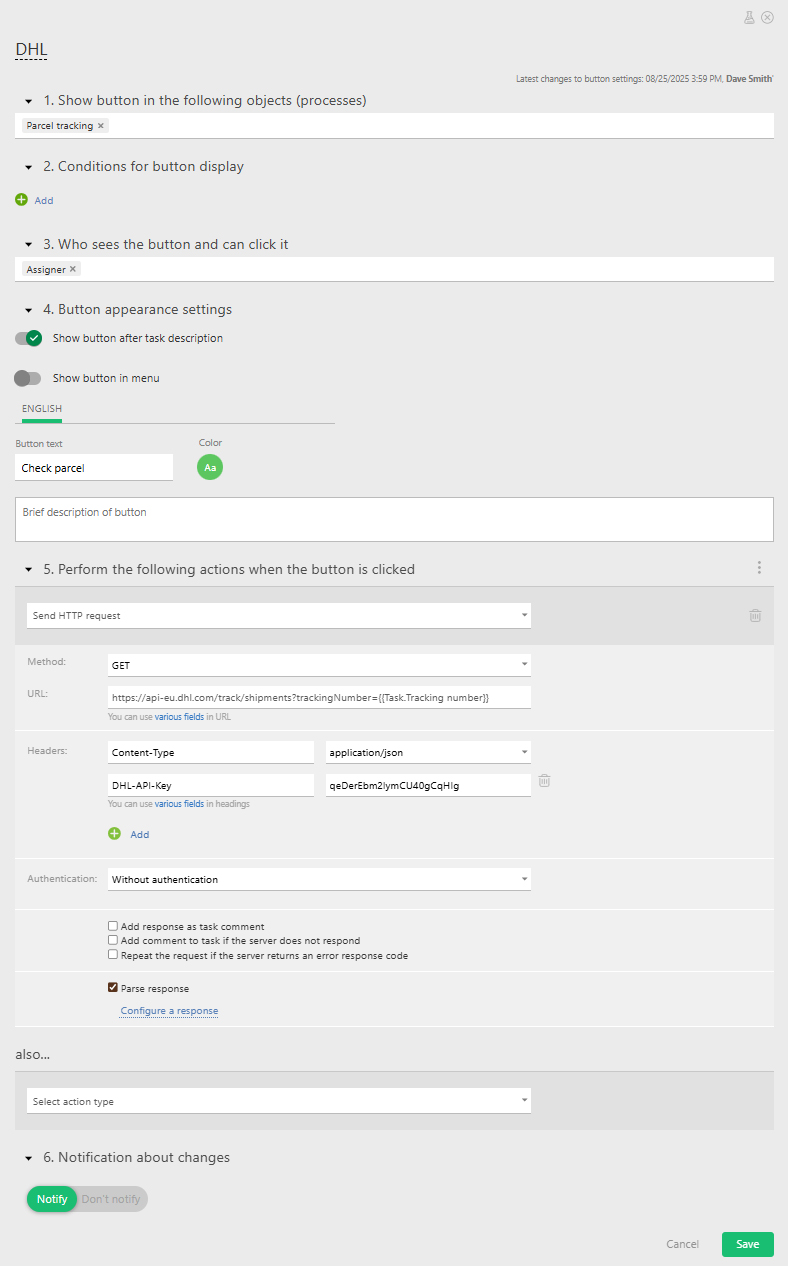
- Firstly, we send a GET request containing our tracking number and the API key of our app:
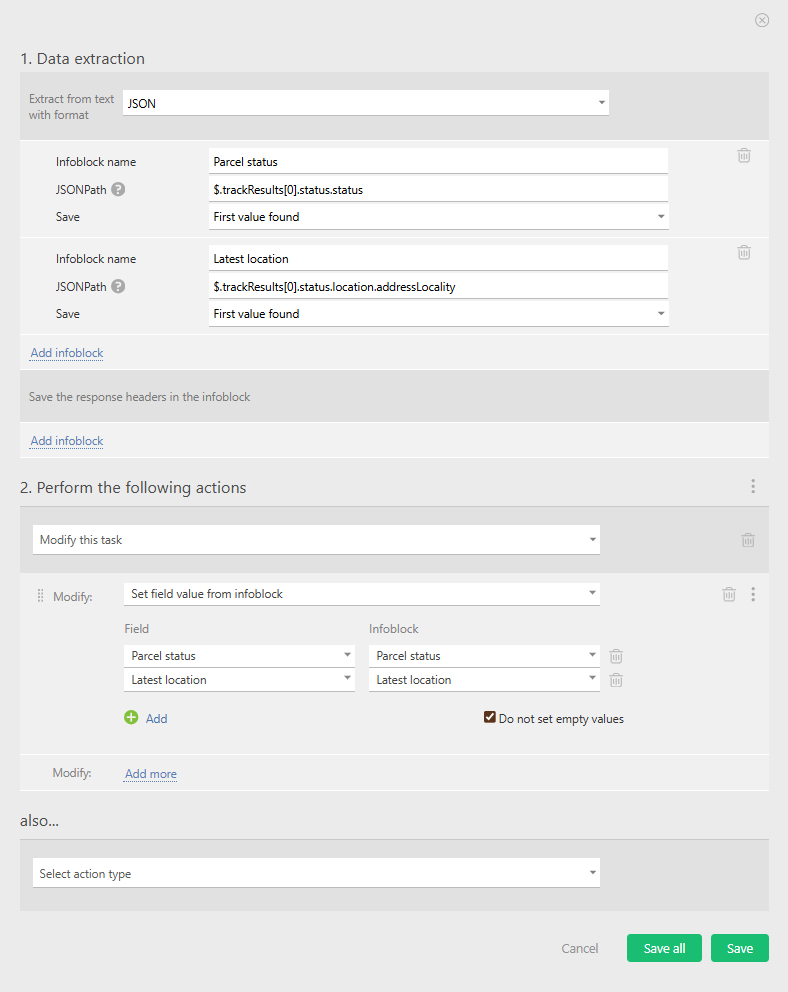
- Once we have received the response, we parse the shipping data received from DHL and add it to the appropriate fields:
FedEx
You can also track your shipment using a POST-request to the FedEx API.
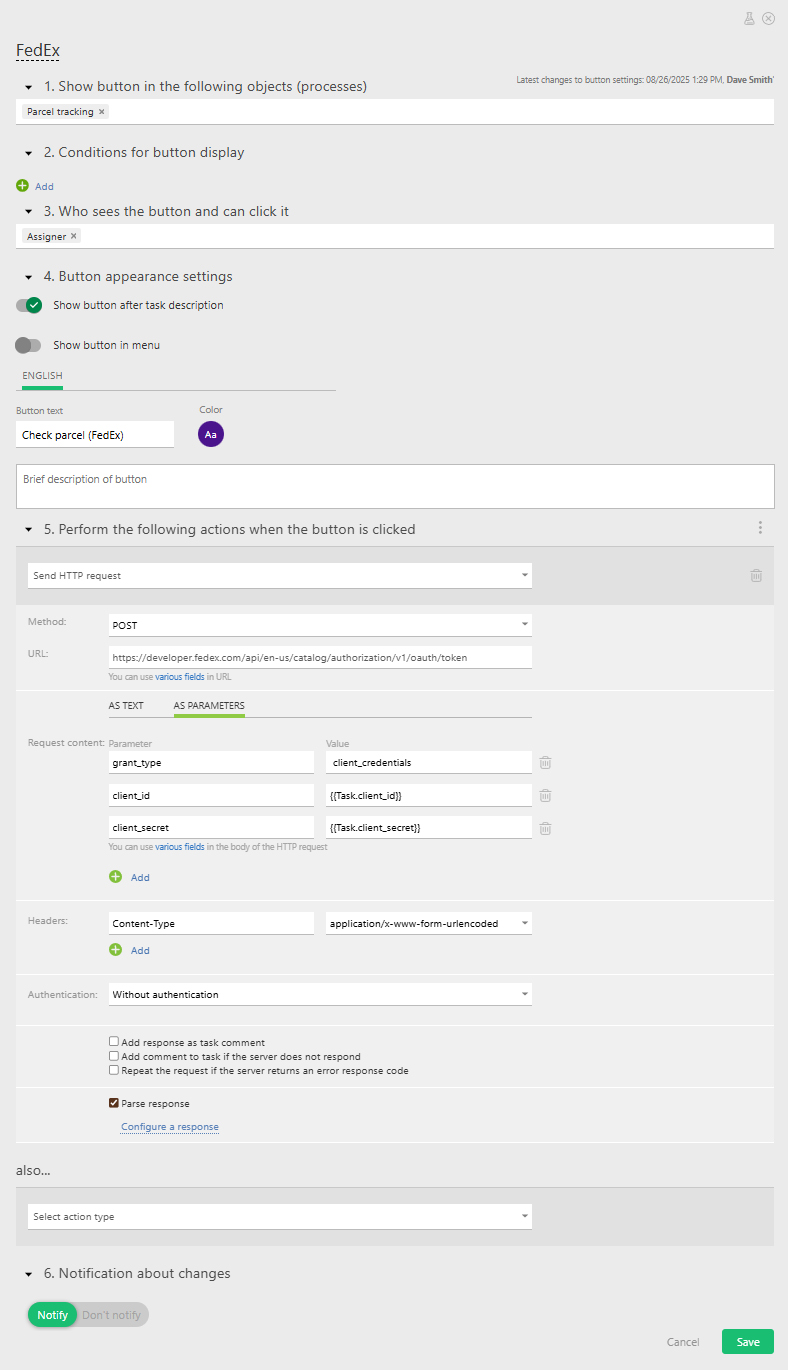
- Step № 1 — Here, we’ll start by sending a POST request to obtain our authorization token:
- Step № 2 — Once we’ve parsed the response and received the token, we send a main request to FedEx to obtain our shipment information:
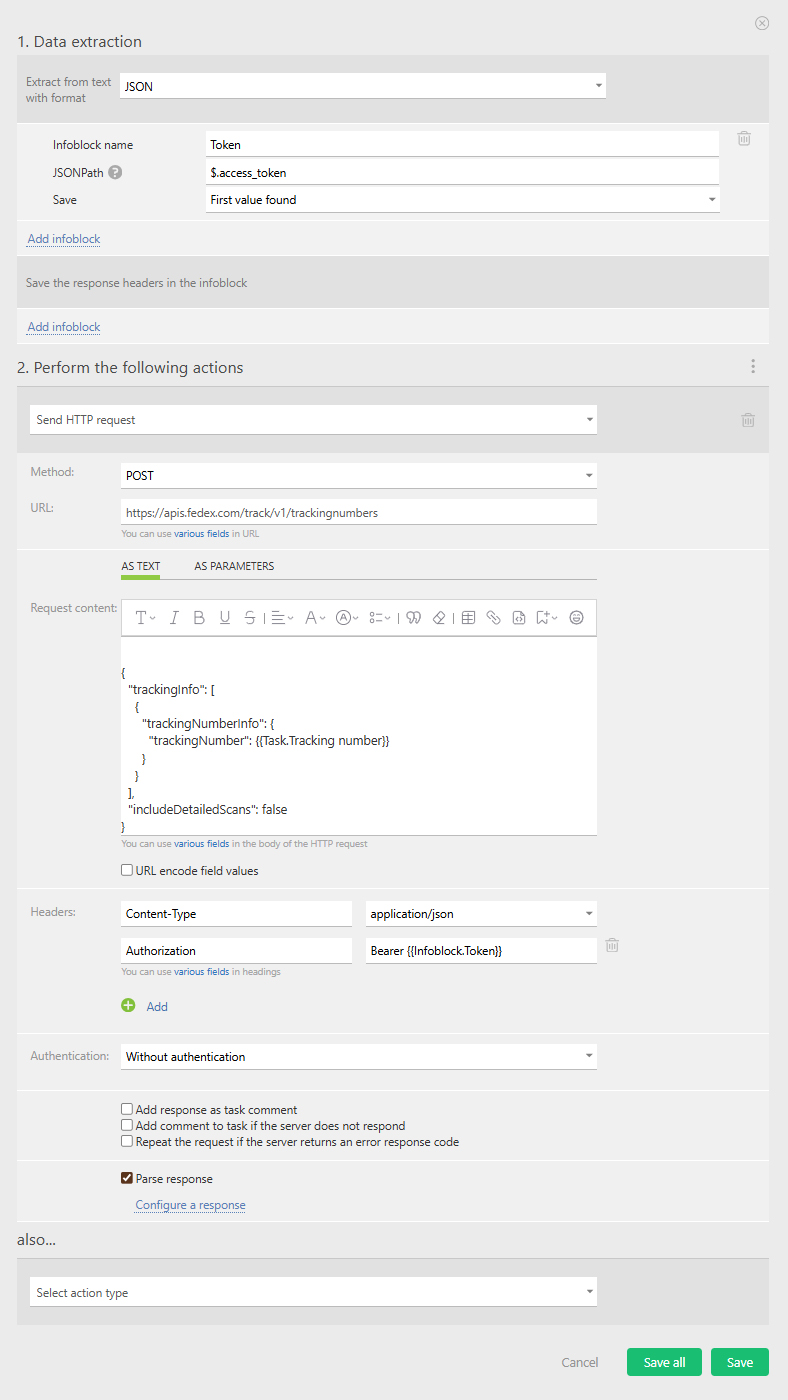
- Remember to add the token to the header of your main request.
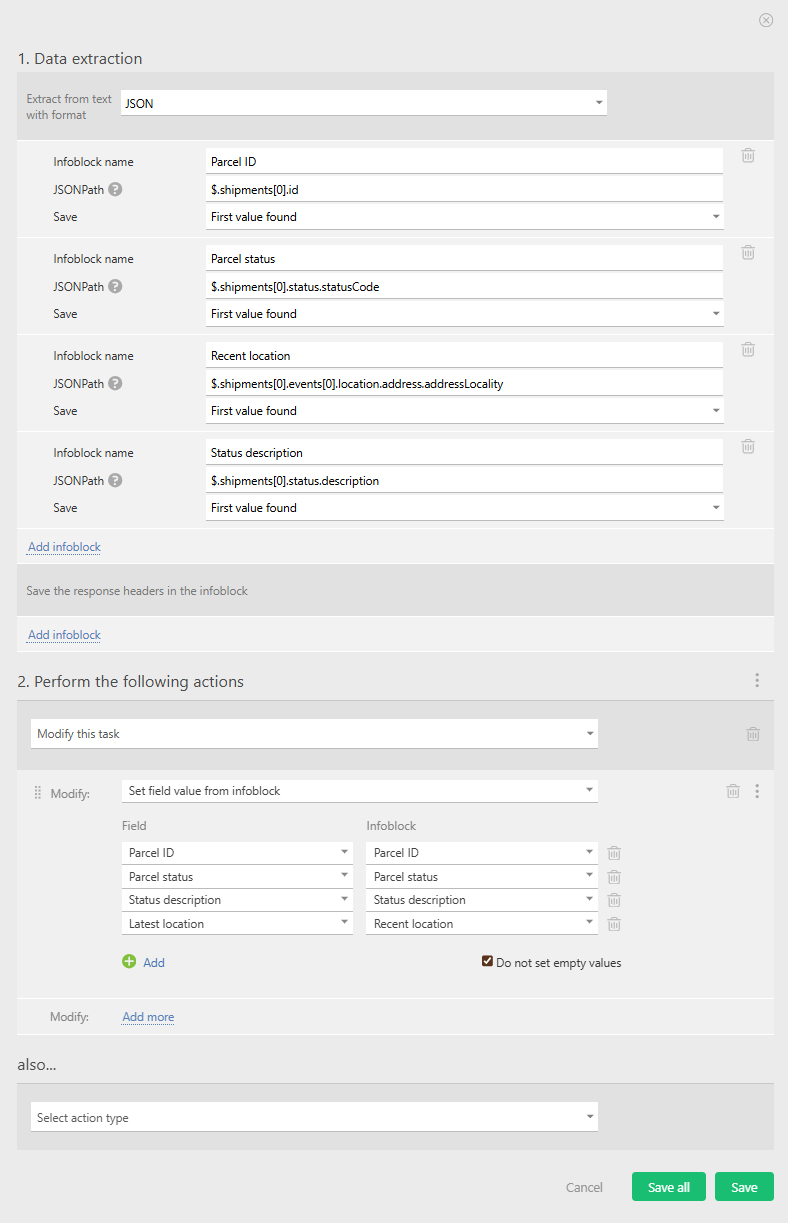
- Step № 3 — Parse the information received from FedEx about the shipment and use it to fill in the appropriate field: