POST-request to Stripe: payment link: Difference between revisions
From Planfix
No edit summary |
(→Go To) |
||
| (10 intermediate revisions by the same user not shown) | |||
| Line 5: | Line 5: | ||
|description=POST-request to Stripe: payment link | |description=POST-request to Stripe: payment link | ||
}} | }} | ||
To connect Planfix to Stripe, we use a [[ | To connect Planfix to Stripe, we use a [[Buttons|button]] with an [[HTTP Requests|HTTP request]]. The example we configure automatically generates a payment link and sends it to the customer. | ||
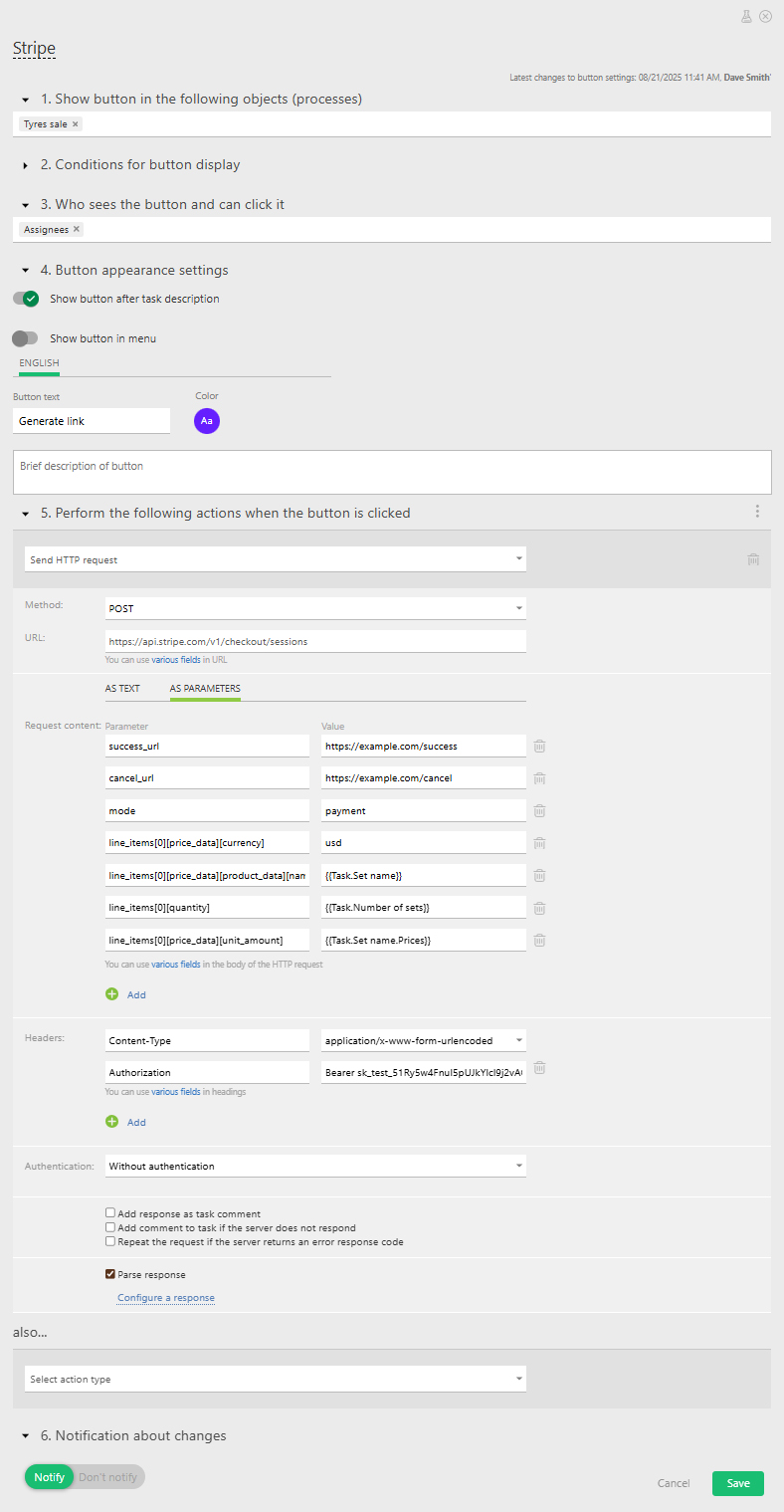
*'''Step 1''' — Create a request with payment details for Stripe and | *'''Step 1''' — Create a request with payment details for Stripe: | ||
https://s.pfx.so/pf/ct/QEkomO.jpg | |||
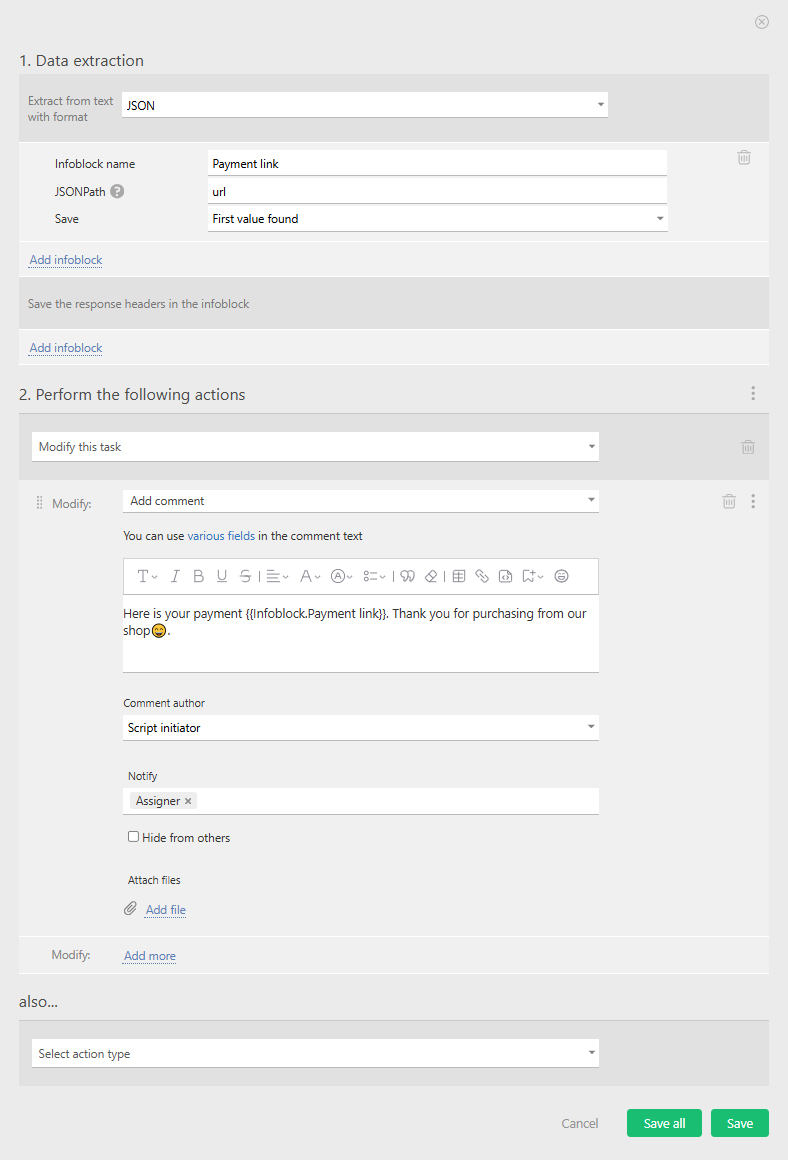
*'''Step 2''' — Parse the response and add the payment link to the task: | |||
https://s.pfx.so/pf/aD/rdFfP6.jpg | |||
== Go To == | |||
*[[HTTP Requests]] | |||
*[[Buttons]] | |||
Latest revision as of 12:51, 21 August 2025
To connect Planfix to Stripe, we use a button with an HTTP request. The example we configure automatically generates a payment link and sends it to the customer.
- Step 1 — Create a request with payment details for Stripe:
- Step 2 — Parse the response and add the payment link to the task: