
Repeating variables
Repeating (multiplying) variables are used with fields that can contain multiple values (such as assignees, files, etc.). They allow you to automatically output data from these fields into document templates, text with variables, and calculated fields – either by generating a separate row for each value or by combining all values into a single comma-separated line. Fields that can contain sets of values in tasks, contacts, projects, and employees include:
System fields
| Field | Variable |
|---|---|
| Assignees | {{Task.Assignee}} |
| Participants | {{Task.Participant}} |
| Auditors | {Task.Task auditors}} |
| Data tag | {{Data tag.Actual working time}} |
| Files | {{{Task.Attached files}} {{Task.Task file}} |
Custom fields
Custom Fields
- List
- Task set
- Directory values set
- Users list
- Values set
- Files
Output all values in one row
If you use a repeating variable in a Word template or in text with variables, all values from the field will be listed in a single line, separated by commas. Here’s what the variable looks like in the template:
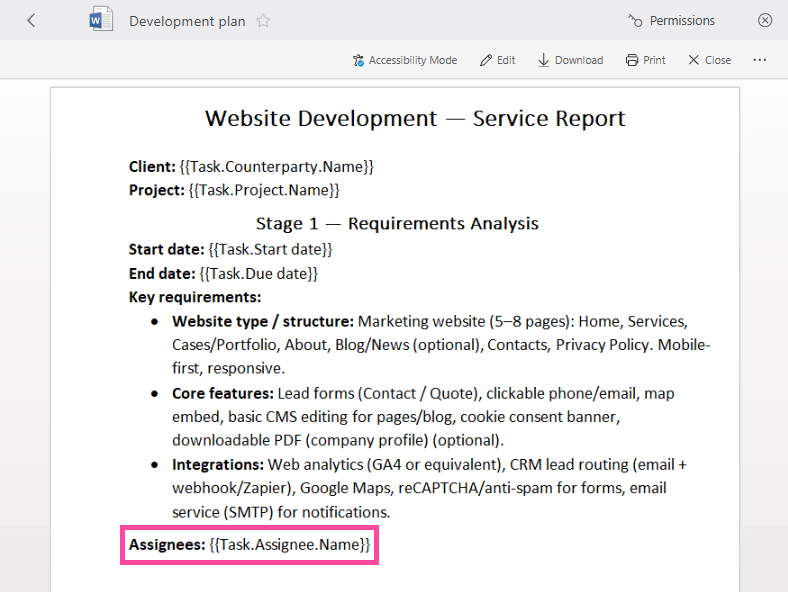
In the generated document:

Output values on separate rows
In Excel templates or in Word tables, repeating variables automatically duplicate rows and output every value included in the field.
Here’s what the variable looks like in the template:
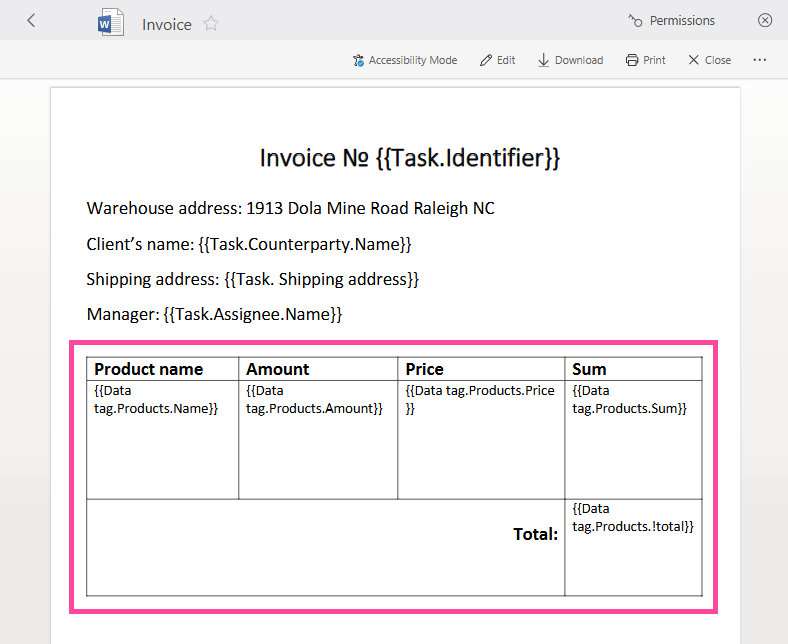
In the generated document:

Additional options
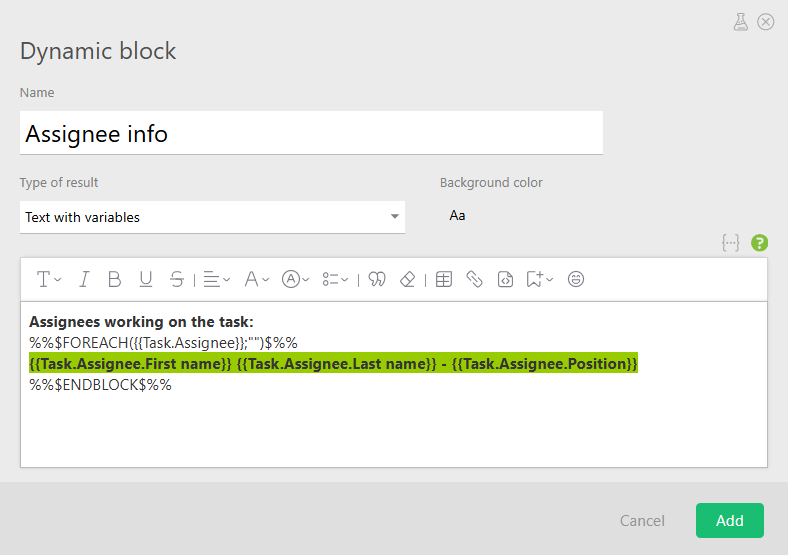
For more advanced formatting in text with variables, you can use the FOREACH or TABLE constructs.
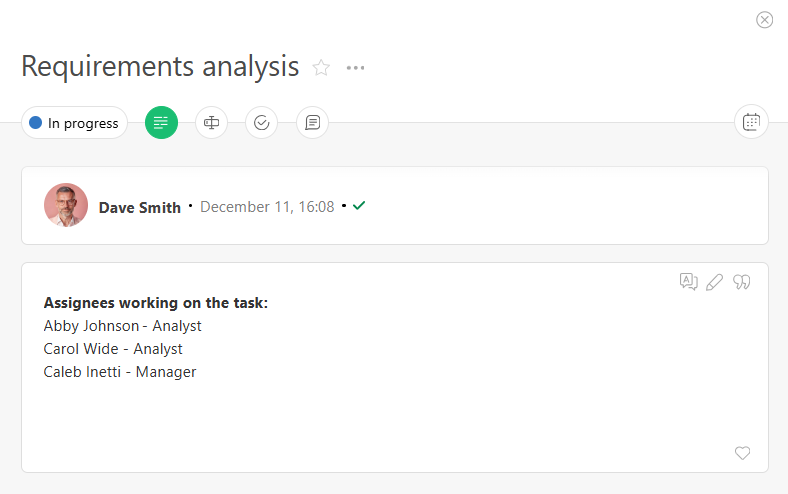
For example, using FOREACH with a repeating variable in a dynamic block:

After saving the block, the data will be displayed as a column:
Important
- In the FOREACH and TABLE constructs, the first argument must be the field name you want to iterate over:
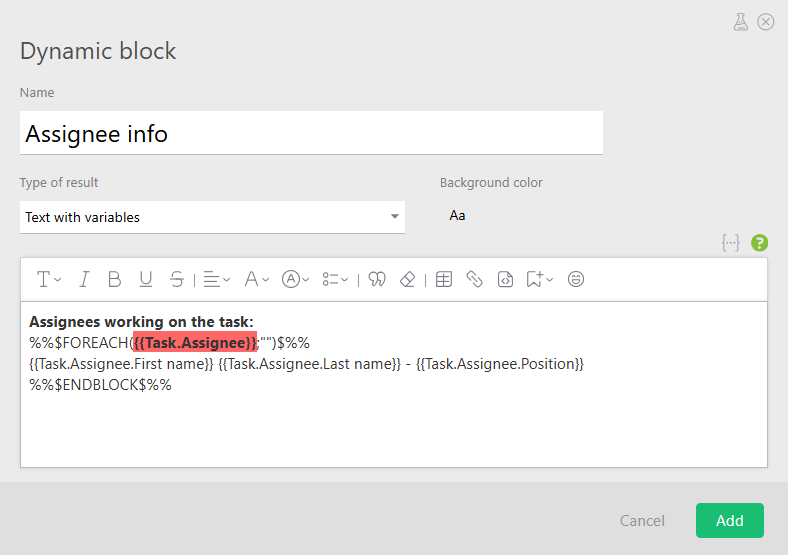
- Inside the body of each construct, you must add the variable name and specify which field the data should be taken from:
Variables and JSON in POST Requests
For a JSON-formatted request, a repeating variable is represented as an array:
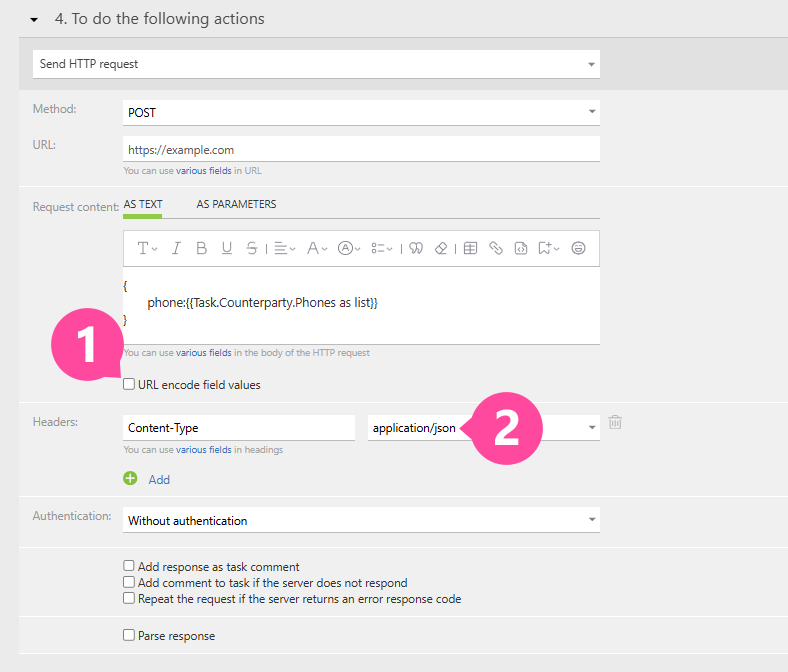
The request will generate valid JSON:
{
	phone: [
		"1 (234) 567-89-01",
		"2 (345) 678-91-23",
		"+5 (6789) 12-34-56"
	]
}
If the endpoint expects a single string instead of an array, use the “Phones as a string” variable:
{
    phone: "{{Task.Counterparty.Phones as string}}"
}
Result:
{
	phone: "1 (234) 567-89-01,2 (345) 678-91-23,+5 (6789) 12-34-56"
}