
Online document editing
From Planfix
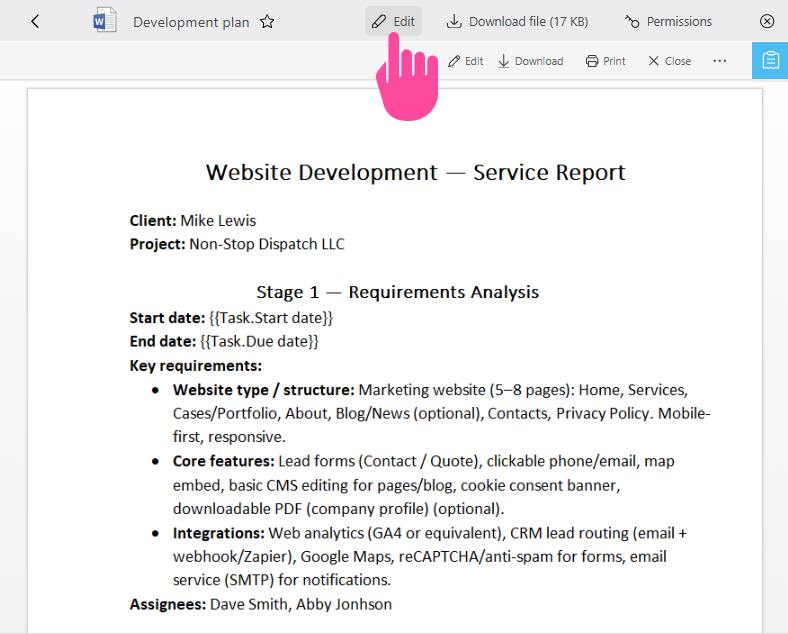
.XLS and .DOC documents can be edited in the Planfix interface. Documents that support online editing have an Edit icon on the top panel:
- You must have a Google account to use this functionality.
- When you click Edit, Planfix will prompt you to select the Google account from which the edits will be made.
- Once you've logged in to your Google account, a separate window will open where you can edit the document.
- When you are finished, simply close the window and confirm that you would like to save the changes made to the document (if you intend to save them):
Important
- There is a size limit for online viewing: 5 Mb for XLS files; 10 Mb for DOC files.
- Collaborative editing is not available for documents uploaded to Planfix. For collaborative editing to be available, you must link to the document you want to edit; don't upload it.
- Document templates cannot be edited in Google Docs.
- You can allow all employees to edit the files available to them. To do this, in Account management — System settings — Advanced features enable the checkbox All employees can edit any files available to them and the "Edit" button for a file will appear automatically for everyone who can see the file, not only for the author.