Incoming webhooks
Incoming webhooks are special links that let you create or modify tasks or add contacts to Planfix. They are created using a specific type and parameters.
Webhook sample:
When a client or other external user clicks this link, predefined operations launch in Planfix. This is a simple way to link Planfix with another web service or program.
Webhooks can be added to Planfix in the Account management — Incoming webhooks section.
When you click the New Webhook button, you can select one of the preset configuration options or configure your own webhook.
Examples
Important
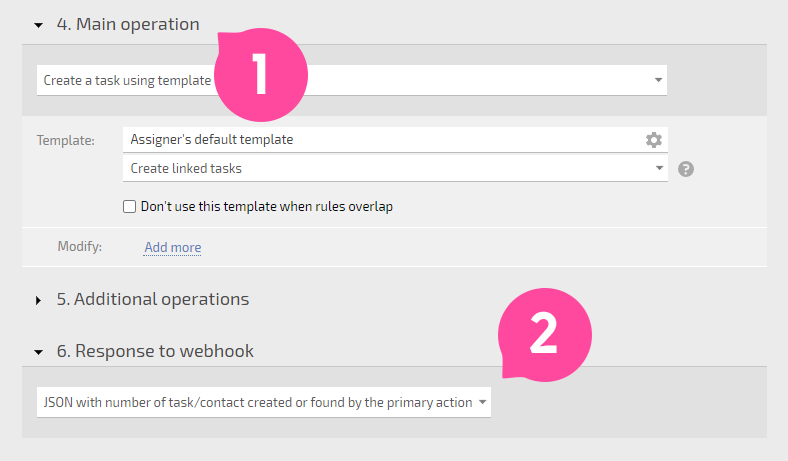
Incoming webhooks only return JSON with the created task number (2) from the main action (1):
Composite webhooks
If different requests arrive at the same address, you can configure the webhook for multiple handling scenarios. Switch the mode "One common scenario" to "Multiple processing scenarios," specify which data determines the script, and set conditions and operations for each.
The first matching script is executed from top to bottom. For example, if forms from different sources submit to the same webhook on a site:
{"form": "demo", "name": "Alex Smith", "email": "alex@example.com"}
{"form": "support", "name": "Alex Smith", "problem": "notifications not received"}
The script is chosen by the value of "form":
- for demo you can create a task for the sales manager
- for support — a task in the technical support project
== Additionally ==
*Incoming webhooks to Planfix can be parsed using JSON. The JsonPath library is used for this