
"Type of time" directory
From Planfix
When working with the Time Tracking Solution, the account administrator can fill in the Type of time directory, which helps record and evaluate employees' work during working and non-working hours:
- To do this, go to the Directories section in the main menu.
- Open the Type of time directory.
- Add your own variants of working time with a new entry in the Type of time directory, e.g., work on holidays and other cases.
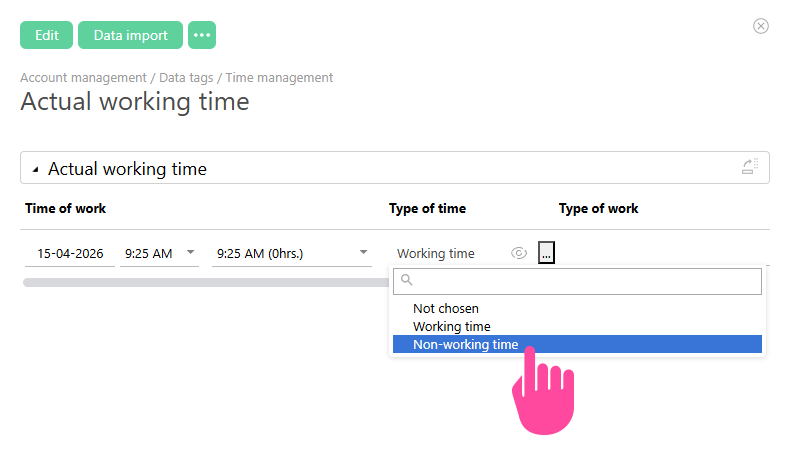
The Type of time directory is used in the Actual working time data tags:
Important
- By default, the field is filled with the Working time type entry. If an employee works outside working hours, edit the entry in the data tag and select Type of time — Non-working time.