
Interface for adding reminders
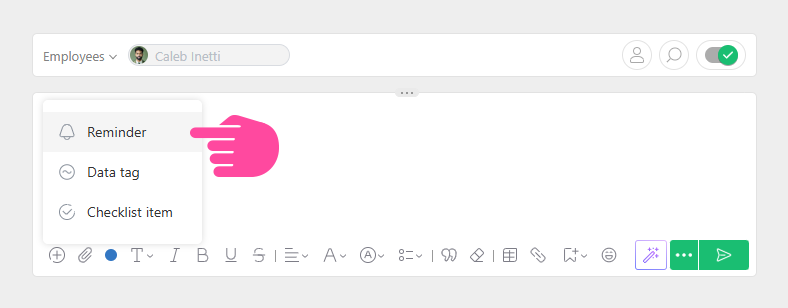
The interface for adding reminders in Planfix can be opened by clicking the bell icon:
Selecting a reminder time
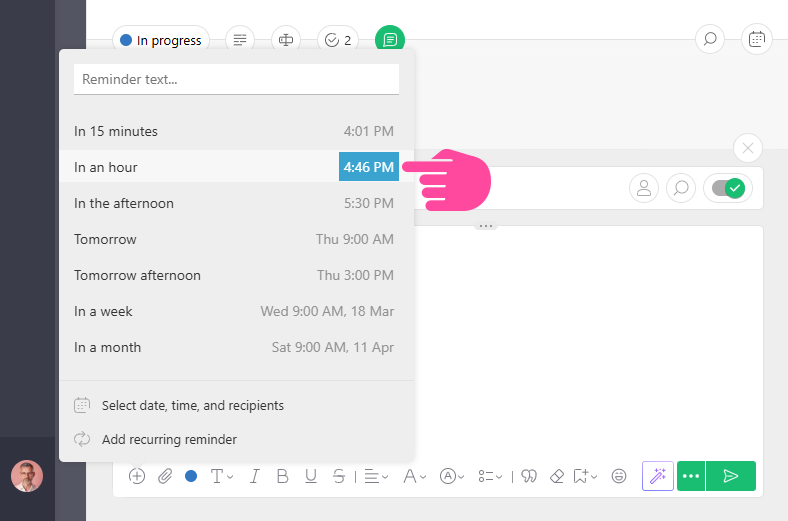
When adding a reminder, you can choose a preset value or specify your own date and time. To change the time of a standard reminder — just click it:
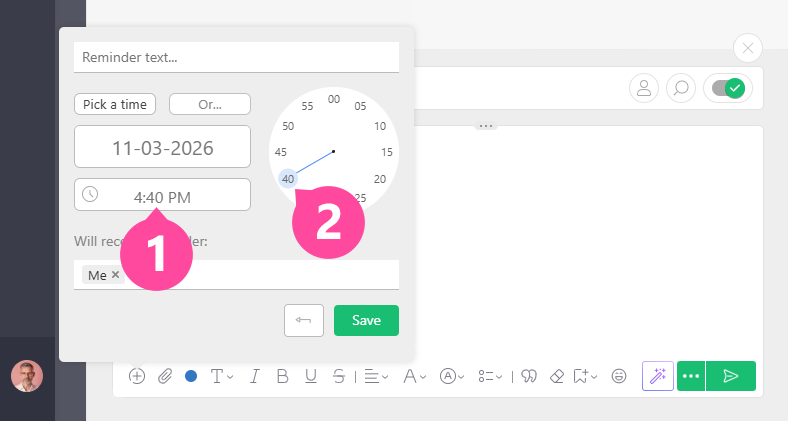
The interface for selecting the exact time for a reminder looks like a dial: first click to choose the hour, then the dial switches to minutes, and with the second click you set the exact reminder time:
Please note: reminder times can only be changed for a specific reminder. The list of standard reminders cannot be configured or modified.
Choosing reminder text
You can add text to your reminder.
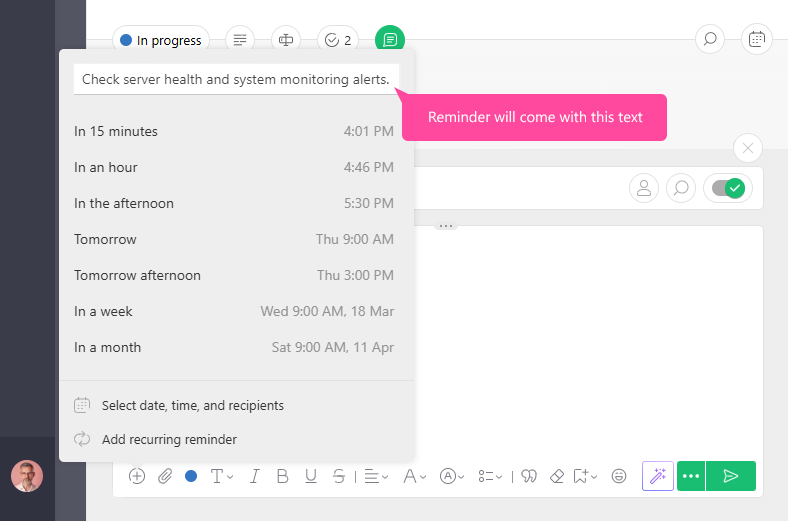
Please note: reminder text is separate from comment text. Even when adding a reminder to comment, you can specify separate text for the reminder and have that text sent to you at a specific time. If no reminder text is added, recipients will be sent the text of the comment when the reminder is triggered.
Choosing reminder recipients
You can choose recipients for a reminder separately from the recipients of the comment where the reminder was added.
If you choose the option Select date, time, and recipients, you'll be able to remove users from the given list who don't need to receive the reminder:
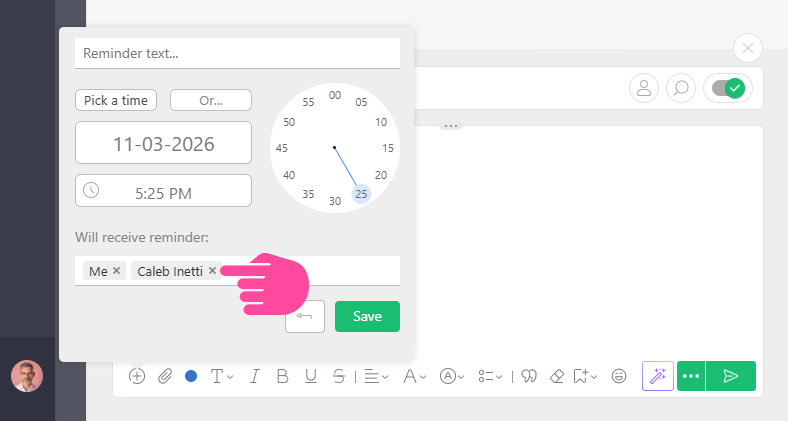
You can also add additional users to receive the reminder notification.
Useful: In addition to selecting specific people as recipients, you can also specify roles: the auditor, assigner, assignees, or task participants. This is convenient to use in templates. For example, you can add a reminder to a template that Planfix will use to create requests from clients:
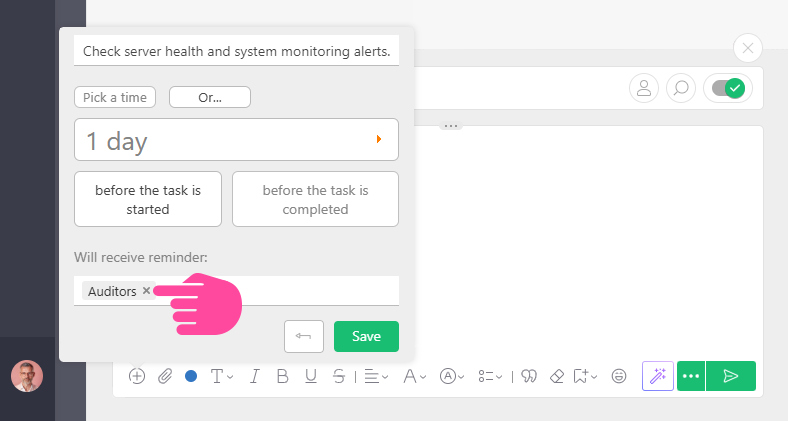
In this example, reminders will be added to each task created using this template, and the recipients of the reminders will be the auditors.